Airbnb Listing Video: Where It Works and a 40-Minute Shot List
You can't add a video to an Airbnb listing. The listing is a photo tour: Airbnb sorts your photos into rooms and asks for at least 1024 x 683 pixels, and there is no video slot. What you can do is send photos and videos up to 60 seconds long in messages, but only once a reservation is confirmed. So an Airbnb listing video has to earn its keep somewhere else: on Instagram and TikTok, on your own booking site, on Vrbo (which now takes video), and in the message thread after someone books.
Don't shoot one long walkthrough with nowhere to go. Shoot for three short videos, all from the same 40 minutes with your phone.
The three videos a rental actually needs
1. The "walk the stay" vertical (30 to 45 seconds). Front door to best view, in the order a guest would experience it. This goes on Instagram Reels, TikTok, your direct-booking site and, in a quieter version, your Vrbo listing. Its job is to make someone want to look you up.
2. The check-in walkthrough (under 60 seconds). Sent to booked guests in the Airbnb message thread. It answers the questions you get every stay: where to park, how the lock works, the wifi, the thermostat, the trash. Airbnb's own help page lists "show a guest how the hot tub works" as an example of what to send, so this is a use Airbnb expects.
3. One-feature clips (8 to 15 seconds each). The hot tub steaming at night. Coffee on the deck at sunrise. The fire pit. These are your ongoing social posts and the openers for video 1. One feature, one clip, no tour.
Where video actually works, platform by platform
The Airbnb, Vrbo, Booking.com and Google rows come from each platform's own help pages, read November 21, 2026.
| Platform | Can you post video? | What the rules say | Which video |
|---|---|---|---|
| Airbnb listing | No | Photo tour only; photos at least 1024 x 683 px | None. Use photos |
| Airbnb messages | Yes, after booking | Photos and videos up to 60 seconds, only once the reservation is confirmed | Check-in walkthrough |
| Vrbo listing | Yes (rolling out) | 15 s minimum, 2 min max, under 60 s preferred; 9:16 or 16:9 at 1080p; no added music; human review | Walk the stay, quiet version |
| Booking.com | No | Partner help says you can't upload videos to the property photo gallery | None |
| Your own booking site | Yes | Your rules | Walk the stay, feature clips |
| Instagram, TikTok | Yes | Short vertical video is the native format | Walk the stay, feature clips |
| Google Business Profile | Yes, if your management company has one | Up to 30 s, 75 MB, 720p or higher | 30-second cut of walk the stay |
A few of those rows need more detail.
Vrbo takes video now
Most guides miss this one. Vrbo's help center now has an add or remove a video page under Edit property, with a note that the feature is still rolling out and uploads go through human approval. The Vrbo video guidelines are strict, and the Instagram version of your video can fail them: no slideshow of still photos, no filters, borders or overlays, no 4K (it gets compressed and cropped), and audio limited to a voiceover and English captions. Any other added music "may be removed and the entire video may be rejected or removed." Up to 20% of the video can show nearby attractions. Export a separate Vrbo cut with a voiceover (or no added audio) and no music bed. If all you have is the Instagram version, the free mute video tool strips its soundtrack, or swaps it for your voiceover.
Booking.com says no
Its partner help page on uploading and editing photos answers "Can I add videos to my property's photo gallery?" with "No."
Don't put a video link in your Airbnb description
Several top-ranking guides tell hosts to paste a YouTube or website link into the listing. Airbnb's pricing and payment transparency policy says hosts may not "include links in listing pages or messages that take people off of the Airbnb platform." The video for Airbnb browsers is your photos. The video for everyone else lives off Airbnb, where they find you first.
Google Business Profile, if you have one
A property manager with an office or a listed business can add the walkthrough under Photos and videos. Google's Business Profile help page caps it at 30 seconds, 75 MB and 720p or higher. More on that in our Google Business Profile video guide.
The 40-minute phone shoot
Do it on changeover day, after cleaning and before the next guest. Clean the lens, lock exposure, shoot everything vertical at 1080p or 4K, and walk at half your normal speed. If you want a few horizontal takes for a website hero or Vrbo's 16:9 option, grab them in the same pass. Start about 40 minutes before sunset so the interiors get daylight and shots 14 to 17 land at golden hour and dusk.
| # | Shot | Room / time | Seconds to record | Used in |
|---|---|---|---|---|
| 1 | Pull up to the driveway, parking spot in frame | Exterior, daylight | 10 | Check-in |
| 2 | Walk to the door, show the house number | Exterior, daylight | 8 | Check-in, walk the stay |
| 3 | Close-up: enter the keypad code (use a fake one), door opens | Front door | 8 | Check-in |
| 4 | Step inside, slow push into the living room | Living room, lights on, blinds open | 10 | Walk the stay |
| 5 | Wifi card or router label, hold 3 seconds | Wherever it lives | 5 | Check-in |
| 6 | Thermostat: press up, press down | Hallway | 6 | Check-in |
| 7 | Slow pan across the kitchen, end on the coffee setup | Kitchen | 10 | Walk the stay |
| 8 | Pour coffee, steam visible | Kitchen | 6 | Feature clip |
| 9 | Primary bedroom from the doorway, then a slow walk to the window | Bedroom | 10 | Walk the stay |
| 10 | Hand pulls back the duvet, close-up | Bedroom | 4 | Walk the stay |
| 11 | Bathroom, one wide, one detail (towels, shower) | Bathroom | 8 | Walk the stay |
| 12 | Hot tub cover lifted, controls shown | Deck, daylight | 10 | Check-in |
| 13 | Trash and recycling bins, label visible, walk to the curb | Side yard | 10 | Check-in |
| 14 | Open the back door to the view | Deck, golden hour | 8 | Walk the stay, feature clip |
| 15 | Fire pit lit, slow push in | Yard, dusk | 10 | Feature clip |
| 16 | Hot tub lit, steam, lights on | Deck, dusk | 12 | Walk the stay, feature clip |
| 17 | House exterior with interior lights on | Exterior, blue hour | 10 | Walk the stay opener or closer |
That's about two and a half minutes of usable footage. Record each shot two or three times; it's the walking and staging that takes the 40 minutes. If you miss sunset, come back on the next changeover for shots 14 to 17.
Two things to leave out. Don't film anything that identifies neighbors or their cars, and never show the real door code on screen. For the check-in video, the code goes in your written check-in instructions, which Airbnb shows guests 48 hours before check-in.
If you'd rather not drive out at all, our guide to making a video from photos covers what still images can and can't do. Note that Vrbo rejects slideshows, so a photo-built video belongs on social, not on Vrbo.
Check-in video script, word for word
Example property: Pine Hollow, a two-bedroom A-frame cabin with a gravel driveway, keypad lock, hot tub and curbside trash on Monday mornings. Read at a normal pace this runs about 55 seconds, which fits Airbnb's 60-second message limit. Swap in your own details.
[Shot 1, driveway] Welcome to Pine Hollow. Park on the gravel pad on the left. The right side is the neighbor's.
[Shots 2 and 3, front door] The keypad is right of the door. Your code is in your check-in instructions in the Airbnb app. Enter it, press the check mark. To lock up, press the lock button once.
[Shot 5, wifi card] Wifi details are on this card by the bookshelf.
[Shot 6, thermostat] Thermostat's in the hallway, set to 68. Please keep it under 74.
[Shot 12, hot tub] The hot tub is ready. Lift the cover by the handle, jets are the left button, and put the cover back after each soak.
[Shot 13, bins] Trash in green, recycling in blue, by the side gate. Here on a Sunday night? Roll them to the end of the driveway.
[Shot 17, exterior] That's it. Message me here anytime. Enjoy the stay.
Put captions on it so a guest can follow with the sound off and pause on the line they need. Send it as a video file in the Airbnb thread, not as a link. Airbnb's guest help page on paying and communicating through Airbnb says it may block messages that contain external links.
Cutting the walk the stay video
Order beats polish:
- 0 to 3 s: your best single moment, usually shot 16 or 14. Text on screen: the place and one hook ("A-frame with a hot tub, 20 minutes from the trailhead").
- 3 to 30 s: arrival, living room, kitchen, bedroom, bathroom, about 4 seconds each, cut on movement.
- 30 to 40 s: the outdoor feature at golden hour or dusk.
- Last 3 s: exterior at blue hour, with where to book (your site's name, or "link in bio").
For Instagram and TikTok, add music you have the rights to and captions. For Vrbo, export the same cut with no music, a short voiceover or no added audio, and no graphic overlays. English captions are allowed. For more on Reels pacing, see our Instagram Reels guide, and check frame sizes and safe zones with the free video ad sizes tool or the video ad sizes reference.
The "send me a video first" scam
Hosts on Airbnb's community forum report a recurring pattern: a new profile asks about an odd booking (off-season, a month or longer), then quickly asks for a video of the property. Because Airbnb messages only allow video after a booking is confirmed, the next step is a request to send it by WhatsApp or email (one such thread).
You don't need to judge the person; the rule decides it. Airbnb's policy on combating deception, scams and abuse prohibits "communicating, booking and paying, or sharing personal contact information outside of the platform," and the payment transparency policy says all communication before booking must stay on Airbnb. A safe reply: "Airbnb only lets me share video after booking. Happy to answer any question here, and the photo tour shows every room."
Where Rend fits
Shooting is the easy part. Cutting three versions, captioning them, making a music-free Vrbo cut and keeping the check-in video under 60 seconds eats an evening.
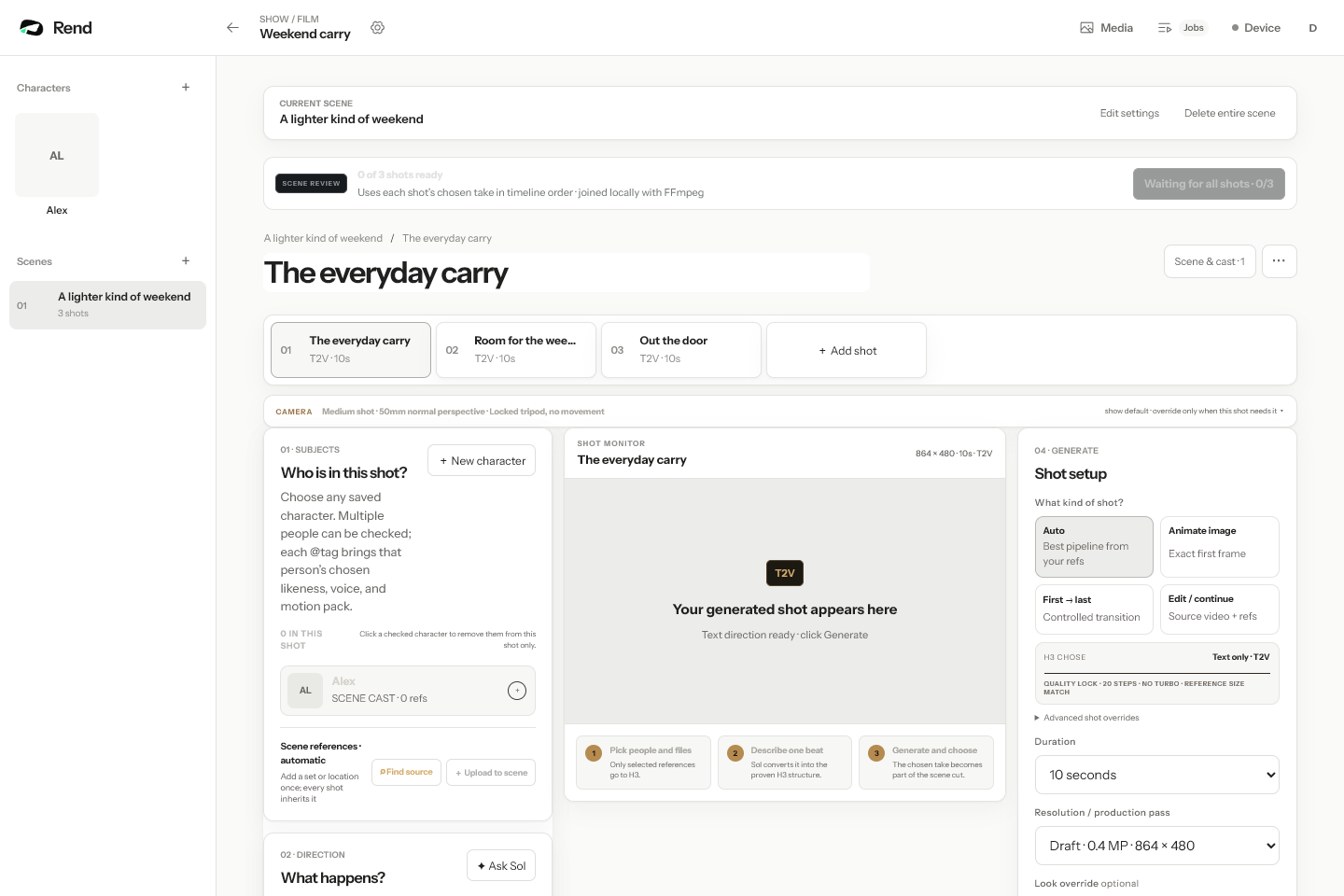
With Rend, you send the phone clips (from your camera roll, by email or a web form; see sending videos from your phone) and describe what you want: "Three videos from these clips: a 40-second vertical walk the stay for Instagram, a check-in video under 60 seconds using this script, and three feature clips." Rend cuts them on a real timeline you can open and change, with editable word-timed captions, music on its own track (easy to drop for Vrbo) and, if you'd rather not record yourself, the check-in script narrated in a voice you approve. It exports the sizes each place needs.
Editing is free. You pay when Rend renders or generates something; see pricing. If you also sell homes or manage listings for owners, the real estate listing video guide covers MLS rules and longer tours.
FAQ
Can you add a video to an Airbnb listing?
No. Airbnb home listings use a photo tour, and there is no video upload. After a reservation is confirmed, hosts and guests can send each other photos and videos up to 60 seconds long in messages.
Can I put a link to my YouTube tour in the Airbnb description?
Airbnb's payment transparency policy says hosts may not include links in listing pages or messages that take people off the platform. Put the video on your own channels instead, where people who find you there can watch it.
How long should a vacation rental video be?
30 to 45 seconds for the social walkthrough, under 60 seconds for a check-in video sent on Airbnb, and 8 to 15 seconds for single-feature clips. Vrbo accepts 15 seconds to 2 minutes and prefers under 60.
Does Vrbo allow video?
Yes, it's rolling out. Vrbo's help center has a Video section under Edit property, and every upload is reviewed by a person. Follow the guidelines: 9:16 or 16:9 at 1080p, no slideshow of photos, no filters or overlays, no added music.
Can I make an Airbnb video tour without filming?
You can build a video from your listing photos for Instagram or your site. Vrbo's guidelines reject slideshows of stills, so for Vrbo you need real footage.
Shoot the 17 shots on your next changeover, then start a free Rend project and send them with the script. Editing is free; you pay only when Rend renders or generates something.