AI Instagram Reels Maker: Reels That Reach Beyond Followers
An AI Instagram Reels maker turns your clips, photos or a script into a vertical Reel with cuts, captions, music and a cover frame. Instagram now lets Reels run up to 20 minutes, but Buffer's 2026 guide notes that only Reels of three minutes or less are eligible for recommendation to people who don't follow you. For reach, keep Reels under three minutes, and most under one.
Reels sit between TikTok and a brand's grid. People expect them to look good, because they'll appear on your profile next to your best photos, but they still need to feel like a post, not a commercial. That's the balance an AI tool has to strike.
How to make Instagram Reels in Rend, step by step
These screenshots are from Rend's demo of clipping a podcast episode; your own project works the same way.
1. Drop the episode and example clips. Add the long video (here a 1 hour 12 minute episode) and a few clips you like, then ask: "Find the best moments in this episode and clip them like these."
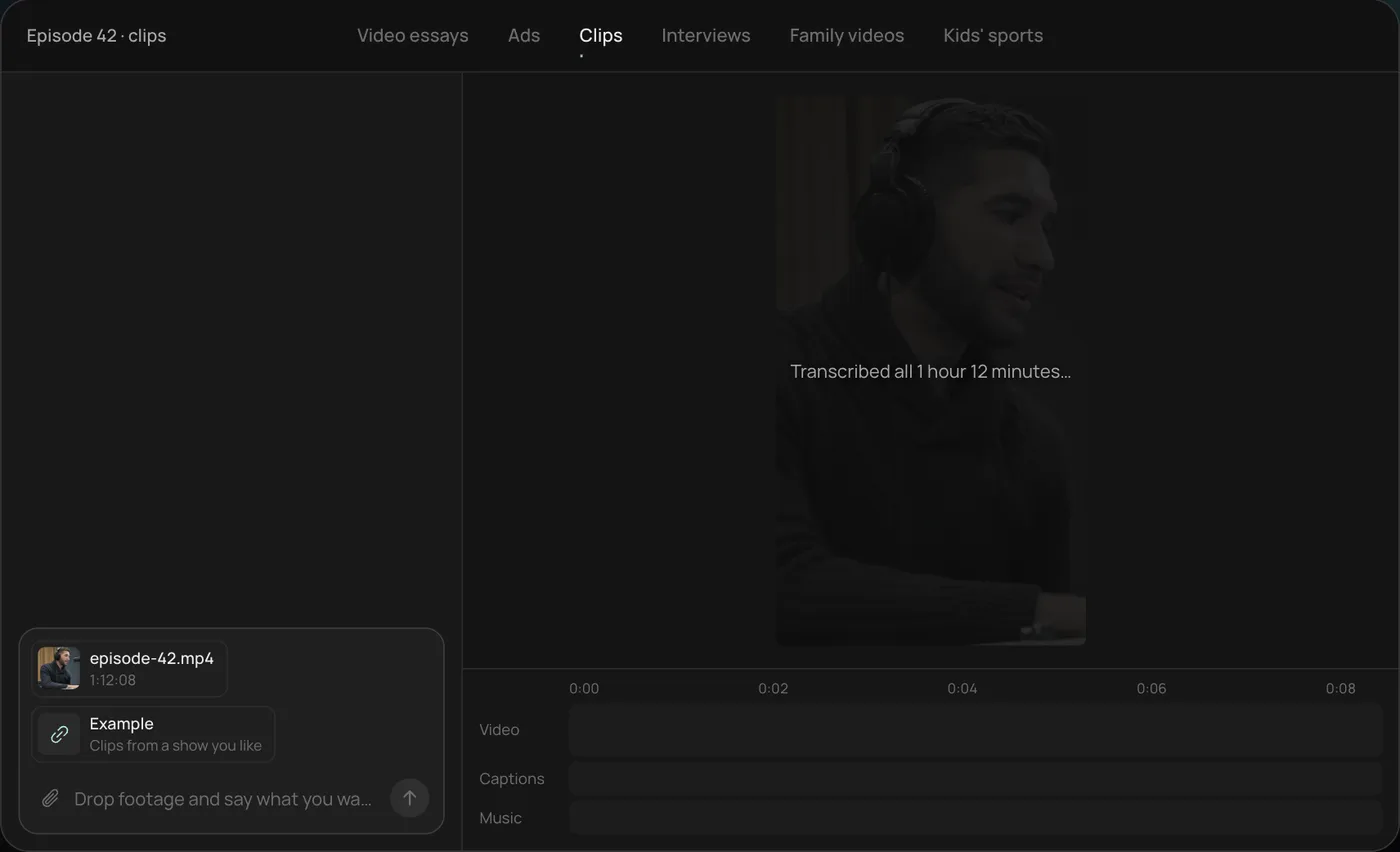
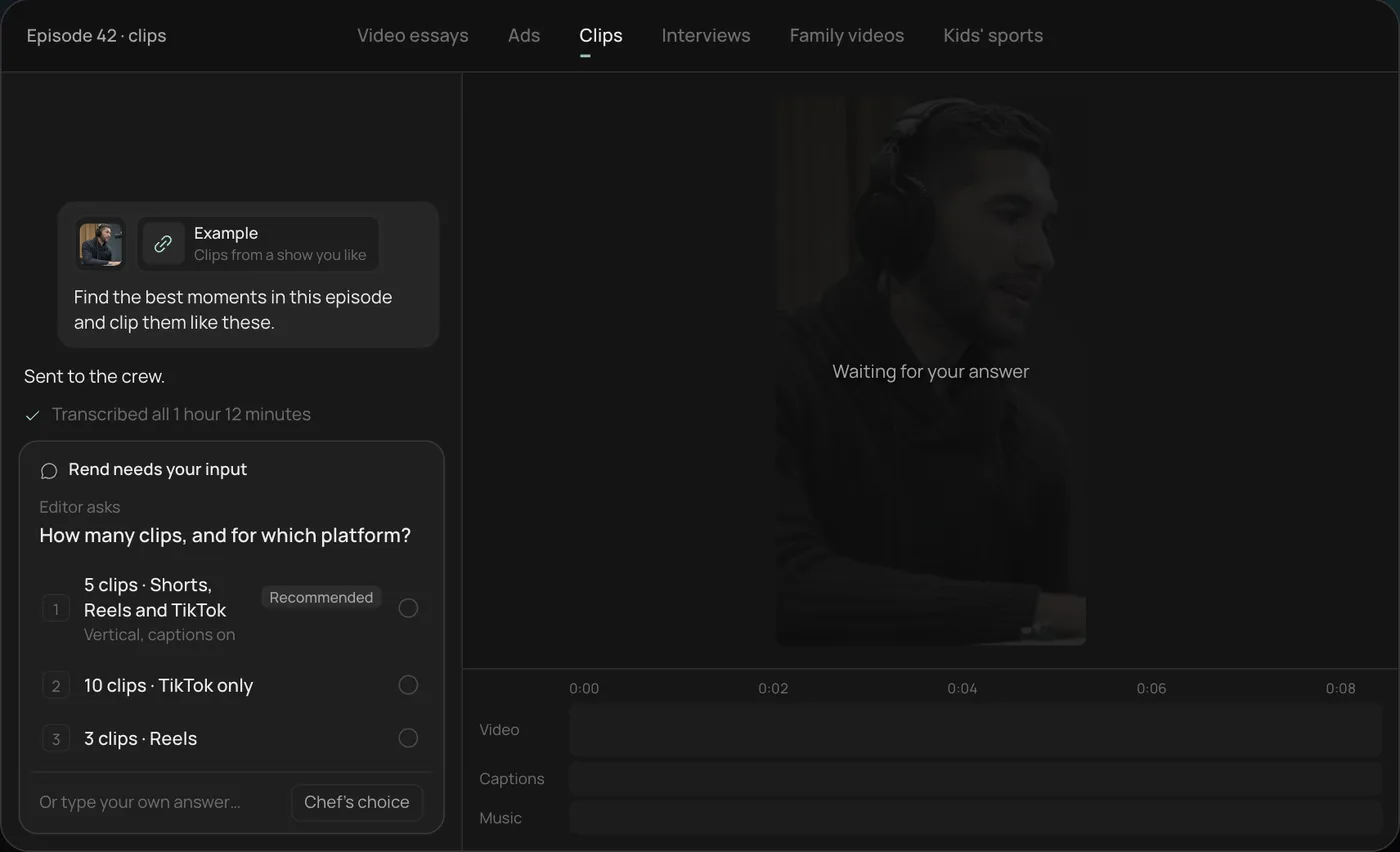
2. Answer the one question. Rend asks how many clips and for which platform. The recommended answer is 5 vertical clips for Shorts, Reels and TikTok.
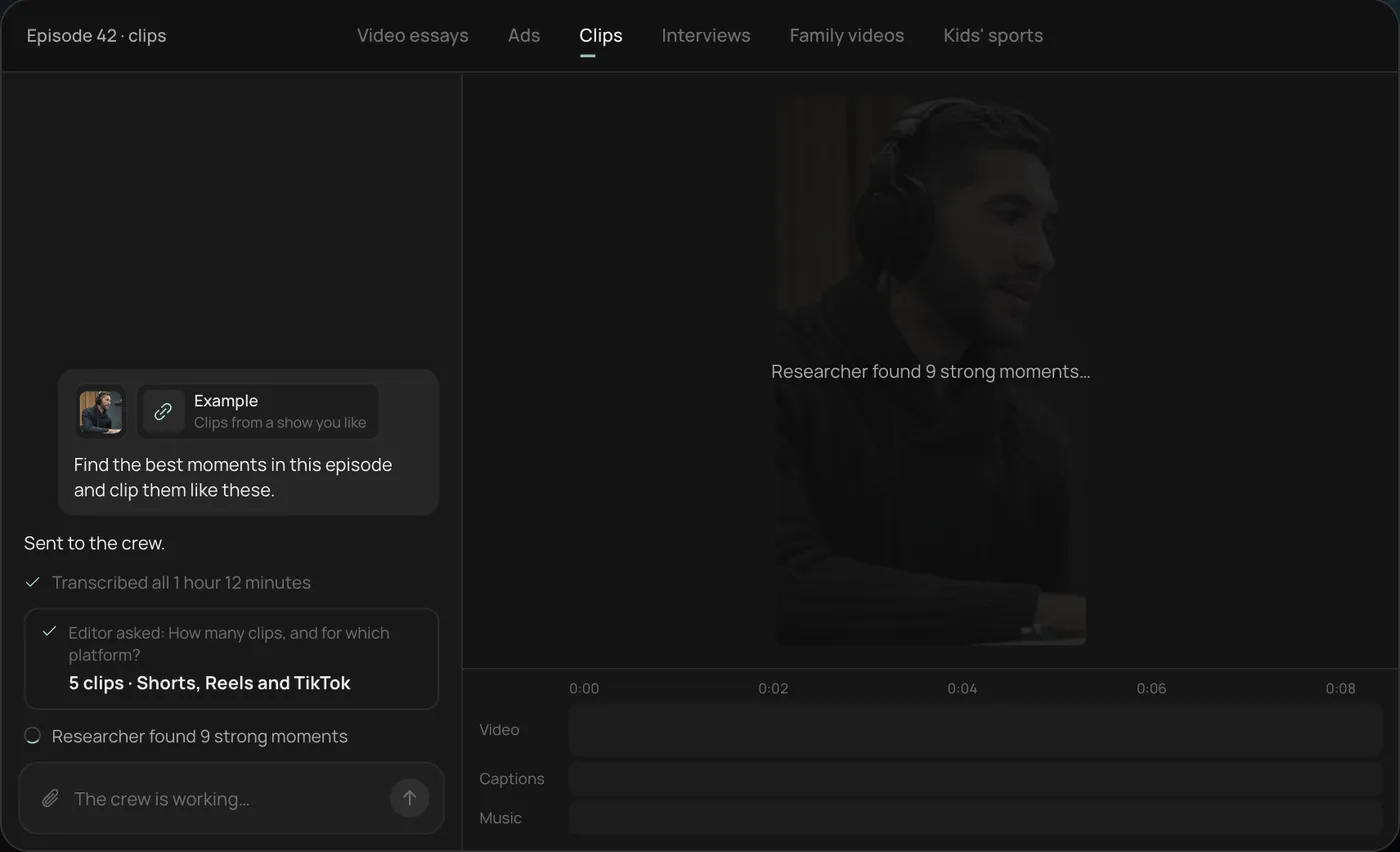
3. Let the crew work. Rend transcribes the episode and the researcher finds the strongest moments (9 in the demo), checking off each step in chat.
4. Open the finished clips. Five vertical clips of 28 to 55 seconds sit on a real timeline, with word-by-word captions on their own track that you can restyle or edit.
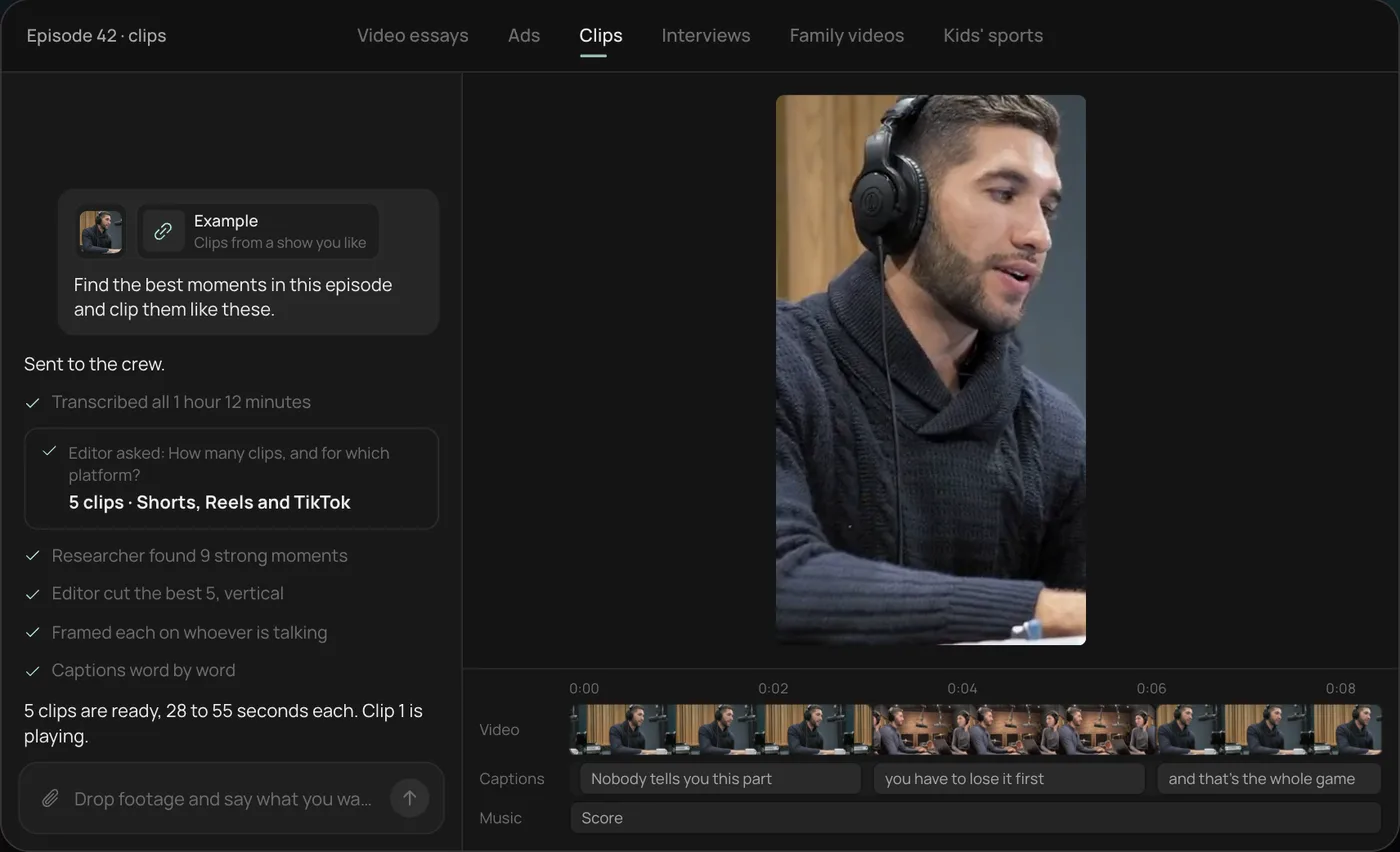
From there you can open the timeline and change anything by hand, share a review link, or export. Start a free Rend project to try it on your own footage.
What makes Reels different from TikTok and Shorts
| Instagram Reels | TikTok | YouTube Shorts | |
|---|---|---|---|
| Shape | 9:16 | 9:16 | 9:16 or square |
| Length for reach | Up to 3 min recommended to non-followers (Buffer) | Varies | Up to 3 min counts as a Short (YouTube Help) |
| Lives on | Your profile grid, next to photos | Your profile | Your channel's Shorts tab |
| Cover image | Matters, shows on the grid | Matters less | Matters less |
| Who's watching | Followers plus Explore | Mostly For You strangers | Mix of subscribers and feed |
The practical difference is the grid. A Reel's cover frame shows up on your profile forever, cropped. Pick it on purpose, with the subject in the center so the crop doesn't cut it in half.
A 20-second Reel template
Twenty seconds is a good default for a service business, shop or creator. About 50 spoken words, or no voice at all with on-screen text.
| Time | What happens | Example (a bakery) |
|---|---|---|
| 0 to 1.5 s | Moving hook shot | Knife cutting into a croissant, close |
| 1.5 to 4 s | Text hook | "48 layers. 3 days. One croissant." |
| 4 to 14 s | The process, fast cuts on the beat | Lamination, folding, the proof, the oven |
| 14 to 18 s | The payoff | Tray out, steam, the shatter when it's torn |
| 18 to 20 s | The ask | "Saturdays from 7. Line forms at 6:45." |
Notice the hook text uses numbers. Numbers read in half a second and make a claim the video then proves.
For more by industry, see restaurant promo videos and video ads for local businesses.
What a good AI Reels maker should handle
Beat-matched cuts. Reels with music feel right when cuts land on the beat. A tool should cut to the music, not on a fixed interval.
Captions that suit your brand. Instagram audiences notice when every account uses the same default caption style. Use your font and colors. The caption style previewer helps you choose.
Safe zones. Instagram's interface covers the bottom of a Reel (caption, username, audio) and the right side (like, comment, share). Keep text and faces in the middle. Check with the safe-zone checker.
A clean cover frame. Either a frame from the video with the subject centered, or a designed title card.
Every size from one edit. The same Reel often needs to be a Story, a feed post (4:5) and an ad. Re-cutting each by hand wastes an afternoon. Video ad sizes lists them.
Making Reels with Rend
Rend is an AI video agent. You send what you have (phone clips, your camera roll, a product page, a Reel you liked) in chat, by email or through a web form. A crew of specialist agents takes it to an exported Reel on a real timeline you can open and change.
It cuts your clips, adds word-timed captions that stay editable in your font and look, puts original music and sound effects on separate tracks, and builds titles and motion graphics. If you're short on footage, it generates shots and b-roll to fill gaps; it's better to send real footage of anything a customer can actually buy or visit.
Save a brand kit once (caption style, fonts, templates, voice, music bed) and every Reel after that matches without you repeating yourself. When a client or teammate needs to sign off, send a review link: they draw on the frame, and the agent reads every note and makes the fix.
Need ads too? The same Reel becomes new hooks, sizes and image ads. Download the set for your own ad accounts, or use Rend Boost (early access), where Rend runs the ads on major networks and you pay per click.
Editing is free; you pay only when Rend renders or generates something. See pricing and the tools.
A weekly plan for three Reels
- Shoot once (30 minutes). Film everything for the week in one go: the process, the people, the product, a few close-ups. Vertical, steady, in good light.
- Send it all (2 minutes). Dump the clips into one chat with three ideas: "a process Reel, a staff intro, a tip."
- Review (15 minutes). Watch each cut once with sound, once muted. Leave notes on the frame.
- Post Monday, Wednesday, Friday. Pick each cover before you post.
Send videos from your phone shows the fastest way to get clips off a phone and into Rend.
Shot list for a one-hour shoot
If you only film once a week, film these and you'll have material for three or four Reels:
| Shot | Why you'll use it |
|---|---|
| Five close-ups of the product or work, moving | Hook shots and beat cuts |
| One wide of the place, steady, 10 seconds | Establishing shot, cover frame |
| The process from start to finish, uncut | Process Reels, time-lapses |
| A person talking to camera for 30 seconds | Intros, tips, trust |
| Hands doing the work | B-roll under any voiceover |
| The finished result, held for 5 seconds | The payoff, the last frame |
| Customers or staff reacting (with permission) | Social proof without a testimonial script |
Film everything vertical, hold each shot two seconds longer than feels necessary, and don't edit on your phone first. Raw clips give the editor more to work with than trimmed ones.
Mistakes that keep Reels small
Posting a horizontal video with bars. Reframe to 9:16.
Text in the bottom fifth. It's under the caption and username.
Trending audio with no connection to the video. It reads as filler.
Reels longer than they need to be. If the payoff is at 12 seconds, end at 14.
A cover frame that crops your subject's head off on the grid.
FAQ
How long can an Instagram Reel be?
Instagram allows Reels up to 20 minutes, though some accounts may still see shorter caps as it rolls out. Buffer reports only Reels of three minutes or less are eligible to be recommended to non-followers, so keep reach-focused Reels under three minutes.
What is the best AI Instagram Reels maker?
It depends on how much footage you have. With your own clips, pick a tool that cuts to the beat and makes editable captions in your style. Without footage, pick one that can script, narrate and generate visuals. Rend does both. Canva video vs Rend and CapCut vs Rend compare two common choices.
Can I post the same video to Reels and TikTok?
Yes, both use 9:16. Export a clean version without another app's watermark, and check captions sit inside each app's safe zone.
Do Reels need voiceover?
No. Many strong Reels use on-screen text over music. Voiceover helps for tips, tutorials and explainers. See the AI voiceover video maker guide.
What's the best size for an Instagram Reel?
1080 by 1920 pixels, 9:16. Keep text and faces out of the bottom and right edges.
Start with this week's clips: create a free account, send what's on your phone, and pick the cover before it goes up.