Salon Video Marketing: Transformation Reels and Booking Ads
Salon video marketing that fills chairs runs on three kinds of video: transformation Reels (the before, a few seconds of the work, the reveal, 15 to 45 seconds), short ads with a booking button aimed at your slow days, and 30 to 60 second stylist intros so a new client knows who they're booking. Film on a phone on a tripod at the station, one appointment at a time, and cut many short clips from each. A single color appointment filmed start to finish can give you a week of posts.
That last part is the trick most salons miss. You don't need a new video idea every day. You need to clip the appointments you're already doing, which is exactly what the steps below show.
How to clip salon footage into Reels in Rend, step by step
These screenshots come from Rend's demo of clipping a podcast; cutting a long appointment recording into Reels works the same way.
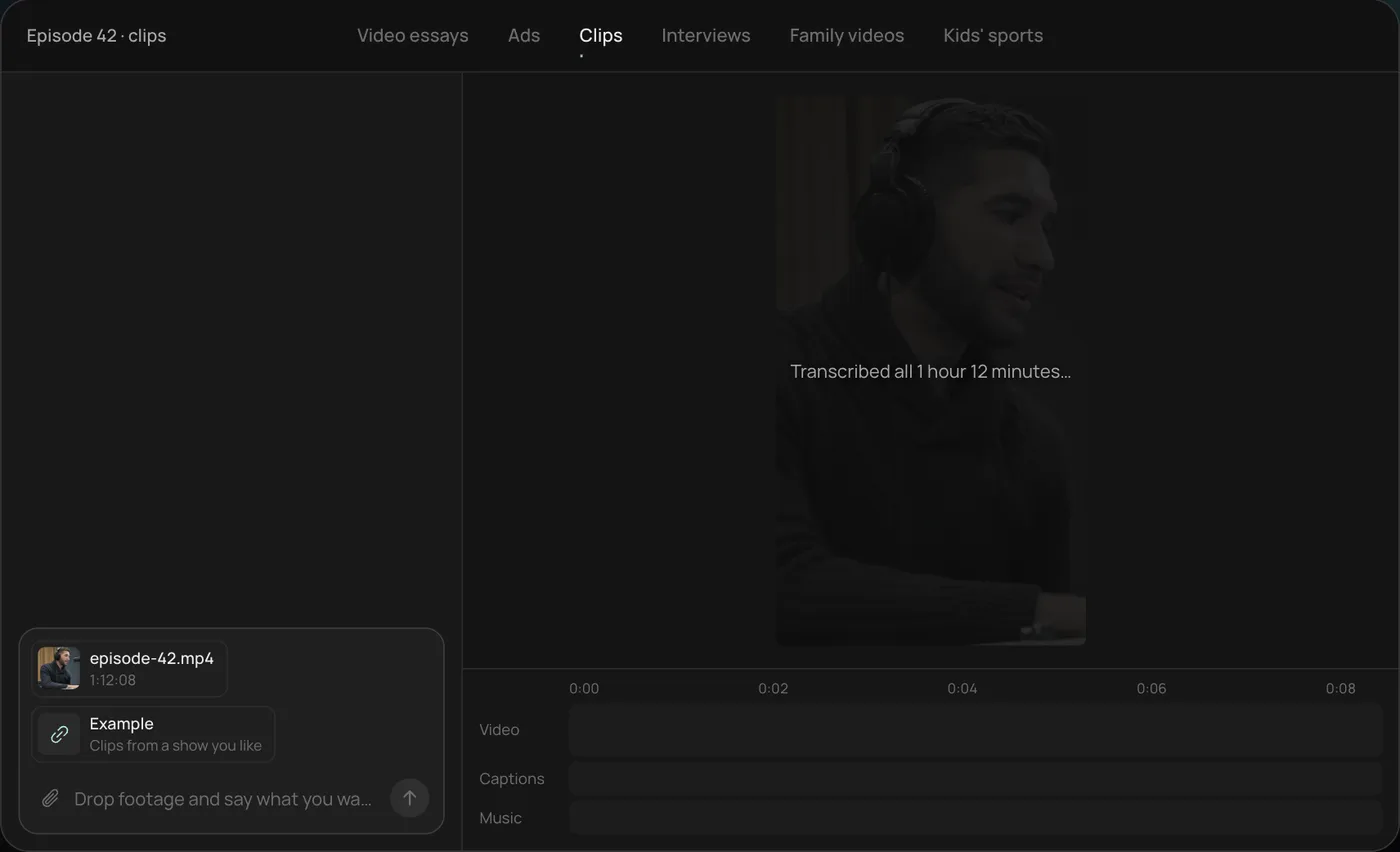
1. Drop in the long recording and example clips. Add the full recording (here a 1 hour 12 minute podcast episode) and a few clips you like, then ask Rend to find the best moments and clip them like those.
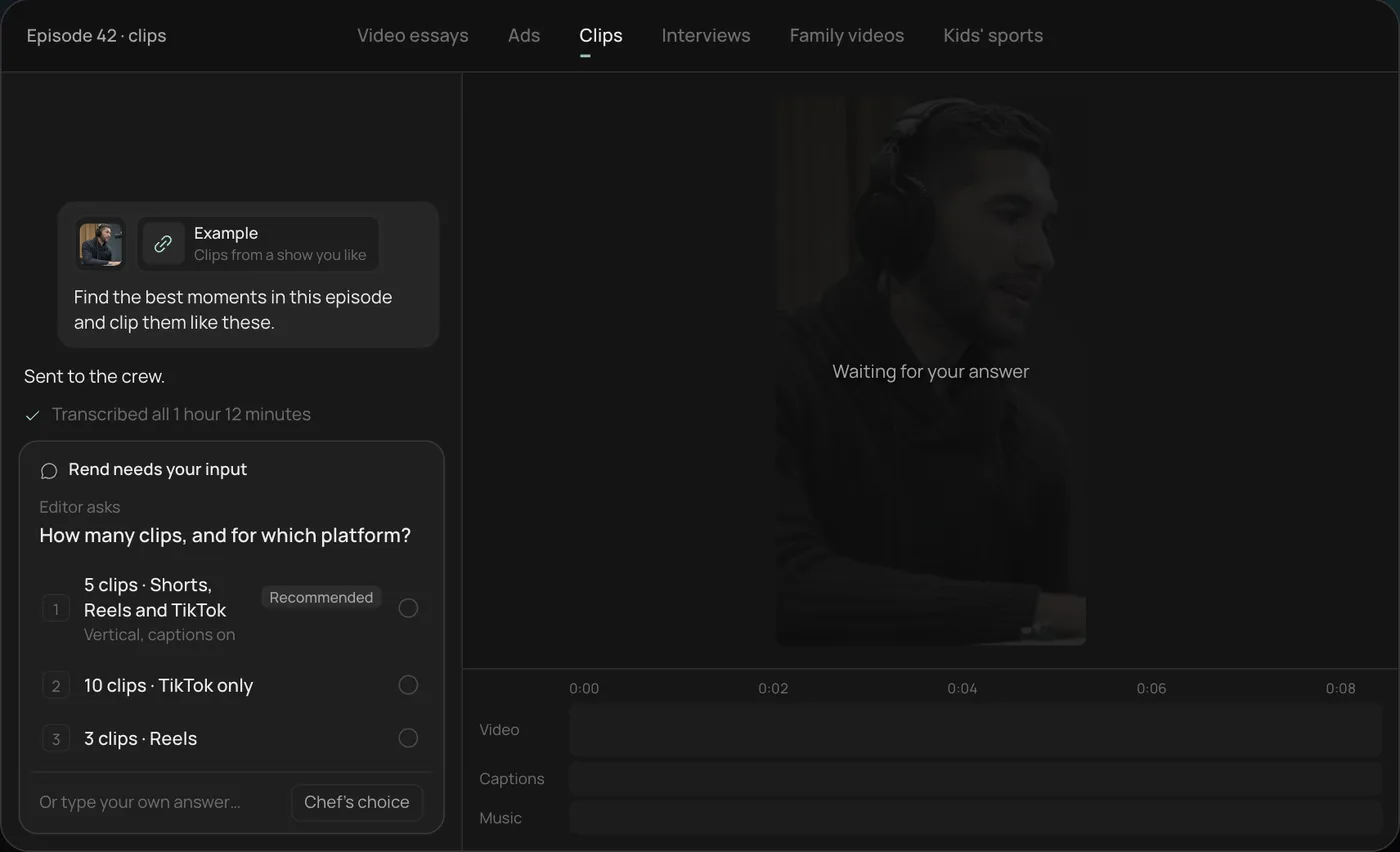
2. Pick how many clips and where. Rend asks how many clips you want and for which platform, and recommends five vertical clips for Shorts, Reels and TikTok.
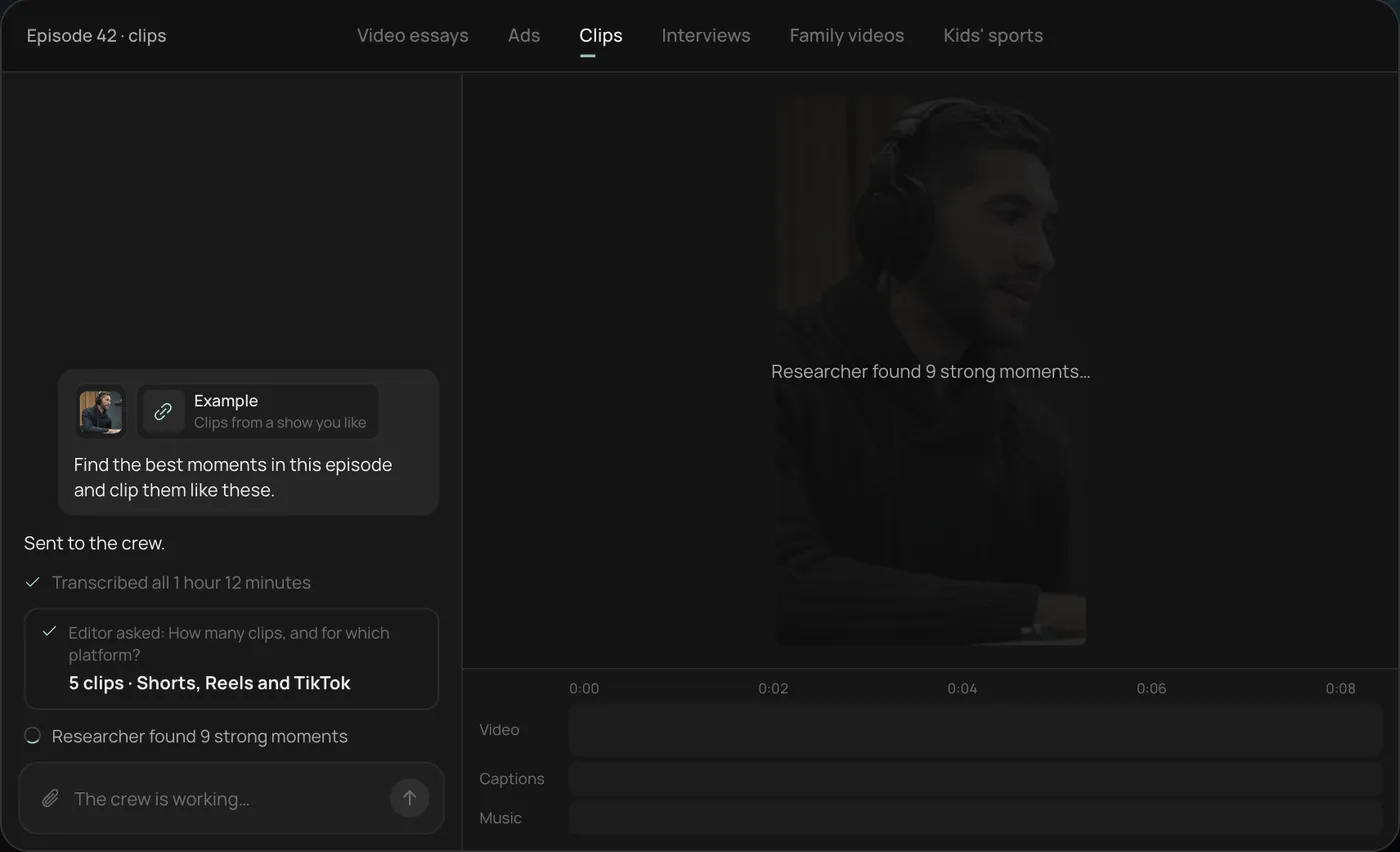
3. Watch the crew work. Rend transcribes the recording and a researcher finds the strongest moments, each step checked off in the chat.
4. Get the clips. Five vertical clips of 28 to 55 seconds land on the timeline, with word-by-word captions on their own track that you can still edit.
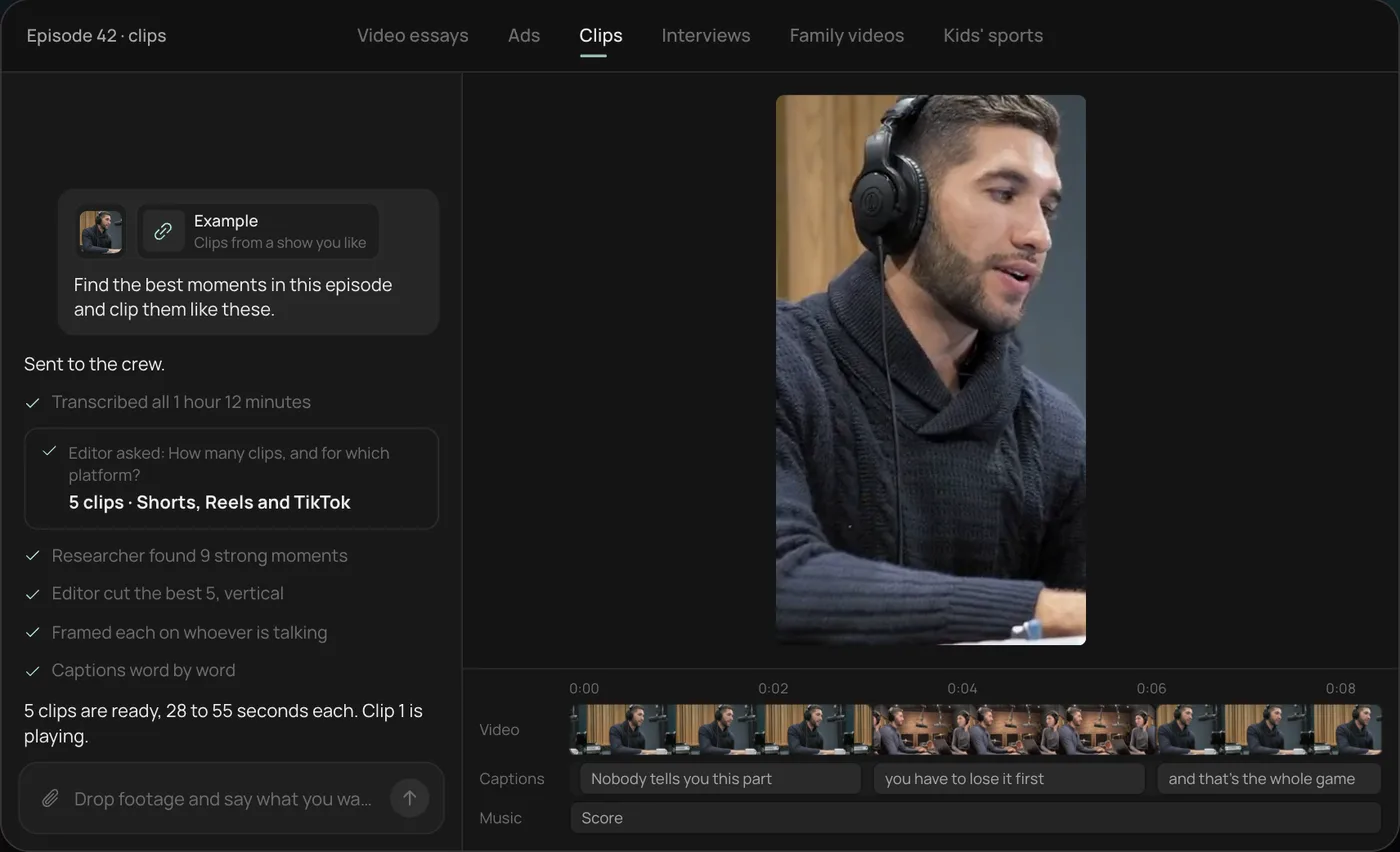
From there you can open the timeline and change anything by hand, share a review link for notes, or export. For a salon, send a whole appointment and a couple of transformation Reels you admire, and ask for five clips with the reveal in each. Start a free Rend project to try it on your own footage.
The three videos that book appointments
| Video | Length | Where | Job |
|---|---|---|---|
| Transformation Reel | 15 to 45 s | Instagram Reels, TikTok, Shorts | Show what you can do, get saved and shared |
| Booking ad | 15 to 20 s | Meta ads with a booking button | Fill slow days, bring in first-time clients |
| Stylist or barber intro | 30 to 60 s | Booking page, Instagram highlights, Google profile | Help a new client pick the right person |
| Short tip | 15 to 30 s | Reels, TikTok | Build trust between transformations |
Transformations bring new eyes. Intros and tips turn those eyes into bookings, because people book a person, not a salon.
Filming a transformation Reel
A transformation is a story with a fixed shape: problem, process, reveal. Shoot every part on purpose.
The setup at the station:
- Phone on a small tripod or a mirror-mounted clamp, vertical, at the client's eye height.
- Light from the front. Ring lights work, but a big window or a soft LED panel at 45 degrees looks better and shows true color. Overhead salon lights make roots look darker and blondes look yellow.
- Lock the exposure and white balance on the phone (press and hold on the screen) so the color doesn't shift as the stylist moves.
- Clean the mirror and the station behind the chair. Everything in frame is part of your brand.
The shot list for one appointment:
- Before, front and back, 3 to 5 seconds each. Hair down, natural, no product.
- Consult: the stylist touching the hair and explaining what they'll do (great for captions).
- Process clips, 2 to 4 seconds each: sectioning, foils going in, toner, a fade with the clippers, the blowout.
- The reveal: the chair spin, a hair flip, or the client seeing it in the mirror. Get two or three takes.
- Detail close-ups of the finished color in daylight, near a window.
For barbershops, the fade is the process shot everyone wants: shoot the side of the head close, with the clipper guard visible, then a clean overhead or 45-degree shot of the finished blend.
When you cut it, keep the before short, run the process fast (most transformations show 6 to 10 process clips in under 15 seconds), and give the reveal a full beat. Put a line on screen in the first second that says what changed: "Box dye black to soft brunette, one session." People stop for specifics.
Booking ads that fill slow days
Most salons have a predictable dead zone. Tuesday afternoons, the week after New Year, late August. Ads work best aimed at those, with an offer that's easy to say.
A 15-second booking ad:
- 0 to 2 s: the reveal first. The best one you have this month.
- 2 to 8 s: two or three quick process shots so it doesn't look like a filter.
- 8 to 12 s: the stylist to camera: "New clients, I have Tuesday and Wednesday openings this month."
- 12 to 15 s: the offer and booking line on screen, with the ad's Book Now button doing the rest.
Meta ads include a Book Now call-to-action button, and Instagram business profiles can add a booking action button through supported booking partners, according to Meta's Business Help Center. Point both at the same booking page your front desk uses, so a client sees open times and books without calling.
Two things to watch. Trending songs in Instagram's library are licensed for personal posts, so an ad or boosted Reel with one can get muted or rejected; use music cleared for commercial use, or original music. And keep the offer the same everywhere. If the ad says first-time color is 20% off, the booking page has to say it too.
Target a radius around the salon, about 5 to 15 miles depending on how far people drive to you, and keep interests broad. Location is doing the work. For sizes and the parts of the frame that buttons cover, see the video ad sizes guide.
Stylist and barber intros
The intro is the most underrated salon video. A new client scrolling a booking page sees six names and six headshots. A 40-second video tells them who does lived-in blondes, who's patient with curly hair, and who's fast with a clean skin fade.
What to shoot:
- The stylist at their station, talking to the camera: name, how long they've been cutting, what they love doing most. "I'm Marcus, I've been barbering eight years, and I mostly do tapers and beard work."
- Three or four of their best transformations, quick cuts.
- One sentence on what a first appointment with them is like.
Ask two or three questions and let them talk, rather than reading a script. Then cut to the best answers. Post each intro on the booking page next to their name, pin it in an Instagram highlight, and add a 30-second version to your Google Business Profile, which accepts videos up to 30 seconds per Google's help center. The Google Business Profile video guide covers the rest.
Length and platform notes
Instagram's own guidance says Reels can run up to 3 minutes, and Buffer's November 2026 analysis of 2.7 million Reels found that Reels over three minutes reach far fewer new people, so treat three minutes as the ceiling. For salons, transformations do well at 15 to 45 seconds. Tips can run 30 to 60.
| Format | Recommended length | Notes |
|---|---|---|
| Transformation Reel | 15 to 45 s | Reveal in the last third, with a teaser frame at the start |
| Booking ad | 15 to 20 s | Reveal first, offer by second 12 |
| Stylist intro | 30 to 60 s | Captions on, booking link in caption or button |
| Tip video | 30 to 60 s | One tip per video |
| Google Business Profile | Up to 30 s | Real footage from your salon |
Captions matter. Most people scroll with sound off, and the stylist's explanation is often the whole point of the clip. Burn in captions for Reels and ads; the caption styles previewer helps you pick one that reads well over busy hair shots. Our post on adding captions to video covers the rest.
Client consent
Ask before filming, every time, and get written consent for any video you'll post, especially if the client's face is in it. A simple line on the intake form works: "I agree that [Salon] may film my appointment and use the video on its social media and ads." Let clients say no to face shots and still get filmed from behind; back-of-head transformations perform well anyway.
If a client is tagged or paid in any way (a free service for a video, for example), that's a material connection, and the FTC's Endorsement Guides expect it to be disclosed when they post about you.
Using Rend for a salon
The real work in salon video is editing: finding the reveal in 90 minutes of footage, trimming the process to 12 seconds, adding captions and making three sizes. Send Rend the appointment recording from your phone, by chat, email or a web form. It finds the moments, cuts the clips with word-timed captions in your look, and makes vertical and feed versions. Set up a brand kit once (fonts, caption style, logo, music bed) and every Reel matches. Rend can also write original music, so ads aren't stuck on trending songs you can't use.
For ads, it can spin several hooks from the same transformation and make image ads alongside the videos. Download them for your own Meta account, or hand them to Rend Boost (early access), where Rend runs them on major networks and you pay per click.
Where Rend won't help: it can't film the appointment, and it can't make bad lighting look like good lighting. Fix the light at the station first.
Editing is free; you pay when Rend renders or generates something. See pricing. For more on Reels, read our AI Instagram Reels maker guide, and for turning long recordings into shorts, repurpose a long video into Shorts.
FAQ
What videos should a salon post on Instagram?
Transformation Reels (before, process, reveal) of 15 to 45 seconds, stylist intros of 30 to 60 seconds, and short tips. Transformations bring reach; intros and tips bring bookings.
How do I get more bookings from Instagram?
Add a booking action button to your profile through a supported booking partner, put the booking link in every caption, and run short ads with a Book Now button aimed at your slow days.
Can I use trending songs in salon ads?
Usually not. Instagram's library music is licensed for personal posts, so ads and boosted posts with it can be muted or rejected. Use commercially licensed or original music for anything paid.
Do I need my client's permission to post their hair transformation?
Yes. Get written consent before posting, and offer back-only shots for clients who don't want their face shown.
How long should a transformation Reel be?
Fifteen to 45 seconds. Keep the before to a few seconds, run the process fast and give the reveal room.
What's the best camera setup for salon videos?
A phone on a tripod or mirror clamp, vertical, with soft light from the front and exposure locked. Clean the station behind the chair before filming.
Send Rend one filmed appointment and a couple of Reels you like, and it will cut a week of clips and a booking ad on a timeline you can change. Start free here.