How Do You Repurpose a Long Video Into Shorts? Workflow, Tools
To repurpose a long video into Shorts, find the 30 to 60 second moments that make sense on their own, cut each to start on its strongest line, reframe to 9:16 with the speaker centered, add word-timed captions, and post a few a week. AI clippers like OpusClip find the moments for you in minutes. If you want Shorts that are edited, with a written hook, b-roll and graphics, rather than only clipped, an agent like Rend does that and leaves each one editable.
We build Rend, so weigh our view accordingly. Prices were checked on November 18, 2026.
How to repurpose a long video into Shorts in Rend, step by step
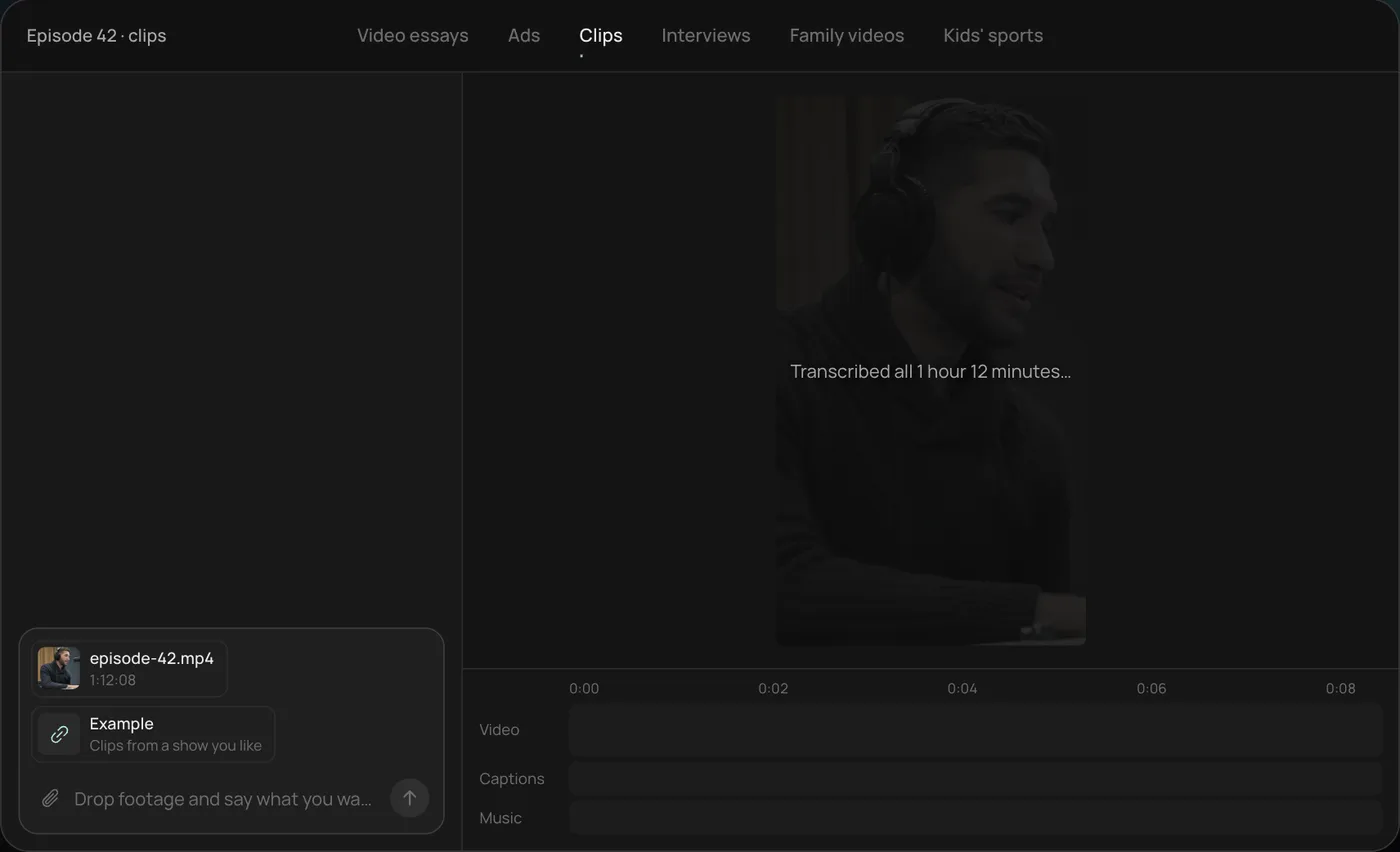
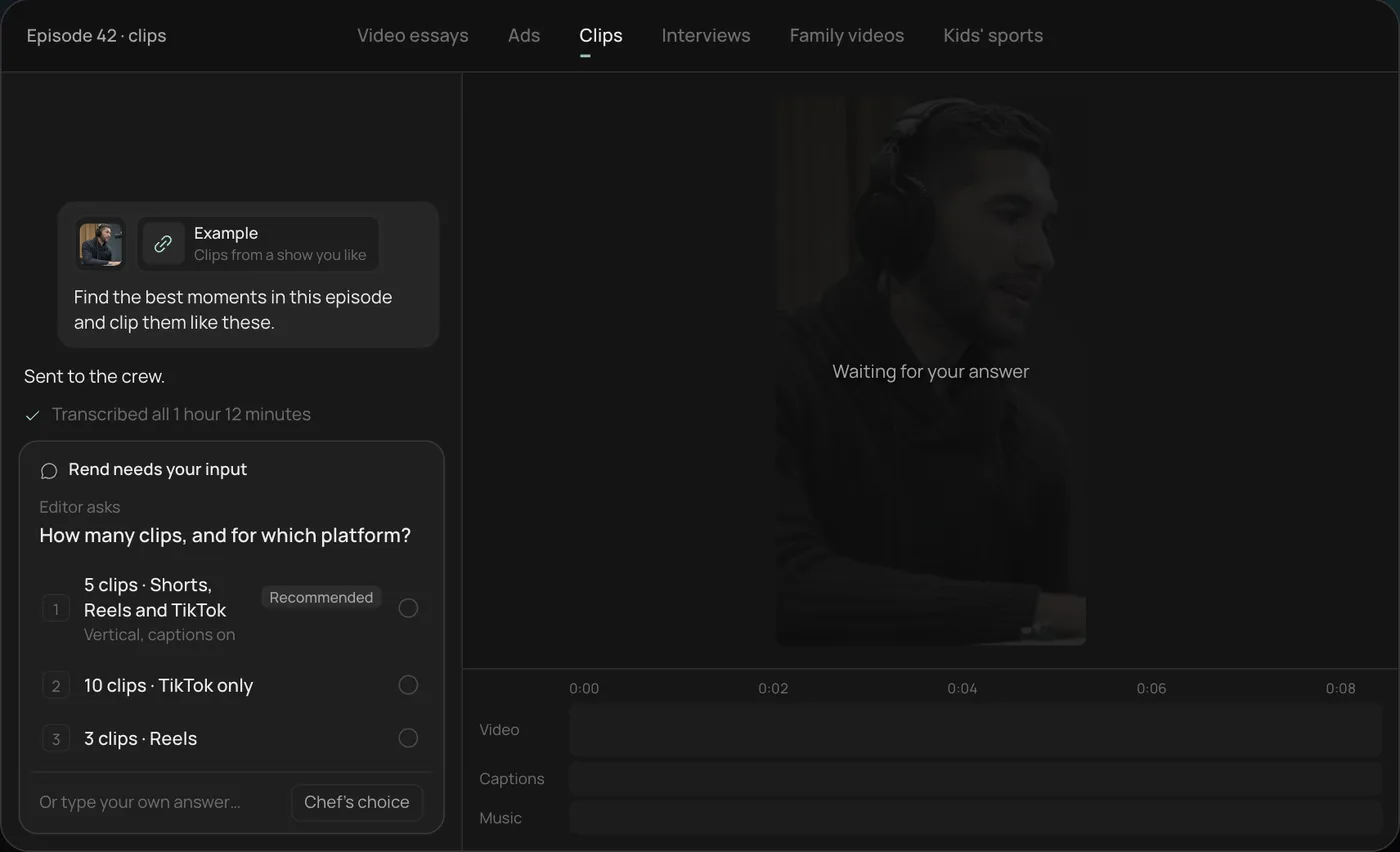
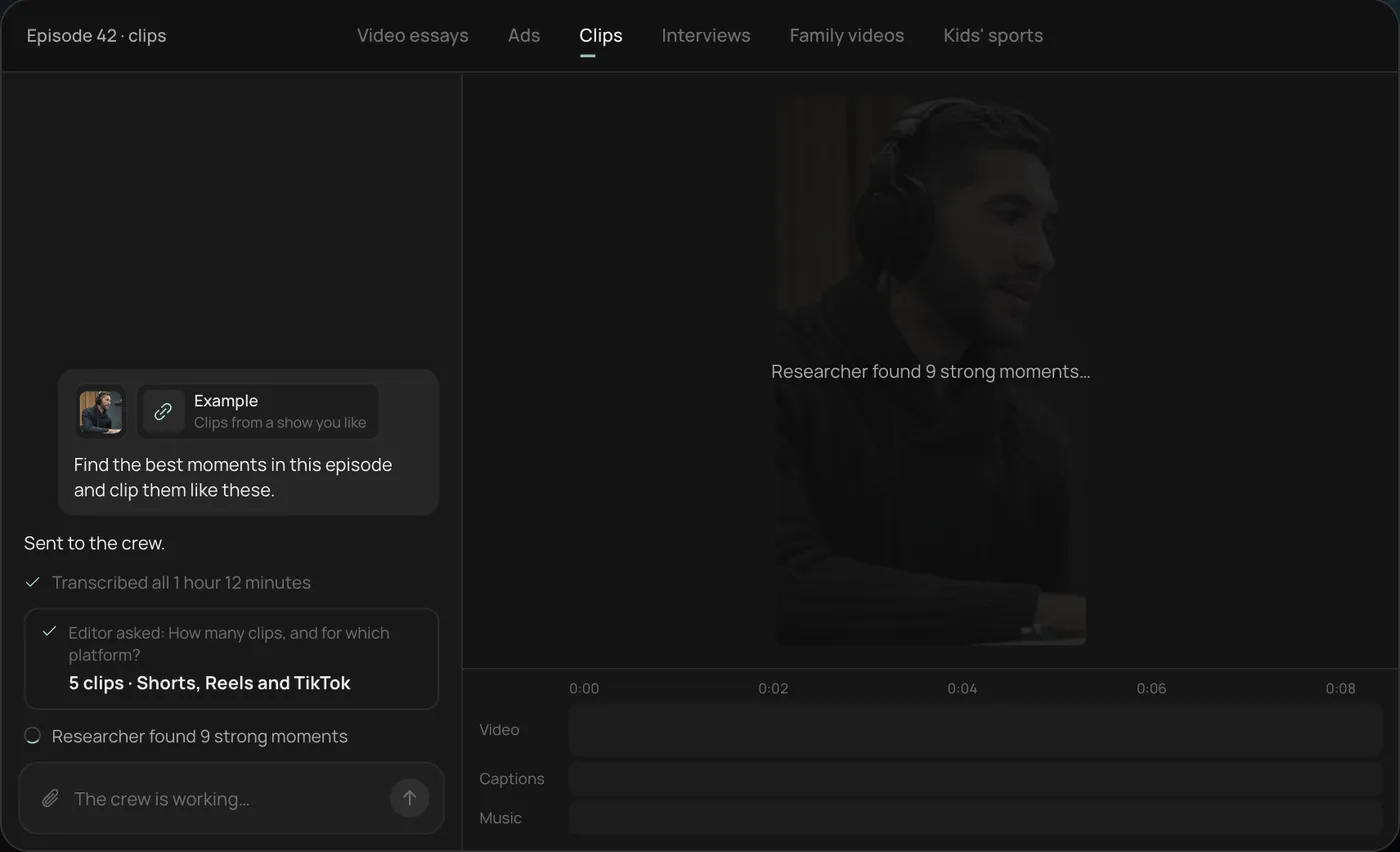
These screenshots are from Rend's demo of clipping a 1 hour 12 minute podcast episode; your own project works the same way.
1. Drop the full episode and clips you like. Add the episode file and a few example clips, then ask Rend to find the best moments and clip them like those.
2. Answer one question. Rend asks how many clips and for which platform, recommending 5 vertical clips for Shorts, Reels and TikTok.
3. Watch the crew find the moments. Rend transcribes the episode and its researcher picks the strongest moments, each step checked off in chat.
4. Check the clips on the timeline. Five vertical clips of 28 to 55 seconds sit on a real timeline, with word-by-word captions on their own track that you can restyle.
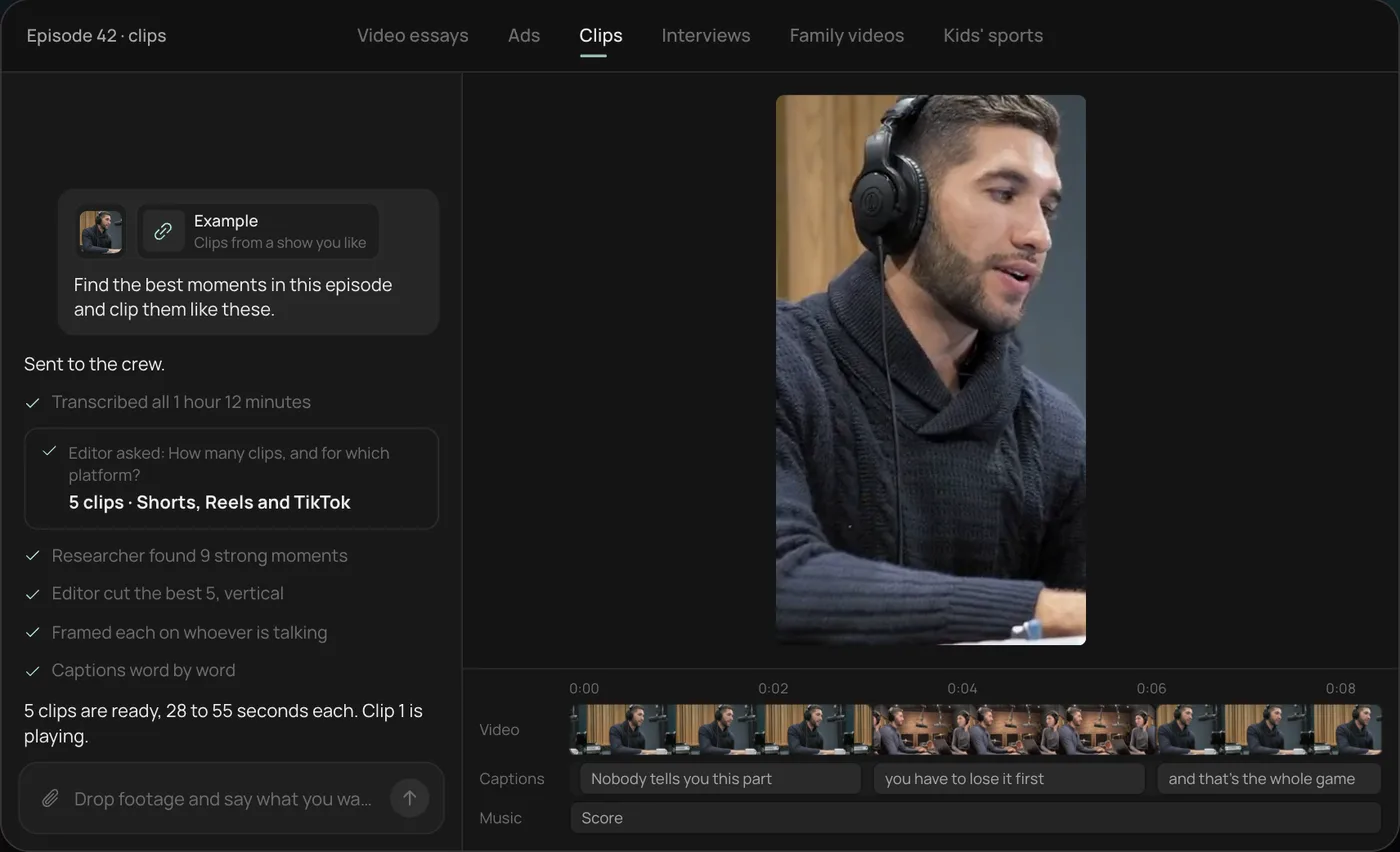
From there you can open the timeline and change anything by hand, share a review link for notes, or export. Start a free Rend project to try it on your own footage.
Clipping vs. re-editing
A clip is a slice of the original: same words, same shot, cropped vertical and captioned. Fast, cheap, works well for podcasts where one great sentence carries itself.
A re-edit uses the long video as raw material. It might open on a line from minute 34, jump to the setup from minute 12, cover the jump with b-roll and add a title card. That takes judgment, which is why most clippers don't do it. It also tends to be what separates a Short that gets swiped from one that gets finished.
Most channels want both: a pile of quick clips, and three or four built Shorts per episode.
Tools compared
| Tool | Approach | Strength | Limit | Price (Nov 18, 2026) |
|---|---|---|---|---|
| OpusClip | Auto-clipping | Finds moments, reframes, captions, scores | Clips, not re-edits | Free 60 min/mo with watermark; Starter $15/mo for 150 min; Pro $29/mo or $14.50/mo yearly |
| Descript | Transcript editing plus clip tool | Precise trims by text, audio cleanup | Manual for volume | Hobbyist $16/mo yearly, 10 media hours |
| CapCut | Manual editing with auto-captions | Trendy caption styles, free | All by hand | Free; Pro $19.99/mo |
| Rend | Agent re-edit | Hooks, b-roll, graphics, captions, on an editable timeline | More than you need for a straight clip | Editing free; pay for renders and generation (pricing) |
The workflow, step by step
1. Mine the transcript
Get a transcript with speakers. Then read it like an editor, looking for five kinds of moments:
- A strong opinion stated plainly.
- A number that surprises.
- A short story with a turn.
- A disagreement between speakers.
- A how-to that fits in under a minute.
A 60-minute podcast usually holds 8 to 15 of these. If you find fewer than five, the episode may be better as two or three Shorts and a trailer.
2. Cut to the hook
Delete the run-up. Most good moments begin about two sentences before they get interesting, and the first second of a Short has to be the interesting part. If the strongest line is the conclusion, open on it and let the setup follow. Our YouTube Shorts script templates have patterns for this.
3. Reframe
Keep the speaker's eyes in the upper third of a 9:16 frame and leave the bottom area clear of captions, where platform buttons sit. Two-person shots either split-screen or cut to whoever is speaking. Check the safe zones with the free video ad size checker; the same zones apply to organic Shorts.
4. Captions that are part of the edit
Word-timed, large, two to four words on screen at a time, styled to your brand. Highlight the key word, not every word. Try styles in the caption style previewer. In Rend, captions are always editable, so a misheard name is a quick fix rather than a re-render.
5. Cover the jumps
Any cut that skips time in the middle of a sentence needs a cutaway: b-roll, a graphic, a reaction. This is the step clippers skip and the one viewers notice. Rend generates or finds b-roll for these gaps, adds titles and motion graphics, and keeps sound on separate tracks with music ducked under the voice.
6. Post on a schedule
Three to five Shorts a week from one episode beats 15 on day one. Title each one on its own; it's a separate video to the algorithm.
A clip sheet you can copy
| # | Timestamp | Moment type | Opening line | Length | Build |
|---|---|---|---|---|---|
| 1 | 34:10 | Opinion | "Nobody should start a podcast in 2026." | 42 s | Clip |
| 2 | 12:05 | Number | "We lost 60 percent of listeners in week two." | 38 s | Re-edit with chart |
| 3 | 48:30 | Story | "The sponsor called during the recording." | 55 s | Re-edit with b-roll |
| 4 | 21:40 | How-to | "Here's the mic setup for under $100." | 50 s | Clip plus product inserts |
Fill one per episode and you'll stop guessing which clips to make.
How Rend handles it
Send Rend the long video, or a link to where it lives in your library, and say something like: "eight Shorts from this episode, four straight clips and four re-edits with b-roll, my brand kit." A crew of specialist agents mines the transcript, cuts on exact words, writes hooks with rend-1, reframes, captions in your style, adds b-roll and graphics, mixes the sound, and checks each export. Every Short comes back as its own timeline you can open and adjust, and you can share a review link so a co-host can mark changes on the frame.
Where others win: if you need 30 straight clips from a three-hour stream tonight, OpusClip is quicker and cheaper for pure clipping. Its virality score is a reasonable first sort, as long as you treat it as a hint. See OpusClip alternatives and podcast clips for more options.
Pick X if...
- Pick OpusClip if you want many straight clips from long recordings, fast.
- Pick Descript if you already edit the episode there and want precise text-based trims.
- Pick CapCut if you're cutting a few clips by hand and want free trend captions.
- Pick Rend if you want Shorts that are re-edited with hooks, b-roll and graphics, each one still editable.
FAQ
How many Shorts can I get from one long video?
A 60-minute podcast usually holds 8 to 15 strong moments. A tightly edited 10-minute video might give 3 to 5.
What length should repurposed Shorts be?
Most land between 20 and 60 seconds. Cut each to the shortest length where the moment still makes sense.
Does reposting clips from my own long video hurt my channel?
No. Shorts and long videos are treated as separate formats, and clips often send viewers to the full episode.
Should I add captions to Shorts?
Yes. Many viewers watch with the sound off, and word-timed captions also help keep attention through the edit.
Can AI pick the best moments automatically?
Clippers like OpusClip score moments, and an agent like Rend reads the transcript for hooks. Both are a good first pass; your taste should make the final cut.
Have a long video sitting there with no Shorts from it? Create a free Rend account and ask for the first four.