Make YouTube Shorts With AI: Templates, Rules and Monetization
To make YouTube Shorts with AI, give an AI Shorts maker a topic, a script or a long video, and it returns a vertical video ready to upload: hook, cuts, captions, voice, music. You still approve the hook and add something of your own, because YouTube won't monetize Shorts that look mass-produced from a template. YouTube counts any square or vertical video up to three minutes long (uploaded since October 15, 2024) as a Short, according to YouTube Help. The tools make the editing fast; what still decides whether a Short works is the first two seconds and whether every line earns the next.
There are two jobs people mean by "Shorts maker", and they need different tools.
How to make YouTube Shorts in Rend, step by step
These screenshots are from Rend's demo of clipping a podcast episode; your own project works the same way.
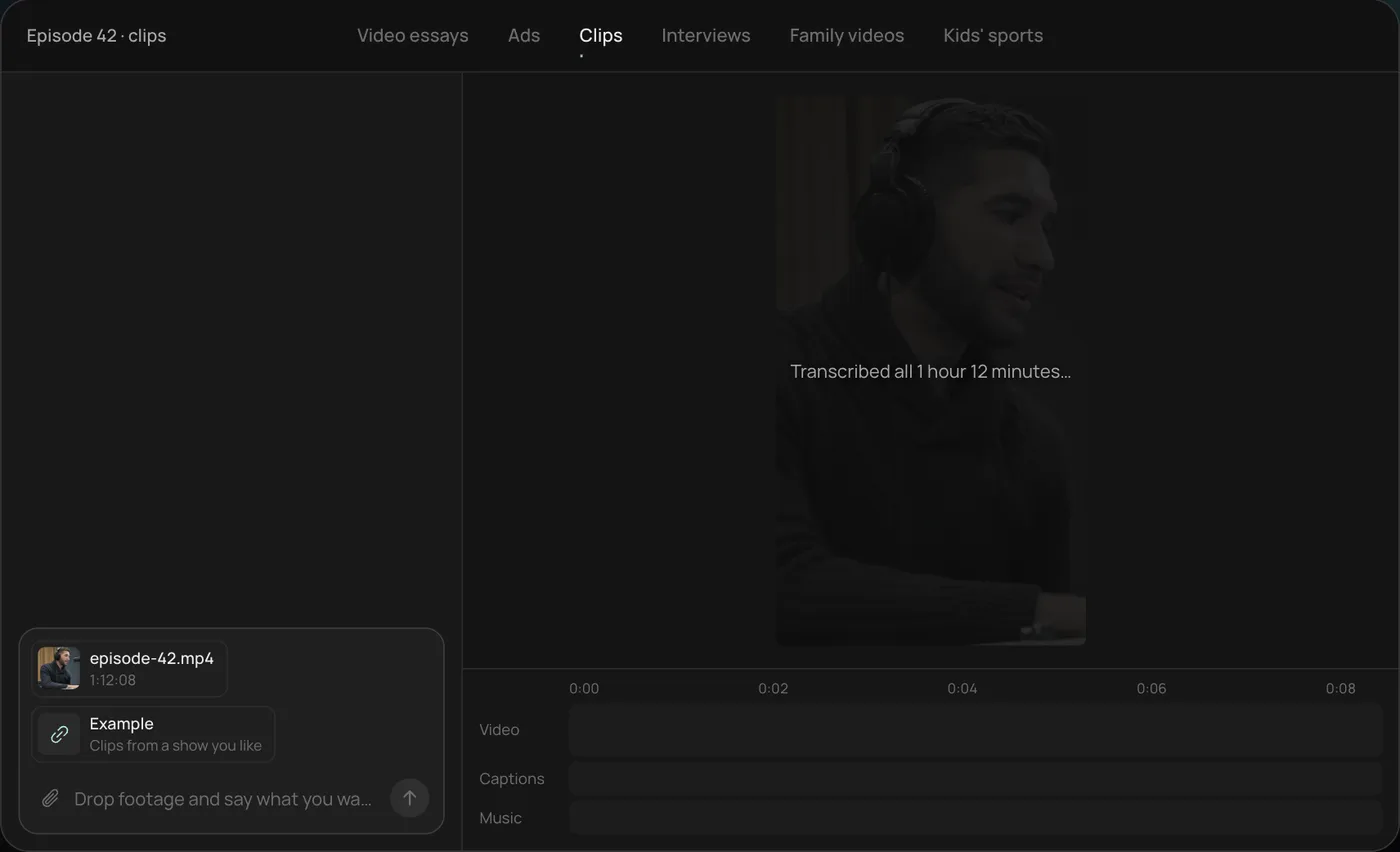
1. Drop the episode and example clips. Add the long video (here a 1 hour 12 minute episode) and a few clips you like, then ask: "Find the best moments in this episode and clip them like these."
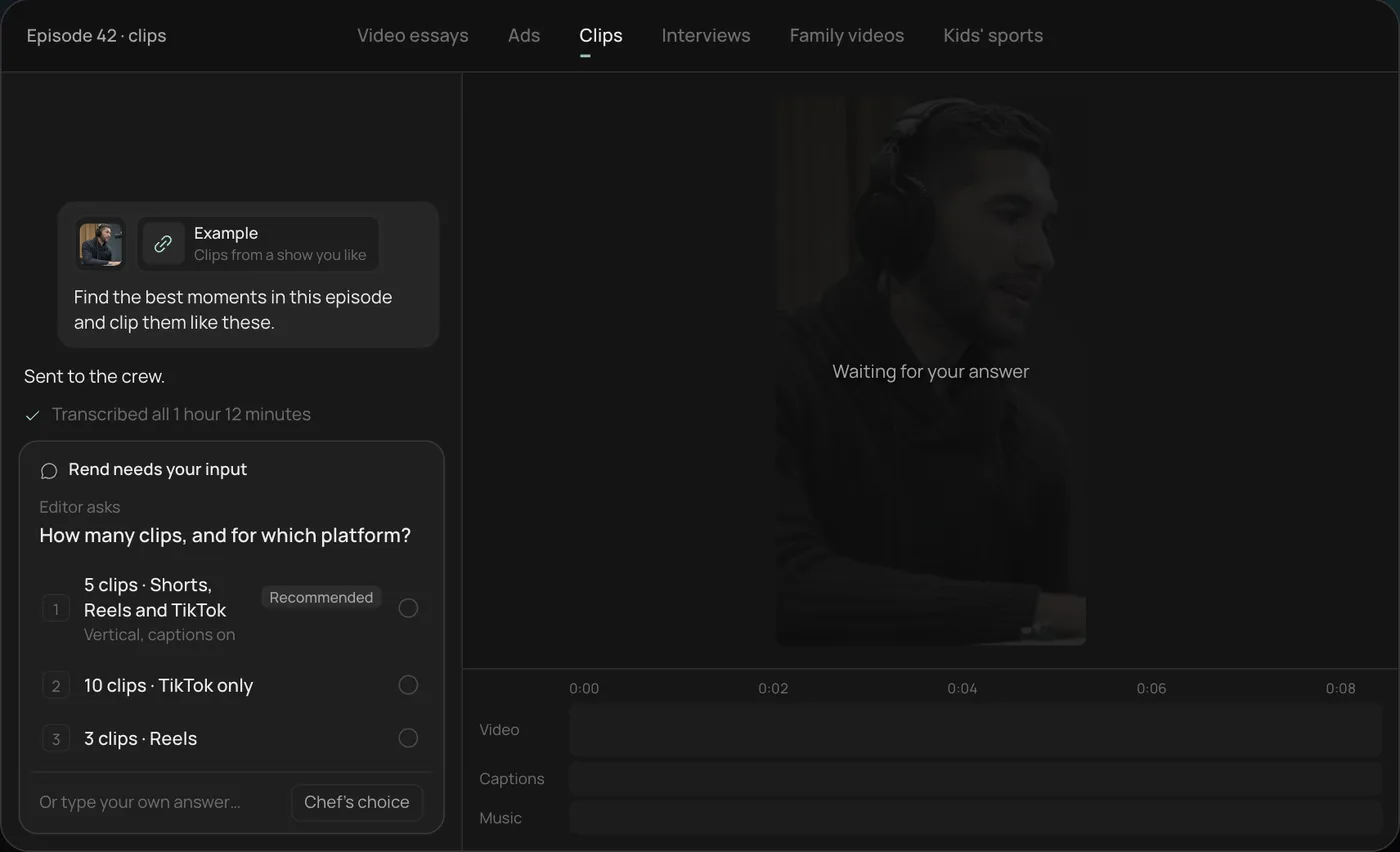
2. Answer the one question. Rend asks how many clips and for which platform. The recommended answer is 5 vertical clips for Shorts, Reels and TikTok.
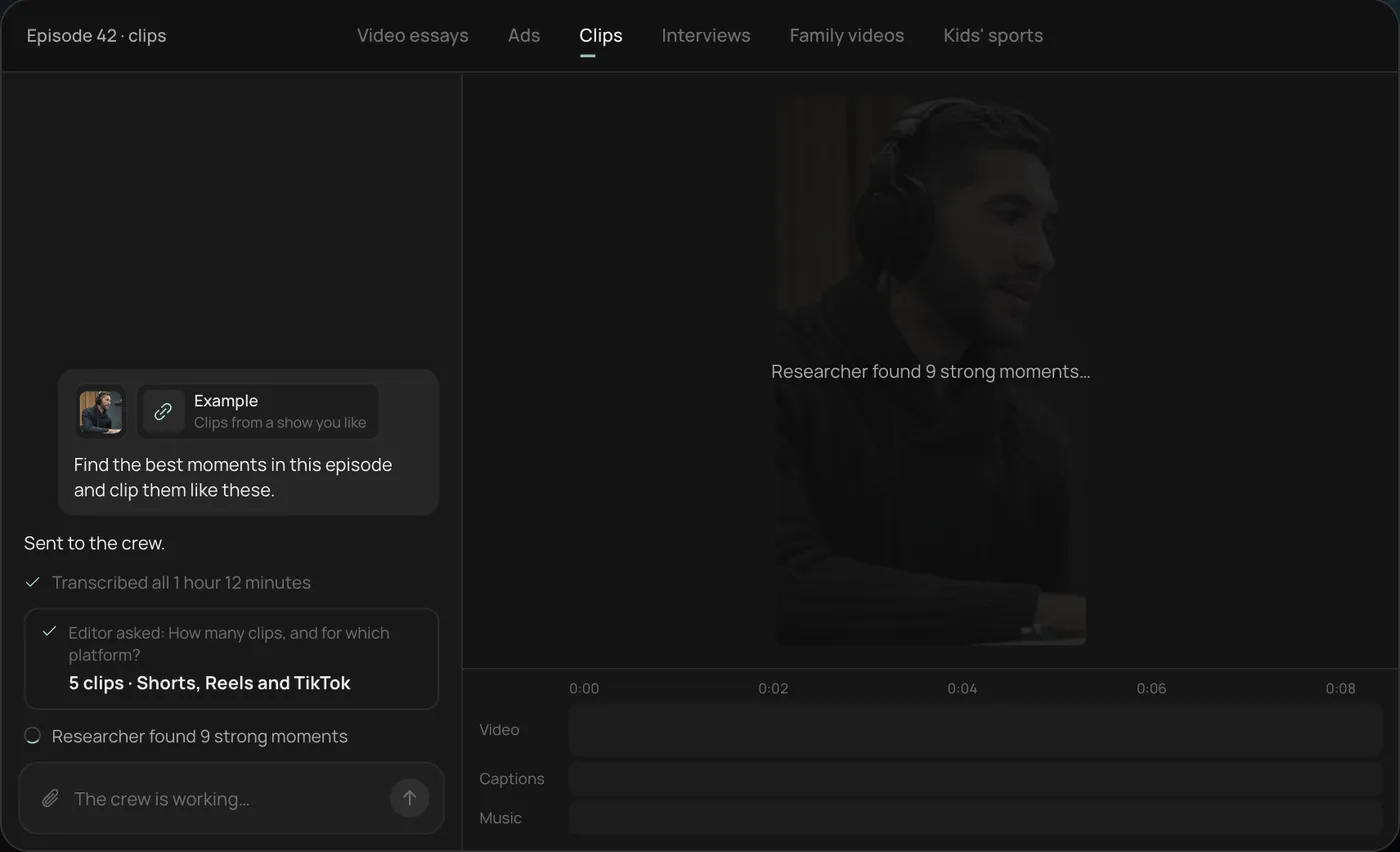
3. Let the crew work. Rend transcribes the episode and the researcher finds the strongest moments (9 in the demo), checking off each step in chat.
4. Open the finished clips. Five vertical clips of 28 to 55 seconds sit on a real timeline, with word-by-word captions on their own track that you can restyle or edit.
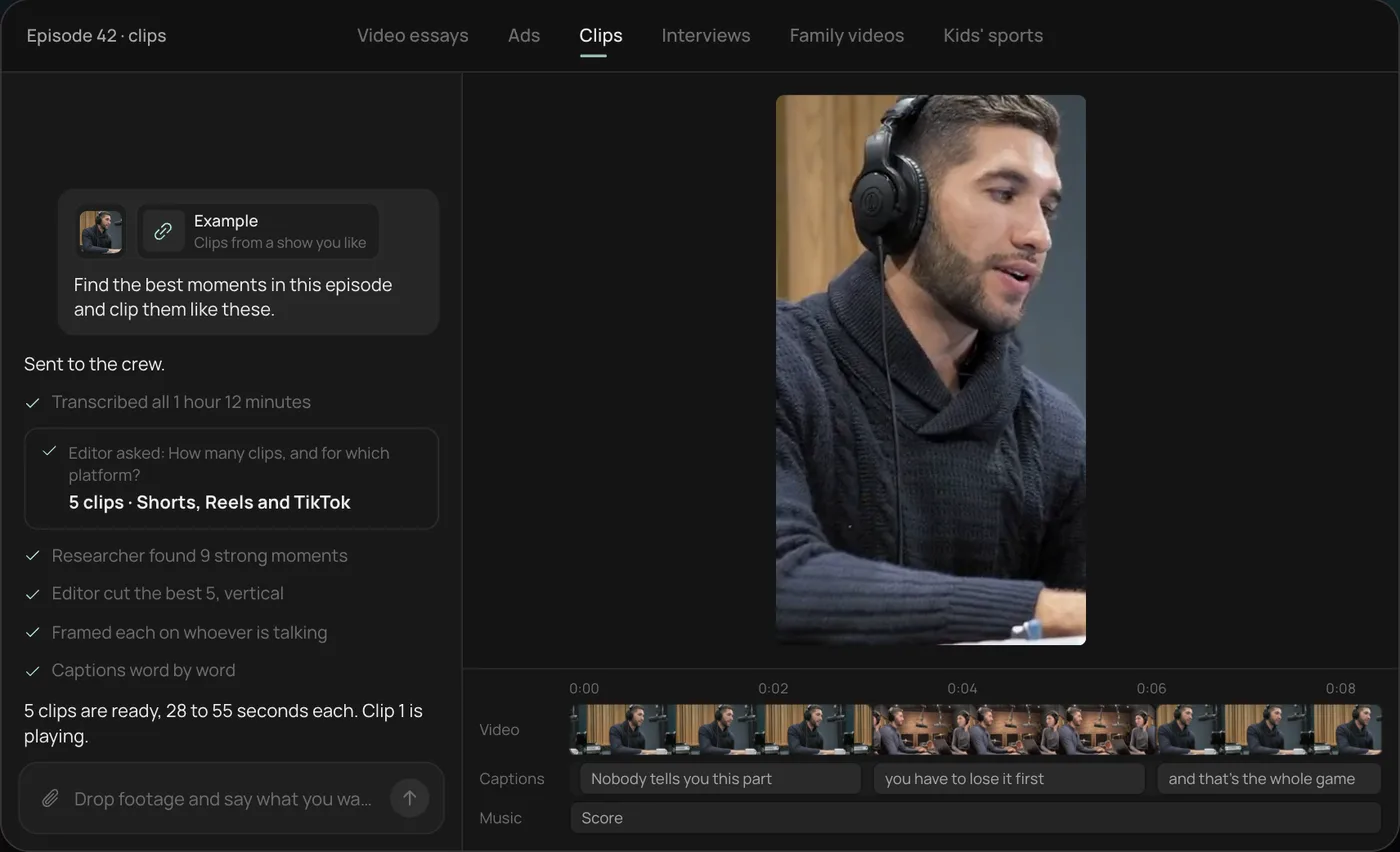
From there you can open the timeline and change anything by hand, share a review link, or export. Start a free Rend project to try it on your own footage.
Clipping a long video vs making a Short from scratch
| Clip from a long video | Make an original Short | |
|---|---|---|
| You send | A podcast, stream, interview or long YouTube video | A topic, script, product, or a few phone clips |
| The tool's real job | Find moments that stand alone, reframe to 9:16, caption | Write the hook and script, voice it, build the visuals |
| Best for | Channels with hours of talking footage | Faceless channels, explainers, brands, new channels |
| Where it fails | Picks moments that need context the viewer didn't see | Generic stock b-roll, robotic narration |
| What you check | Does the clip make sense with no setup? | Does the first line stop the scroll? |
If you have long videos, clip them. It's the cheapest content you'll ever make, and the podcast clips guide covers it step by step. If you don't, you're writing Shorts, and the rest of this post is for you.
A YouTube Shorts template: the 40-second beat sheet
Most Shorts that work follow the same skeleton. Here it is with the word counts, at about 150 spoken words a minute.
| Time | Beat | Words | Example (topic: why your houseplants die) |
|---|---|---|---|
| 0 to 2 s | Hook: the claim or the image | 5 to 8 | "You're killing your plants with kindness." |
| 2 to 8 s | Setup: why it matters | 12 to 15 | "Overwatering kills more houseplants than anything else, because the roots can't breathe." |
| 8 to 30 s | Payoff: the steps or the reveal | 50 to 55 | The finger test, the pot with a drainage hole, the two-week rule |
| 30 to 38 s | Proof or twist | 15 to 20 | Side by side: a root ball that rotted, one that didn't |
| 38 to 40 s | Ending that loops or asks | 5 | "Check yours tonight." |
That's around 100 words. Shorter is usually better: a 40-second Short that people watch twice beats a 90-second one they leave at 20. More ready-made structures are in YouTube Shorts script templates.
What a good AI Shorts maker should do for you
Write hooks you'd actually say
Ask for five hook options and pick one. The best hooks are specific and slightly uncomfortable ("You're killing your plants with kindness") rather than announcements ("Today we're talking about plant care").
Match every line to a shot
On a Short, a shot that doesn't show the line is dead air. The cut should change when the idea changes, not on a fixed timer.
Caption in the safe zone
The bottom of a Short is covered by the title, channel name and buttons; the right edge by the like and comment stack. Keep captions in the middle band. You can check your layout with the video ad sizes and safe-zone checker, and try looks with the caption style previewer.
Keep the voice consistent
If you run a faceless channel, the voice is your face. Pick one and keep it. A channel that changes narrators every week never builds the familiarity that brings people back. The faceless YouTube channel guide covers this in more depth.
Let you fix one thing
You'll watch the cut and want to change the shot at 0:12 or a word in a caption. That should be a quick note, not a full regeneration.
YouTube's rules for AI-made Shorts: labels and monetization
Every Shorts maker page promises you can post daily. None of them mention the two YouTube policies that decide whether those Shorts can earn anything.
The AI label. YouTube's disclosure page asks you to tick the altered or synthetic content box at upload when a video looks realistic and was made or meaningfully changed with AI: a real person shown saying something they didn't, generated footage of a real place, AI music that's the focus of the video. It lists things that don't need the label, including captions, voice repair, cloning your own voice for narration, and using AI for the script, title or thumbnail. YouTube says disclosing alone won't limit a video's audience or its eligibility to earn money. Creators who consistently skip it can get a label added for them or face penalties, up to suspension from the YouTube Partner Program.
The inauthentic content rule. YouTube renamed its "repetitious content" policy to "inauthentic content" in July 2025. The Partner Program policy page names "AI-generated content made with generic or unoriginal templates giving the impression of mass production" as content that can't be monetized, and says channels must not be mass-produced, generic or repetitive. AI tools are allowed. Fifty near-identical Shorts with swapped stock clips and the same robot voice are the problem.
What keeps a Shorts channel on the right side, in practice:
| Risky | Safer |
|---|---|
| One template, new topic pasted in each day | A fixed format, with a different angle and different shots each episode |
| Stock voice reading scraped facts | Your own voice, or a cloned voice reading a script you edited |
| Generated "real" footage, no label | Labeled when realistic, or illustrative visuals that don't pass as real |
| Generic b-roll anyone could find | Your clips, screen recordings, products, examples |
Making Shorts with Rend
Rend is an AI video agent. You tell it what you want in chat, and a crew of specialist agents takes it from idea to export on a real timeline you can open and change.
For Shorts, that looks like this:
- Send the topic or script, plus anything you have: phone clips, a product page, a Short that worked for someone else that you want to learn from.
- Rend's writing model, rend-1, drafts hooks and a script, using live search if the topic needs current facts. You approve the script and hear the voice before it builds.
- The crew cuts on exact transcript words, generates or finds the shots and b-roll, adds original music and sound effects, and mixes the voice above them.
- Captions are word-timed and always editable, in your font and style. Save them in a brand kit with your music bed and voice, and every episode comes out matching.
- Share a review link. You (or a client) draw on the frame, and the agent reads every note and makes the fix.
If you have long videos, send those instead and ask for Shorts cut from them.
Editing is free; you pay only when Rend renders or generates something. See pricing and the agent's tools.
A weekly Shorts routine
Batching beats daily scrambling. A realistic routine for five Shorts a week:
- Monday, 20 minutes: pick five topics from comments, searches or your long videos. Test titles with the YouTube title tester.
- Monday, 15 minutes: approve five scripts. Read each one aloud. Cut every line you wouldn't say.
- Tuesday, 20 minutes: watch five cuts, once with sound and once muted. Leave notes on the review link.
- Wednesday onward: post one a day.
If you run a long-form channel too, this guide to making YouTube videos the easy way fits Shorts into the same week.
Mistakes that kill Shorts
Starting with a logo or a "hey guys". Viewers swipe in under a second.
Explaining the context before the hook. Start with the most interesting thing, then explain.
Captions that cover faces or products. Move them, or pick a smaller size.
Music louder than the voice. On a phone speaker, mid-range music swallows narration.
A 16:9 video with bars. Reframe to 9:16 so the subject fills the screen.
Reading your Shorts analytics
The retention graph tells you which line lost people. If the drop is at second one, the opening frame failed, so change the first shot, not the script. If it's at second four, the hook worked and the setup dragged; cut the setup to one sentence. A steady slide all the way through usually means the video is simply too long for what it says, and the fix is to end earlier. A bump near the end means people rewatched, which is the loop working.
Change one thing per video so you know what helped. If you rewrite the hook, the voice and the music at once and views go up, you've learned nothing you can repeat next week. Keep a short note of each Short's hook, length and result, and after twenty of them the patterns for your channel will be obvious in a way no general advice can match.
FAQ
How long can a YouTube Short be?
Up to three minutes, if it's square or vertical and was uploaded on or after October 15, 2024, per YouTube Help. Longer or horizontal videos are treated as regular videos.
What is the best AI YouTube Shorts maker?
For clipping long videos, a clipper that finds standalone moments works well; our OpusClip alternatives post compares them. For original Shorts from a topic or script, use an agent that writes, voices and edits, and lets you change single shots. Rend does both.
Can you monetize AI-generated YouTube Shorts?
Yes, if the channel isn't mass-produced. YouTube allows AI tools but won't monetize AI content made from generic templates that looks mass-produced. Label realistic synthetic footage at upload; YouTube says the label alone doesn't hurt reach or earnings.
Can I make Shorts without showing my face?
Yes. Use narration in a designed or cloned voice over b-roll, generated shots, screen recordings or motion graphics. Keep the voice and caption style the same across videos so the channel feels like one show.
Should Shorts have captions?
Yes. Many people watch with the sound off or low. Word-timed captions, kept out of the bottom and right edges, help viewers follow along.
How many Shorts should I post a week?
Post as many as you can make well. Three good ones beat seven rushed ones. Batching scripts and reviews on one or two days makes a steady pace realistic.
Make your first Short from a topic you already know: create a free account, send the idea, and approve the hook before Rend builds it.