AI Voiceover Video Maker: Narration That Sounds Like a Person
An AI voiceover video maker writes or takes your script, reads it in a generated voice, and lays that narration onto the video with timing, captions and a music mix. The voice sounds human when the script is written for speaking (short sentences, contractions, the key word last) and the voice fits the audience. Use a cloned voice only with the speaker's consent, and approve the voice on one line before narrating the whole video.
Most robotic-sounding AI voiceover is a script problem. A sentence written to be read silently, with three clauses and a parenthetical, will sound wrong in any voice, human or not.
How to cut a talking video in Rend, step by step
These screenshots are from Rend's demo of cutting an interview; your own project works the same way.
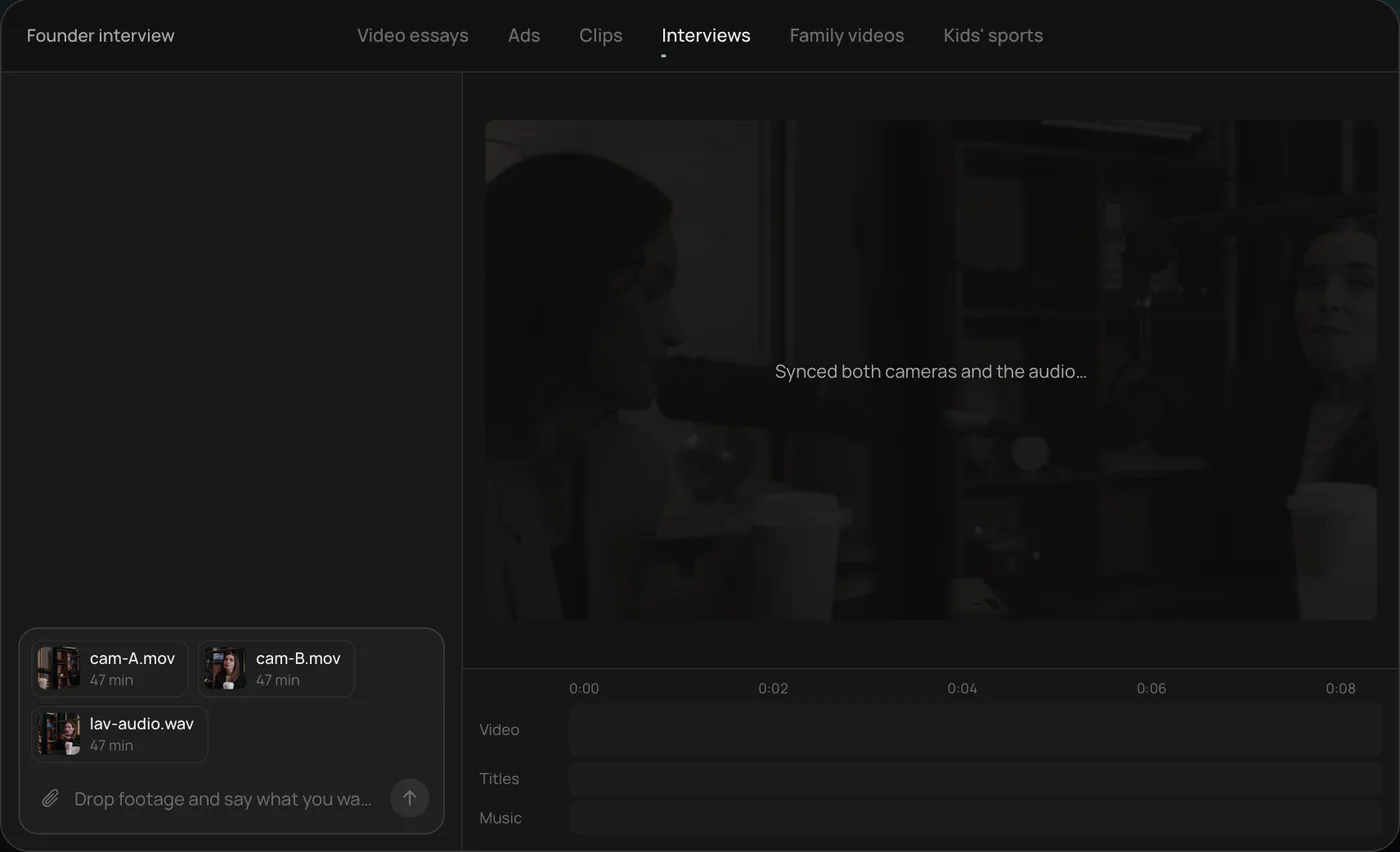
1. Drop your footage and an example. Add your files (here two camera angles and a lav audio track) and say what you want: "Cut this interview into a 4-minute feature like this series."
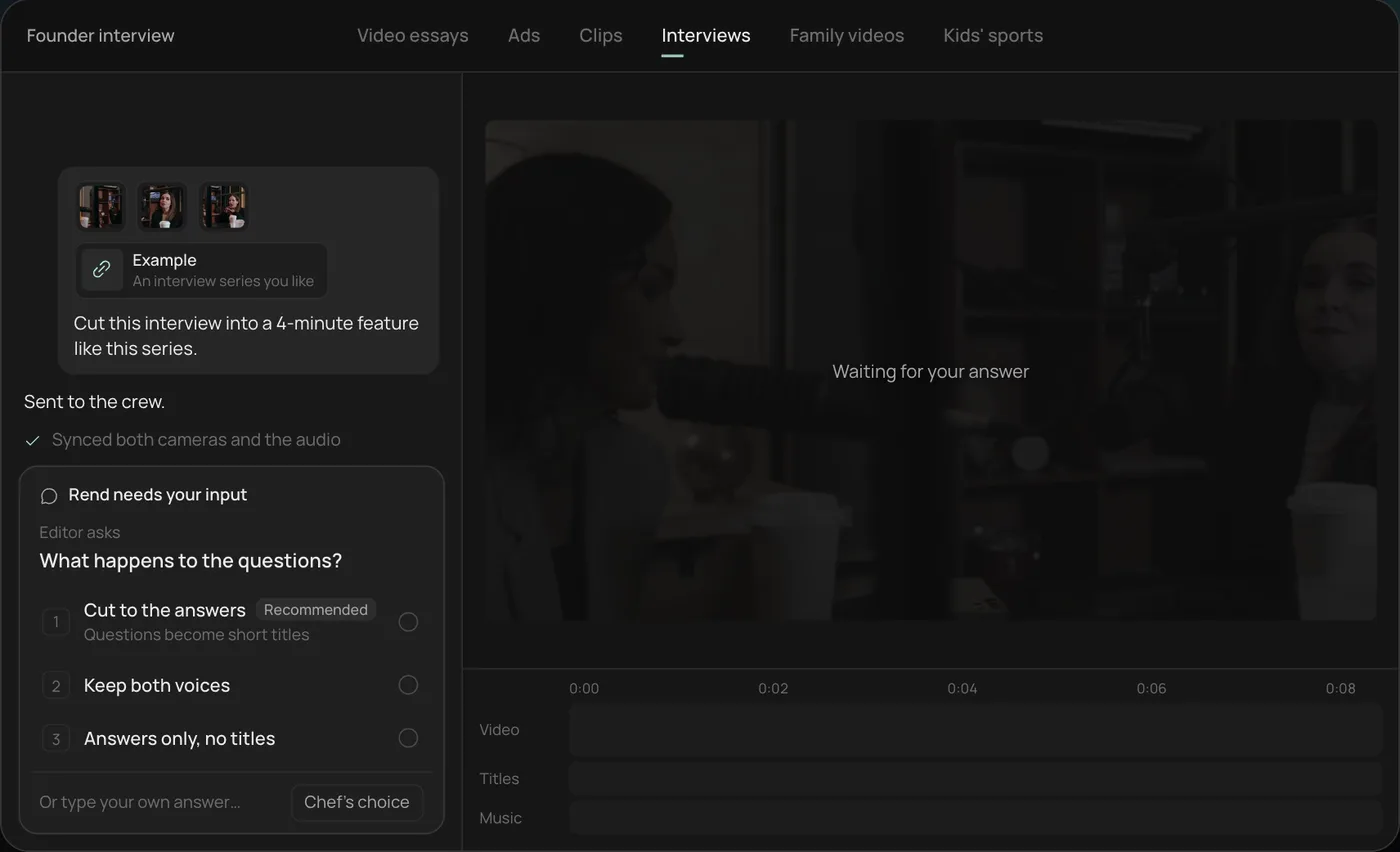
2. Answer the one question. Rend asks one question, here what should happen to the interviewer's questions, and recommends cutting straight to the answers.
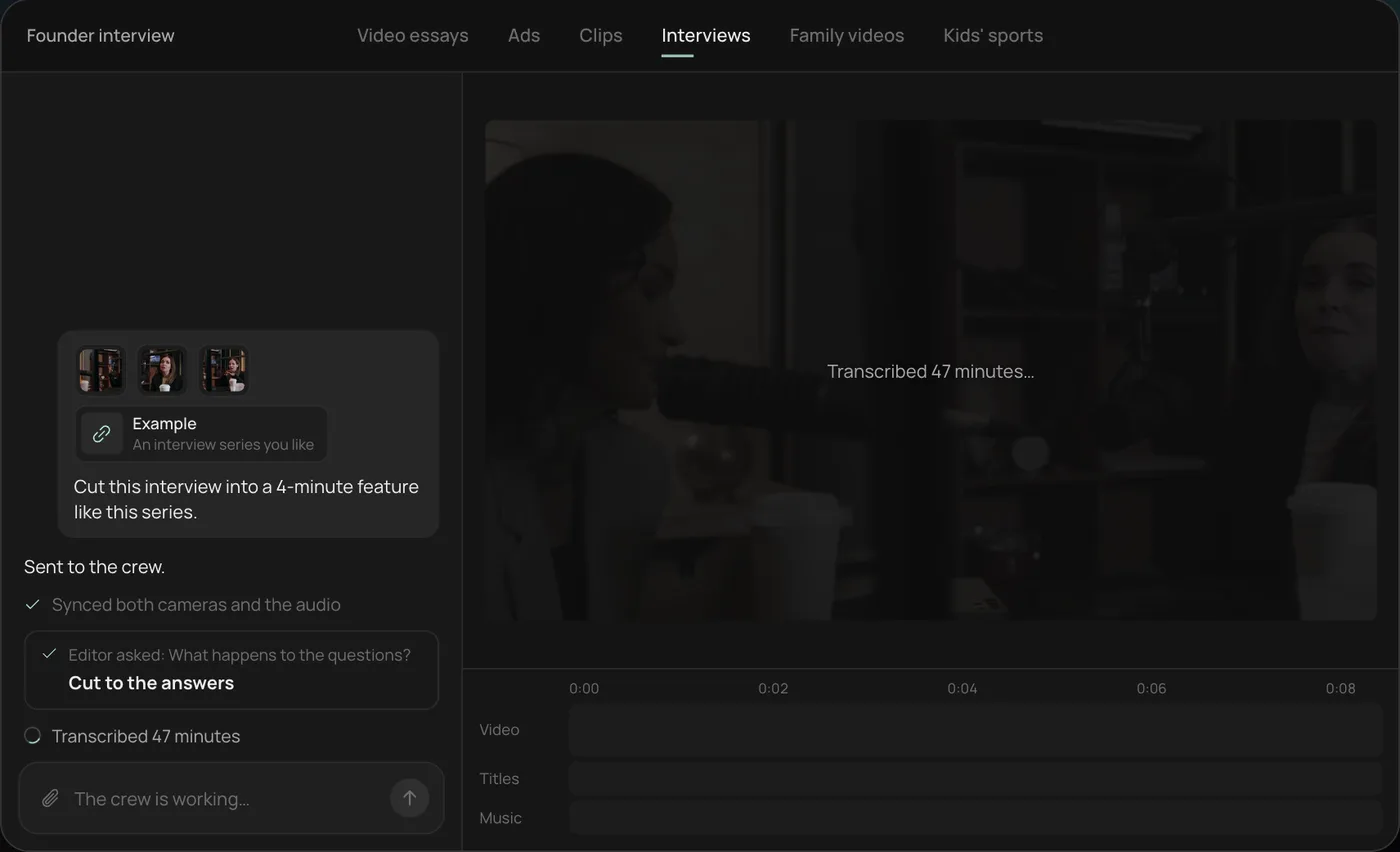
3. Let the crew work. The crew syncs both cameras with the audio and transcribes all 47 minutes, checking off each step in chat.
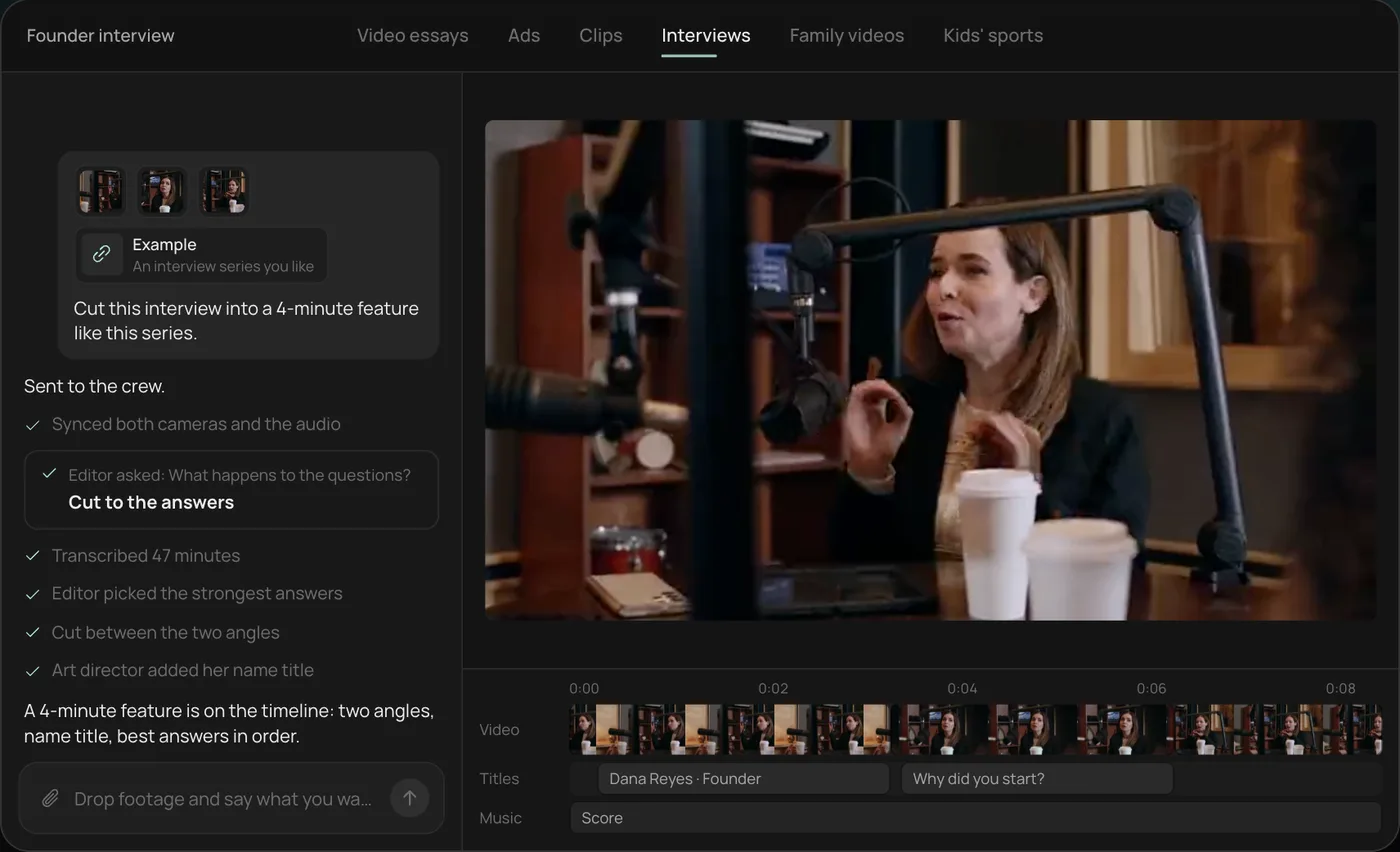
4. Open the finished cut. A 4-minute feature lands on a real timeline: two angles, a name title and the best answers in order, with titles and music on their own tracks.
From there you can open the timeline and change anything by hand, share a review link, or export. Start a free Rend project to try it on your own footage.
Three ways to get a voice
| Stock voice | Designed voice | Cloned voice | |
|---|---|---|---|
| How you get it | Pick from a list | Describe it ("warm, late 30s, slight rasp, unhurried") | Record a sample of a real person, with consent |
| Sounds like | Many other videos | A voice nobody else has | That person |
| Best for | Quick drafts | Faceless channels, brands, characters | Your own channel, founder videos, courses |
| Watch out for | Viewers recognizing it from other videos | Drifting across episodes if not saved | Consent and permission, always |
For anything you'll publish regularly, a designed or cloned voice is worth it. Viewers who hear the same voice every week start to trust it; a stock voice that also narrates thousands of other videos never gets that.
Write the script for the ear
Run every script through this checklist before you generate a single line.
- One thought per sentence. If you need a breath in the middle, split it.
- Contractions. "You'll" not "you will". People talk in contractions.
- Key word last. "The fix is cheap: four dollars." lands harder than "A four-dollar fix is available."
- Numbers as spoken. "Twenty twenty-six", "about three thousand", "four point five stars". Write them the way the narrator should say them if the tool gets them wrong.
- No parentheticals. They're invisible out loud.
- Read it aloud yourself. If you stumble, the voice will too.
Narration runs about 140 to 155 words a minute. A 60-second video is roughly 150 words.
A worked fix
Before (written for the page):
Utilizing a dual-layer approach, which combines both mechanical filtration and activated carbon, our system is able to remove up to 99% of common contaminants.
After (written for the ear):
It filters twice. First a fine mesh catches the grit. Then carbon pulls out the chlorine taste. What comes out tastes like nothing, which is the point.
Same facts, minus the unverifiable percentage, and now a voice can say it. The second version also gives the editor three shots: mesh, carbon, a glass of water.
Matching voice to video
| Video | Voice direction |
|---|---|
| Explainer, product | Clear, mid-pace, friendly, no announcer energy |
| Video essay, documentary | Lower, unhurried, room for pauses |
| Ad, 15 to 30 s | Brighter, faster, conversational |
| Course lesson | Patient, warm, slower than you think |
| Kids content | Expressive, but not shrill |
| Luxury or calm brands | Soft, close to the mic, slow |
Ask for one sample line before the full narration. If it's wrong, it's wrong in the first sentence.
Mixing the voice with music
A great voice under bad mixing still sounds cheap. Three rules:
- Voice on top. Music should duck (drop in volume) whenever the narrator speaks and come back up in the gaps.
- Watch the mids. Music heavy in the same range as a voice will swallow words on phone speakers. Pick music with space in the middle, or have it ducked more.
- Check on a phone. Most viewers hear your video through a phone speaker. Mix for that, then check on headphones.
More on picking and placing music in AI music for videos.
Recording a clean sample for cloning
A cloned voice is only as good as the recording it learned from. Record in the quietest, softest room you have; a closet full of clothes beats a kitchen with tile. Keep the phone or mic a hand's width from your mouth, a little off to the side so breaths don't pop. Read something in the tone you'll use in videos, not a flat list of words, because the clone will copy your energy as well as your sound. Leave out music, fans and the air conditioner. A few minutes of clean, natural speech beats twenty minutes recorded next to a fridge.
Then test it on a line you'd actually publish, including a number and a name. Those are where clones slip first.
Consent and cloning
Clone only voices you have the right to use: your own, or someone who has agreed in writing to the specific use. A cloned voice saying things the person never agreed to say can harm them and you. If you work with a client's spokesperson, get the consent covering the channel and the length of time.
AI voiceover with Rend
Rend is an AI video agent: you describe the video, and a crew of specialist agents takes it from idea to export on a timeline you can open and change.
Narration in Rend comes in a voice you approve. It can be designed from a description or cloned from a recording, with consent. You hear it on a line before the whole video is narrated. The voice sits on its own track, separate from music and sound effects, and the mix ducks the music under the narration. Captions are word-timed from the voice and stay editable in your font and look.
Already have a video and just need narration? Send it with your script (or ask Rend's writing model, rend-1, to draft one) and it lays the voice to the picture. Save the voice in a brand kit and every episode uses it. For long videos, Rend builds in chapters, so a 15-minute essay narrates without you babysitting it.
If you work in Claude, this guide to adding voiceover with Claude shows how to connect it to Rend.
Editing is free; you pay only when Rend renders or generates something. See pricing and the tools.
Mistakes that make AI voiceover sound fake
Pasting a blog post as the script. Rewrite it for speaking first.
Narrating every word on screen. Put the number on screen and say the sentence around it.
No pauses between sections. Leave half a second at transitions.
A different voice every video.
Music fighting the voice. Duck it more than feels right.
FAQ
What is the best AI voiceover video maker?
Look for three things: voices you can design or clone (with consent), a separate voice track you can re-mix, and captions timed from the narration that you can edit. Rend handles all three inside the edit. If you only need audio, a standalone voice tool works, but you'll do the timing and mixing yourself.
Can I clone my own voice for videos?
Yes, with tools that support cloning. Record a clean sample in a quiet room. Clone other people's voices only with their clear consent.
How do I make AI voiceover sound less robotic?
Rewrite the script for speaking: shorter sentences, contractions, the key word last, numbers written as spoken. Then pick a voice that matches the audience and approve it on a sample line.
How many words is a one-minute voiceover?
About 140 to 155 words. A 30-second ad is roughly 70 to 75 words.
Can I add AI voiceover to an existing video?
Yes. Send the video and a script, and the narration is laid against the picture, with music ducked underneath and captions generated from the voice.
Try it on one script: create a free account, describe the voice you want, and approve a line before it narrates the rest.