AI Documentary Maker: How to Make a Documentary With AI in 2026
An AI documentary maker helps with the slow parts of nonfiction video: research, a script with a structure, narration, b-roll and archival placement, captions and a sound mix. No tool should invent your facts. As of November 2026, the honest setups are an editor like Descript or DaVinci Resolve with AI help when you have hours of interviews, a presenter tool like Synthesia for explainer-style pieces, or an agent like Rend that takes a topic and your sources to a full, editable cut.
We build Rend, so weigh our view accordingly. Competitor details were checked on November 18, 2026.
How to cut a documentary interview in Rend, step by step
These screenshots are from Rend's demo of cutting an interview; your own project works the same way.
1. Drop your footage and an example. Add your files (here two camera angles and a lav audio track) and say what you want: "Cut this interview into a 4-minute feature like this series."
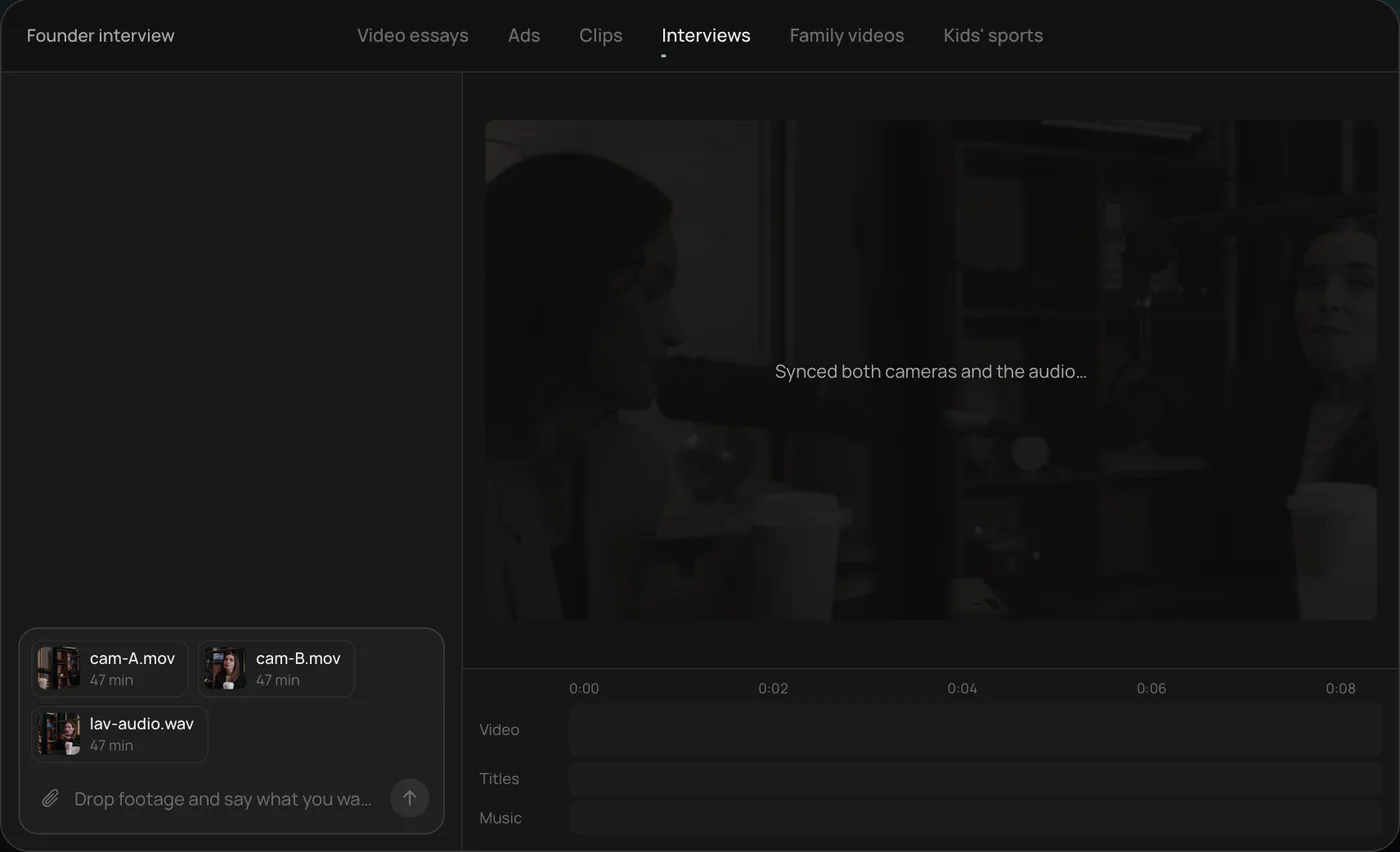
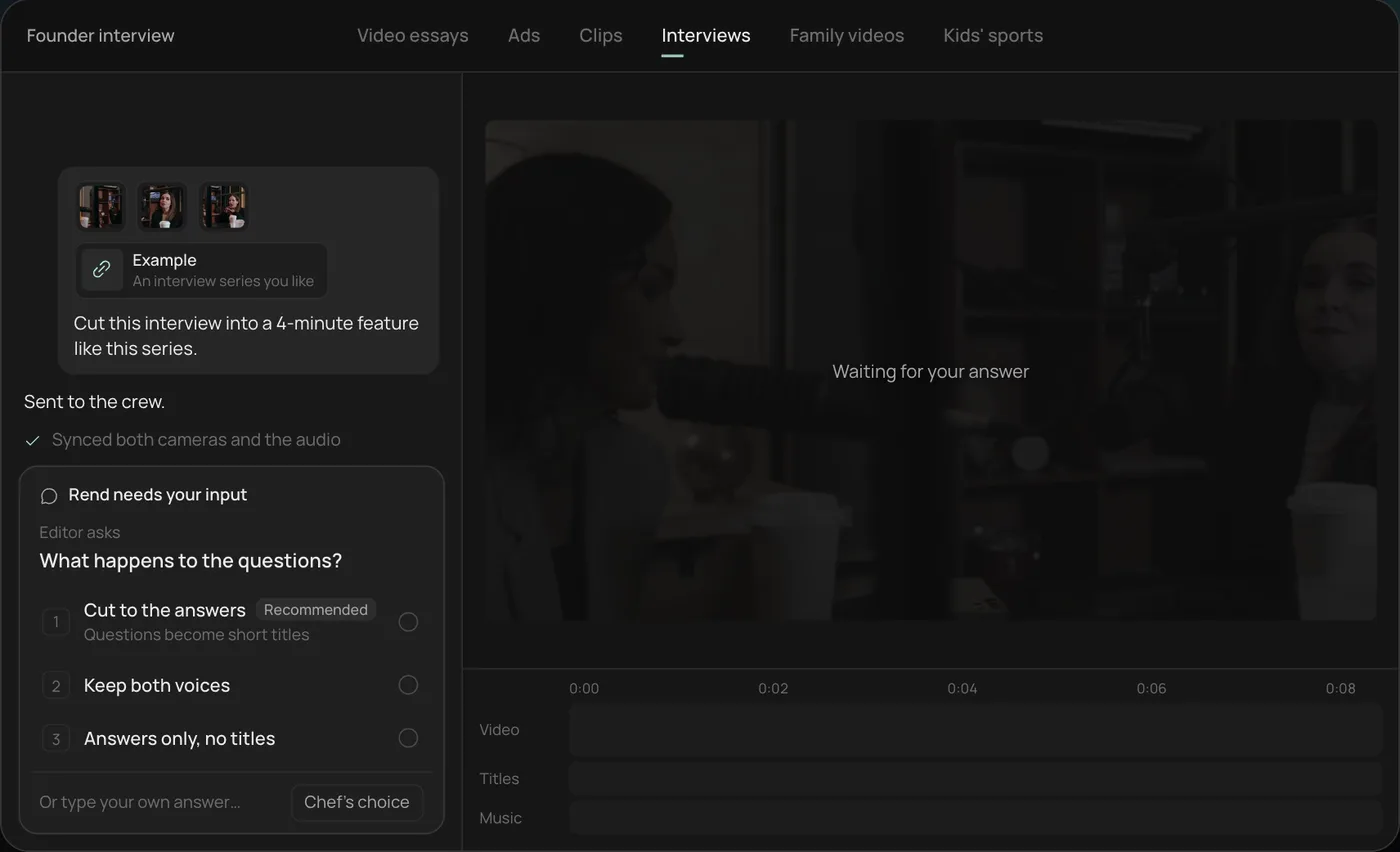
2. Answer the one question. Rend asks one question, here what should happen to the interviewer's questions, and recommends cutting straight to the answers.
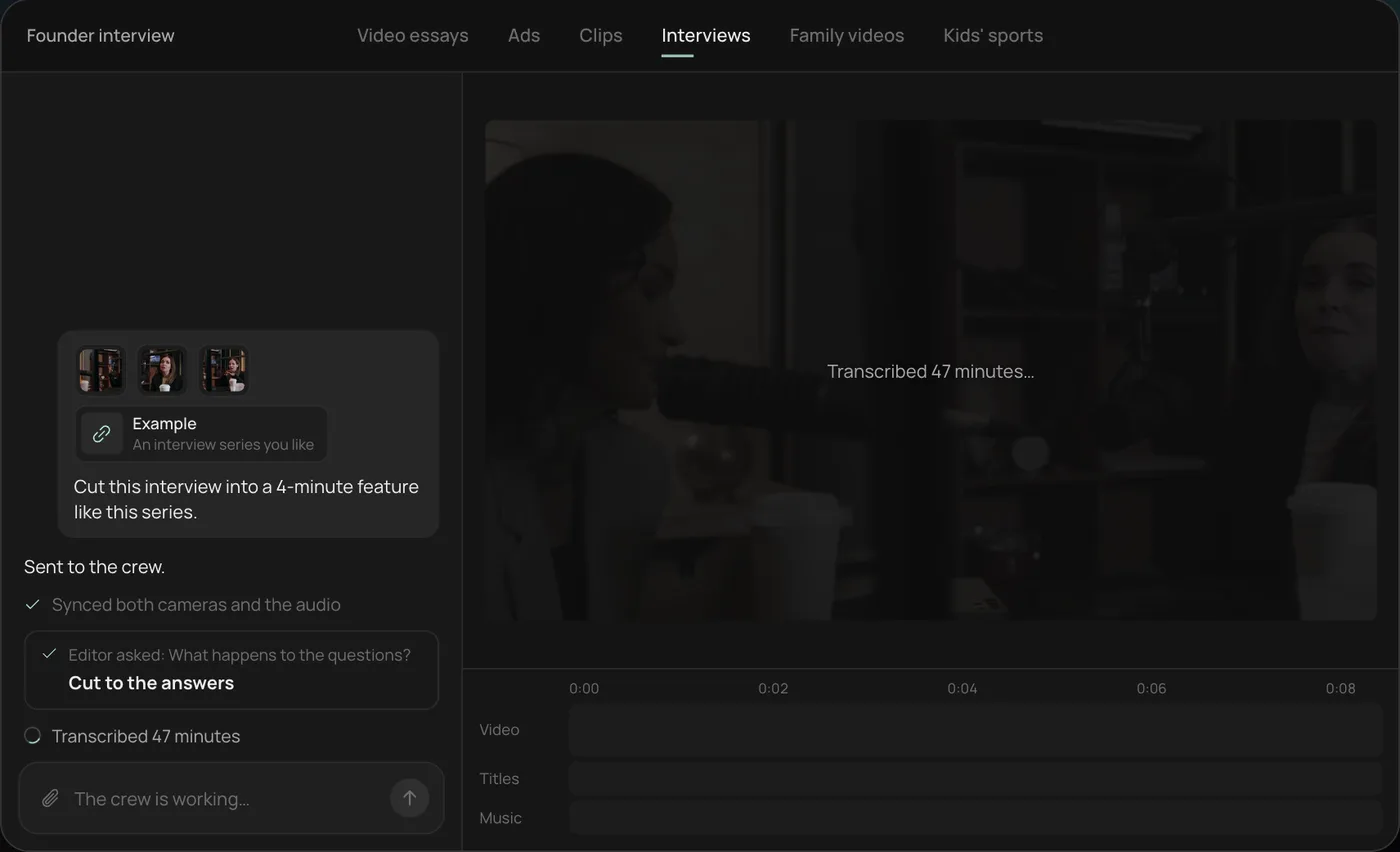
3. Let the crew work. The crew syncs both cameras with the audio and transcribes all 47 minutes, checking off each step in chat.
4. Open the finished cut. A 4-minute feature lands on a real timeline: two angles, a name title and the best answers in order, with titles and music on their own tracks.
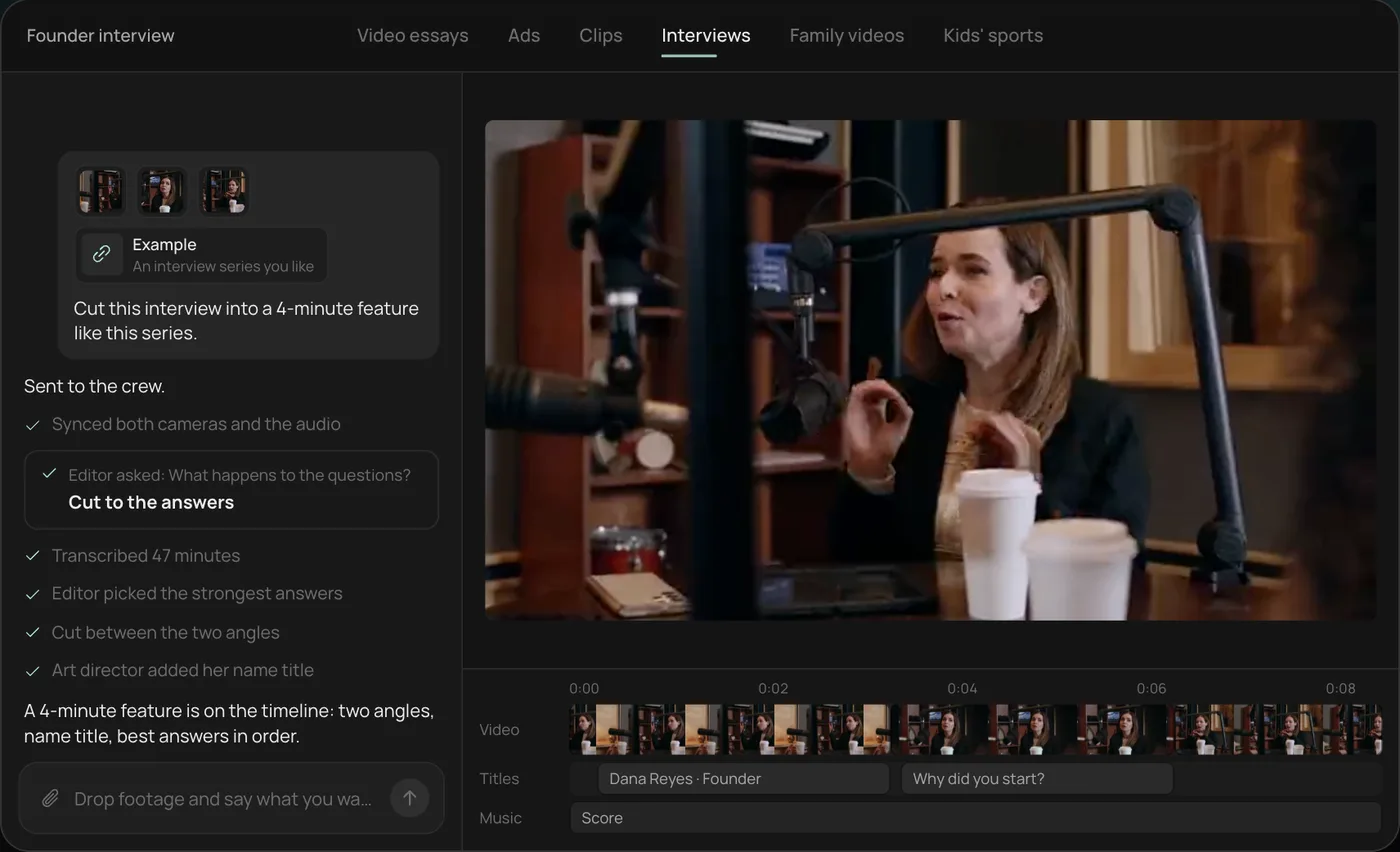
From there you can open the timeline and change anything by hand, share a review link, or export. Start a free Rend project to try it on your own footage.
What a documentary needs that a Short doesn't
A 12-minute documentary is closer to a long magazine feature than a social video. It needs a question that holds for the whole runtime, evidence that arrives every couple of minutes, narration that sounds like a person with an opinion, and pictures for every sentence. A typical 12-minute piece at about 150 spoken words a minute is 1,800 words of narration and somewhere between 120 and 200 shots.
That shot count is why documentaries take so long. It's also where AI helps most, as long as you keep it honest.
Tools compared
| Tool | Role in a documentary | Strength | Limit | Price note (Nov 18, 2026) |
|---|---|---|---|---|
| Descript | Edit interviews by transcript | Fast dialogue editing, audio cleanup | B-roll and graphics are manual | Hobbyist $16/mo yearly, 10 media hours |
| DaVinci Resolve | Finishing: color, sound, delivery | Professional color and audio in one app | Steep learning curve, you do it all | Free version available |
| Synthesia | Presenter-led explainer docs | A consistent on-screen narrator in many languages | Not built for cinematic storytelling | Starter $19/mo monthly |
| Rend | Topic and sources to full cut | Research, script, narration, b-roll, graphics, music, mix on one timeline | You still need to check every fact | Editing free; pay for renders and generation (pricing) |
A documentary workflow with AI
1. Research with receipts
Start with a question, not a topic. "Why did the city's oldest diner close?" beats "local diners." Collect primary sources: articles, filings, posts, interviews you recorded. Rend researches the web and X posts, but treat every finding like a tip from a stranger until you have read the source.
Keep a source sheet: claim, where it came from, date checked. If a line in the script can't point to a row, cut it.
2. Script to a structure
Open on a real scene: a place, a time, a person doing something. Make the central question clear by about the 30-second mark. Put new evidence every two to three minutes (a document, a voice, a number) and one of your strongest beats around the middle. Our video essay script template has the full structure; documentaries use the same bones.
3. Narration
Record yourself if you can. If not, an AI voice should be one you approve. In Rend, narration comes in a voice designed from a description or cloned from your own recording with consent. Read the script aloud first; anything that runs out of breath gets split.
4. Pictures for every line
Build a scene sheet before you edit. Here is the format we use:
| Time | Narration line | Picture | Source | Rights checked |
|---|---|---|---|---|
| 0:00 | "At 5:40 a.m., the grill was already on." | Your footage: diner exterior, dawn | Shot Nov 2 | Yes |
| 0:08 | "It had opened every day since 1961." | Archival photo, 1961 storefront | County library | Licensed |
| 0:15 | "Then, last March, a letter arrived." | Insert: the letter | Owner | Permission |
| 0:24 | "The rent was going up 300 percent." | Motion graphic: rent chart | Lease docs | N/A |
Generated shots fill gaps like an establishing street at night, but label reconstructions honestly and never generate something that pretends to be real archival evidence.
5. Edit, captions and sound
Rend cuts on exact transcript words, adds word-timed captions you can restyle, titles, motion graphics and maps, original music and sound effects, and a mix that ducks under the narration, all on separate tracks. Long films get built in chapters in parallel, so a 30-minute piece doesn't wait on one long render. Every project has its own Linux computer with tools like Blender for 3D graphics.
The result opens on a real timeline. Change the order of two chapters, swap a shot, rewrite one line of narration.
6. Review
Share a review link with anyone who knows the story. They draw on the frame where something is wrong, and the agent reads every note and makes the fix, with each version kept on the same link. For the editing side in detail, see how to edit a video essay.
Where other tools win
If you have 20 hours of interviews, Descript's transcript editing is the fastest way to find your story, and DaVinci Resolve's free version is a serious finishing tool if you want to grade color yourself. If your "documentary" is really a training module with a presenter, Synthesia does that cleanly. Rend is strongest when the film is narration-led with lots of pictures, and you want the whole build done and left editable.
Pick X if...
- Pick Descript if your documentary lives in long recorded interviews.
- Pick DaVinci Resolve if you want to finish it yourself with professional color and sound.
- Pick Synthesia if you need a presenter-led explainer in many languages.
- Pick Rend if you want a topic and your sources taken to a full, narrated, editable cut.
FAQ
Can AI make a documentary from a topic?
It can draft research, a script, narration and a full edit. A human should verify every fact and source before publishing.
Is it ethical to use AI in documentaries?
Using AI to edit, caption, narrate in an approved voice or create clearly labeled reconstructions is common. Inventing quotes, evidence or fake archival footage is not.
How long does an AI documentary take to make?
Research and fact-checking still take the most time. The edit itself, which can be weeks by hand, shrinks to hours of review with an agent.
What's the difference between a documentary and a video essay?
Documentaries lean on reporting, interviews and primary footage; video essays lean on argument and analysis. The tools overlap. See AI video essay maker.
Can I use AI narration on YouTube?
Yes, with a voice you have the rights to. Rend only clones a voice from a recording with consent.
Have a story and a folder of sources? Start a free Rend account and send the question you want the film to answer.