Veterinary Video Marketing: Vet Intros, Pet Tips and Consent
Veterinary video marketing works best with three kinds of video: vet and team intros (60 to 90 seconds, filmed as a sit-down interview), short pet care tips (30 to 60 seconds, one tip each), and real clinic moments, like a nervous dog getting a treat from a tech. Intros help new clients choose you before they call. Tips earn saves and shares and keep existing clients coming back. Get written consent from the owner before any pet appears in a public video, keep surgery and anything graphic out of ads, and post a 30-second clip to your Google Business Profile.
Most clinics already have the hard part: people who are good on camera when they talk about animals. The editing is what never gets done, and that's what the steps below show.
How to cut a vet intro in Rend, step by step
These screenshots come from Rend's demo of cutting an interview; a vet intro filmed as a sit-down interview works the same way.
1. Drop in your footage. Add your files (here two camera angles and a lav mic recording) and say what you want: "Cut this interview into a 4-minute feature like this series."
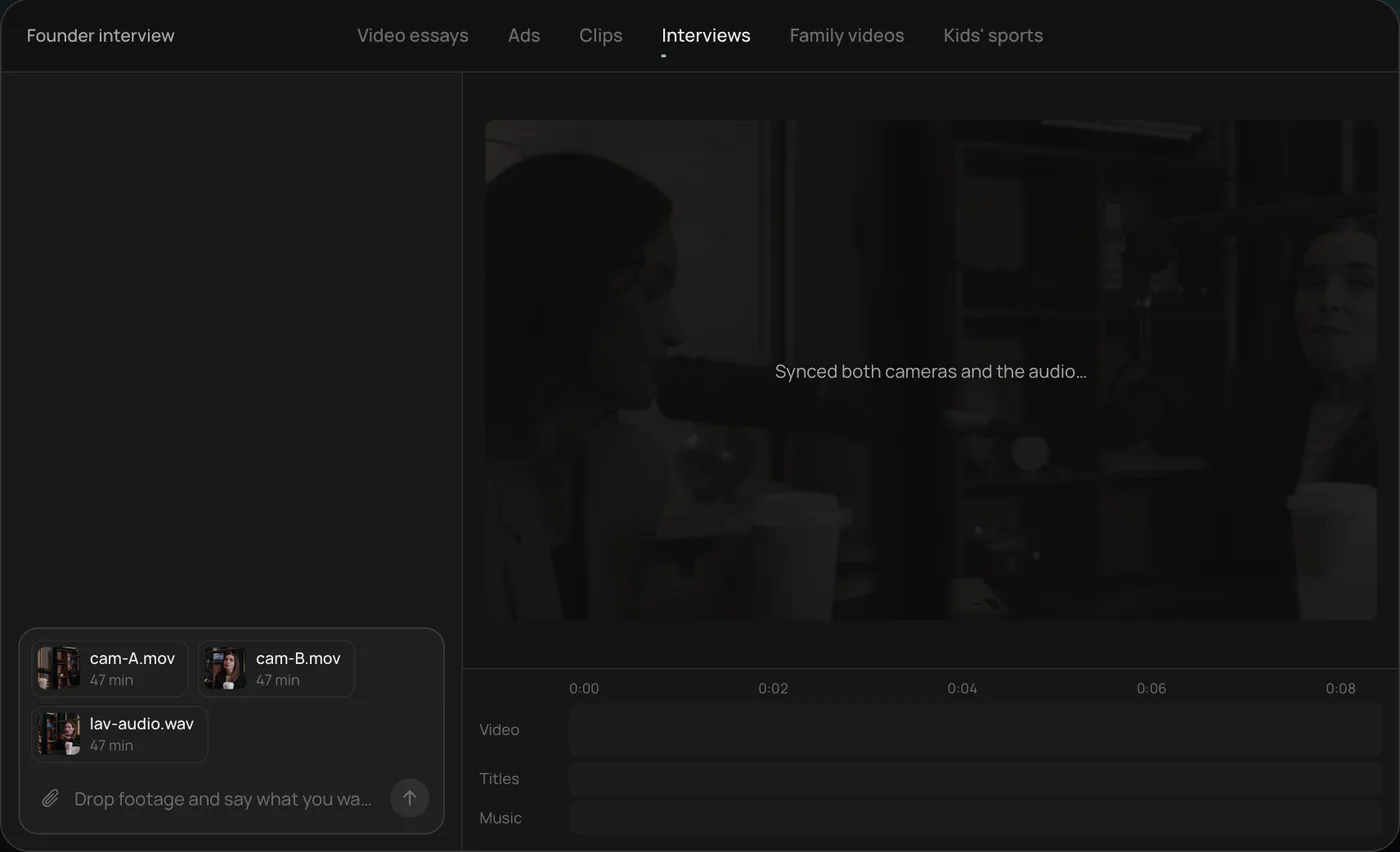
2. Answer one question. Rend asks what should happen to the interviewer's questions and recommends cutting straight to the answers.
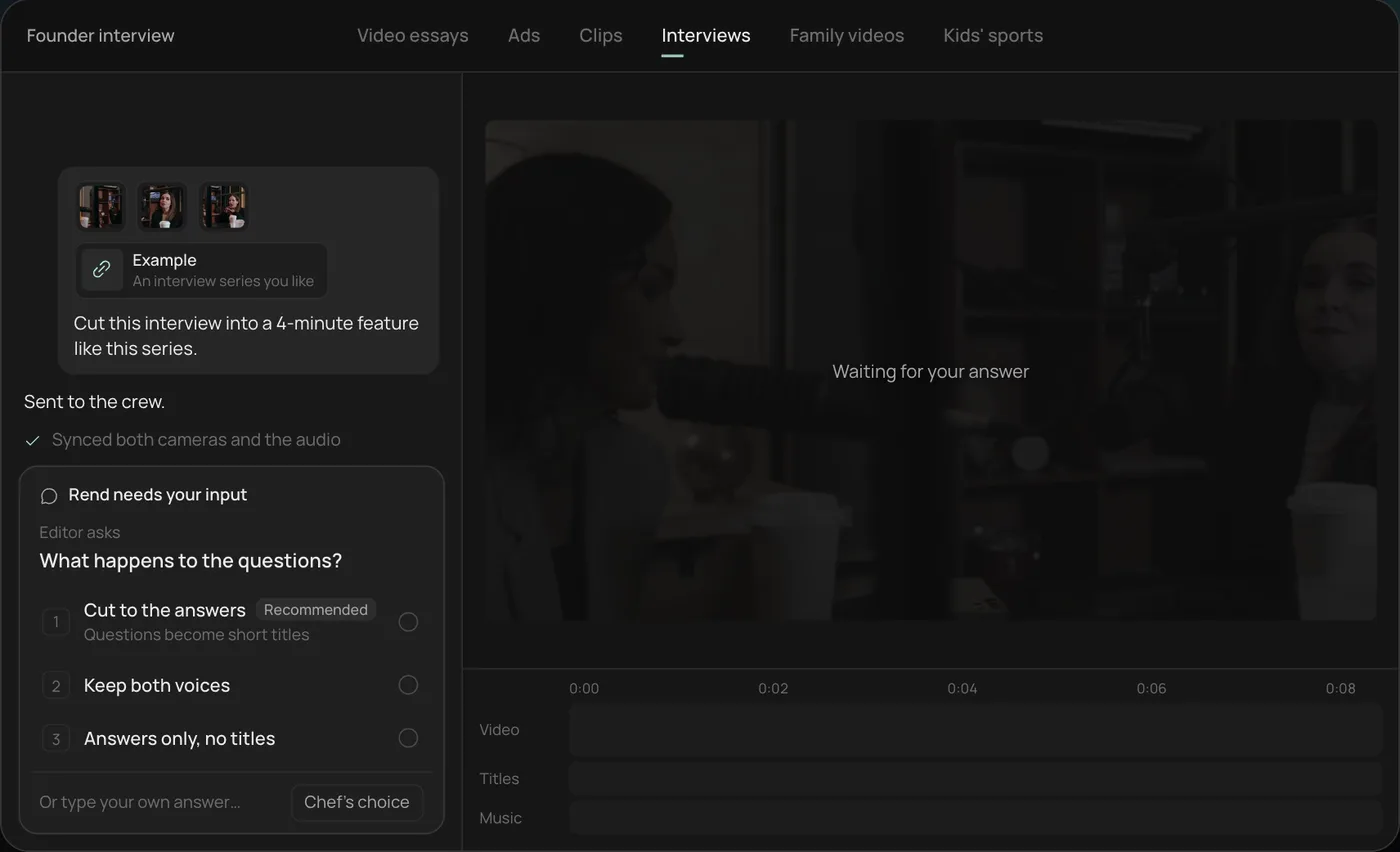
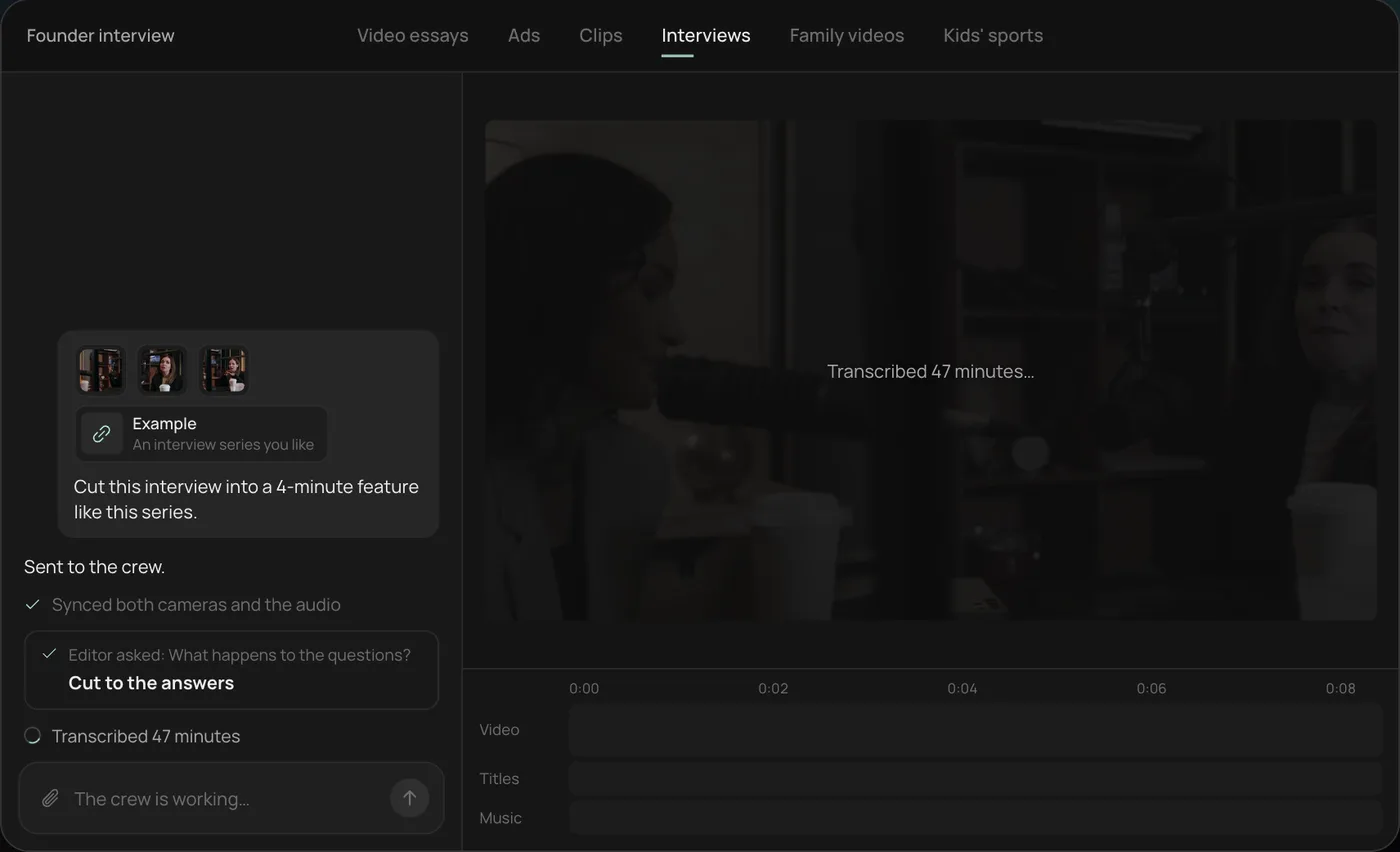
3. Watch the crew work. The crew syncs both cameras with the audio and transcribes all 47 minutes, each step checked off in the chat.
4. Get the finished cut. A 4-minute feature lands on a real timeline with both angles, a name title and the best answers in order, on separate tracks.
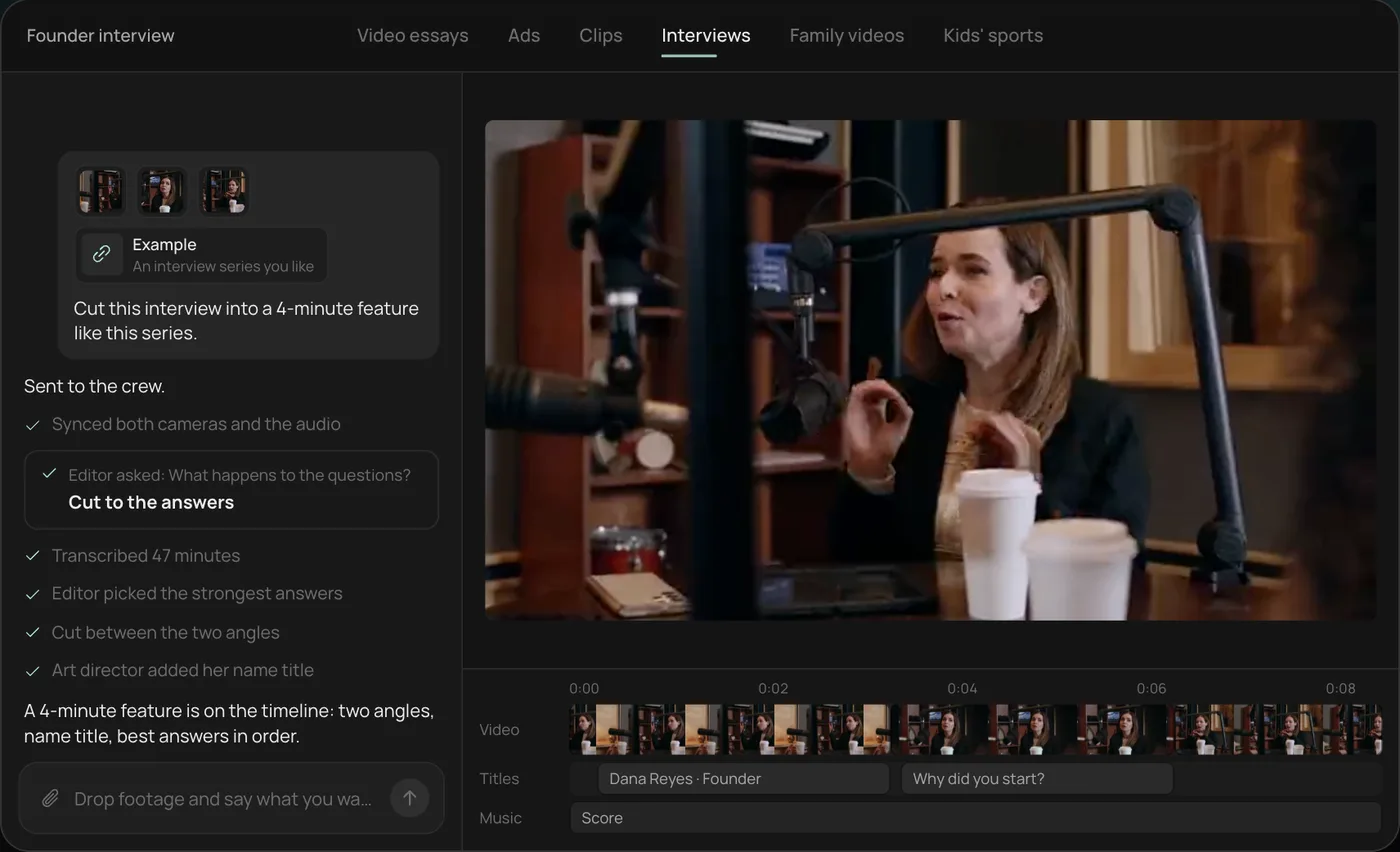
From there you can open the timeline and change anything by hand, share a review link for notes, or export. For a clinic, the same session can give you a 90-second intro and a few 30-second tips: ask "Cut a 90-second intro for Dr. Patel and three 30-second tip clips from the same interview." Start a free Rend project to try it on your own footage.
The videos that work for a clinic
| Video | Length | Who it's for | Where it runs |
|---|---|---|---|
| Vet intro | 60 to 90 s | New clients choosing a clinic | Website team page, Google Business Profile (30 s cut), YouTube |
| Team and clinic tour | 45 to 60 s | Nervous first-timers | Website, pinned post, Google Business Profile |
| Pet care tip | 30 to 60 s | Existing and future clients | Reels, Shorts, TikTok, client emails |
| "What happens at your first visit" | 60 to 90 s | New puppy and kitten owners | Website, new-client email |
| Service ad (dental month, new client exam) | 15 to 30 s | People in your area | Meta, YouTube |
Start with vet intros. One afternoon of interviews gives you intros, a dozen tip clips and quotes for ads.
Filming vet intros
Film them as an interview, not a speech. Sit the vet in an exam room or a quiet corner with soft window light, put a clip-on mic on them, and have someone off camera ask questions. Two phones on tripods (one wide, one tighter from a slight angle) give you an edit that doesn't feel like a webcam call. That's the setup in the screenshots above.
Questions that get real answers:
- Why did you become a vet? (Ask for the specific animal or moment, not the general reason.)
- What do you wish every pet owner knew?
- What's the most common thing you see that's easy to prevent?
- How do you handle a scared dog or cat?
- What do you do when the news is bad?
The fifth question is the one that makes people choose a vet. The answer is usually quiet and honest, and it shows the thing clients care about most. Ask it last, when the vet has relaxed.
Plan 20 to 30 minutes of recording per vet for a 90-second intro. Then add 30 seconds of B-roll: the vet greeting a patient, listening with a stethoscope, kneeling to a dog's level. Rend cuts on exact transcript words, so you drop the questions, the restarts and the "ums" without hunting for them.
What goes wrong: a barking ward behind the door. A hand dryer down the hall. A vet in scrubs with a big logo from a drug company on them. Pick the quietest room and the quietest hour, and look at what's in the background before you press record.
Pet care tips
Tips are the content clinics can post every week without running out. One tip per video, 30 to 60 seconds, with captions, because most people scroll with the sound off.
Tips we'd film first, by season:
| Season | Tip | Shot |
|---|---|---|
| Spring | Ticks: where to check after a walk | Tech parting fur behind a dog's ear |
| Summer | Heat: signs of heatstroke, and the hot pavement test | Back of a hand on pavement for seven seconds |
| Fall | Foods to keep away from pets at holiday meals | Plate of common foods, labeled on screen |
| Winter | Antifreeze and de-icer safety | Paws being wiped after a walk |
| Year round | How to brush a dog's teeth, how to trim nails, how to give a pill | Close-up hands on a calm patient |
Keep advice general and accurate, and have a vet check every script. A tip video isn't a diagnosis, and it shouldn't sound like one. End with "call us if you're unsure" rather than a sales line.
Pet footage consent
The animal can't sign, so the owner does. Get it in writing before any pet appears in a public video, every time.
A simple consent line on your intake or check-in form:
I agree that [Clinic] may photograph or film my pet during visits and use the images on its website, social media and advertising. I can withdraw this at any time for future use. My pet's name may / may not be shown.
Then a few house rules:
- Ask again in person on the day. A form signed two years ago doesn't mean the owner wants their dog's ear infection on Instagram today.
- Keep the owner off camera unless they agree separately.
- Never show a patient's records, a screen with client data, or a whiteboard with names and phone numbers.
- Don't film a pet that is in pain, frightened or being restrained hard, even with consent. It doesn't help the animal, and viewers notice.
- If an owner gave anything in return (a discount, a free nail trim), and they post or appear in an ad, the FTC's Endorsement Guides expect that connection to be disclosed.
Euthanasia rooms, emergency cases and grieving owners stay off camera. No exceptions, even if someone offers.
What not to put in ads
Organic posts and paid ads have different rules. Meta's Advertising Standards prohibit shocking, gruesome or sensational imagery, and they are stricter than the rules for regular posts. Surgery footage, open wounds, blood and graphic before and after shots of injuries can get an ad rejected and don't sell appointments anyway.
Keep ads to calm, clean moments: a happy dog on a scale, a cat in a carrier being greeted by name, a vet explaining a dental cleaning with a model jaw rather than a real mouth. Be careful with outcome claims ("we'll cure your dog's allergies") and with naming specific drugs; your state's veterinary board and Meta's own health rules both apply, so check before you run.
Testimonials from clients work well as ads, with written permission. Our customer testimonial video guide has questions and a release template. Clinics that also sell grooming or boarding can borrow from our salon and barbershop video guide, which covers transformation Reels.
Where each video runs
| Channel | Best video | Notes |
|---|---|---|
| Google Business Profile | 30 s clinic tour or vet intro cut | Google's help center allows videos up to 30 seconds, 75 MB and 720p or higher, real footage only |
| Website | Vet intros on the team page, first-visit video on the new-client page | The page people read before booking |
| Instagram and TikTok | Pet tips, clinic moments | Vertical, captions on |
| YouTube | Longer intros, first-visit explainer | Searchable for years |
| Meta ads | New client exam, dental month, a vet intro cut to 20 s | Target your service radius |
| Client email | One tip a month | Reminds people you exist before they need you |
For the Google side, see the Google Business Profile video guide. For paid local ads in general, read video ads for local businesses.
Using Rend at a clinic
Send Rend the interview files and B-roll from your phones, by chat, email or a web form. It syncs the two cameras with the mic, transcribes with speakers labeled, cuts the intro on exact words and pulls tip clips from the same session. Captions are word-timed and editable in your look. Put your logo, colors, caption style and music bed in a brand kit, and every intro for every vet matches. Rend can write original music, so you're not guessing whether a song is cleared for your website.
Share a review link with the practice manager before anything posts. They can draw on a frame where a client's name shows on a screen, and the agent reads every note and makes the fix. For ads, Rend can make several hooks, every size, image ads and search ad copy from the same clips, which you download for your own accounts or hand to Rend Boost (early access), where Rend runs them on major networks and you pay per click.
Editing is free; you pay when Rend renders or generates something, see pricing. Pick a caption look that reads well over fur and busy exam rooms with the caption styles previewer, and read how to add captions to video for the rest.
Where Rend won't help: it can't get consent for you or judge whether a tip is medically right. Your vets do that. And if all you need is one quick Reel of a puppy's first visit, your phone's editor is enough.
FAQ
What videos should a veterinary clinic make?
Vet and team intros, pet care tips, a first-visit explainer for new puppy and kitten owners, and a few short service ads. Intros help new clients choose you; tips keep existing clients engaged.
Do I need the owner's permission to post a video of their pet?
Yes. Get written consent on your intake form, confirm it in person on the day, and keep the owner, records and personal details out of frame unless they agree separately.
Can I use surgery footage in vet ads?
Avoid it. Meta's Advertising Standards prohibit shocking or gruesome imagery, and graphic medical footage is a common reason ads get rejected. Use calm clinic moments in ads instead.
How long should a vet intro video be?
60 to 90 seconds for your website, with a 30-second cut for your Google Business Profile, which caps videos at 30 seconds.
How often should a clinic post pet care tips?
Once a week is sustainable for most clinics if you film several tips in one session. One good interview afternoon can give you a month of clips.
Who should appear in clinic videos?
Vets, techs and front-desk staff who are comfortable on camera. Don't force anyone. A tech with a calm voice and a steady hand often makes the best tip videos.
If your clinic has a vet who's great with people and no time to edit, start a free Rend account and send in one interview.