AI Explainer Video Maker: Scripts, Visuals and a Fast Workflow
An AI explainer video maker turns a topic or a script into a short video that teaches one idea: narration, visuals that show each step, captions and music, cut and exported. The best results come from a tight script with one idea per sentence and visuals chosen to show what the narrator is saying. Most explainers should run 60 to 120 seconds, which is about 150 to 300 spoken words.
Explainers are the format AI handles best, because everything hangs off a script. That also means a weak script can't be rescued by good visuals. Fix the words first.
How to cut an explainer video in Rend, step by step
These screenshots are from Rend's demo of cutting an interview; your own project works the same way.
1. Drop your footage and an example. Add your files (here two camera angles and a lav audio track) and say what you want: "Cut this interview into a 4-minute feature like this series."
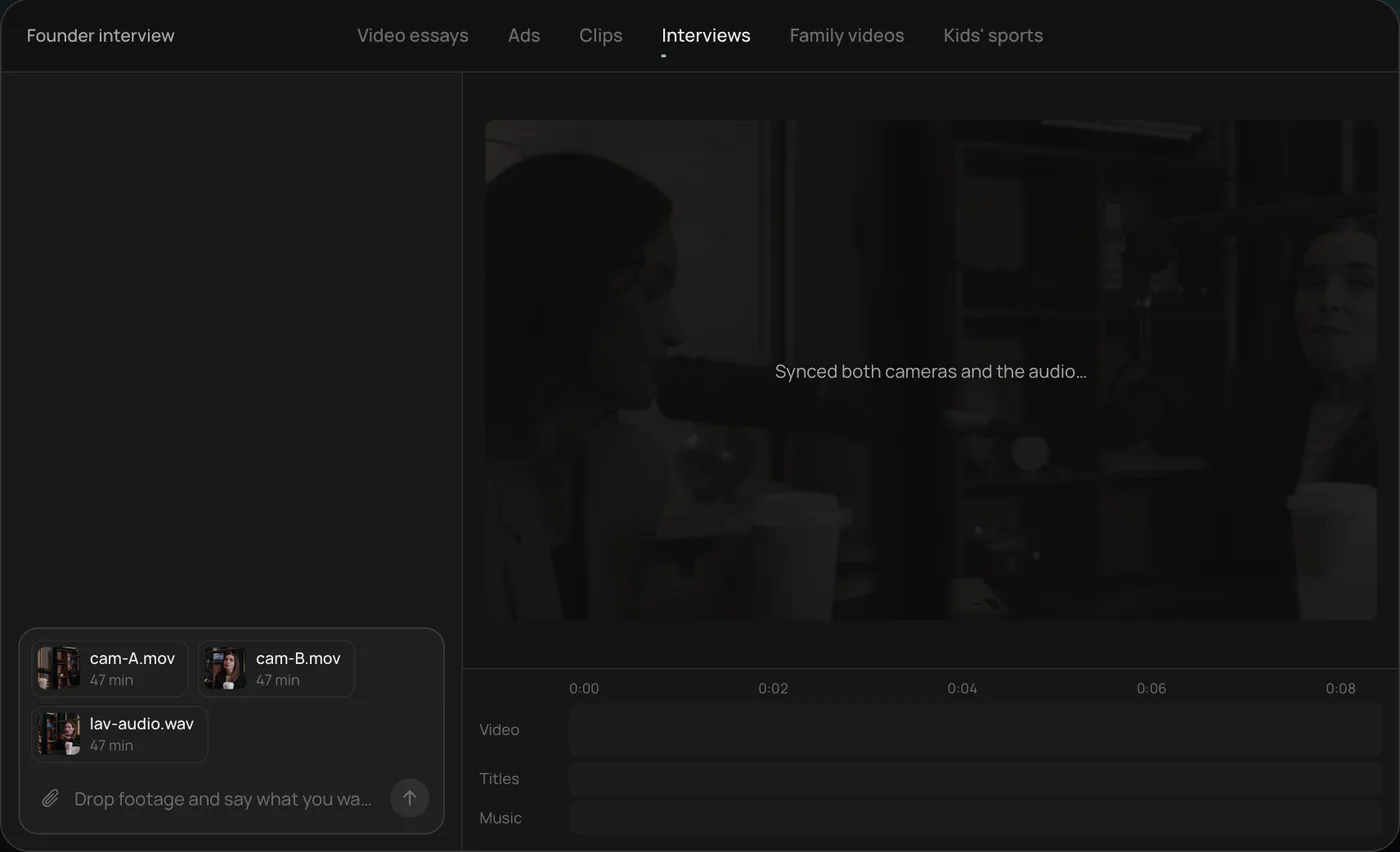
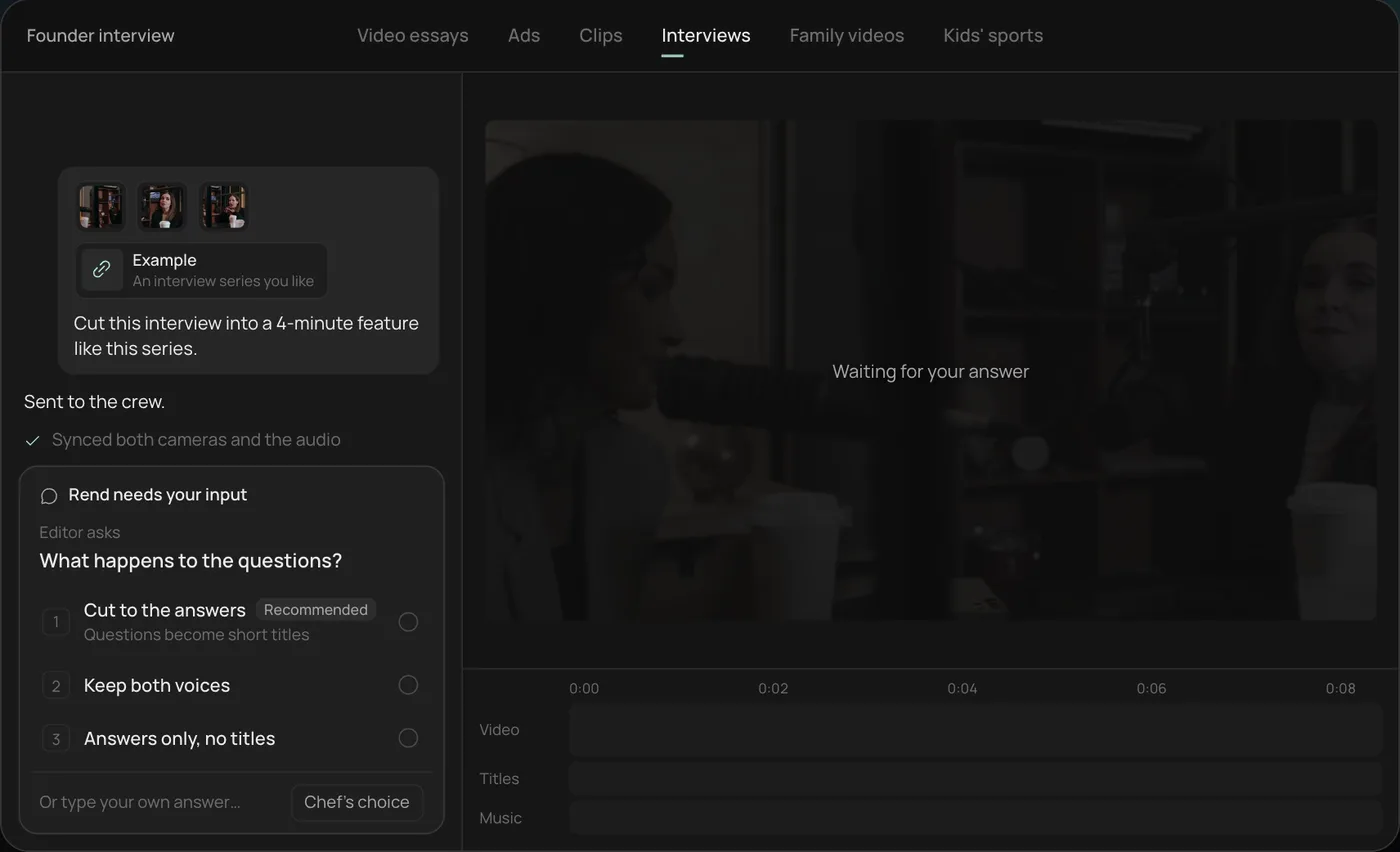
2. Answer the one question. Rend asks one question, here what should happen to the interviewer's questions, and recommends cutting straight to the answers.
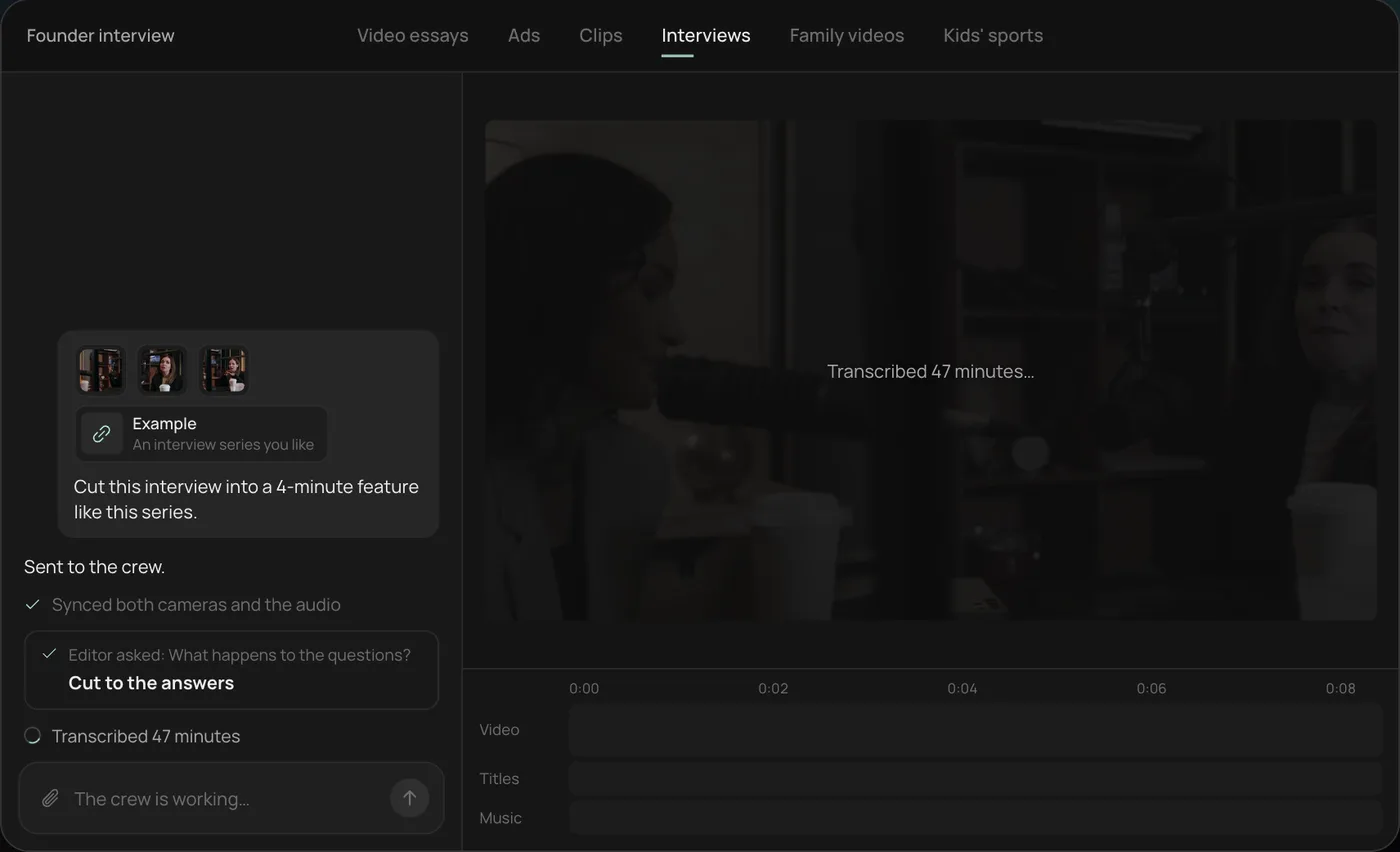
3. Let the crew work. The crew syncs both cameras with the audio and transcribes all 47 minutes, checking off each step in chat.
4. Open the finished cut. A 4-minute feature lands on a real timeline: two angles, a name title and the best answers in order, with titles and music on their own tracks.
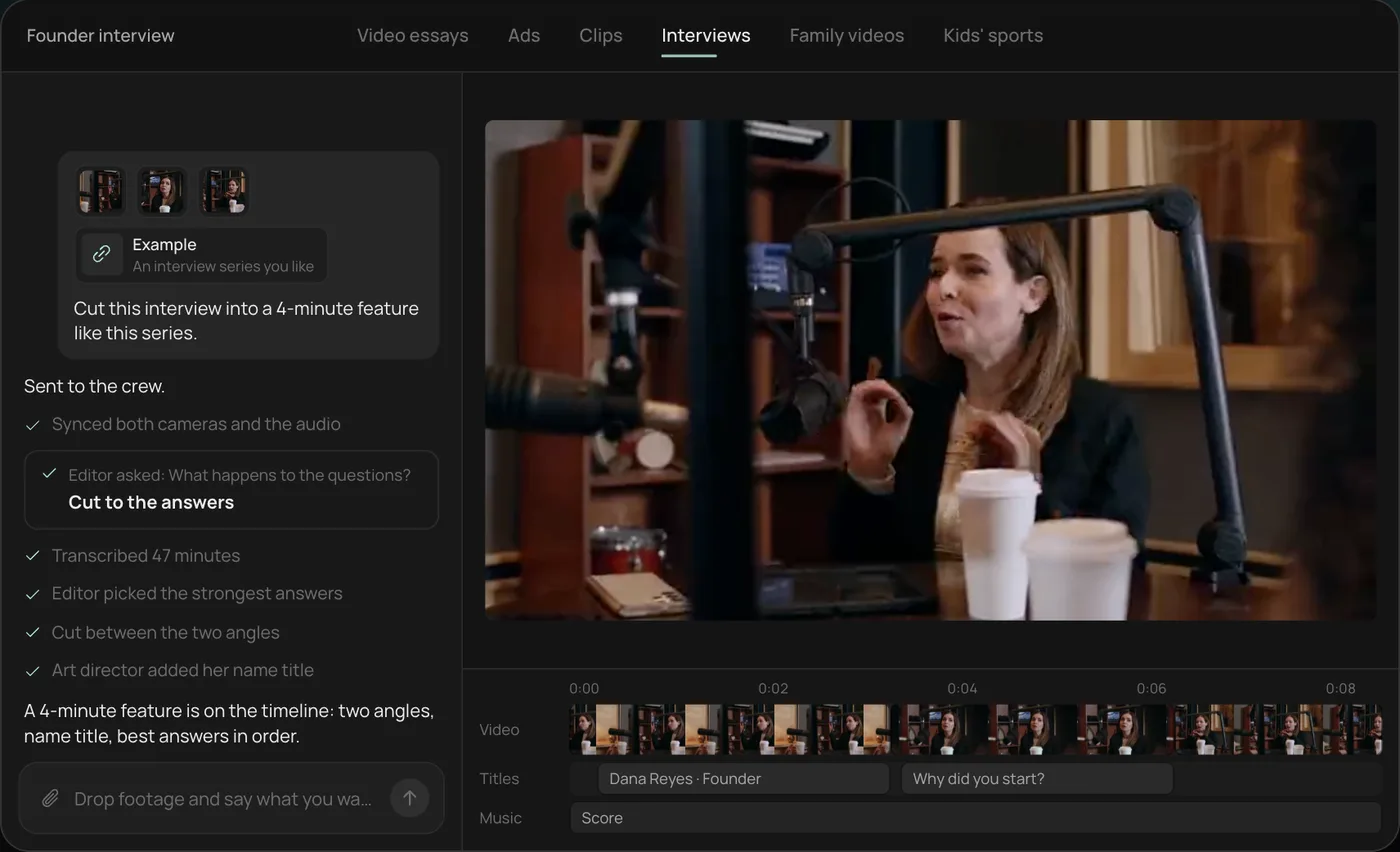
From there you can open the timeline and change anything by hand, share a review link, or export. Start a free Rend project to try it on your own footage.
The four-part explainer structure
Nearly every explainer that works, from a SaaS homepage video to a two-minute lesson on compound interest, follows this order.
| Part | Job | Share of runtime | 90-second version |
|---|---|---|---|
| Problem | Name the pain the viewer has | 15% | 13 s, about 33 words |
| Idea | The one concept that fixes it | 25% | 22 s, about 55 words |
| How it works | Three steps or fewer, shown | 45% | 40 s, about 100 words |
| What to do next | One action | 15% | 15 s, about 37 words |
Three steps is a ceiling. If your process has seven, you're making two videos, or a course lesson (see course and tutorial videos).
A worked example
Topic: how a heat pump heats a house in winter. Audience: homeowners pricing a replacement furnace. Length: 75 seconds.
Problem. Your furnace burns fuel to make heat. A heat pump doesn't make heat at all, which sounds like a bad start.
Idea. It moves heat. Even 20°F air has heat in it, and a heat pump pulls that heat inside, the way your fridge pulls heat out of the food and dumps it into your kitchen.
How it works. Outside, cold refrigerant soaks up heat from the air. A compressor squeezes it, and squeezing makes it hot. Inside, that hot refrigerant gives its heat to your air, cools down, and goes back out to do it again.
Next. Before you get quotes, check what temperature your area hits on its coldest week. That number decides which model you need.
Now the visual plan. This is where an AI explainer maker earns its keep or produces wallpaper.
| Line | Visual | Type |
|---|---|---|
| "Your furnace burns fuel" | Flame in a furnace window | B-roll |
| "doesn't make heat at all" | Title: "Heat pump ≠ heater" | Motion graphic |
| "Even 20°F air has heat in it" | Frosty outdoor unit, a thermometer reading 20°F | Generated or stock shot |
| "the way your fridge…" | Fridge door opening, warm coil at the back | B-roll |
| The three steps | One animated diagram: outdoor coil, compressor, indoor coil, arrows moving | Animation |
| "check what temperature…" | Map with a winter low pinned | Motion graphic |
Note the middle section: one diagram that builds, not four unrelated clips. Explainers explain with diagrams. B-roll sets the scene; animation does the teaching.
Visual types and when to use each
| Visual | Use it for | Avoid it for |
|---|---|---|
| Animated diagram | Processes, systems, cause and effect | Emotional moments |
| Screen recording | Software, websites, step-by-step clicks | Anything abstract |
| Real footage (yours) | Your product, your team, your place | Concepts with no physical form |
| Generated shots | Scenes you can't film, metaphors | Your real product or real people |
| Kinetic text | Numbers, key terms, the takeaway | Whole sentences of narration |
| Talking head | Trust, opinion, founder videos | Showing how something works |
What to look for in an AI explainer video maker
Script approval before build. You should see the script and hear the voice before any rendering. Changing a line in text costs nothing.
Real animation, not just stock. Ask whether it can make motion graphics and diagrams that follow your narration. A tool that only does stock b-roll will make every explainer look like a mood board.
Editable captions and titles. Terms get misspelled. Product names get mangled. You need to fix one word without re-rendering everything.
Your brand reused. Fonts, colors, the voice, the music. Set it once.
Exports in every shape. 16:9 for your site and YouTube, 9:16 for Shorts and Reels, 1:1 for feeds.
Making explainers with Rend
Rend is an AI video agent: you describe the explainer in chat, and a crew of specialist agents takes it from idea to export on a timeline you can open and change.
Send the topic, your audience and the length, plus anything useful: a product page, a doc, screenshots, a whiteboard photo. Rend's writing model, rend-1, drafts the script with live research when the topic needs current facts, and you approve it before anything is built. Narration comes in a voice you approve, designed from a description or cloned from your own recording with consent.
Then the crew builds it: titles and motion graphics, Lottie animations and 3D graphics where a diagram needs them, generated shots and b-roll, original music, sound effects and word-timed captions, all on separate tracks. Each project runs on its own Linux computer with tools like Blender, so a diagram can be a real 3D model when that explains it better. Rend checks its own work before you see it, and a review link lets your team draw on the frame and leave notes that the agent fixes.
Editing is free; you pay only when Rend renders or generates something. See pricing and the tools page.
If you already have a blog post or doc on the topic, start there: turning a blog post into a video shows how.
A brief you can paste
Copy this and fill in the brackets. It covers everything the agent would otherwise guess.
Make a [length] explainer, [16:9 / 9:16], for [audience] who [situation]. The one idea: [idea in a sentence]. The steps: [step 1], [step 2], [step 3]. Show [real thing you'll send footage or screenshots of]. Use animated diagrams for [the process]. Tone: [plain, warm, dry]. End by telling them to [action]. Don't use [things you hate].
The "don't" line is worth more than it looks. "No stock footage of people in hard hats pointing at tablets" saves a whole round of notes. So does naming the audience's situation, because a homeowner pricing a furnace replacement and an HVAC student need different first sentences even when the facts are the same.
Mistakes that make explainers forgettable
Opening with your company name. Open with the viewer's problem.
Explaining three ideas. Pick one. The others are future videos.
Stock footage of people pointing at screens. Show the real screen.
Narration that reads the on-screen text. Put numbers and terms on screen; say the sentence around them.
Ending without an action. Tell people exactly what to do next.
FAQ
How long should an explainer video be?
Most should be 60 to 120 seconds. Homepage and product explainers do well near 60 to 90 seconds; teaching explainers can run 2 to 3 minutes if every section earns its time.
How many words is a 90-second explainer script?
About 225 words, at the usual narration pace of 140 to 155 words a minute. Leave a little room for pauses at the transitions.
Can AI make animated explainer videos?
Yes. Tools that can build motion graphics and animated diagrams from your script handle this well. Check that the animation follows the narration line by line rather than looping generic motion behind it.
Do I need my own footage?
Not for most explainers. If you're explaining your own product, use real screen recordings or product shots; generated versions of a real product look wrong to anyone who has used it.
What's the difference between an explainer and a product demo?
An explainer teaches an idea; a demo shows a product doing a job. Many good product pages use both. Our product demo videos guide covers the second.
Try it with the thing you explain most often: create a free Rend account, paste your notes, and approve the script before it builds.