AI B-Roll Generator: Shots That Show What the Voice Says
An AI b-roll generator makes or finds the supporting footage that plays over narration or an interview: cutaways, establishing shots, close-ups and visual metaphors. The good use is to show exactly what the voice is saying at that moment, not to cover the screen with mood. Generate shots you can't film, use your own footage for anything real, and keep each generated clip short.
B-roll is where most AI-made videos give themselves away. A two-second shot of a glowing brain under a sentence about productivity tells the viewer the editor had nothing to show. Good b-roll is specific to the line.
How to cut a talking video ready for b-roll in Rend, step by step
These screenshots are from Rend's demo of cutting an interview; your own project works the same way.
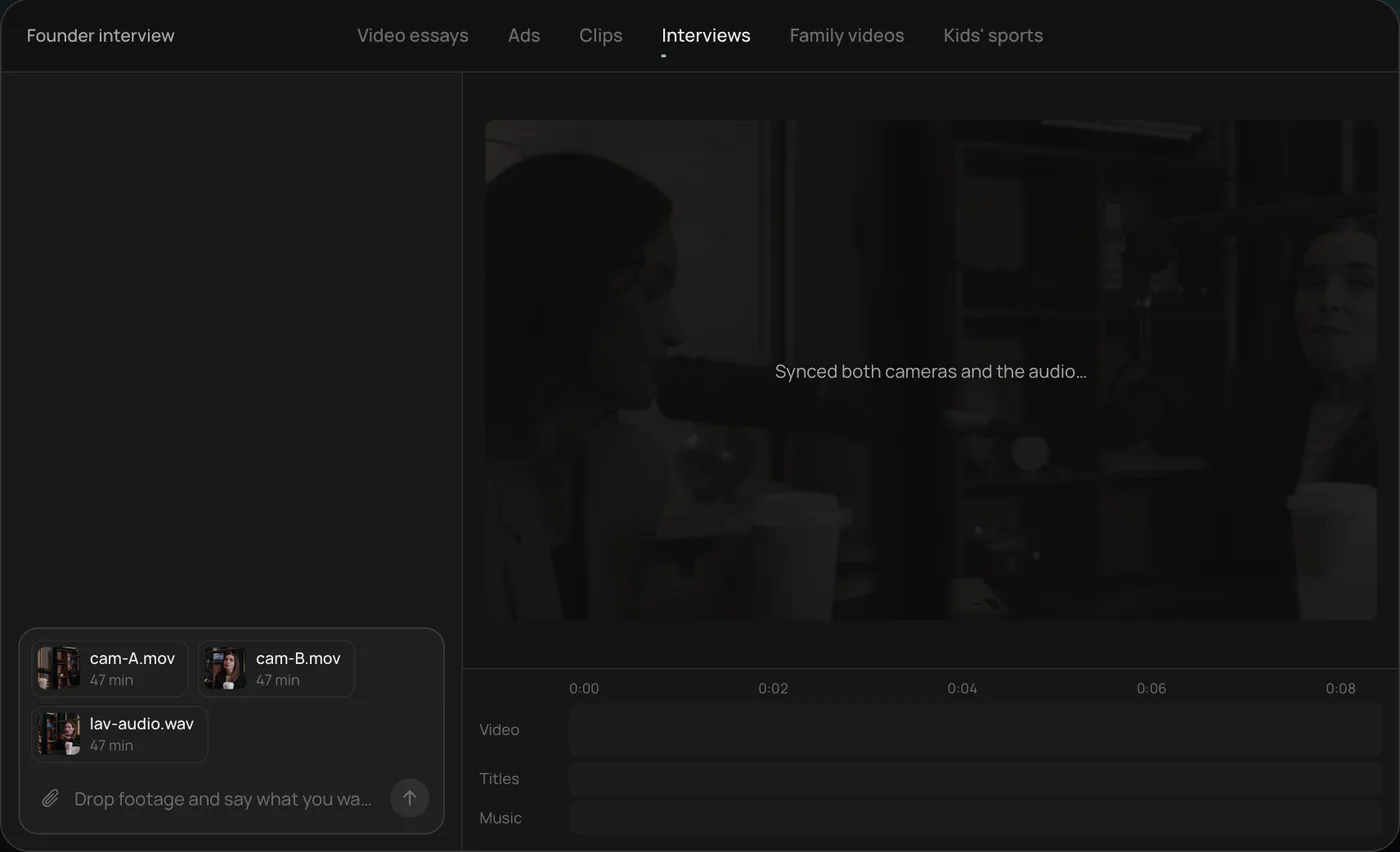
1. Drop your footage and an example. Add your files (here two camera angles and a lav audio track) and say what you want: "Cut this interview into a 4-minute feature like this series."
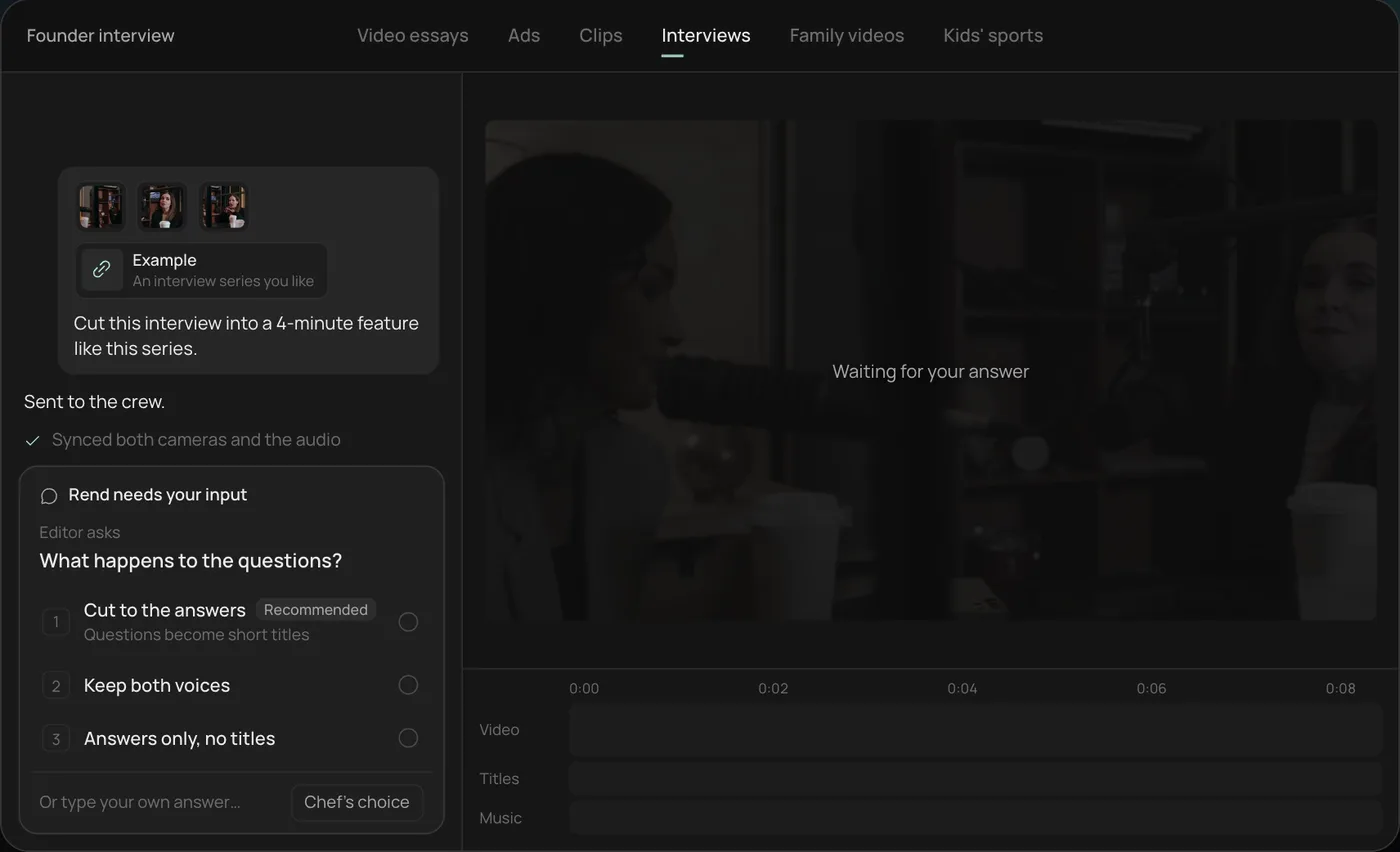
2. Answer the one question. Rend asks one question, here what should happen to the interviewer's questions, and recommends cutting straight to the answers.
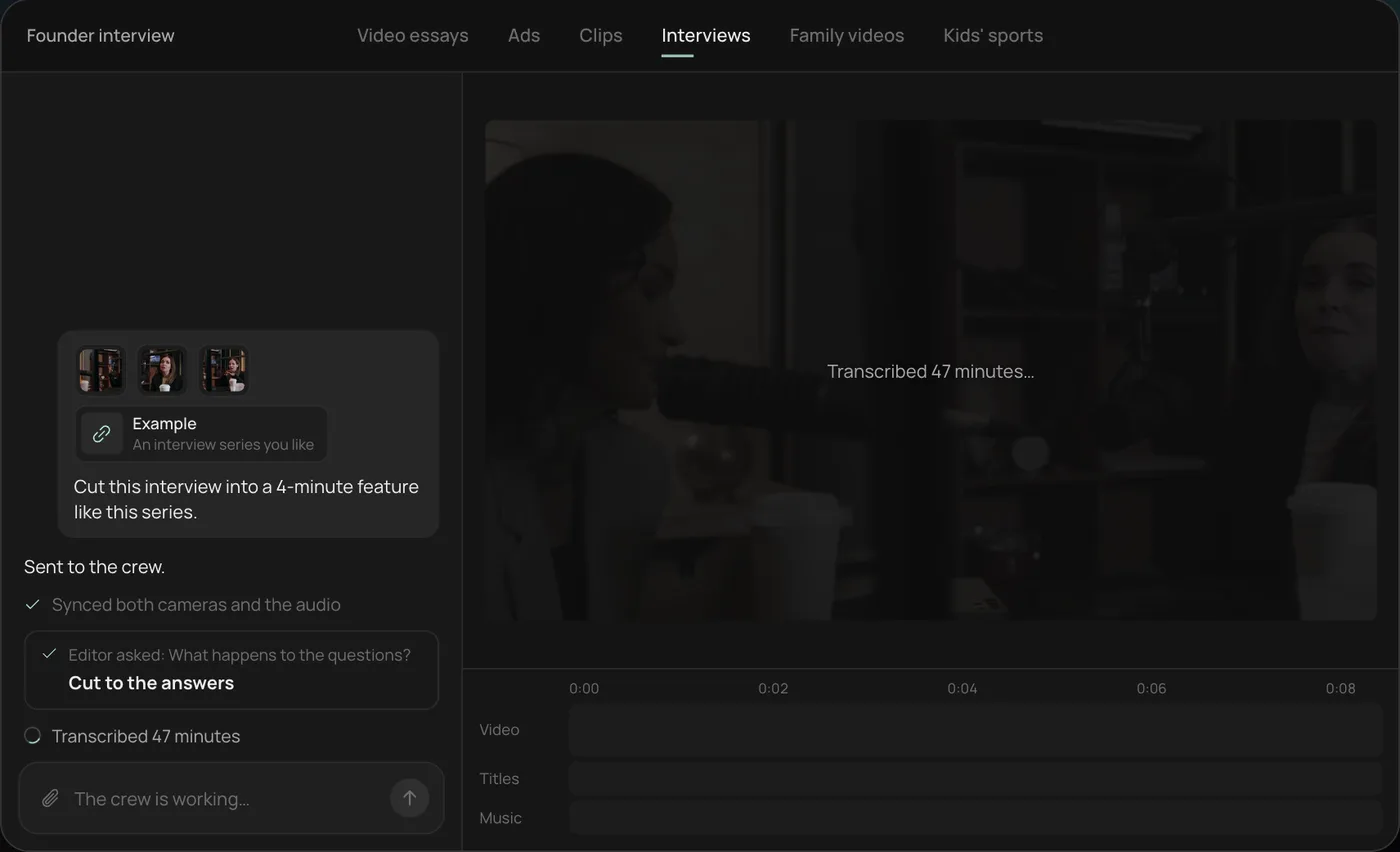
3. Let the crew work. The crew syncs both cameras with the audio and transcribes all 47 minutes, checking off each step in chat.
4. Open the finished cut. A 4-minute feature lands on a real timeline: two angles, a name title and the best answers in order, with titles and music on their own tracks.
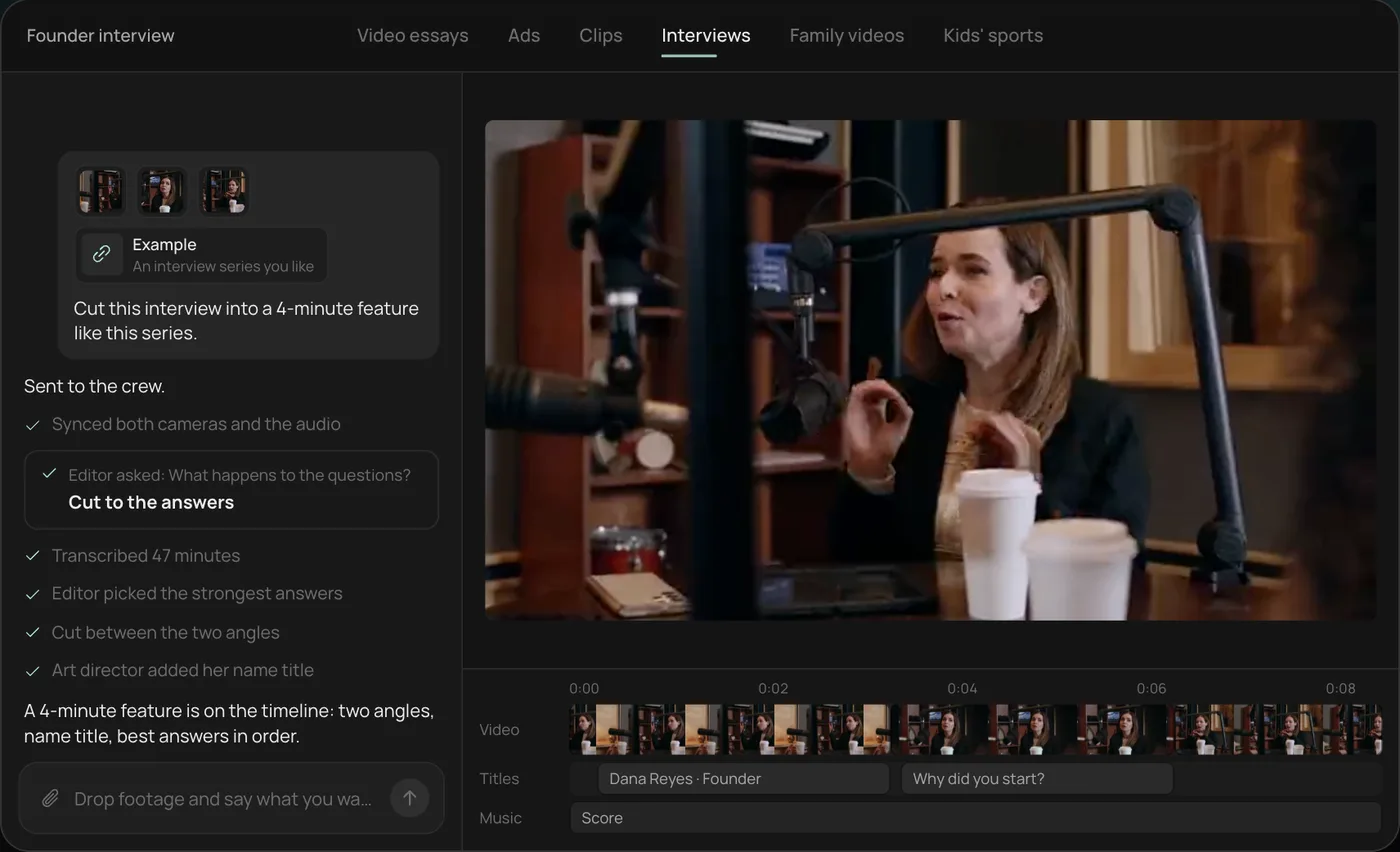
From there you can open the timeline and change anything by hand, share a review link, or export. Start a free Rend project to try it on your own footage.
Generate, film or find: a decision table
| The line is about | Best b-roll | Why |
|---|---|---|
| Your product, your shop, your team | Film it yourself | Viewers and customers know what it really looks like |
| A process you do (cooking, repairs, workouts) | Film it, even on a phone | Real hands, real mess, believable |
| A historical event or real public figure | Archive footage or photos you have the rights to | Generated versions of real events are misleading |
| An abstract idea (inflation, sleep, focus) | Generated metaphor or motion graphic | No camera can film an idea |
| A place you can't get to | Generated or licensed establishing shot | Cheaper than travel |
| Data, numbers, comparisons | Motion graphics, charts | Clearer than any footage |
| A software product | Screen recording | Anything else is wrong |
| A generic action (typing, pouring, walking) | Generated or stock | Low stakes, easy to make convincing |
Rule of thumb: the more real the subject, the more real the footage should be.
The line-by-line method
Don't ask for "b-roll for this video." Go through the script a sentence at a time and write what the viewer should see.
Script excerpt from a video about why bridges sway:
In 2000, London opened a footbridge over the Thames. On opening day, it started to wobble. Thousands of people walking in step made it worse. Engineers closed it two days later.
| Line | B-roll | Source |
|---|---|---|
| "In 2000, London opened a footbridge over the Thames." | Wide shot of the river and bridge | Licensed or archive footage of the real bridge |
| "On opening day, it started to wobble." | Archive footage if you have rights; otherwise a diagram of lateral sway | Archive or motion graphic |
| "Thousands of people walking in step…" | Close-up of many feet walking in sync on a deck | Generated (generic action) |
| "…made it worse." | Animated arrow showing the sway growing | Motion graphic |
| "Engineers closed it two days later." | Title card with the date | Motion graphic |
Notice what's not generated: the real bridge and the real event. Generated feet are fine; a generated "Millennium Bridge" that doesn't look like the real one would get called out in the comments by the first person who's walked across it.
Prompt patterns for generated b-roll
Generated shots look better when the prompt reads like a camera note.
Subject + action + framing + light + movement. "Hands kneading bread dough on a floured wooden table, close-up from above, soft window light from the left, slow push in."
Name the lens feel. "Shallow depth of field", "wide angle", "handheld".
Keep it simple. One subject, one action. Generated clips fall apart when you ask for crowds doing several things.
Keep it short. Two to four seconds per shot is plenty. Longer generated clips have more time to drift.
Match the rest of the video. If your real footage is handheld phone video in daylight, a glossy cinematic generated shot will stick out. Ask for the same look.
Keeping generated b-roll believable
- Avoid hands doing detailed work in close-up unless the shot is very short. Fingers are still a weak spot.
- Avoid readable text in the shot. Signs and labels often come out garbled. Add text as a graphic instead.
- Avoid faces of specific people. Use real footage or a reference with consent.
- Color-match. A shared grade or style pack across real and generated shots hides the seams.
- Cut on action. A cut in the middle of a movement hides where one clip ends and another begins.
For more on this, see how to make AI videos not look like AI.
How much b-roll a video needs
| Format | B-roll share | Shot length |
|---|---|---|
| Talking-head YouTube video | 30 to 50% of runtime | 2 to 5 s |
| Faceless explainer | 90 to 100% | 2 to 4 s |
| Video essay | 70 to 90% | 3 to 8 s, longer for mood |
| Podcast clip | 10 to 30% | 2 to 4 s |
| Short or TikTok | Varies | 1 to 2 s |
These are starting points, not rules. Cut b-roll when the speaker's face is the point (an emotional answer, a joke).
B-roll in Rend
Rend is an AI video agent. You send the video or script, and a crew of specialist agents takes it to an exported edit on a timeline you can open and change.
Rend reads the transcript, works out what each line needs, and finds or generates shots and b-roll to fit, alongside titles, motion graphics, Lottie animations and 3D graphics for the lines where a diagram explains better than footage. Your own clips come first: send phone footage, your camera roll or a product page, and Rend builds around them. Style packs apply one look across real and generated shots, so they sit together. It checks its own work before you see it.
Every b-roll shot is a clip on the timeline. Don't like the shot at 1:14? Leave a note on the review link ("show the actual receipt here") and the agent swaps that one shot. The rest of the edit stays put.
For long videos, Rend builds in chapters in parallel. That's useful for video essays, where b-roll is most of the picture.
Editing is free; you pay only when Rend renders or generates something. See pricing and the tools.
Mistakes with AI b-roll
A shot that could be in any video. If it doesn't show this line, change it.
Generated versions of real places, products or people.
Long generated clips. Cut them to the best two seconds.
A different look in every shot. Use one style across the edit.
Covering the speaker's best moment with b-roll. Let the face play.
FAQ
What is AI b-roll?
Supporting footage made or picked by AI to play over narration or dialogue: cutaways, close-ups, establishing shots and visual metaphors. It can be generated from a text description or selected from footage you already have.
What's the best AI b-roll generator?
One that picks shots from your script line by line and lets you swap single shots on a timeline. Generators that only make clips from prompts leave the matching and editing to you. Rend does the matching, generating and editing in one place. For a broader comparison, see the best AI video editing agents.
Is AI-generated b-roll okay for YouTube?
Generally yes. Be careful with realistic depictions of real people or real events, and follow YouTube's current rules for disclosing realistic altered or synthetic content.
How long should a b-roll shot be?
Two to five seconds for most videos, one to two in fast Shorts, and longer in essays when a shot sets mood. Generated shots usually look best kept short.
Can AI add b-roll to my talking-head video?
Yes. Send the video, and b-roll is placed over the lines that benefit from it, timed to the transcript, with the speaker's face left on screen where it matters.
See what it does with your own script: create a free account, send the video, and swap any shot you don't like.