How Do You Make a Testimonial Video? Questions, Setup, Release
To make a testimonial video, interview one real customer for 15 to 30 minutes with open questions, film them on a phone at eye level with a clip-on mic, then cut out your questions and keep only their best answers. Make two cuts from the same interview: a 30 to 60 second version for ads and social, and a 2 to 3 minute version for your website or sales follow-ups. Get a signed release before you publish, and never script the customer's words.
The interview is the easy part. Most testimonial projects die in the edit, when someone has 25 minutes of footage and no time to find the four sentences that matter. The steps below show how that part goes in Rend.
How to cut a testimonial video in Rend, step by step
These screenshots come from Rend's demo of cutting an interview; your own testimonial works the same way.
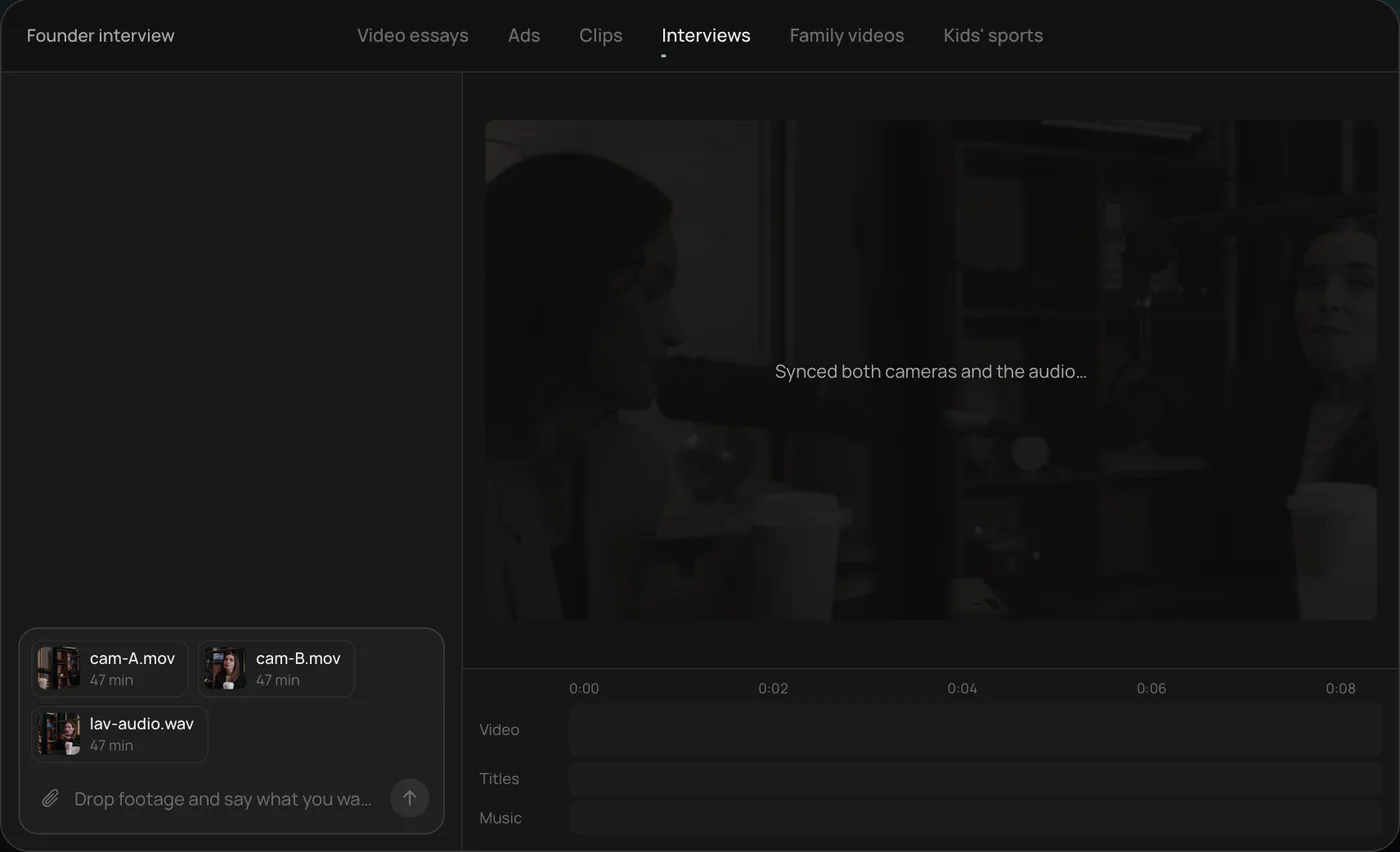
1. Drop in your footage. Add your files (here two camera angles and a lav mic recording) and say what you want: "Cut this interview into a 4-minute feature like this series."
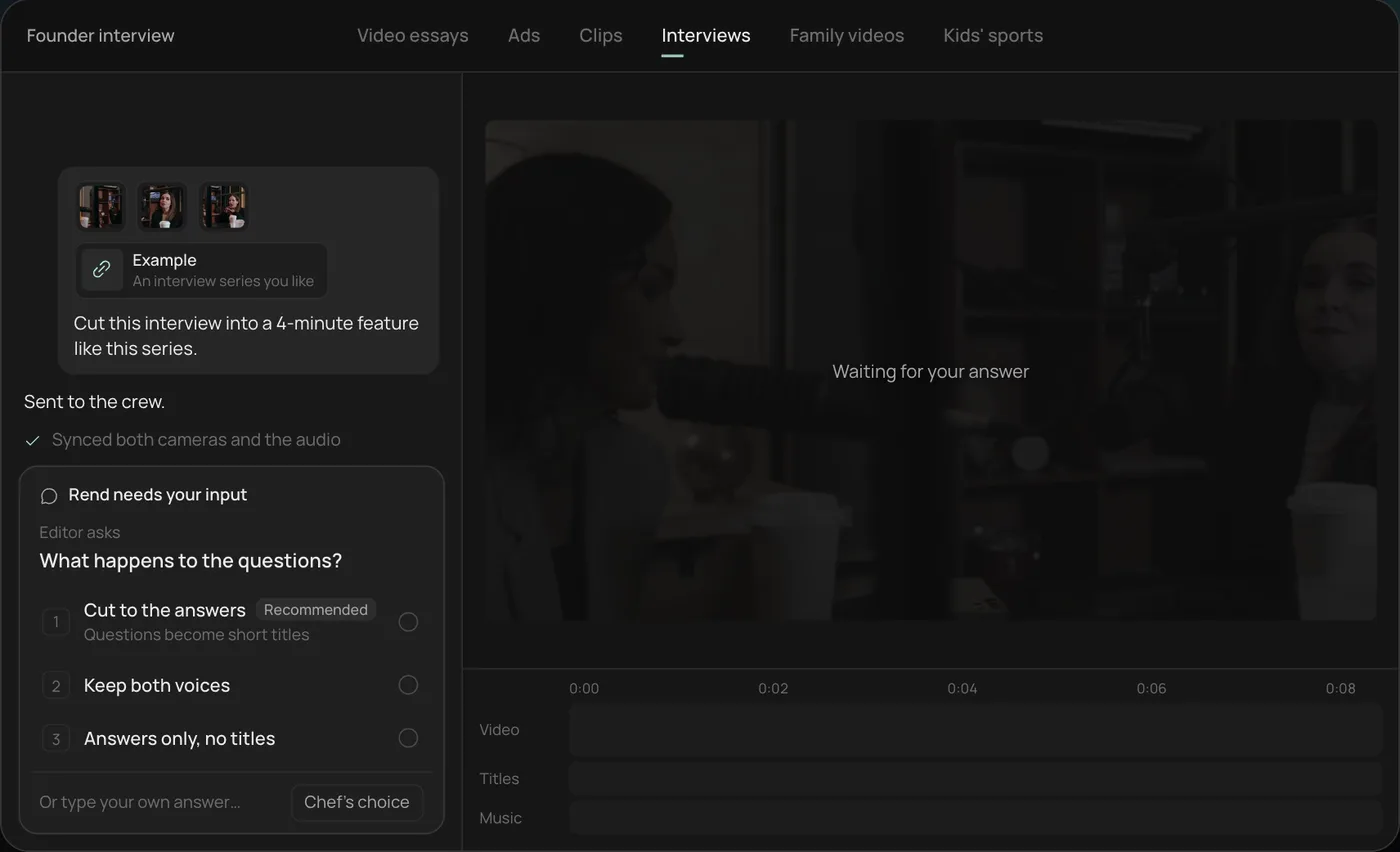
2. Answer one question. Rend asks what should happen to the interviewer's questions and recommends cutting straight to the answers.
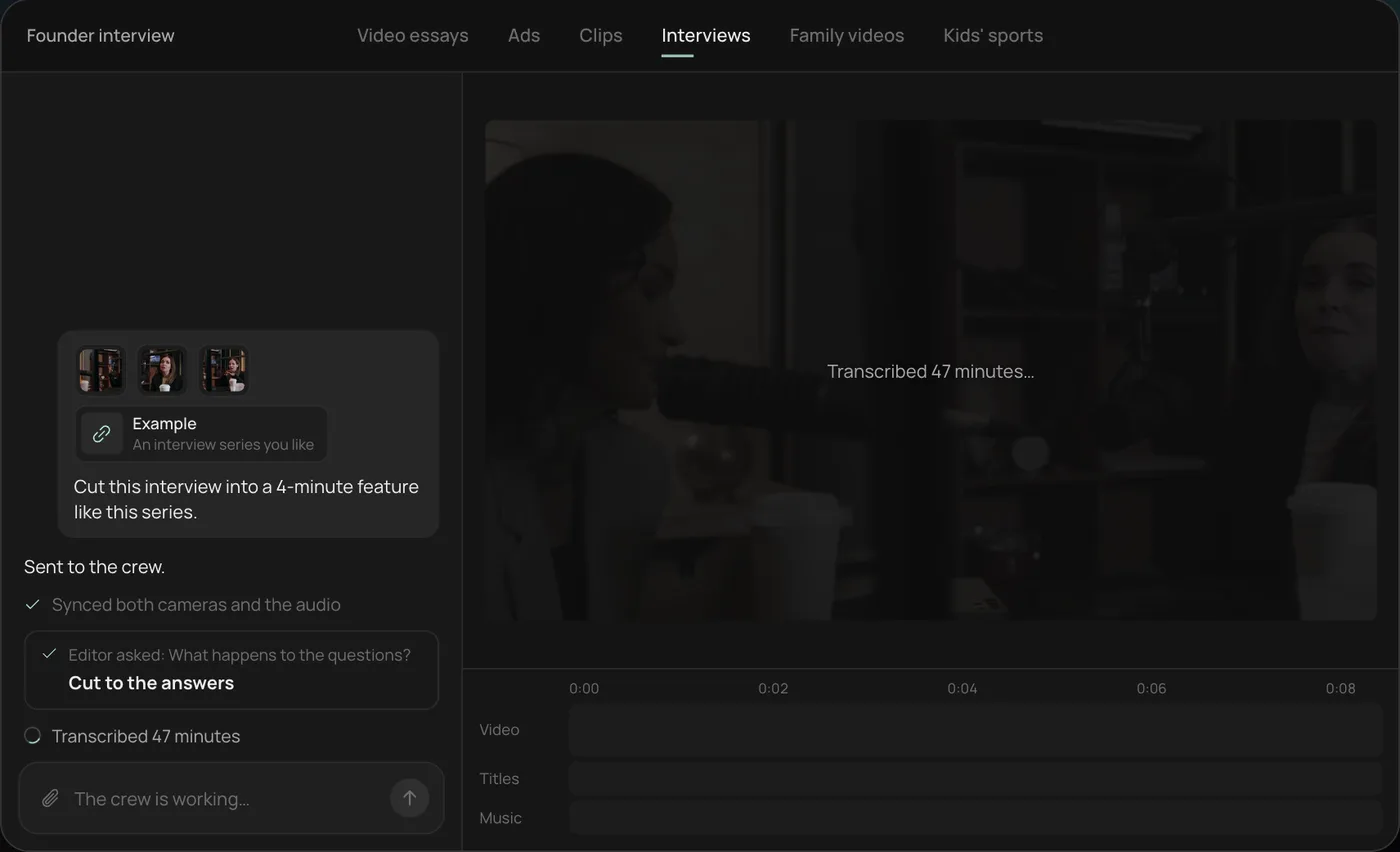
3. Watch the crew work. The crew syncs both cameras with the audio and transcribes all 47 minutes, each step checked off in the chat.
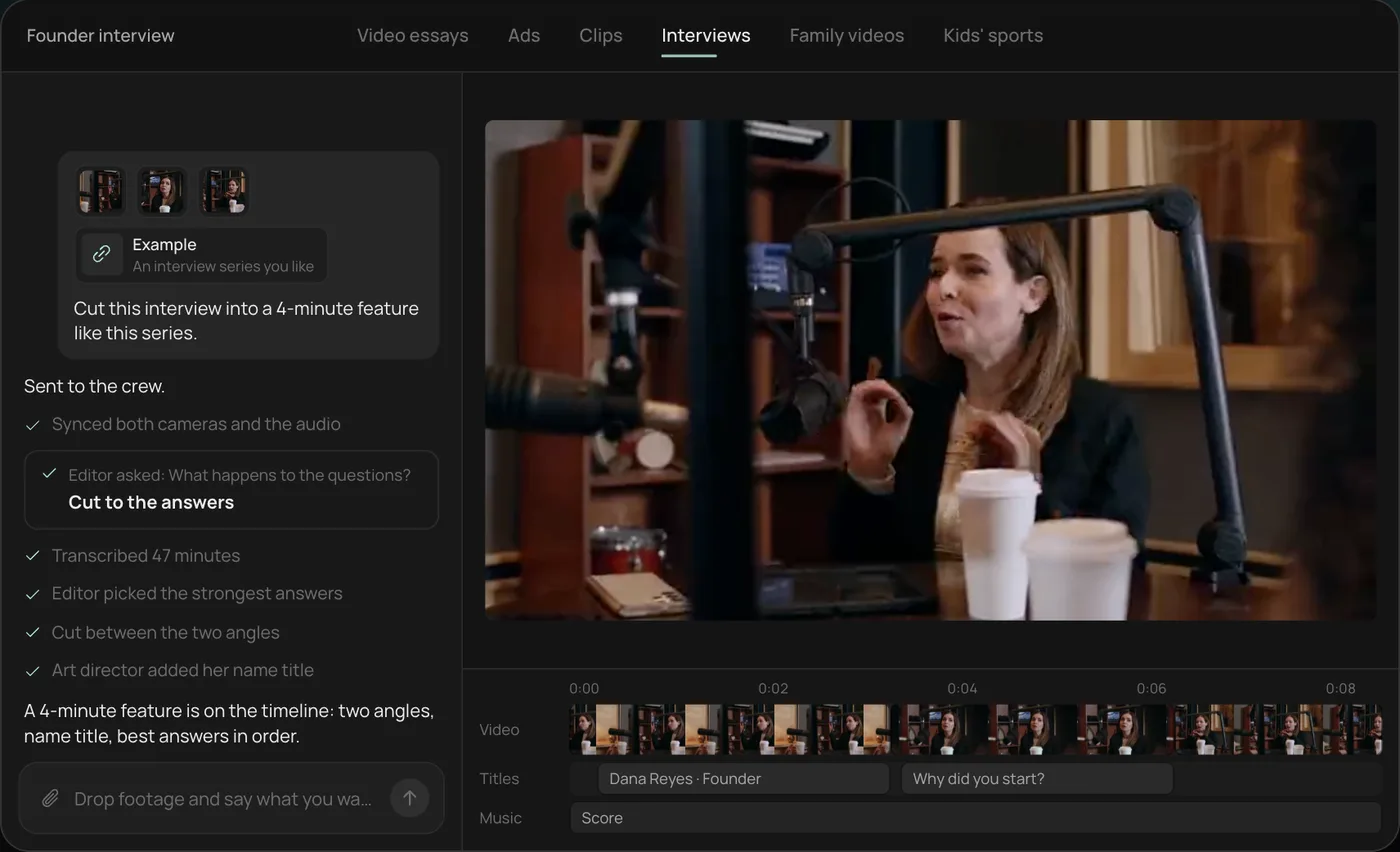
4. Get the finished cut. A 4-minute feature lands on a real timeline with both angles, a name title and the best answers in order, on separate tracks.
From there you can open the timeline and change anything by hand, share a review link for notes, or export. For a testimonial, ask for the long cut and a 45-second vertical cut from the same interview in one request. Start a free Rend project to try it on your own footage.
Pick the right customer
The best testimonial comes from a customer with a specific before. "It's great, I love it" helps nobody. "We were losing two days a month to scheduling, and now it takes an hour" sells.
Look for someone who:
- Had a clear problem before they hired you, and can describe it.
- Got a result they can name (time saved, money, a feeling, a thing that stopped going wrong).
- Talks naturally. Your most enthusiastic email writer may freeze on camera. Have a five-minute phone call first and listen.
- Looks like your next customer. A testimonial works when the viewer thinks "that's me."
Ask by phone, not email, and tell them exactly what it involves: 30 minutes, at their place or yours, you'll send the questions ahead, and they'll see the video before it goes live.
15 questions to ask
Send these a day ahead so they can think, but tell them not to prepare answers. Ask them to answer in full sentences that include the question ("Before we worked together, I was..."), because the question gets cut and the answer has to stand alone.
The before
- Tell me a bit about yourself and what you do.
- What was going on before you found us?
- What had you already tried?
- What made you start looking for help?
- What almost stopped you from hiring us?
The experience
- What was the first few weeks like?
- Was there a moment you knew it was working?
- What surprised you?
- What would you tell a friend about working with us?
The after
- What's different now?
- Can you put a number on it, in time, money or anything else?
- How does it feel day to day now compared with before?
- Who would you recommend us to?
- Who should not hire us?
- Anything I didn't ask that you want to say?
Question 5 and question 14 do a lot of work. Doubts that got answered ("I thought it'd be too expensive, and it paid for itself in two months") are more convincing than praise, and a customer saying who you're not right for sounds honest. Question 15 often gets the best line of the day, because they've warmed up.
While they talk, don't say "mm-hmm" or "right." Nod. Verbal agreement lands on the audio and makes cuts harder. And when an answer is good but long, ask them to "say that again, shorter." Most people do it better the second time.
A phone setup that looks and sounds good
You don't need a camera crew. You need clean audio, a steady shot and decent light.
| Item | What to do | Why |
|---|---|---|
| Camera | Phone on a tripod, at the customer's eye height, main lens (not the ultrawide) | Eye height looks respectful; ultrawide distorts faces |
| Second angle | A second phone, wider or from 30 degrees to the side | Gives you a place to cut without jump cuts |
| Orientation | Shoot 16:9 horizontal in 4K if you need both shapes, or vertical if it's social only | 4K horizontal leaves room to crop a 9:16 version |
| Audio | Clip-on lavalier mic on the customer, recording to a phone or recorder | The phone's built-in mic picks up the room |
| Light | Face a window, or one soft light at 45 degrees in front | Overhead lights give dark eye sockets |
| Background | Their real workplace or home, tidied, with some depth behind them | A blank wall looks like a hostage video |
| Framing | Chest up, eyes about a third from the top, looking just off the lens at you | Looks like a conversation, not a sales pitch |
| Sync | Clap once on camera after you start everything | Lines up both cameras and the mic |
Do a 20-second test recording and play it back with headphones before you start. Listen for the air conditioning, a fridge hum or a ticking clock. Turn them off. You can't remove a fridge in the edit as cleanly as you can unplug it.
Shoot ten minutes of b-roll after the interview: the customer working, using your product, the place it happens, their team, close-ups of hands. You'll need it to cover cuts between answers.
Cutting to the answers
The edit is where a testimonial lives or dies. The process that works:
- Transcribe the whole interview, with speakers labeled.
- Read the transcript and highlight every sentence you'd want a stranger to hear. Usually 10 to 15 sentences out of 25 minutes.
- Arrange them as before, turning point, after. Don't follow the order you asked questions in.
- Cut out your own questions entirely. This is why you asked for full-sentence answers.
- Cover each jump between answers with b-roll or the second angle.
- Add the name title (name, role, company) in the first ten seconds.
- Caption everything. Most social viewers watch muted.
- Add a quiet music bed, ducked under the voice.
Never stitch half-sentences together to make the customer say something they didn't say. Cutting for length is fine. Changing meaning is not, and it can make the testimonial misleading.
Short cut vs long cut
| Short cut | Long cut | |
|---|---|---|
| Length | 30 to 60 s (15 s for some ads) | 2 to 3 min |
| Shape | 9:16 and 4:5 for social and ads, 16:9 for YouTube | 16:9 |
| Structure | One problem, one result, one line of praise | Full before, experience, after |
| Opening | The strongest line in the first 3 seconds | Name title and the before |
| Where | Reels, Shorts, TikTok, Meta and YouTube ads | Website, case study page, sales emails |
| Captions | Burned in, large | Optional, or as a closed caption track |
From one 25-minute interview you can usually get one long cut, two or three short cuts built around different results, and a few 10-second quote clips. Check each social version against the safe zones in our video ad sizes guide so the name title isn't hidden behind platform buttons.
Consent and the release
Get a signed release before you film, and have the customer approve the final cut before you publish. The release should cover:
- Permission to record and use their image, voice, name and words.
- Where you'll use it: website, social media, paid ads, sales materials, presentations.
- How long you can use it, or that it's ongoing until they ask you to stop.
- Whether edits and shorter cuts are allowed.
- Any compensation (a discount, a gift card, a free month) in writing.
- What happens if they later ask you to take it down.
Have a lawyer look at your release template once. It's an hour of their time and you'll use it for years.
The FTC has rules here too. Its Endorsement Guides, revised in 2023, say an endorsement has to reflect the person's honest opinion and experience, and that material connections (like a free product or a discount for the video) should be disclosed. Its Rule on the Use of Consumer Reviews and Testimonials, in effect since October 21, 2024, bans fake testimonials, such as ones from people who don't exist or never used the product, and lets the FTC seek civil penalties. If a customer describes an unusually good result, the Endorsement Guides expect the ad to make clear what most customers can generally expect.
Some industries have extra rules on top. Lawyers have state bar advertising rules (see law firm video marketing), and health businesses have privacy and platform ad policies (see dentist and med spa videos).
What goes wrong
- The customer reads a script. It sounds read. Send questions, not answers.
- Bad audio. People forgive average video. They leave over echo. Always use a clip-on mic.
- Too long. A 5-minute testimonial on social gets watched by your mom. Make the short cut.
- No specifics. If the best line is "they're great," keep asking. Question 11 is there for a reason.
- Paying for praise. Paying for time is fine with disclosure. Paying for a positive opinion crosses the FTC's line.
Using Rend for testimonials
Send Rend the camera files and the mic recording, in chat, by email or through a web form. It syncs the angles to the audio, transcribes with speakers labeled, cuts on the exact words you pick and drops your questions out. Captions are word-timed and editable in your font, music sits on its own track with ducking under the voice, and a brand kit keeps every testimonial in a series looking the same. Ask for the long cut and the short vertical cuts in one go.
Before it goes live, share a review link with the customer and your team. They mark notes right on the frame ("I'd rather not say the number here") and the agent reads every note and makes the fix. Our post on fixing video from review comments shows how that works.
What Rend won't do is invent a customer. It edits the testimonial you recorded; it doesn't generate fake people praising you, which the FTC bans anyway. Editing is free, and you pay when Rend renders or generates something; see pricing. For other video formats built from real customers, see UGC ad script templates.
FAQ
How long should a testimonial video be?
Thirty to 60 seconds for social and ads, 2 to 3 minutes for your website. Cut both from the same interview.
What questions should I ask in a testimonial video?
Ask about the before (the problem, what they tried, what almost stopped them), the experience (the moment it started working) and the after (what's different, with a number if possible). Ask for full-sentence answers so you can cut your questions out.
Can I film a testimonial video on my phone?
Yes. Put the phone on a tripod at eye level, use the main lens, face the customer toward a window and use a clip-on mic. Audio matters more than the camera.
Do I need a release form for a testimonial video?
Yes. A signed release should cover use of their image, voice and words, where you'll use it, for how long, any compensation, and what happens if they ask you to take it down.
Can I pay customers for testimonials?
You can compensate them for their time, but the FTC expects that connection to be disclosed, and you can't make the payment depend on them saying something positive.
Should I script the testimonial?
No. Send questions ahead, not answers. Scripted customers sound scripted, and putting words in their mouth can make the testimonial misleading.
Send Rend your interview footage and it will cut the long and short testimonials on a timeline you and the customer can review. Start free here.