Law Firm Video Marketing: Attorney Intros, FAQs and Testimonials
Law firm video marketing works when it does one job a website can't: it lets a worried person hear the lawyer talk before they call. The three videos that do that best are a 60 to 90 second attorney intro, a library of short FAQ answers (one question per video, 30 to 90 seconds each), and client testimonials where the client agreed in writing. Every one of them is also lawyer advertising, so it has to pass your state bar's rules before it goes anywhere.
You can shoot all three in one half day with a phone, a lavalier mic and a quiet conference room. The editing is where most firms stall, and that part is what the steps below handle.
How to cut an attorney video in Rend, step by step
These screenshots come from Rend's demo of cutting an interview; your own project works the same way.
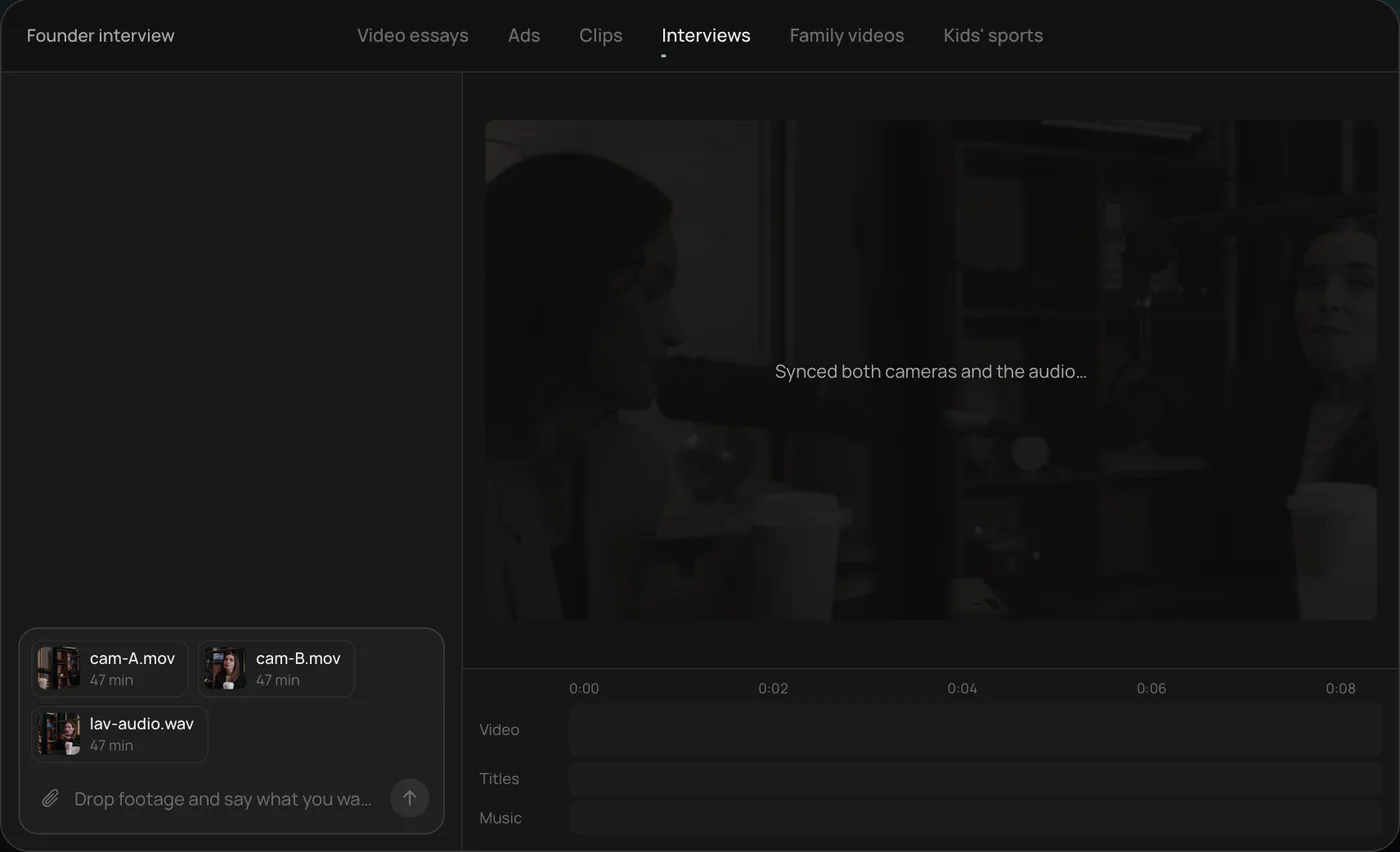
1. Drop in your footage. Add your files (here two camera angles and a lav mic recording) and say what you want: "Cut this interview into a 4-minute feature like this series."
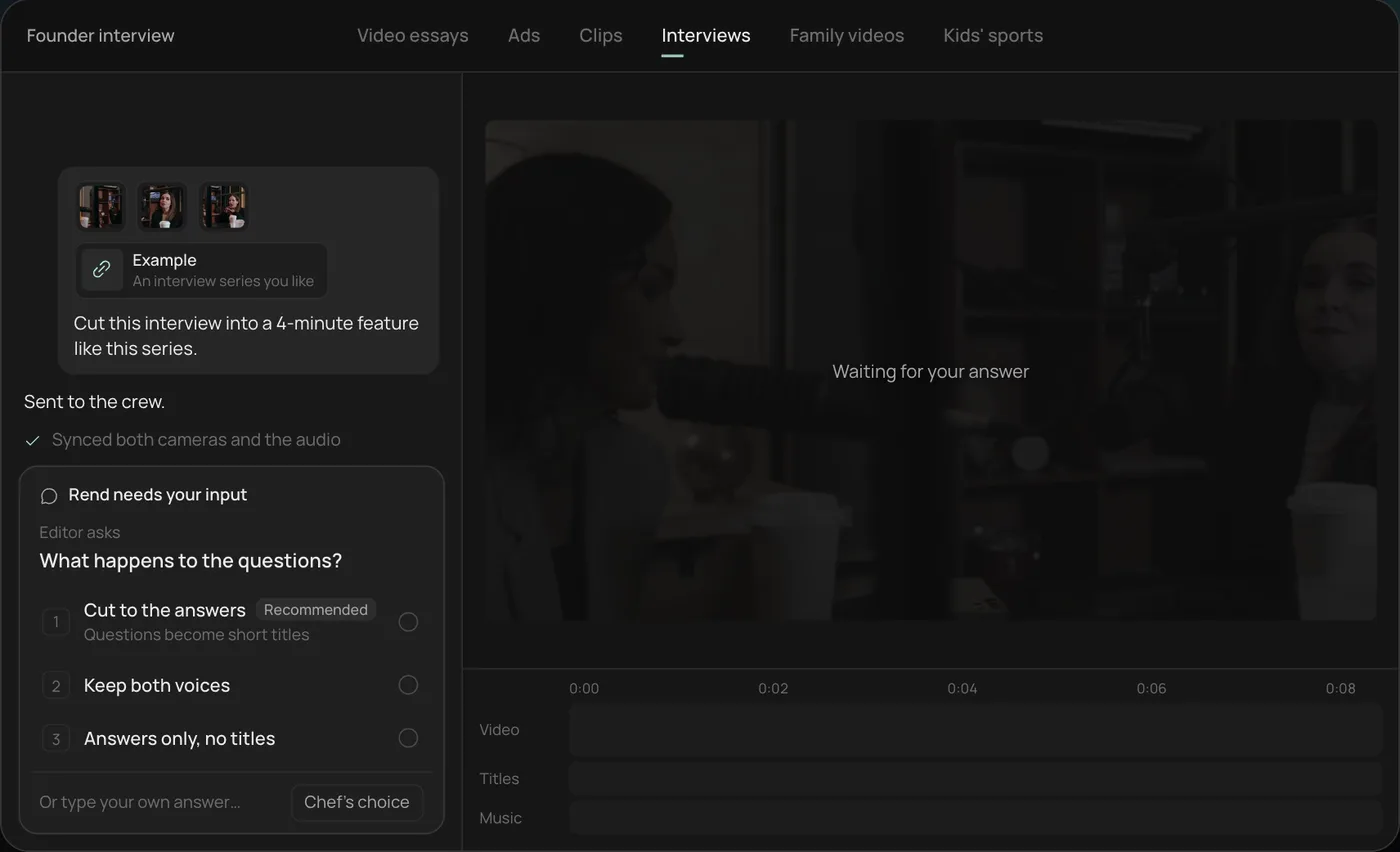
2. Answer one question. Rend asks what should happen to the interviewer's questions and recommends cutting straight to the answers.
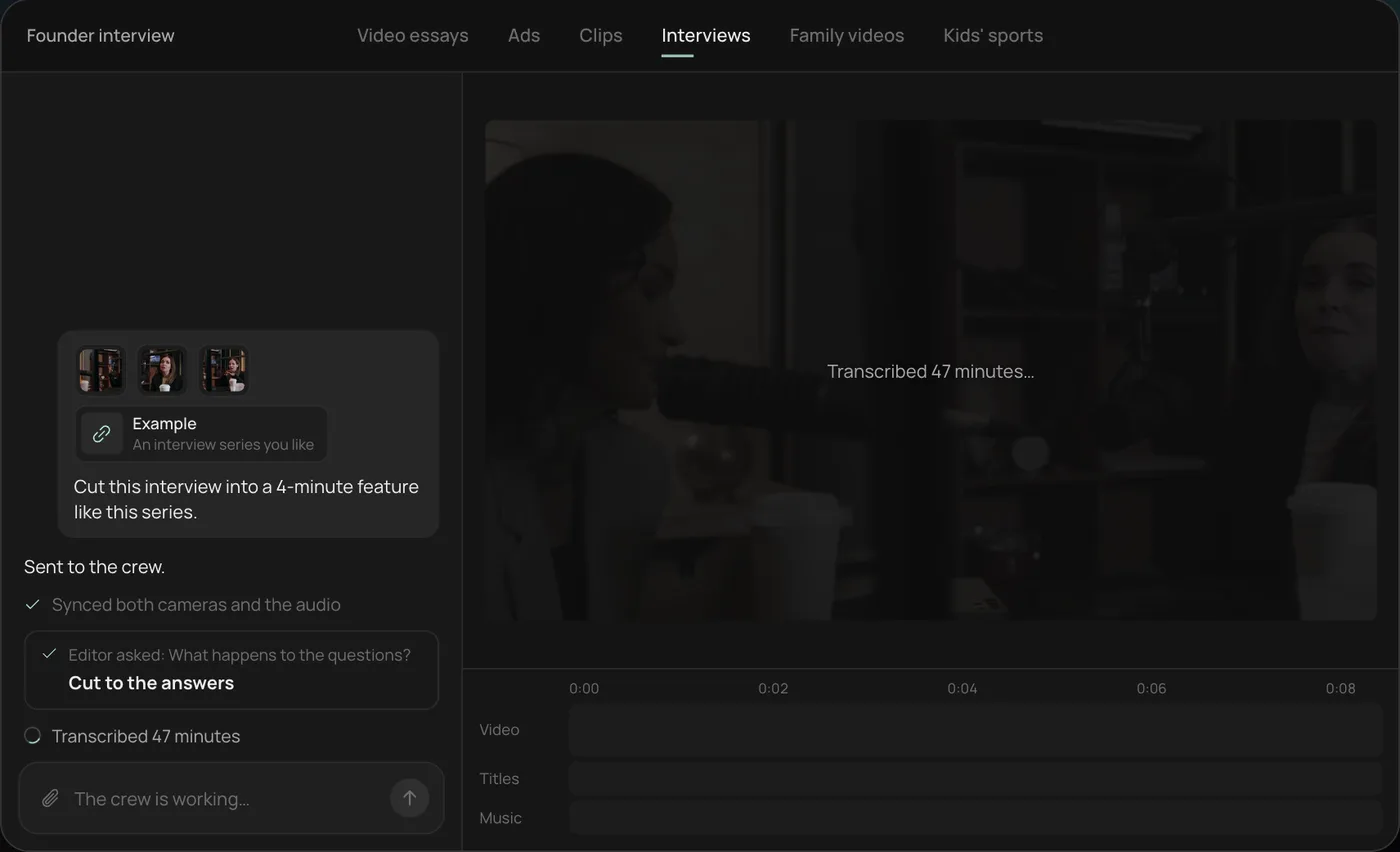
3. Watch the crew work. The crew syncs both cameras with the audio and transcribes all 47 minutes, each step checked off in the chat.
4. Get the finished cut. A 4-minute feature lands on a real timeline with both angles, a name title and the best answers in order, on separate tracks.
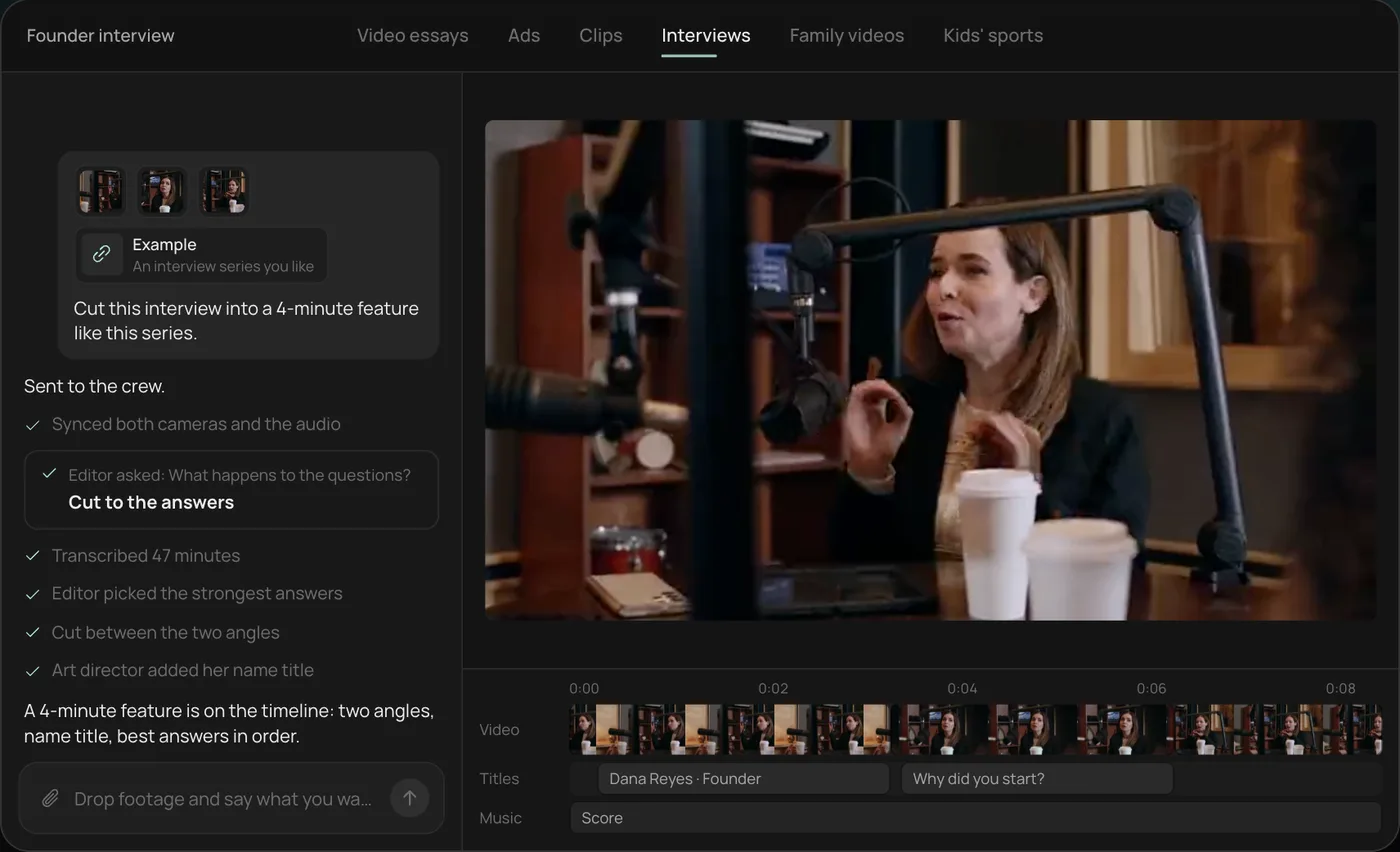
From there you can open the timeline and change anything by hand, share a review link for notes from the partners, or export. For a firm, the same session usually yields the long intro plus a dozen short FAQ cuts. Start a free Rend project to try it on your own footage.
The three videos, and what each one is for
Most firms start with a brand film, which is usually the wrong first video. Nobody chooses a divorce lawyer because of a drone shot of the courthouse. They choose the person who sounded calm and specific about their exact problem.
| Video | Length | Where it lives | What it has to do |
|---|---|---|---|
| Attorney intro | 60 to 90 s | Homepage, attorney bio page, Google Business Profile (30 s cut) | Make the lawyer feel like a real person you could sit across from |
| FAQ answer | 30 to 90 s each | Practice area pages, YouTube, Shorts, Reels | Answer one question a client actually asks on intake calls |
| Client testimonial | 30 to 60 s | Website, organic social, intake follow-up emails | Show that someone like the viewer got through it |
| Process explainer | 2 to 3 min | Practice area pages, sent after a consult | Walk through what happens after you hire the firm |
Build in that order. The intro and five FAQ videos cover most of what a prospect wants to see, and they never need a client's permission.
The attorney intro: a shot list
Film the attorney sitting, not standing behind a desk. A desk between the lawyer and the camera reads as a barrier, and the viewer feels it. Sit them at a small table or in an armchair, angled about 30 degrees off the lens, with a window to the side.
Shoot these:
- Name, role and practice area in one sentence. "I'm Dana Ortiz, and I handle workers' comp cases for people injured on the job in Pittsburgh." Get three takes.
- Why they do this work. Ask for a specific memory, not a mission statement. A lawyer describing a parent's back injury at a plant, in 40 honest seconds, will carry a video further than any line about passion for justice.
- What a first meeting looks like. Where it happens, how long it takes, what to bring.
- One thing people get wrong about this kind of case. This is often the most watched part, because it sounds like insider knowledge.
- B-roll: walking into the office, a handshake at the door, reviewing a file, the reception area, the street sign outside. Five seconds each, shot steady.
A second camera on a wide angle helps a lot. If you have two phones, put one on a tight shot and one wide, start both, then clap once on camera so the edit can sync them. Record audio on a lav mic into a third phone or recorder. Built-in phone mics in a conference room sound like a call from a bathroom.
FAQ videos: where the search traffic is
FAQ videos are the workhorse. Each one targets a question someone types into Google or YouTube at 11 PM: "Do I need a lawyer for a minor car accident?", "How long does probate take in Ohio?", "Can I be fired for filing a workers' comp claim?"
Pull the questions from your intake staff. Ask them to write down the first question every caller asks for two weeks. You will get 30 to 40 real questions, and most of them will repeat.
Rules for a good FAQ cut:
- Say the question on screen as a title in the first second, in the caller's words.
- Answer in the first 10 seconds, then explain. People leave if the lawyer warms up for half a minute.
- One question per video. A five-question video ranks for none of them.
- End with a plain next step: "If this is happening to you, call us and we'll tell you where you stand." Not a hard sell.
- Keep a general information line where your bar expects one. Many firms add "This is general information, not legal advice" as a lower third.
Shoot 10 to 15 questions in one sitting, with the list sent a day ahead and no memorizing. Then cut each answer to its own video, with captions burned in for the vertical versions since most social viewers watch with sound off. The caption styles previewer is a quick way to pick a look that stays legible on a phone.
Client testimonials: consent first
A testimonial from a real client is the strongest video a firm can run, and the riskiest. Two separate sets of rules apply.
The first is your professional duty. A client's identity and the facts of their matter are confidential, so you need their informed consent in writing before they appear. Get that consent after the matter closes, not during it, and let them see the final cut.
The second is your state's lawyer advertising rules. The ABA's Model Rule 7.1 says a lawyer "shall not make a false or misleading communication about the lawyer or the lawyer's services," and most states build their rules from the Model Rules with their own additions. Testimonials and past results are where states differ most. Some require disclaimers, some restrict how results can be described, some have filing or record-keeping steps for ads. They vary by state and change, so read your state bar's advertising rules and ethics opinions, or ask its ethics hotline, before you publish anything with a client or a case result in it.
Practical notes from editing these:
- Never script the client. Ask open questions and cut to their real words. Scripted clients sound scripted, and putting words in their mouth can make the testimonial misleading.
- Cut dollar figures unless your bar rules and the client both allow them, and even then think hard. A settlement number sets expectations for every viewer with a different case.
- Keep the raw footage and the signed release together in one folder. If anyone ever asks, you can show what was said and that it was approved.
For the interview itself (questions to ask, phone setup, release wording), our guide to how to make a testimonial video goes step by step.
Where to post each cut
| Channel | Size | Cut |
|---|---|---|
| Website practice pages | 16:9 | Full FAQ answers, process explainer |
| YouTube | 16:9 | FAQ library, one per video, with the question as the title |
| YouTube Shorts, Reels, TikTok | 9:16 | The first 30 to 45 s of each FAQ, captioned |
| Google Business Profile | Up to 30 s | Office walk-in plus the attorney's one-sentence intro |
| Paid social | 9:16 and 4:5 | 15 to 30 s attorney intro with a call to action |
Google's Business Profile help center caps uploaded videos at 30 seconds and 75 MB; the Google Business Profile video guide covers the rest of the specs. For paid placements, check every size and safe zone with the video ad size checker before upload, and read our video ad sizes guide for the full list.
On paid ads, legal ranks among the costliest industries in WordStream's 2026 cost-per-click benchmarks, so a video that converts the click matters more than in most industries. Google runs Local Services Ads for many legal practice areas, where you pay per lead and your listing carries a Google Verified badge after screening (Google replaced the older Google Screened and Google Guaranteed badges with that single badge in October 2025, per its Local Services help center). Those listings don't play your video, but the people who click through to your site or profile will see it.
What goes wrong
The common failures in law firm video are predictable:
- The attorney reads a script off a monitor. Eyes drift, the voice flattens. Use bullet points instead and accept a few "ums"; they can be cut on the exact word later.
- Bad audio. Hard-walled conference rooms echo. Hang a blanket off camera, close the blinds partway, and use a lav mic.
- Too long. A 4-minute intro gets watched by almost nobody. Make a 60 to 90 second intro, then link to the longer explainer.
- No captions. On social, a video without captions is a silent picture of a lawyer talking.
- Nobody reviewed it. Ethics review should happen before publishing, not after a grievance. A shared review link where a partner can mark the exact frame makes that review take ten minutes instead of a week of email.
How Rend fits a firm's workflow
The shoot is the easy part. The time sink is turning one 50-minute recording into an intro, a dozen FAQ answers, vertical versions and captions. Rend does that from what you send: the camera files and the lav audio, in chat, by email or through a web form. It transcribes with speakers labeled, cuts on the exact words you choose, adds word-timed captions you can restyle, and keeps the music and voice on separate tracks.
Brand kits help here. Set the firm's fonts, caption style, lower-third design and music bed once, and every FAQ video comes out matching. When a partner wants a line removed for ethics reasons, they leave a note on the review link at that moment and the agent makes the fix on the timeline.
Where Rend is not the right tool: if you want a cinematographer, a lit set and a full brand film shot on cinema cameras, hire a local production company for the shoot. You can still bring their footage to Rend for the cutdowns. Editing is free, and you pay only when Rend renders or generates something; the details are on the pricing page.
For more local-business video ideas, see video ads for local businesses and the ad video review checklist for catching problems before you spend.
FAQ
What videos should a law firm make first?
An attorney intro of 60 to 90 seconds and five FAQ answers, each 30 to 90 seconds, built from the questions your intake staff hear most. They need no client consent and cover what most prospects want to know before calling.
Are client testimonial videos allowed for lawyers?
It depends on your state. Lawyer advertising rules come from each state's rules of professional conduct, and testimonials and past results are where states differ most. Get the client's written consent and check your state bar's advertising rules or ethics hotline before publishing.
How long should a lawyer FAQ video be?
Thirty to 90 seconds, one question per video. Answer in the first 10 seconds. For Shorts and Reels, cut the first 30 to 45 seconds and caption it.
Do I need a professional crew?
Not for intros and FAQs. A phone on a tripod, a second phone for a wide angle, a lav mic and a room with window light give you clean footage. A crew is worth it for a brand film or TV spot.
Can I put a video on my firm's Google Business Profile?
Yes. Google's help center allows videos up to 30 seconds and 75 MB. A short walk into the office with the attorney's one-sentence intro works well.
Should FAQ videos say "not legal advice"?
Many firms add a short general information line on screen. Whether your state expects one is a question for your bar's advertising rules.
Send Rend the footage from one recording session and it will cut your intro, the FAQ answers and the vertical versions on a timeline your team can review and change. Start free here.