Descript Pricing 2026: Plans, Media Hours and AI Credits
Descript has a Free plan and three paid plans, priced per editor: Hobbyist ($24 a month, or $16 billed yearly), Creator ($35, or $24 yearly) and Business ($65, or $50 yearly), plus custom Enterprise. Each plan comes with two monthly allowances: media hours (what you upload or record) and AI credits (what Descript's AI tools and its Underlord assistant spend). Neither rolls over. Most people pick a plan by features, but the allowance you'll run out of first is what decides the right tier.
We build Rend, a different kind of video tool, so weigh our view accordingly. Plans were read on the Descript pricing page and its help center on November 22, 2026. Prices change; check before you buy.
Descript plans at a glance
| Free | Hobbyist | Creator | Business | |
|---|---|---|---|---|
| Price per editor, monthly | $0 | $24 | $35 | $65 |
| Billed yearly, per month | $0 | $16 | $24 | $50 |
| Media hours a month | 1 | 10 | 30 | 40 |
| AI credits | 100, one-time | 400 a month | 800 a month | 1,500 a month |
| Export resolution | 720p | 1080p | 4K | 4K |
| Seats | 1 | 1 | 1 to 3 | Up to 5 |
| Upload file size | 1GB | 10GB | 20GB | 50GB |
| Cloud storage | 5GB | 100GB | 1TB | 2TB |
| Remote recording (Rooms) | 2 hours | 5 hours a month | 15 hours a month | 25 hours a month |
| Top ups available | No | No | Yes | Yes |
| Stock media | First 5 results per search | First 12 | Unlimited | Unlimited |
Hobbyist is the first plan the pricing page describes as watermark-free. Creator adds video generation with the latest models and unlimited stock media. Business adds Brand Studio for the team, translation and dubbing in 30+ languages with proofreading, custom avatars and priority support with an SLA. Enterprise adds SSO, SCIM, audit logs and custom contracts.
The two meters
Descript's usage article explains both.
Media minutes are used when you upload or record media: video, audio, Rooms sessions, and screen, webcam or mic recordings. A still image counts as 1 second. A Rooms recording counts once for the session length, not per participant, so a 1-hour session with 5 people uses 60 minutes.
AI credits are spent when you use AI tools: Underlord (the AI co-editor), Studio Sound, Remove Filler Words, Green Screen, Eye Contact, AI speech, avatars, generated video and more. Two details matter:
- Studio Sound and Remove Filler Words cap at 30 credits per use, however long the file.
- Underlord has no fixed price per action. Every chat message costs a few credits, and a request that runs a tool is charged for both the thinking and the tool. Descript says plainly that this makes costs harder to predict; the Usage tab shows what each run cost.
Unused media minutes and AI credits don't roll over. Seats add to a shared pool that any editor on the drive can use.
Which meter runs out first
Here's how four common workloads land on each plan. The AI credit figures assume one Studio Sound pass and one filler-word pass per video at the 30-credit cap; Underlord and generative tools come on top.
| Monthly work | Media used | AI credits (cleanup only) | Plan that fits | What runs out first |
|---|---|---|---|---|
| 4 solo YouTube videos, 20 minutes raw each | 1h 20m | Up to 240 | Hobbyist | AI credits, if you use Underlord a lot |
| Weekly 90-minute two-person podcast in Rooms | 6 hours | Up to 240 | Hobbyist | AI credits |
| 3 client podcasts, 4 one-hour episodes each | 12 hours | Up to 720 | Creator | Media hours on Hobbyist |
| Online course, 25 hours of raw screen recordings | 25 hours | Varies | Creator | Media hours |
The pattern: for most solo creators the 10 media hours are plenty, and AI credits are the tighter limit, because Underlord chats and generative features draw from the same 400. For agencies and course makers it flips, and media hours run out first.
Since media minutes are charged on upload, trimming obviously dead footage before importing (the 20 minutes of setup before a webinar starts, for instance) saves allowance.
Price per hour of media
| Plan | Monthly price per media hour | Yearly price per media hour |
|---|---|---|
| Hobbyist | $2.40 | $1.60 |
| Creator | $1.17 | $0.80 |
| Business | $1.63 | $1.25 |
Creator is the cheapest per hour of media. If you're regularly near Hobbyist's 10 hours, Creator's extra $11 a month (monthly billing) buys 20 more hours, 400 more AI credits and 4K.
Top ups, and the Hobbyist trap
When you run out mid-month, the top-up article lists bundles:
| Top up | Price | Per unit |
|---|---|---|
| 350 AI credits | $35 | $0.10 a credit |
| 1,000 AI credits | $80 | $0.08 |
| 4,000 AI credits | $200 | $0.05 |
| 5 media hours | $25 | $5.00 an hour |
| 20 media hours | $80 | $4.00 |
| 50 media hours | $150 | $3.00 |
Top ups last 12 months, are used only after your monthly allowance is gone, and are non-refundable. The catch: they're only available on Creator and Business. A Hobbyist who runs out mid-month has to upgrade or wait for the reset. If your usage swings, that alone can justify Creator.
What changed in Descript's pricing
Descript moved everyone to this system a year ago. Its legacy plan article says that starting November 17, 2025, Legacy and Sunset subscribers were migrated to the new plans on their next billing date, and that the two pools (media minutes and AI credits) replaced the old transcription hours and per-tool AI allowances. It also says some legacy prices could rise to match current pricing. If you're on an old plan and haven't looked since, check the Plan tab in App Settings.
Refunds and plan changes
Descript's refund policy allows plan refunds within 48 hours of the invoice date and seat refunds within 7 days; top ups are non-refundable. Upgrades apply immediately with the unused time prorated toward the new plan. Cancelling, downgrading or switching from annual to monthly takes effect at the end of the billing cycle, with no prorated refunds. So try the Free plan thoroughly before paying for a year.
Is Descript worth it?
If you edit talking videos and podcasts and like working on the transcript, yes. Hobbyist at $16 a month billed yearly is fair for one person's weekly show, and the editing model (delete a word, the video cuts) is still the fastest way to tighten speech by hand.
It's less good value if you mostly want short clips (a dedicated clipper may fit better; see Opus Clip vs Descript), if you need a lot of generative media (AI credits go quickly), or if you'd rather not edit at all. Our Descript alternatives roundup covers the other options.
Where Rend fits
Descript makes you faster at editing. Rend does the edit. It's an AI video agent: you send the recording and say what you want ("cut this to 12 minutes, keep the story about the first customer, captions in our style"), and a crew of specialist agents works from a transcript with speakers, cuts on exact transcript words and builds the video on a real timeline you can open and change. Narration fixes use a voice you approve, music and effects sit on separate tracks with a ducked mix, and long videos are built in chapters in parallel.
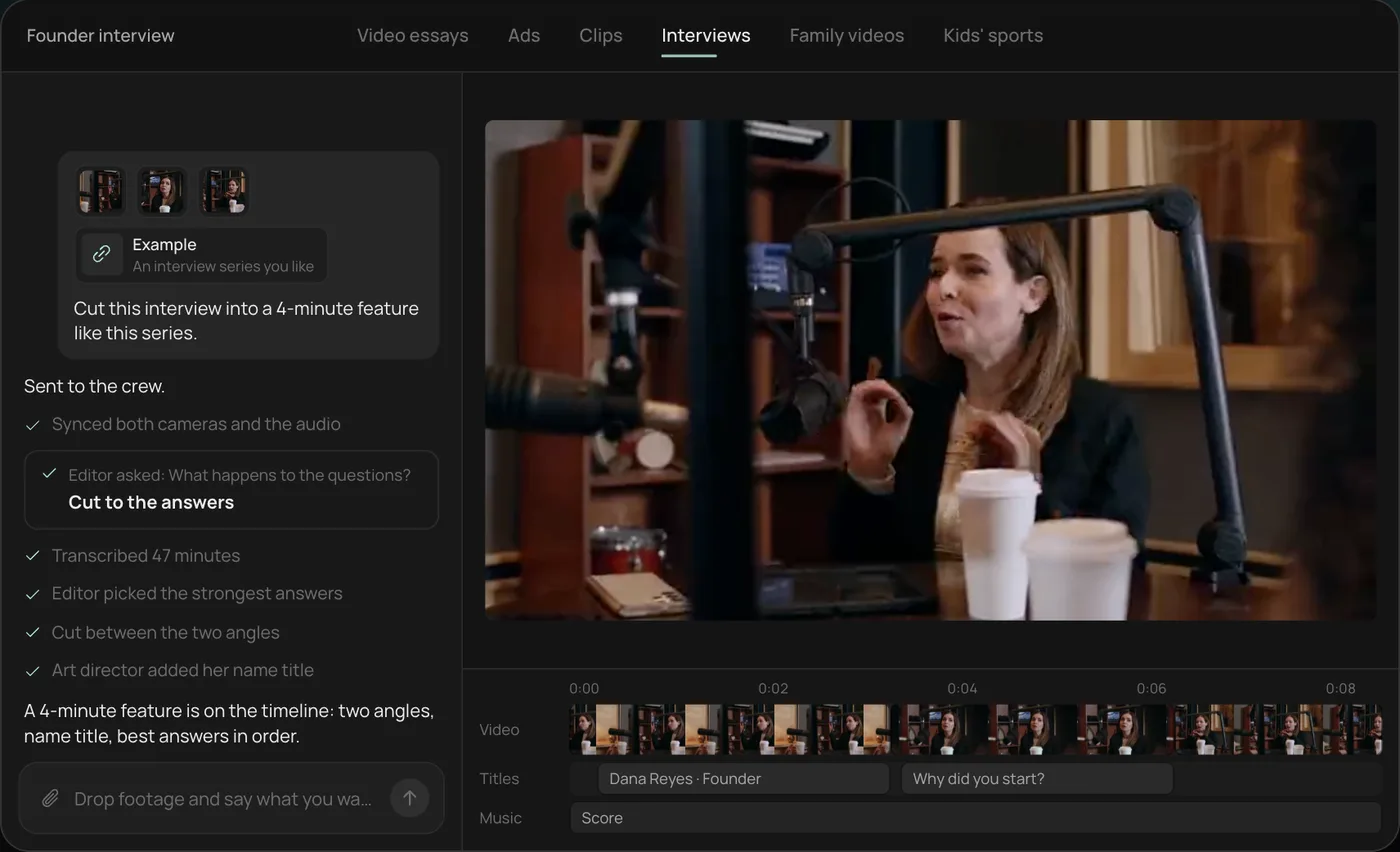
The pricing model is also different: editing in Rend is free and you pay only when Rend renders or generates something, with optional monthly credit plans or pay-as-you-go. See Rend pricing. If you enjoy hands-on transcript editing, Descript is still the better tool for that; we compared both in Descript vs Rend.
FAQ
Is Descript free?
Yes, there's a Free plan with 60 media minutes a month and 100 AI credits one-time. Exports are 720p, and Hobbyist is the first plan the pricing page calls watermark-free.
How much is Descript per month?
Per editor: Hobbyist $24 monthly or $16 billed yearly, Creator $35 or $24, Business $65 or $50. Enterprise is custom.
What are media hours in Descript?
The length of media you upload or record each month, per Descript's help center. Rooms sessions count once per session, not per participant, and a still image counts as 1 second.
Do Descript AI credits roll over?
No. Monthly media minutes and AI credits reset at renewal. Top ups (Creator and Business only) last 12 months.
How many AI credits does Underlord use?
It varies. Every message uses a few credits, and requests that run tools are charged for both the assistant's work and the tool. Descript doesn't publish a fixed price per action; the Usage tab shows each run's cost.
Can I get a refund from Descript?
Plan purchases can be refunded within 48 hours of the invoice date and editor seats within 7 days. Top ups are non-refundable.
If you'd rather describe the edit than do it, start a free Rend project with one recording.