Opus Clip vs Descript: Do You Need Both for Your Podcast?
Descript is an editor: you fix the whole episode by editing its transcript, clean the audio, and export it. OpusClip is a clipper: you give it a finished long video and it finds, cuts, reframes and captions the short clips. If you already pay for Descript, try its built-in Create Clips tool before adding OpusClip; you may not need both. Add OpusClip when you clip a lot of source every week and want its scoring, scheduling and reframing, and run it on the edited episode, not the raw recording, so you aren't billed twice for minutes you cut.
We build Rend, which overlaps with both for some jobs, so weigh our view accordingly. Plan details come from the Descript pricing page, the OpusClip pricing page and both help centers, read November 22, 2026.
What each tool is for
| Descript | OpusClip | |
|---|---|---|
| Main job | Edit the full episode | Turn a long video into short clips |
| How you work | Edit the transcript like a doc; timeline when you need it | Upload, review suggested clips, fix, export or schedule |
| Recording | Yes, Rooms for remote guests, screen recorder | No |
| Audio cleanup | Studio Sound, filler word and retake removal | Filler and silence removal on paid plans, speech enhancement on Pro |
| Clips | Create Clips: 1 to 20 clips, 10 seconds to 5 minutes, optional topic prompt | The core product: virality scores, prompt-to-clip on Pro, reframing |
| Publishing | Web links and timeline export to editors like Premiere | Social scheduler on Pro, export to Premiere Pro and DaVinci Resolve |
| Bills by | Seat, with media minutes and AI credits per month | Credits: 1 per minute of uploaded video |
Descript's own comparison page makes the same split from its side: Descript covers recording and long-form editing, OpusClip covers clips. That's fair.
Descript's Create Clips may be enough
Descript's help center describes Create Clips: pick 1 to 20 clips, a length from 10 seconds to 5 minutes, an optional layout (portrait 9:16 and square 1:1 presets are offered), and optionally type a topic or goal to guide the picks. Each clip becomes its own composition you can edit with all of Descript's tools. You can also ask Underlord, Descript's AI co-editor, to do it.
For a weekly show where you want four to six clips about specific topics, that covers most of what people buy OpusClip for, inside an app you already pay for. What Descript's page doesn't list: a virality score, a built-in social scheduler or OpusClip's genre-specific reframing models.
Both bill on what you upload
This is where people overspend. Each tool has a meter, and both count minutes going in.
Descript's usage article says media minutes are used when you upload or record media, Rooms sessions count once for the session length rather than per participant, and neither media minutes nor AI credits roll over. AI credits are spent on AI tools and on every message to Underlord.
OpusClip's credits article says processing costs 1 credit per minute of the original video, and monthly credits roll over for one extra month.
| Plan | Price | Monthly allowance |
|---|---|---|
| Descript Free | $0 | 60 media minutes, 100 AI credits one-time, 720p export |
| Descript Hobbyist | $24/mo, or $16/mo billed yearly | 10 media hours, 400 AI credits, 1080p |
| Descript Creator | $35/mo, or $24/mo billed yearly | 30 media hours, 800 AI credits, 4K |
| Descript Business | $65/mo, or $50/mo billed yearly | 40 media hours, 1,500 AI credits |
| OpusClip Free | $0 | 60 credits, watermark, no editing |
| OpusClip Starter | $15/mo (monthly only) | 150 credits |
| OpusClip Pro | $29/mo, or $174/yr | 300 credits |
Descript prices are per person. More detail on each: Descript pricing and Opus Clip pricing.
The order that avoids paying twice
Take a weekly two-person video podcast that records 75 minutes and edits down to 55.
- Record in Descript Rooms (or import the files). The 75-minute session uses 75 media minutes, once, however many people joined.
- Edit the episode in Descript: cut the false starts, remove filler words, run Studio Sound. Descript says Studio Sound and Remove Filler Words cap at 30 AI credits per use, however long the file.
- Export the 55-minute edit.
- Clip it. Either run Create Clips in Descript (AI credits, no new upload) or upload the 55-minute edit to OpusClip (55 credits).
If you uploaded the raw 75 minutes to OpusClip instead, you'd pay 75 credits and OpusClip could suggest clips from the parts you cut. Four episodes a month is 220 OpusClip credits from the edit versus 300 from the raw, which is the difference between fitting comfortably in Pro and using it all.
On Descript's side, four 75-minute sessions are 5 hours of the Hobbyist plan's 10. Two cleanup passes per episode at up to 30 credits each is up to 240 of Hobbyist's 400 AI credits, before any Underlord chat or Create Clips runs. Underlord's cost per request isn't fixed, and Descript says so; the Usage tab shows what each run cost.
Who needs which
| You | Use |
|---|---|
| Edit your podcast and want 3 to 6 clips a week | Descript alone; try Create Clips first |
| Don't edit the episode, just want lots of clips from it | OpusClip alone |
| Edit the episode and post clips daily across platforms | Both: Descript for the episode, OpusClip on the edited export |
| Record solo talking-head videos under 15 minutes | Descript; there's little for a clipper to find |
| Agency clipping client podcasts you don't edit | OpusClip Pro with packs |
| Need ads or explainers, not clips | Neither is built for it |
Where each is better
Descript is better at everything before the clip: recording remote guests, cleaning bad audio, tightening an episode word by word, multicam, and fixing a fluffed line with AI speech. If the full episode is a product you publish, Descript earns its seat.
OpusClip is better at volume clipping from long sources with less effort per clip: scored suggestions, reframing that follows the speaker, a scheduler and multiple aspect ratios on Pro. For a reality check on how many of its picks you'll keep, see our OpusClip review.
Descript falls short when you just want a stack of clips without opening an editor. OpusClip falls short when the episode itself needs work, because it doesn't edit long-form at all.
If you're considering leaving one of them, we compared the field in Descript alternatives and OpusClip alternatives.
Where Rend fits
Rend is an AI video agent, so instead of editing the transcript yourself or reviewing a batch of auto-picked clips, you tell it what you want: "tighten this 75-minute episode to under an hour, cut to the answers, then five vertical clips about hiring." A crew of specialist agents works from a transcript with speakers, cuts on exact transcript words, and puts the episode and the clips on a real timeline you can open and change. Captions are word-timed and editable, narration fixes use a voice you approve (designed from a description, or cloned from a recording with consent), and music and effects sit on their own tracks.
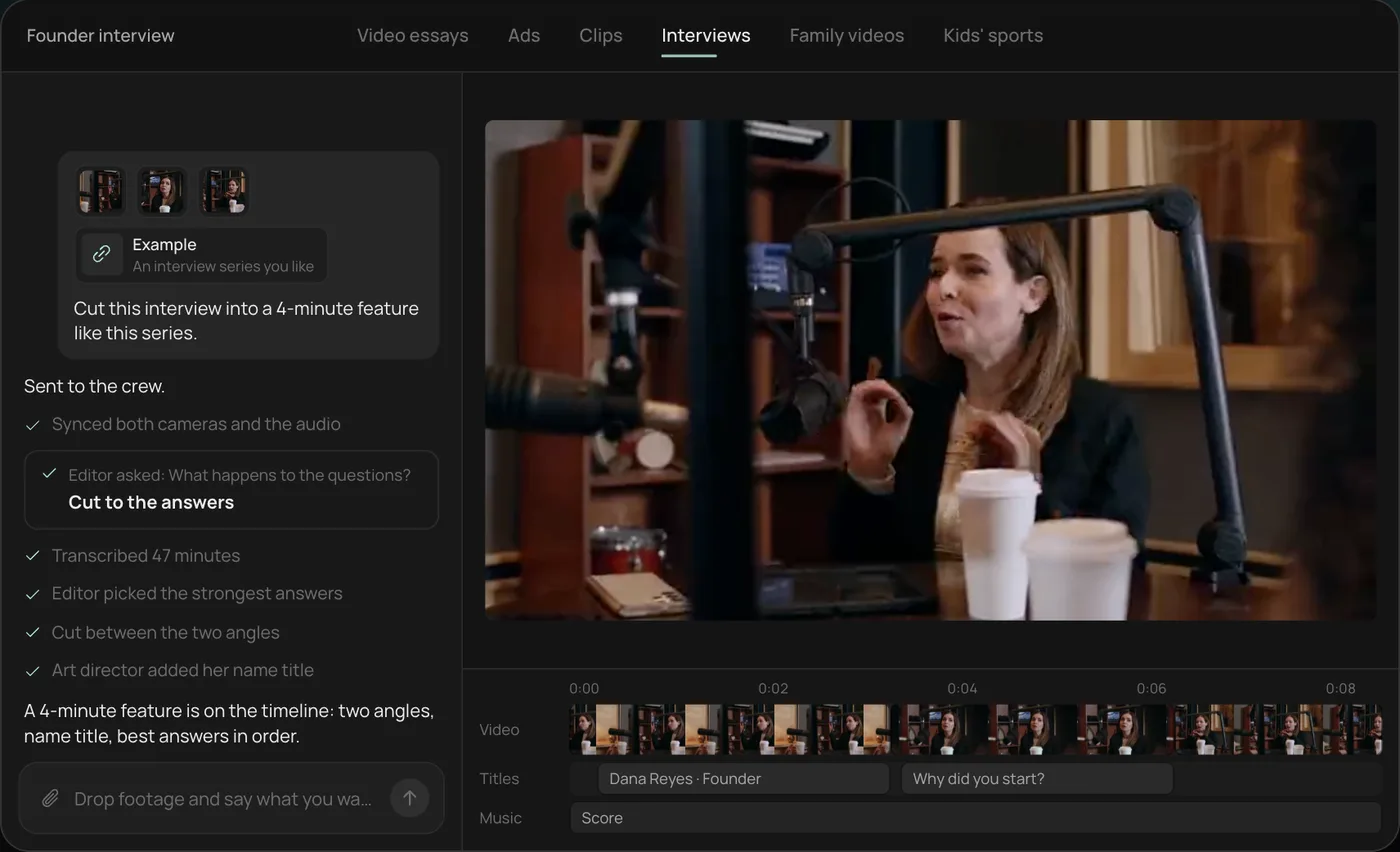
Honest limits: if you like doing the edit yourself by deleting words, Descript is the better tool for you. If you want 30 auto-scored clips from a long show with a scheduler, OpusClip is faster. Rend fits when you'd rather direct than operate, or when the same recording needs to become an episode, clips and ads. Editing is free and you pay only when Rend renders or generates; see pricing. We compared it directly with Descript in Descript vs Rend.
FAQ
Is Descript better than OpusClip?
For editing a full episode, yes. For making many clips from long videos with little effort, OpusClip is better. They overlap on clips: Descript's Create Clips makes up to 20 per run with a topic prompt.
Can Descript make clips like OpusClip?
Yes. Create Clips makes 1 to 20 clips of 10 seconds to 5 minutes each, in portrait or square layouts, guided by an optional topic. Descript's pricing page doesn't list a virality score or a social scheduler, which OpusClip has on paid plans.
Should I edit in Descript before using OpusClip?
Usually, yes. OpusClip bills per minute uploaded, so clipping the edited cut costs less and keeps it from suggesting clips from parts you removed.
Which is cheaper for a podcast?
If you only need clips, OpusClip Starter at $15 a month is the cheaper entry. If you edit the episode anyway, Descript Hobbyist ($16 a month billed yearly) may cover clips too, so you avoid a second subscription.
Do Descript media minutes roll over?
No. Descript says unused media minutes and AI credits don't roll over. OpusClip's monthly credits last 60 days, so they roll over for one month.
To try directing an episode and its clips in plain words, start a free Rend project with one recording.