OpusClip Review 2026: Good Clipper, Uneven Picks, Test It First
OpusClip is a good tool for one job: turning long talking videos (podcasts, interviews, webinars, streams) into vertical, captioned clips without scrubbing the footage yourself. Its reframing and captions are strong. Its weak spot is the picking: independent tests report anywhere from about 1 in 6 to about 6 in 10 clips being worth posting, so the honest verdict depends on your footage. Run one real episode through the 7-day trial, count the clips you'd actually post, and divide.
We build Rend, which overlaps with OpusClip for some jobs, so weigh our view accordingly. We haven't published a hands-on benchmark of our own; the test results below come from the reviewers named, and plan details come from OpusClip's pricing page and help center, read November 22, 2026.
The verdict in one table
| Rating | Why | |
|---|---|---|
| Finding moments in long videos | Good, uneven | Saves the scrubbing; you'll still reject a share of picks |
| Reframing to vertical | Strong | Testers single it out; few clips needed a crop fix |
| Captions | Strong on clean audio | Accuracy drops with crosstalk and accents |
| Virality score | Weak as a filter | Treat it as a first sort, not a ranking |
| Editing | Fine for fixes | Not on the Free plan at all |
| Price | Fair per hour of source | You pay per minute uploaded, keepers or not |
| Publishing | Useful on Pro | Scheduler and Premiere Pro or DaVinci Resolve export are Pro features |
Buy it if you upload two or more hours of talk a month and post clips several times a week. Skip it if your videos are short, already vertical, or you don't have long recordings at all.
What OpusClip is
You upload a long video. OpusClip transcribes it, picks moments it thinks will work as Shorts, cuts them, reframes them to 9:16 (1:1 and 16:9 on Pro), adds animated captions and, on paid plans, gives each a virality score. Pro adds a social scheduler, AI B-roll, export to Premiere Pro and DaVinci Resolve, and team seats. The credits article says processing costs 1 credit per minute of the original video.
Plans in short: Free (60 credits a month, watermark, no editing), Starter ($15 a month, 150 credits), Pro ($29 a month for 300 credits or $174 a year), Business (custom). The full breakdown, including refunds and expiry, is in Opus Clip pricing.
What independent tests found
Reviews that actually ran footage through OpusClip disagree on the keep rate, and the disagreement is the useful part.
ScaleReach, which sells a competing clipper and says so, paid for Starter and Pro and ran six videos (about 4 hours 18 minutes) over 30 days. It reports 76 clips back: 47 publishable as-is, 19 needing light edits, 10 unusable because they cut mid-sentence, missed a punchline or misread the topic. It also reports 4 of 11 B-roll inserts were wrong for the context, and only 4 of 76 clips needed a manual crop fix.
AI Alleyway ran a 35-minute conference panel and got 32 clips, of which the reviewer judged 5 worth posting (about 8 on a later rerun). Every clip scored between 80 and 99, so the score didn't separate weak clips from strong ones. The reviewer praised the reframing and found no caption errors worth fixing.
Two tests, different footage, very different keep rates. A solo creator talking straight to camera about one topic is the easy case. A multi-speaker panel that wanders is the hard case. Your keep rate will land somewhere on that range, and it's the number that decides whether OpusClip is cheap or expensive for you.
Where OpusClip is good
Reframing is the standout. Both tests above single it out. The crop follows whoever is talking, including on wide shots with speakers seated apart. This used to be the most tedious part of making podcast clips by hand.
Captions are strong on clean audio: animated, keyword-highlighted, in 20+ languages per the pricing page. ScaleReach spot-checked 12 clips and reports about 95% accuracy on clean solo audio, lower on overlapping or accented speech.
It scales with source length. The work it saves grows the longer the recording. Nobody wants to scrub a 2-hour episode for the six best minutes.
There's a handoff to a real editor: on Pro you can export to Premiere Pro or DaVinci Resolve, so the two clips that matter most can get a proper finish.
Where it falls short
Clip boundaries are the most common fix across reviews: clips that start a beat before the hook or end before the thought finishes. You'll trim a lot of first seconds.
The virality score isn't much help. A score that puts everything between 80 and 99 isn't sorting much. Watch low-scored clips too; some of your best will be there.
Generated headlines and B-roll need checking. Hook titles sometimes frame a clip in a way the speaker wouldn't endorse, and stock or AI B-roll can miss the point. Read every headline before posting.
Free is a demo: no editing, a watermark, and clips stop being exportable after 3 days. Fine for judging clip quality, not for publishing.
And you pay for the whole source. A 60-minute episode costs 60 credits whether you keep 2 clips or 20.
How to test OpusClip on your own footage in 7 days
The 7-day Pro trial reverts to Free automatically, so there's nothing to cancel. Note what it leaves out: trial exports are watermarked, scheduling and posting are off, and trial users can't refund a project. That's fine, because the trial's job is to measure picking quality.
- Use a real episode you'd post anyway, at its normal length. A short test clip tells you nothing about long-video picking.
- Write down your own top 5 moments first, from memory or the transcript, before you see OpusClip's picks.
- Process the episode and note the credit cost.
- Watch every suggested clip, in random order, not score order. Mark each keep, fix or reject.
- Time your fixes. Trimming a start is 20 seconds. Fixing a mis-framed speaker or rewriting a headline takes longer.
- Check your top 5. How many did OpusClip find on its own?
- Do the math below.
The scorecard
| Measure | Your number |
|---|---|
| Source minutes (= credits used) | |
| Clips suggested | |
| Keep as-is | |
| Keep after a fix | |
| Reject | |
| Minutes spent fixing | |
| Of your own top 5, how many it found |
Cost per kept clip
Cost per kept clip = (plan price ÷ plan credits) × source minutes ÷ kept clips.
On Pro billed monthly, a credit costs about $0.097 ($29 ÷ 300). A 60-minute episode is about $5.80. Keep 12 clips and each costs about $0.48. Keep 3 and each costs about $1.93, plus your fixing time. On Pro billed yearly ($174 for 3,600 credits) the same episode is about $2.90.
If your keep rate is high and fixes are quick, OpusClip is cheap labor. If you found most of your top 5 yourself and rejected most suggestions, you're paying to watch clips you didn't want.
Who should buy OpusClip, and who shouldn't
| You are | Our take |
|---|---|
| Weekly podcast, 60+ minutes, posting clips daily | Buy Pro, yearly if you're committed |
| Two hours of source a month, testing the waters | Starter for a month, then compare with Pro yearly |
| Agency clipping for several clients | Pro with packs, or Business for 10+ seats |
| 10-minute talking-head videos | Skip; clip them by hand or in CapCut |
| Videos shot vertical for TikTok | Skip; there's nothing to find |
| No long recording, need ads or explainers | Wrong tool |
For the alternatives in each row, see OpusClip alternatives. For a hand-editing comparison, Opus Clip vs CapCut walks one 45-minute podcast through both. If you're weighing a caption-first tool instead, read Opus Clip vs Submagic.
Where Rend fits
The gap OpusClip leaves is direction. It decides what's worth clipping; you can steer it, but you're mostly accepting or rejecting picks. Rend is an AI video agent built the other way round: you say which moments matter ("the three answers about pricing, plus the story about her first hire"), and a crew of specialist agents cuts them on exact transcript words, captions them word by word in your style, and puts everything on a real timeline you can open and change.
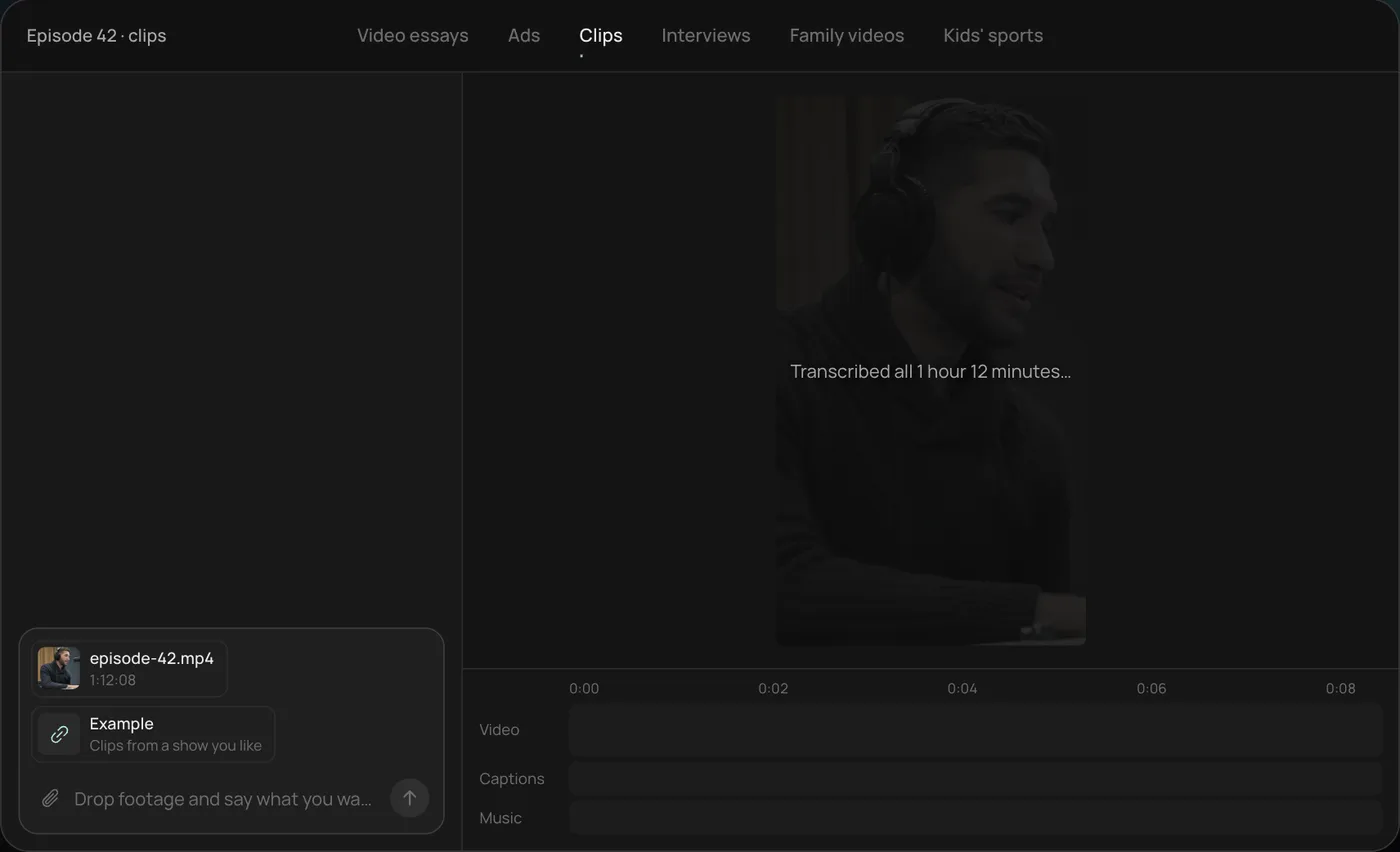
It also covers what OpusClip doesn't try to do: turning the episode into a longer edited feature, making ads with new hooks and sizes from the same footage, and review links where a client draws on the frame and the agent makes the fix. It's the slower choice if all you want is a big batch of auto-picked clips with scores; OpusClip is better at that. Rend's editing is free and you pay when it renders or generates; see pricing.
FAQ
Is OpusClip worth it in 2026?
For long recordings posted often, usually yes: it removes the scrubbing and reframing work at a few dollars per source hour. For short or already-vertical videos, no. Measure your keep rate during the 7-day trial before choosing a plan.
Is OpusClip safe and legit?
It's an established product with a public help center, published plans and a free tier. Its pricing page lists SOC 2 Type 2 compliance among its security features. As with any upload tool, check its terms for how your footage is handled before uploading client material.
How accurate is OpusClip's virality score?
Reviewers report it's a weak filter: in one test all 32 clips scored 80 or higher. Use it to sort a long list, then watch low-scored clips too.
Does OpusClip work on gaming or sports videos?
The pricing page lists a gameplay and screenshare layout and genre-specific reframing on paid plans. Moment-picking is most reliable when there's speech to work from, so test your own footage.
Can I edit OpusClip clips?
On Starter and above you get text and timeline editing. Free has no editing. Pro also exports to Premiere Pro and DaVinci Resolve for a full finish.
If you'd like to name the moments yourself and still get finished, captioned clips, start a free Rend project with one episode.