Opus Clip vs Submagic: Which Meter Fits Your Videos? (2026)
Pick OpusClip when your starting point is a long recording and the job is finding the clips in it. Pick Submagic when you already have short videos and the job is making them look finished: animated captions, zooms, B-roll, sound effects. Both now do a bit of the other's job, and the deciding detail most comparisons skip is how they bill: OpusClip charges per minute of video you upload, Submagic charges per video. That flips which one is cheaper depending on what you feed it.
We build Rend, which comes up at the end as a third option, so weigh our view accordingly. Prices and limits below were read on the OpusClip pricing page, the Submagic pricing page and both help centers on November 22, 2026. Check them before you buy.
The short version
| OpusClip | Submagic | |
|---|---|---|
| Built for | Cutting long videos into clips | Styling short videos |
| Bills by | Minute of source video (1 credit = 1 minute) | Video (3 credits per upload, extras 1 to 3 each, Magic Clips 8; see below) |
| Free | 60 credits a month, watermark, no editing | 15 credits, watermark (help center contradicts itself on whether it's monthly) |
| Cheapest paid | Starter $15/mo, 150 credits | Starter $19/mo or $12/mo yearly, 45 credits |
| Mid plan | Pro $29/mo or $174/yr, 300 credits | Pro $39/mo or $23/mo yearly, 120 credits |
| Top self-serve | Pro with extra packs | Business $69/mo or $41/mo yearly, 300 credits |
| Length limits | Uploads up to 10GB (30GB on Pro) | Captioned video: 2, 5 or 30 minutes by plan; long-video source up to 3 hours |
| Strongest at | Picking moments, reframing, scheduling | Caption styles, zooms, B-roll, effects on a short clip |
Submagic's prices are per member. OpusClip Pro adds seats in packs.
How each one bills, in plain numbers
OpusClip's credits article says processing costs 1 credit per minute of the original video. A 60-minute podcast costs 60 credits. A 3-hour stream costs 180. Monthly credits roll over for one extra month.
Submagic's cost article says uploading a video costs 3 credits, AI captions are free, each additional AI feature costs 1 to 3 credits, and Magic Clips (its long-video clipper) costs 8 credits. The pricing page translates that into allowances: Starter's 45 credits are about 15 captioned videos or 5 long videos clipped, Pro's 120 about 40 or 15, Business's 300 about 100 or 37. Credits are taken at upload; exporting is free. The catch is the length cap per captioned video: 2 minutes on Starter, 5 on Pro, 30 on Business. Magic Clips accepts sources up to 3 hours on every plan.
Two wrinkles. First, the unit for Magic Clips isn't consistent across Submagic's own pages. The pricing page counts it per long video (5 long videos on Starter's 45 credits only works at 8 credits per video), while the feature cost table lists "8 per clip" and in the same breath says each run processes a full long video and generates multiple clips. Second, the pricing page lists Magic Clips inside every plan, while the Magic Clips guide still calls it an add-on subscription. Run one long video on the free credits and watch your balance before you plan a month around it.
Four real workloads, both meters
This is the part the plan tables don't show. Same month, same videos, two different bills.
| Monthly workload | OpusClip | Submagic |
|---|---|---|
| 4 podcast episodes, 60 min each, want clips | 240 credits: Pro ($29, or $14.50/mo yearly) | If billed per long video, 4 x 8 = 32 credits: Starter ($19, or $12/mo yearly) |
| 4 livestreams, 3 hours each, want clips | 720 credits: three Pro packs' worth | If billed per long video, 32 credits, as long as each stream is 3 hours or less |
| 20 talking-head videos, 90 seconds each, captions plus zooms | Not what it's built for | 20 x (3 + 1 to 3) = 80 to 120 credits: Pro |
| 8 YouTube videos, 4 minutes each, captions only | Not what it's built for | 24 credits, but Starter's 2-minute cap rules it out: Pro |
Two things jump out.
If Magic Clips is billed per long video, as the pricing page's allowances imply, Submagic is far cheaper for clipping very long sources: a 3-hour stream costs OpusClip 180 credits and Submagic 8. That's the strongest argument for Submagic that most "vs" pages miss, and it's worth confirming with one test run because of the wording problem above. The counterweight is that OpusClip is the specialist at the picking itself, with prompt-to-clip, topic search, reframing models per genre, a scheduler and a refund option on Pro. Cheaper picks you mostly reject aren't cheaper.
For short videos, the length cap matters more than the credit count. A 4-minute video can't go through Submagic Starter at all, however many credits you have left. Pick the Submagic plan by your longest video, then check the count.
Where OpusClip is better
Finding moments. It's the whole product: virality scores (paid plans), prompt-to-clip and topic search on Pro, adjustable clip lengths up to 15 minutes, a timeframe setting for processing only part of a recording, and reframing that follows the speaker. Independent testers single out the reframing; see our OpusClip review for what they found.
Publishing. Pro has a social scheduler, multiple aspect ratios and export to Premiere Pro and DaVinci Resolve for a proper finish.
Refunds. On Pro, a project you haven't downloaded from can be refunded within 14 days, per the refund article. That limits the cost of a bad run.
Where Submagic is better
Styling a short clip fast. Caption templates are the product's identity, and it layers auto-zooms, B-roll, transitions, sound effects and music on top. Pro adds bad-take and silence removal, audio cleanup and a brand kit; Business adds 4K at 60 fps and up to 30 custom templates.
Videos you shot vertical. A TikTok you filmed on your phone doesn't need moments found; it needs captions and pacing. That's Submagic's lane.
Very long sources on a budget, per the math above, as long as the run is 3 hours or less and you're happy reviewing the picks.
Caption languages. Its pricing page footer lists caption support in dozens of languages; OpusClip's pricing page says 20+.
Where each one falls short
OpusClip's Free plan has no editing and its clips stop being exportable after 3 days. You also pay for every minute uploaded, whatever you keep. Its captions are good but its caption styling is less of a focus than Submagic's.
Submagic's caps bite: 2 minutes per captioned video on Starter is short, and extras eat credits fast. Pro's "about 40 videos" assumes captions only; add two AI extras at up to 3 credits each and it's closer to 13. And the heavily animated caption look it popularized is now so common that clips can feel templated unless you change the defaults (more on that in AI video editors that don't look like AI).
Using both
A common pairing: OpusClip finds and cuts the clips from a long episode, you download the keepers, and Submagic styles the two or three that matter most. You pay twice, but each tool does what it's best at. If you're paying for both mainly for captions, check whether OpusClip's own caption templates are enough first.
If you're leaving one of them, our roundups cover the field: OpusClip alternatives and Submagic alternatives.
Where Rend fits
Rend is an AI video agent, so the job looks different. You send the episode or your phone clips and say what you want in plain words: "five vertical clips about pricing, my caption style, no zoom effects." A crew of specialist agents builds them on a real timeline you can open and change. Cuts land on exact transcript words, captions are word-timed and always editable in your font and look, and a brand kit keeps the caption style, templates and music bed the same every episode. You can preview caption looks with the caption style previewer.
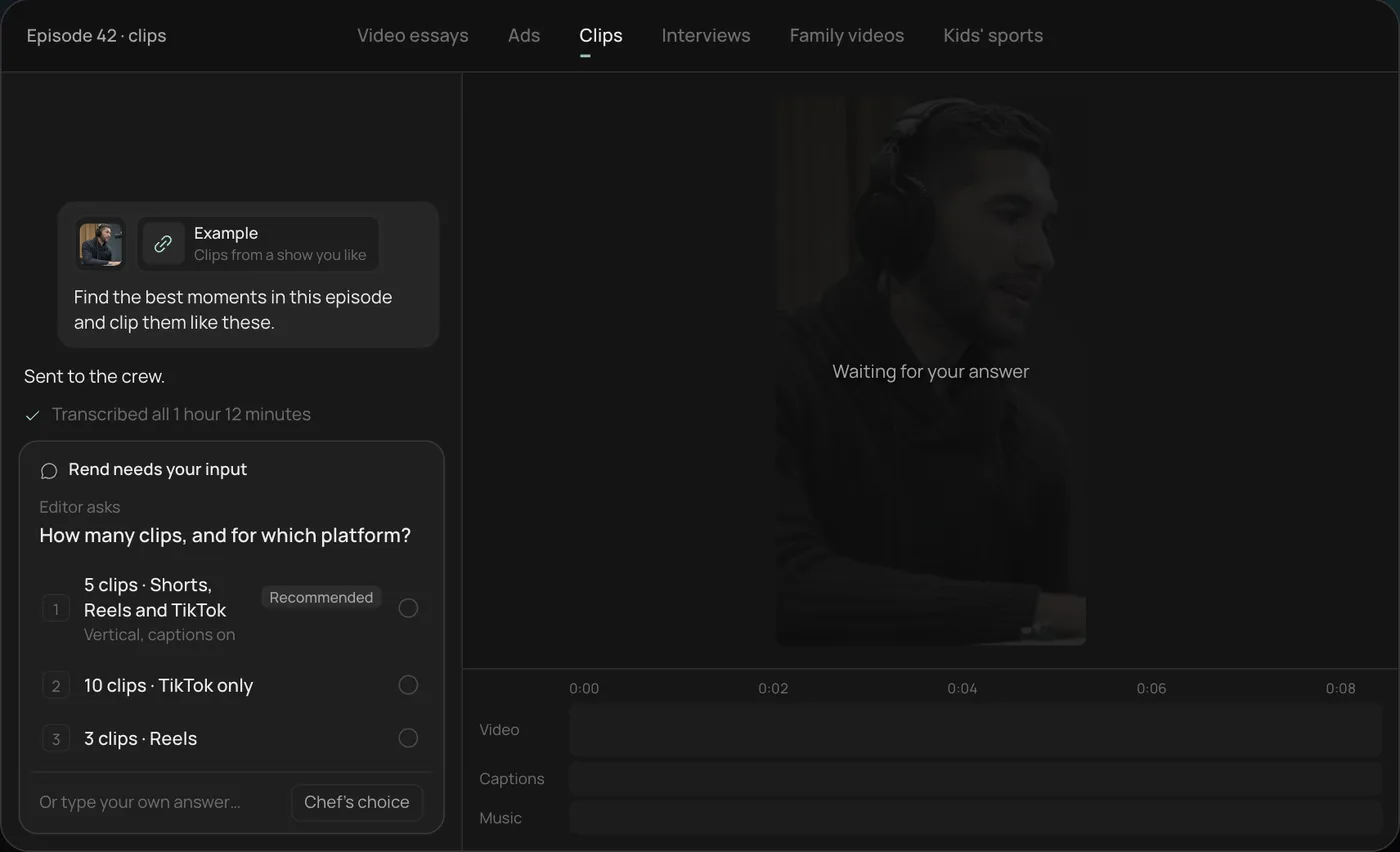
Where Rend isn't the pick: if you want twenty auto-scored clips from a 2-hour show by lunch, OpusClip is faster. If you want one short clip captioned in a trending style in under a minute, Submagic is quicker. Rend earns its place when the clips need to look authored, when clients review them (review links let them draw on the frame and the agent makes the fix), or when the same footage needs to become ads. Editing is free and you pay when it renders or generates; see pricing.
FAQ
Is Opus Clip better than Submagic?
For finding clips in long videos, yes, that's OpusClip's core job. For captioning and styling short videos, Submagic is better. For very long sources on a tight budget, Submagic can be much cheaper if Magic Clips bills per long video (its pricing page implies it does), and if its picks are good enough for you.
Which is cheaper, OpusClip or Submagic?
It depends on video length. OpusClip charges per minute, so long sources cost more. Submagic charges per video (3 credits per upload, 8 for Magic Clips) but caps how long a captioned video can be by plan. Run your own month through both, as in the table above.
Does Submagic have a free plan?
Yes, with 15 credits and a watermark. One help article says the 15 credits are one-time at signup; another, updated the same day, says they reset monthly. Check your account.
Can Submagic clip long videos like OpusClip?
Yes, with Magic Clips, which accepts sources up to 3 hours and returns a batch of clips with virality scores. OpusClip has more controls for the picking itself, such as prompt-to-clip and topic search on Pro.
Which has better captions?
Submagic is built around caption styling and has more of it. OpusClip's captions are accurate and animated, and fine for most clips. If captions are your brand, Submagic or a full editor gives you more control.
If you want clips you direct in plain words, with captions that stay editable, start a free Rend project with one episode.