Garage Door Video Marketing: Emergency Calls and New Doors
Garage door video marketing has to serve two different buyers. One has a broken spring and a car stuck inside, searches on Google, and calls within minutes. The other is replacing an old door and spends weeks comparing styles. The first buyer needs a 15 to 30 second video on your Google profile and site that proves you're a real local company. The second needs a street-view before and after of a new door. Film both on a phone, and finish Google's Advanced Verification before you plan any search ads, because US garage door companies can't run them without it.
Most garage door marketing advice treats these as one audience. They aren't. The emergency caller rarely sees your Instagram. The new-door buyer might watch ten of your Reels before calling.
Two buyers, two sets of videos
| Buyer | What they're thinking | Video that answers it | Where they see it |
|---|---|---|---|
| Emergency (spring, cable, off track, opener dead) | "Is this company real, and how fast can they come?" | 20 s tech intro with truck, uniform and the repair | Google Business Profile, website, the text you send before arrival |
| Planned (new door, new opener) | "What will my house look like, and is it worth it?" | Street-view before and after, style walkaround | Reels, Facebook, YouTube, ads, website gallery |
| Both | "Will they upsell me?" | A plain "what a spring repair includes" explainer | Website, Google profile, follow-up texts |
Why the emergency buyer needs video at all
Garage door repair is one of two US local service categories where Google requires extra checks. Google's local services ads policy says "Ads for locksmith services and garage door repair services are restricted" in the United States, and you must apply for advanced verification to advertise. Google's Advanced Verification policies say the checks cover business registration, licenses where applicable, and "evidence of unauthorized or misleading business practices," and include a recorded video interview. Google may also ask you to re-verify every 12 months.
Google says the policies are there "to reduce invalid activity," and homeowners have heard the stories: a cheap quote on the phone, a much bigger bill in the driveway. That's what your emergency video has to overcome: proof that you're the real company down the road.
So the emergency video is simple: a real tech, in your uniform, next to your marked truck, saying their name and what they're about to do. Then the repair, then the door running smoothly. Twenty seconds. Put it on your Google Business Profile, on your website above the phone number, and send it by text when you dispatch: "This is Mike, he'll be there by 3. Here's what he'll check." Our meet the team video guide has a five-line script for each tech.
Six-shot phone list for a garage door job
| # | Shot | How to film it | Why it's there |
|---|---|---|---|
| 1 | The finished door from the street | Wide, centered, whole house front in frame, 3 s | The result, curb appeal |
| 2 | The old door from the same spot | Mark the spot on the sidewalk, same height | The before |
| 3 | The problem close-up | Broken spring gap, frayed cable, dented panel | What went wrong, in one frame |
| 4 | Tech at work | Hands on the new spring or opener, face in frame once | A real person did this |
| 5 | Safety check | Tech testing the auto-reverse with an object on the floor | Shows you check what others skip |
| 6 | Door opening smoothly, quietly | From inside the garage, 4 s, natural sound | The satisfying ending |
Shoot shot 6 with the sound on. A quiet, smooth door after a screeching one is the single most convincing piece of audio you have. Keep music low in that moment or cut it entirely.
Shot 5 matters more than it looks. Openers are supposed to reverse when something is in the way, and a tech who tests that in front of the homeowner looks careful. Keep the test simple: an object on the floor under the door, the door touching it and reversing.
What not to film
Don't publish how-to videos showing homeowners how to adjust or replace torsion springs. The springs hold a lot of tension, and a tutorial with your logo on it is a liability if someone gets hurt following it. Explain why a spring needs a pro and what the repair includes. Leave the wrench work out.
Don't show the homeowner's car, plate or house number. Use the street shot only if the homeowner agrees, and frame it tight on the door if they'd rather not show the whole house.
Hooks that work
For emergency viewers (Google profile, site):
- "Spring snapped and the car's stuck inside? Here's what happens next."
- "This is Mike. He's the one coming to your house today."
- "What a spring repair should include, in 20 seconds."
For new-door viewers (Reels, Facebook, YouTube):
- "Same house. New door. Swipe the slider."
- "The cheapest way to change how your house looks from the street."
- "Steel, insulated, windows or not: here's the difference on a real house."
- "Listen to this door before and after."
The video ad hooks guide has more patterns that fit the before and after format.
The new-door reveal
New doors sell on curb appeal, so film them like a house photo. Stand across the street, phone held level at chest height, the whole front of the house in frame. Shoot the old door on the estimate visit, and mark the spot (a sidewalk crack, a mailbox, a photo of where you stood). Come back after the install at the same time of day.
Cut it after-first: one second of the new door, snap to the old one, a fast run of the install, then the new door opening. If the homeowner picked the style from your showroom or catalog, add a two-second close-up of the panel and window pattern with the model name on screen. That's the clip people screenshot and send to their spouse. The contractor before and after guide goes deeper on matching angles.
Ad rules for garage door companies
Google Search and Local Services Ads
In the US, garage door repair ads on Google need Advanced Verification first, as above. Google lists "Garage door services" as a Local Services Ads category, where you pay for valid leads instead of clicks. Plan for the verification time before your busy season. Your video won't play inside the LSA listing; it plays on the profile and site people check next.
Meta
Meta requires a Special Ad Category for housing, employment and financial products. Its housing definition covers ads that promote "a housing opportunity or related service," with examples like listings, insurance, financing and appraisals. A repair or new-door ad isn't on that list, though Meta says the list isn't complete. If your ad offers financing ("new door, $0 down"), you're in financial products, which Meta has required US advertisers to declare since January 2025. The category limits age, gender and ZIP targeting, so set a city radius instead.
Where each video goes
| Channel | Video | Notes |
|---|---|---|
| Google Business Profile | Tech intro, repair clips, reveals | Up to 30 seconds and 75 MB, 720p or higher |
| Website | Tech intro near the phone number, spring explainer, reveal gallery | Embed it, don't just link |
| Dispatch text | The assigned tech's intro | Sent when you book the job |
| Facebook and Instagram | New-door reveals, sound before and after | 9:16 and 4:5 |
| YouTube | Style walkarounds, opener comparisons | 16:9 plus Shorts |
Your website is wide open. In our local business video study of 3,833 US local business homepages, only 17.3% had a video a visitor could play. Garage door companies weren't one of the 14 trades sampled, so read that as the general picture for local service sites. A 30-second tech intro on your homepage is a cheap way to look like the real company in a category full of fake listings. The homepage video guide has a script and placement notes. For Google uploads, the video compressor gets a file under 75 MB, and the Google Business Profile video guide covers the rest.
Using Rend for a garage door company
Techs can send clips to Rend from the driveway by chat, email or a web form. Ask for what you need: "Make a 20-second intro for Mike from these clips, his name and photo on screen, our license number at the end," or "Cut a before and after from the street shots, keep the door sound at the end." Rend builds it on a real timeline you can open and change, with word-timed captions in your style and versions for 9:16, 4:5 and 16:9.
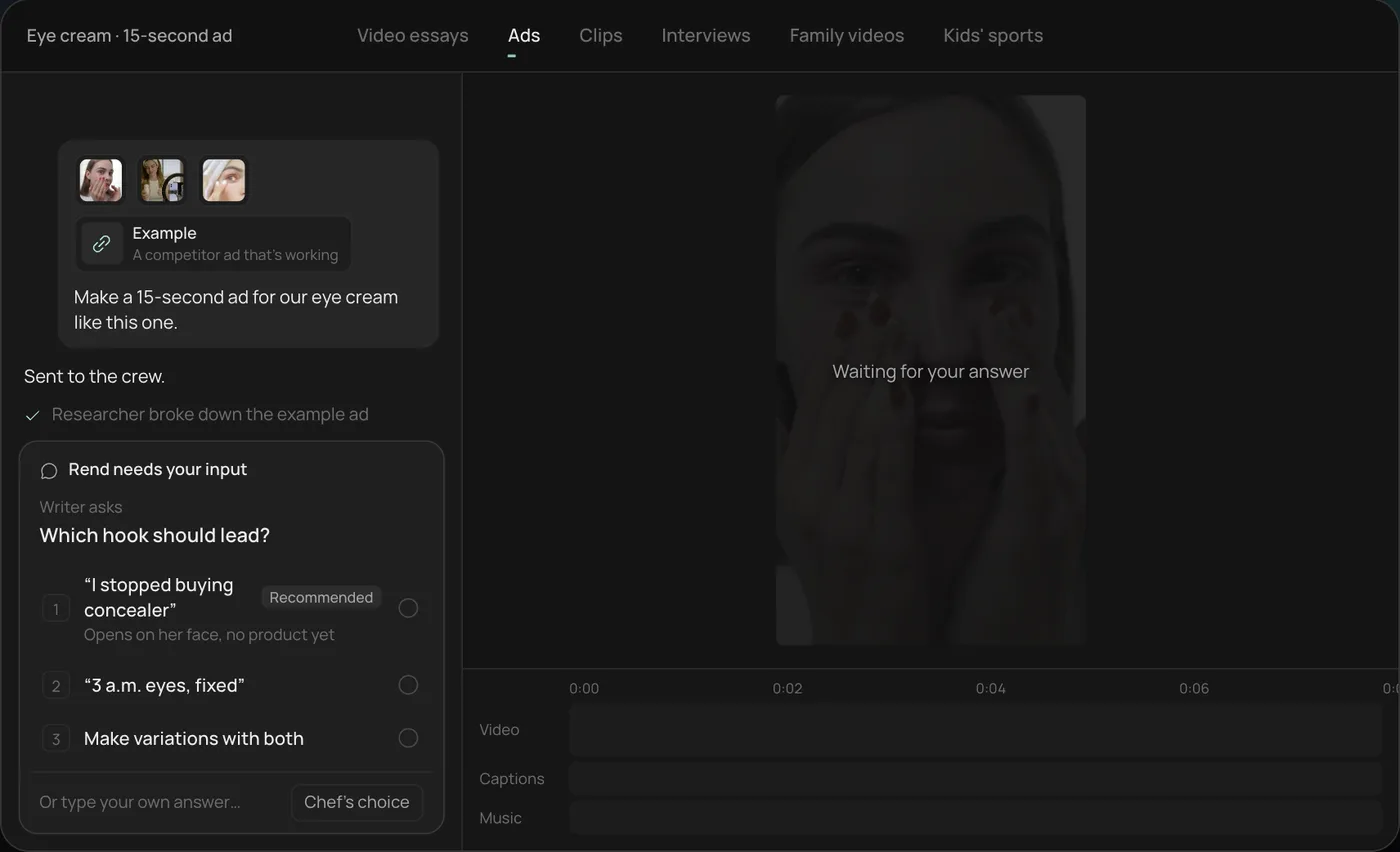
The screenshot is from a product ad demo, but the step is the same for a door ad: Rend asks which hook leads and can make variations with several. A brand kit keeps your logo, uniform colors, caption style and end card the same on every tech intro, so twelve techs look like one company. Rend can also make image ads and search ad copy from the same footage. Share a review link with the office manager, who can mark a frame ("blur the plate") and the agent fixes it.
Download the files for your own ad accounts, or hand them to Rend Boost (early access), where Rend runs ads on major networks and you pay per click. Editing is free; you pay when Rend renders or generates something, as on the pricing page. Rend can't get you through Google's Advanced Verification; that's between you and Google. More for home services: HVAC and plumbing video ads and video ads for local businesses.
FAQ
What videos should a garage door company make?
A 15 to 30 second intro for each tech, before and after reveals of new doors filmed from the street, short repair clips with the door running at the end, and a plain explainer of what a spring repair includes.
Do garage door companies need Advanced Verification for Google Ads?
In the US, yes. Google restricts ads for garage door repair services and requires Advanced Verification, which includes business and license checks and a recorded video interview.
Can garage door companies use Google Local Services Ads?
Yes. "Garage door services" is an eligible US category. You pay per valid lead, and the verification steps apply.
Should I post DIY garage door spring videos?
No. Torsion springs are under high tension, and a tutorial with your name on it is a liability. Explain why the repair needs a pro instead.
How long should a garage door ad be?
Fifteen to 20 seconds for repair and intro clips, up to 30 seconds for new-door reveals. Keep Google profile uploads at 30 seconds or under.
Send Rend the clips from this week's jobs and it will cut tech intros, door reveals and an ad set on a timeline you can change. Start a free Rend project.