Pool Service Video Marketing: Green-to-Clean and Route Clips
Pool service video marketing works on two kinds of footage. The green-to-clean reveal gets attention, and a short "proof of visit" clip from every weekly stop wins and keeps route customers. Shoot both on a phone, keep ads to 15 to 30 seconds, and post the reveals on Reels, Shorts and your Google Business Profile. Send the visit clips to the customer, then reuse them in ads.
Most pool companies only film the dramatic jobs. That gives you three great videos a year and nothing in between. The weekly route is where the money is, and it's also the part homeowners worry about most: did the tech actually show up, brush the walls and check the chemistry, or just skim the leaves and leave?
The two videos that matter
| Video | Length | Job it does | Where it goes |
|---|---|---|---|
| Green-to-clean reveal | 15 to 45 s | Stops the scroll, shows you can fix a mess | Reels, Shorts, TikTok, Google profile, ads |
| Proof-of-visit clip | 8 to 15 s | Shows the work was done, every week | Text or email to the customer, later ads and the site |
| Opening or closing day | 20 to 40 s | Seasonal booking push | Ads in spring and fall, Google profile |
| Equipment explainer | 45 to 90 s | Sells pump, filter and heater repairs | Website service pages, YouTube |
The green pool is your hook. The weekly clip is your proof. A homeowner choosing a pool service is choosing someone who will be in their backyard every week without them watching, so footage of a normal Tuesday stop does more selling than one more swamp transformation.
Film green-to-clean without faking it
A green pool rarely clears in one visit. It takes shocking, brushing, running the filter, cleaning or backwashing it, and coming back. If your reveal cuts from swamp to blue in four seconds with no hint of time, viewers who own pools know it's compressed, and the ones who don't will expect a one-visit miracle and call you angry on day two.
Put the time on screen instead. "Day 1" over the swamp. "Day 3" over the cloudy blue. "Day 5, ready to swim" over the clear water. That label costs nothing and it sets the expectation for every quote that ad brings in.
How to shoot it so the reveal lands:
- Pick one spot and mark it. Stand at the same corner of the deck for every visit, same height, same direction. Photograph where you stood so the next tech can match it.
- Shoot at the same time of day if you can. Midday sun through clear water looks very different from late shade. A reveal where the light changes more than the water is a weak reveal.
- Lock exposure. On an iPhone, press and hold on the water to lock focus and exposure before you record; most Android camera apps have a similar lock. Otherwise the phone brightens the green swamp and darkens the bright blue, and the change looks smaller than it is.
- Get one close shot through the water. A leaf-covered drain you can't see on day one, visible on day five, is the most convincing frame in the video.
Cut it with the after first: one second of clear water, snap to the swamp, run the middle fast, land on the clear pool again. Our guide to contractor before and after videos has more on matching angles and timing.
The proof-of-visit clip
If your techs already take a photo at each stop, add a 10-second clip. It's one more tap and it becomes your best retention tool and your best ad material at the same time.
What a good visit clip shows, in order: the water from your marked spot, the test result or readings on the kit or strip, the brush on the wall, the skimmer and pump baskets emptied, the equipment pad with the pump running. Ten seconds, no talking needed. Text it to the customer with one line: "All done today. Chlorine and pH in range, filter pressure normal."
After a month you have hundreds of these. They're short, they're real, and they all look like the same competent company, which is exactly what an ad for a weekly service should show.
Ask before you reuse a customer's backyard in an ad, and keep the house, the street and anyone in a swimsuit out of frame. A pool is part of someone's home, and some customers will not want theirs on Facebook.
Six-shot phone list for a pool service ad
| # | Shot | How to film it | Why it's there |
|---|---|---|---|
| 1 | Clear water from the deck corner | Locked exposure, 3 s, phone steady on the rail | Opens on the result |
| 2 | The swamp or cloudy before | Same spot, same height | The contrast |
| 3 | Water test close-up | Strip or kit next to the color chart, readable | Shows you measure |
| 4 | Brush on the wall | Low angle, tech's arms and brush only | The work customers can't see from inside |
| 5 | Basket and filter | Lid off, basket out, debris dumped | Proof of the boring part |
| 6 | Tech waves or nods, truck in background | 2 s, branded shirt and truck | Who shows up, and that it's local |
Shoot all six on one route day and you have the raw material for five or six different ads. Vertical (9:16) first, since most of it goes to Reels, Shorts and Stories. Put the phone number and service area in the last two seconds, inside the area platform buttons don't cover. The safe zone checker shows where that is.
Hooks that work for pool service
Write the first line for the homeowner standing at their own pool, not for other pool pros.
- "This pool was green on Monday. Here's day five."
- "What your pool guy should be doing every week, in 10 seconds."
- "If your pool service only skims, you're paying for a net."
- "Opening your pool in [town] this spring? Book before April."
- "Filter pressure is the number nobody tells you about."
- "We send you a video from every visit. Here's what it looks like."
The last one is an offer as much as a hook. Few services send clips, and "you'll see it every week" answers the main objection to hiring someone new. Our list of video ad hooks has more patterns you can adapt.
Avoid health and safety claims you can't back up. "Safe for kids" and "100% bacteria free" invite trouble. Say what you did: balanced chemistry, cleaned filter, brushed walls.
Ad rules that apply to pool companies
Google Local Services Ads
Google lists both "Pool cleaner" and "Pool contractor" among the US categories eligible for Local Services Ads. You pay for valid leads, not clicks, and new advertisers go through screening for the Google Verified badge. Your video doesn't play inside that listing, but people who tap through to your profile or website will see it, so that's where the reveal and visit clips should live.
Meta (Facebook and Instagram)
Meta requires a Special Ad Category for housing, employment and financial products and services. Its housing ads definition covers ads that promote "a housing opportunity or related service", with examples like listings, homeowners insurance, financing options and appraisal services. A weekly cleaning ad is not on that list, but Meta says the list isn't complete. If you advertise financing on a new pool build or a heater replacement, you're in financial products territory, and Meta's financial products and services category has been required for US advertisers since January 2025. If Meta flags an ad, move it into the category rather than fighting the rejection. The category limits age, gender and ZIP targeting, so plan on city-level radius targeting.
Google Business Profile
Google accepts videos up to 30 seconds and 75 MB at 720p or higher. Trim your reveals to 30 seconds and use the video compressor if a file runs over. Our Google Business Profile video guide covers the upload steps.
Where each video goes
| Channel | Format | What to post | How often |
|---|---|---|---|
| Customer text or email | Vertical, 8 to 15 s | Visit clip | Every visit |
| Google Business Profile | Up to 30 s | Reveals, opening day | Twice a month |
| Instagram Reels, TikTok, Shorts | 9:16 | Reveals, "what we do each week" | Weekly in season |
| Facebook and Instagram ads | 9:16 and 4:5 | Reveal plus offer, visit-clip montage | Swap hooks every two weeks |
| Website | 16:9 or square | 45 to 90 s homepage video, equipment explainers | Update yearly |
Your homepage is the cheapest win. In our local business video study of 3,833 US local business homepages, only 17.3% had a video a visitor could play, and 64.8% had no playable video and no link to a YouTube or TikTok account. Pool companies weren't one of the 14 trades sampled, so take that as the general picture for local service sites. A 60-second clip of a real route stop puts you ahead of most of the companies a homeowner compares you to. The homepage video guide has a script.
Seasonal plan
Pool service has a calendar, and your ads should follow it.
- Late winter: opening-day ads with a booking deadline, plus reveals from last spring's openings.
- Spring: green-to-clean reveals, since that's when covers come off and people find out what's under them.
- Summer: visit clips and "what weekly service includes" ads, for people unhappy with the service they have.
- Fall: closing ads in cold-winter areas, equipment and heater content in warm ones.
Shoot the spring footage this year for next year's ads. A folder of tagged clips (reveal, visit, equipment, opening) means the February ad takes ten minutes instead of a lost weekend. And keep each ad to one pool: viewers notice when the tile changes between shots.
Using Rend for a pool service
Have techs send their visit clips and reveals to Rend from their phones, by chat, email or a web form; the guide to sending videos from your phone shows how. Ask for what you need in plain words: "Make a 20-second reveal from these three visits with Day 1, Day 3 and Day 5 labels, our number at the end." Rend cuts it on a real timeline you can open and change, adds word-timed captions in your style, and makes 9:16, 4:5 and 16:9 versions.
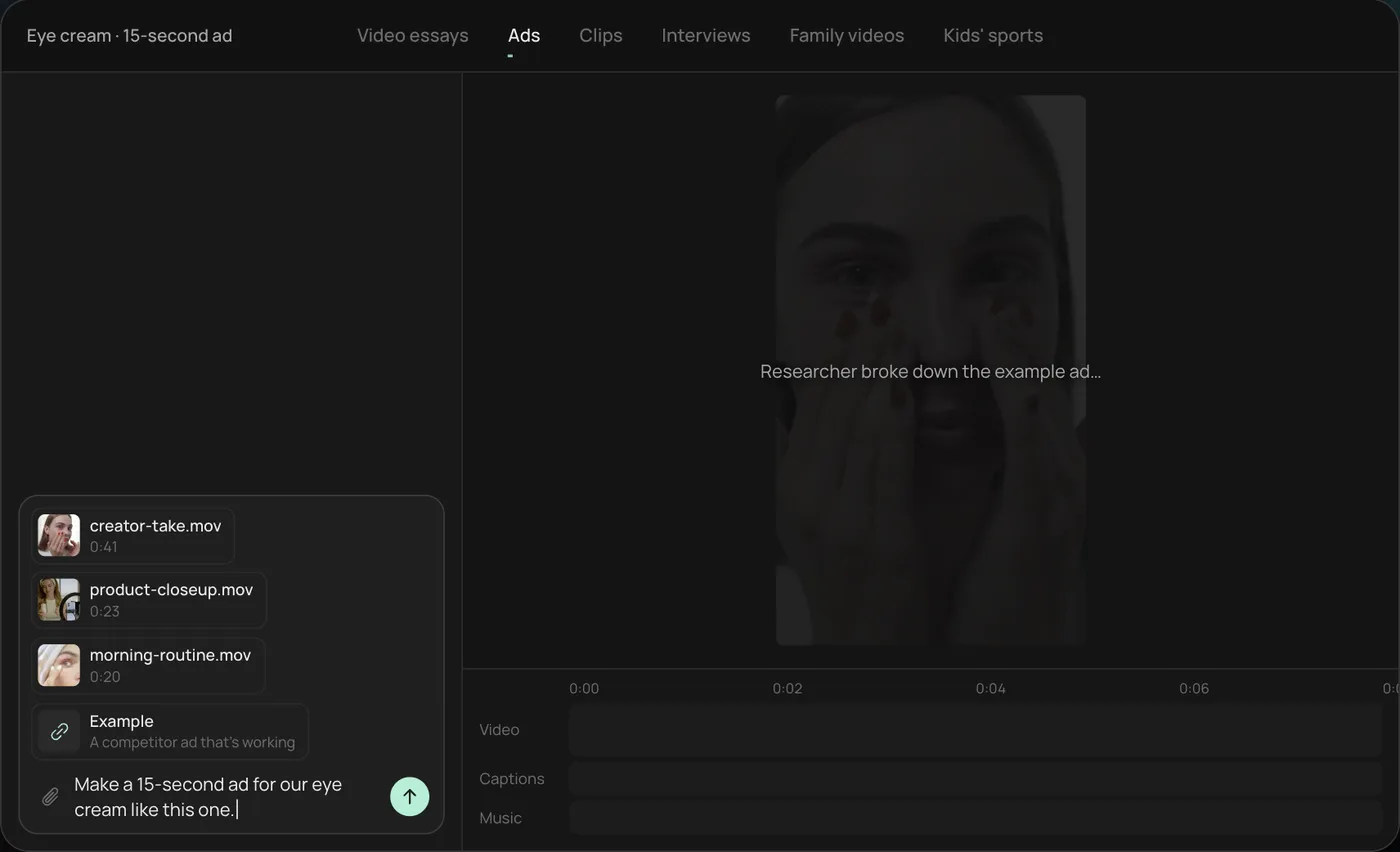
The screenshot is from a product ad demo, but a pool ad starts the same way: drop in the clips and say what you want. For the season, Rend can write a set of new hooks and make image ads and search ad copy from the same footage, so you can test several openings at once. The mass ad creation guide shows that workflow. A brand kit keeps your logo, colors, caption style and music the same on every video. Share a review link with the owner, who can draw on a frame ("blur this house") and the agent makes the fix.
Download the set for your own ad accounts, or hand it to Rend Boost (early access), where Rend runs the ads on major networks and you pay per click. Editing is free; you pay when Rend renders or generates something, as listed on the pricing page. Rend can't test water or choose your LSA category for you. More guides for home services: video ads for local businesses and landscaping and lawn care videos.
FAQ
What videos should a pool service company post?
Green-to-clean reveals with the days labeled, short clips of a normal weekly visit, opening and closing day clips in season, and equipment explainers for your website. The reveals get attention and the visit clips show you do the work every week.
How long should a pool cleaning video ad be?
Fifteen to 30 seconds. Open on clear water in the first second, show the before, then the work, and end on your number and service area. Keep anything for your Google Business Profile at 30 seconds or under.
Can pool companies run Google Local Services Ads?
In the US, yes. Google lists "Pool cleaner" and "Pool contractor" as eligible categories. You pay per valid lead, and you need to pass Google's screening before the ads run.
Do I need a Special Ad Category on Facebook for pool service ads?
Usually not for a plain cleaning or repair ad, since Meta's housing examples are listings, insurance, mortgages, financing and appraisals. If the ad offers financing, it falls under financial products and services, and that category is required in the US.
Can I post videos of customers' pools?
Ask first, and keep houses, street views, house numbers and people out of frame. Most customers are fine with a shot of the water and the equipment pad when you tell them how it will be used.
Send Rend the clips from this week's route and it will cut a labeled reveal, a visit montage and a set of hooks on a timeline you can change. Start a free Rend project.