Landscaping Video Ideas: 25 Shots That Win Lawn Care Jobs
The landscaping videos that win jobs are short and visual: a before and after from the same spot, a crew time-lapse of an install, a satisfying stripe pattern on a freshly cut lawn, and a seasonal cleanup that ends on a clean bed edge. Shoot them on a phone during jobs you are already doing, keep most of them between 15 and 45 seconds, and post on a seasonal rhythm so your feed shows spring cleanups in March and leaf removal in October. You do not need a videographer. You need a habit of grabbing four clips per job.
This guide gives you 25 specific ideas sorted by season, a shot list for each type, the lengths that work, and how to turn a week of crew phone clips into one reel without spending your evening editing.
How to make a landscaping reel in Rend, step by step
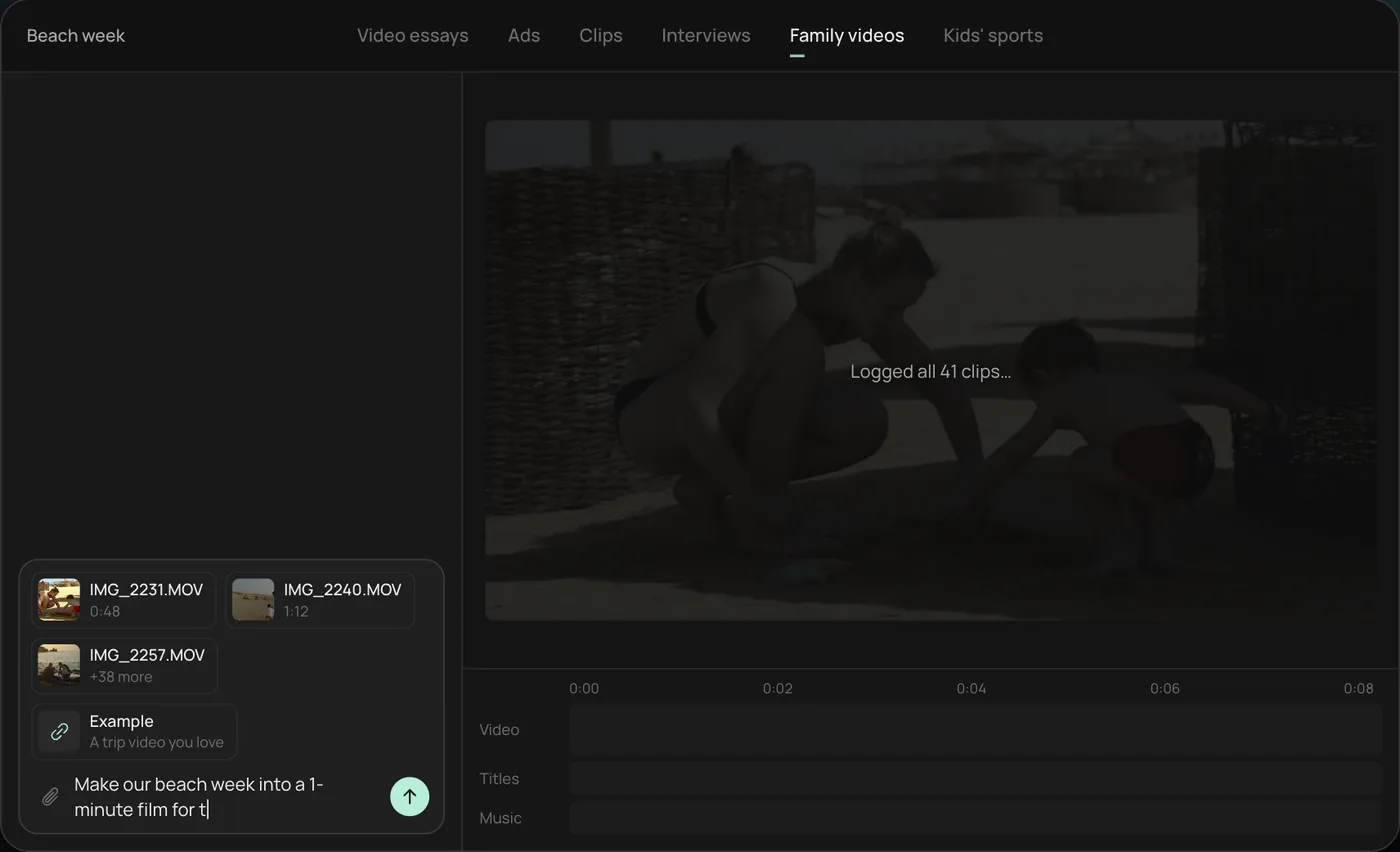
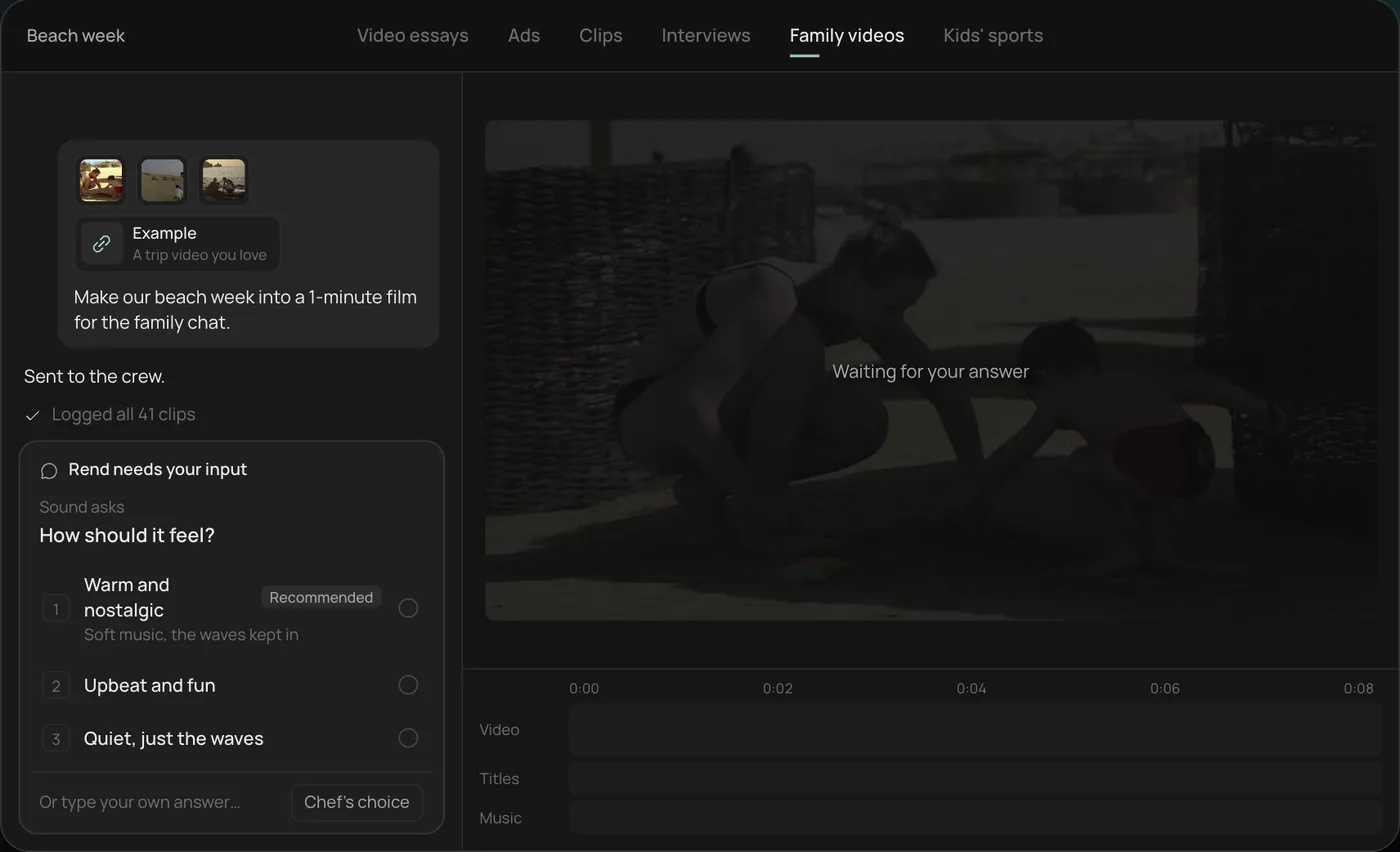
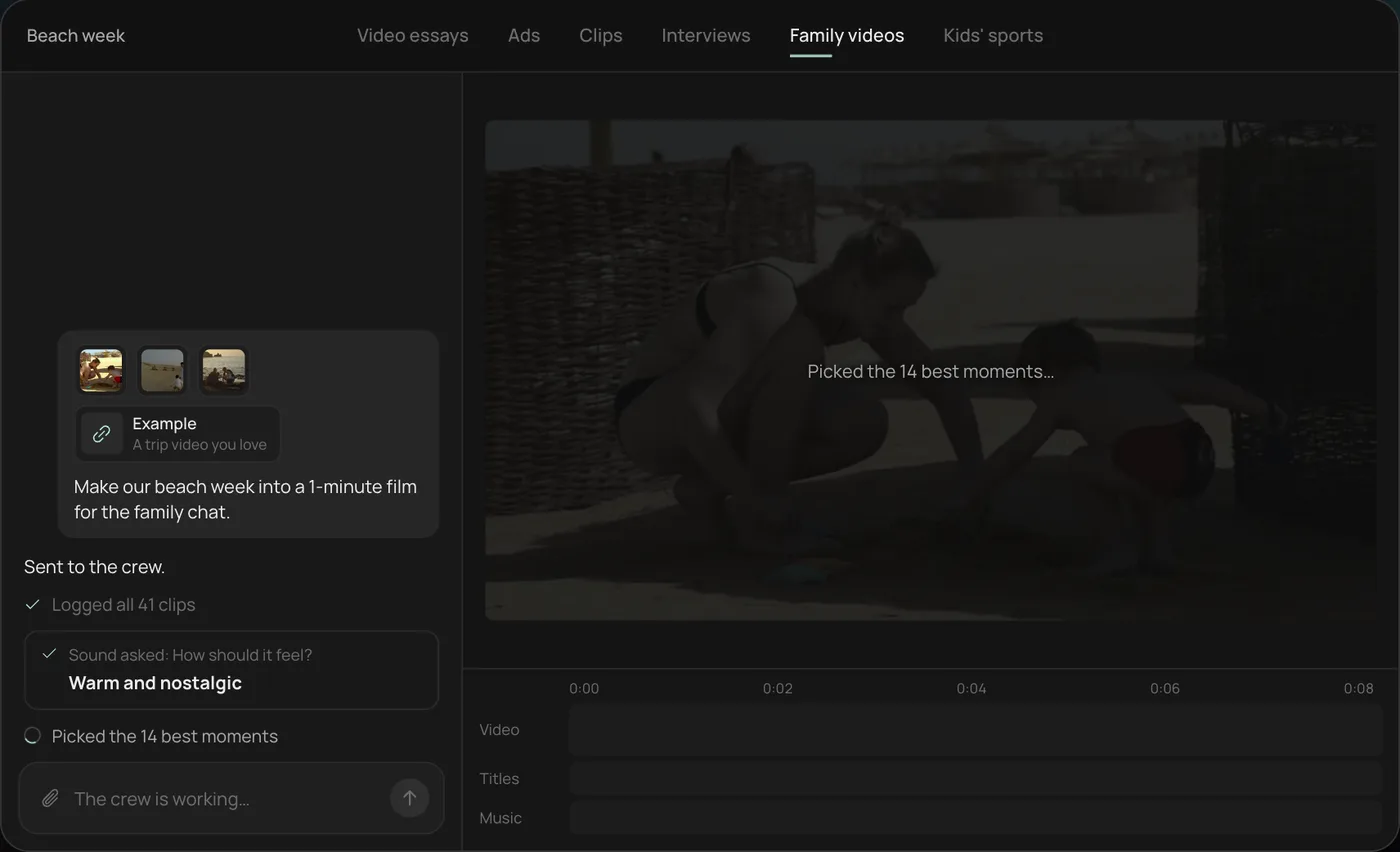
These screenshots come from Rend's demo of a family beach week film made from 41 phone clips; turning a week of crew clips into a reel works the same way.
1. Drop in your phone clips. Add the clips straight from your camera roll (in the demo, 41 beach week videos) plus an example you like, then ask for the video you want. For a crew it might be "Make this week's jobs into a 45-second reel for Instagram."
2. Pick the feel. Rend asks how the video should feel and recommends an answer (in the demo, warm and nostalgic). For a landscaping reel you might pick upbeat and fast.
3. Watch the crew work. The crew logs every clip and picks the best moments (14 of 41 in the demo), each step checked off in the chat.
4. Get the finished video. In the demo, a 1-minute film cut to warm piano with a "Summer 2026" title lands on a real timeline with video, title and music on separate tracks. Your reel lands the same way, with your title and music.
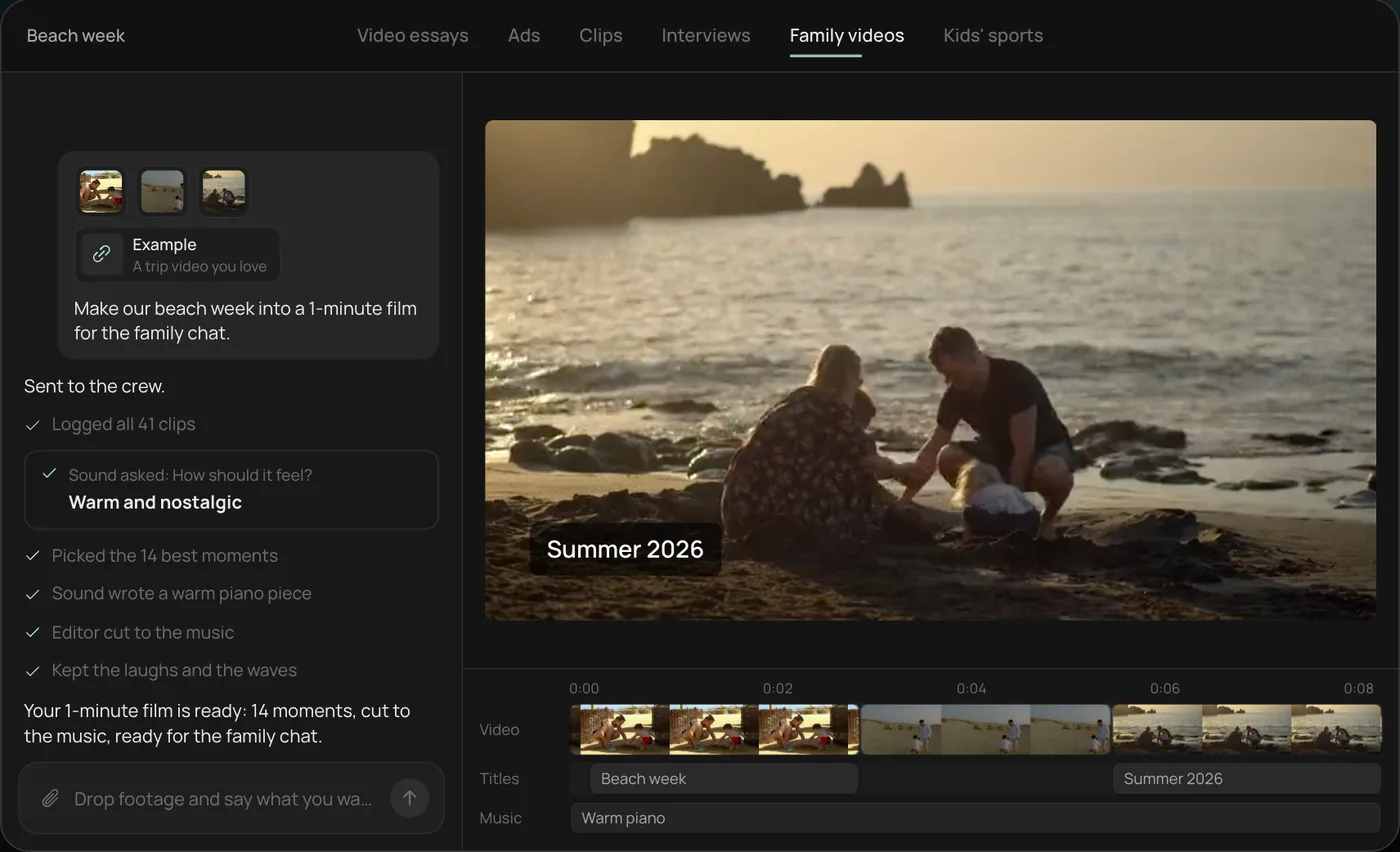
From there you can open the timeline and change anything by hand, share a review link for notes, or export. Start a free Rend project to try it on your own footage.
The four clips to grab on every job
Every idea below comes from the same four clips. If your crew lead remembers nothing else, they remember these.
| Clip | Length | How to shoot it |
|---|---|---|
| Before, wide | 5 to 8 s | From a fixed spot you can find again: a sidewalk joint, the mailbox, a fence post. Chest height, phone held still. |
| Work in progress | 5 to 10 s each, two or three | Hands and machines, no faces needed. The skid steer bucket, the edger cutting a line, mulch coming off the wheelbarrow. |
| After, wide | 5 to 8 s | Same spot, same height, same direction as the before. |
| The detail | 3 to 5 s | The one thing a homeowner will touch or stare at: a crisp bed edge, a paver joint, the stripe pattern from low down. |
The matched before and after is the whole trick. When the angles match, the change reads instantly. When they don't, even a huge transformation looks like two different yards. Our contractor before and after guide goes deeper on matching angles and light.
25 landscaping video ideas by season
Spring (March to May)
- Spring cleanup reveal. Matted beds and leaf litter to fresh edges and mulch. Before, two work clips, after. 20 to 30 seconds.
- First mow of the year. A low shot from behind the mower as the first stripe goes down. 10 to 15 seconds, no music needed if the engine sounds good.
- Aeration close-up. The plugs coming out, then a hand holding one up to show the root depth. 15 seconds. People love oddly specific things.
- Bed edging, one cut. A spade or power edger making a single clean line from start to finish, shot from the end of the bed. This is the most reliable short clip in the trade.
- "What we found under the leaves." The damage winter left: vole tunnels, snow mold, a crushed shrub. Honest, useful, 20 seconds.
- Mulch math. Lead talks for 20 seconds on how many yards a typical front bed takes and why 2 to 3 inches is enough. Captions do the work.
Summer (June to August)
- Install time-lapse. A paver patio or a planting bed from bare ground to finished, phone on a tripod or clamped to the trailer.
- Stripe pattern from above. Hold the phone over your head or climb the truck bed. Checkerboard and diagonal patterns get shared.
- Irrigation check. Each zone popping up in sequence, 15 seconds. Homeowners with a dead patch watch this.
- Overgrown lot to cut. The most satisfying video type in lawn care. Shoot the before from the curb, run a work clip with the mower entering the tall grass, after from the curb.
- Day in the route. Eight addresses in 40 seconds: one 4-second clip of each finished lawn. Shows reliability and volume.
- Heat-stress tip. Why you raise the deck height in July, with a ruler against the grass.
- Crew intro. Each crew member says their name and how long they've been with you, 3 seconds each. Hire-friendly too.
Fall (September to November)
- Leaf removal reveal. Buried lawn to clean, with a blower work clip in the middle.
- Overseeding, then six weeks later. The same spot shot twice. Set a reminder on your phone the day you seed.
- Fall planting. Bulbs going in, shot from directly above the hole.
- Gutter and bed cleanout. If you offer it, film it.
- Holiday lighting install. For crews who do it, the dusk switch-on is the payoff shot.
- "Book your spring now" video. Thirty seconds, lead talking, with three clips of last spring's best jobs behind them.
Winter and slow months
- Snow plow route at 4 AM. Dashcam or phone on a mount, headlights and fresh lanes.
- Equipment maintenance. Sharpening blades, with a before and after of a torn grass tip versus a clean cut.
- Design reveal. A plan drawing next to last year's finished yard.
- Year in review reel. Your best 15 matched befores and afters, 3 seconds each, cut to music.
- Customer walk-through. A homeowner, with permission, showing the yard you built two years ago.
- Price explainer. Why a mulch job costs what it does: material, labor, disposal, travel. Builds trust with exactly the customers you want.
Shooting the crew time-lapse
The time-lapse is the video that most often goes wrong, so it gets its own section.
Set the phone on a small tripod or clamp it to something that will not move for four hours, like the trailer rail or a fence post. A tripod in open grass gets kicked by someone carrying a wheelbarrow, and a jumped frame halfway through ruins the effect. Frame wider than you think: crews move outside the edges, and you can crop later but you cannot uncrop.
Use the phone's built-in time-lapse mode. It handles the speed for you. Plug the phone into a power bank, because four hours of recording drains a battery fast, and keep it in the shade if you can. Phones overheat in full summer sun and some stop recording without telling you. Check on it at lunch.
Last, start before the first shovel goes in and stop after the final cleanup sweep. The empty yard at the start and the finished yard at the end, both still for a few seconds, are what make it a reveal and not just a blur of people.
Lengths and where each one goes
| Video type | Length | Best place |
|---|---|---|
| Before and after reveal | 15 to 30 s | Reels, Shorts, TikTok, Google Business Profile |
| Single satisfying clip (edge, stripe) | 8 to 15 s | Reels, Shorts, TikTok |
| Time-lapse | 20 to 45 s | Reels, Shorts, website gallery |
| Tip or explainer with talking | 30 to 60 s | Reels, Shorts, Facebook |
| Weekly crew reel | 30 to 60 s | Instagram, Facebook |
| Year in review | 60 to 90 s | Website, YouTube, email |
Google's Business Profile help says profile videos can be up to 30 seconds, up to 75 MB and 720p or higher, so the 15 to 30 second reveals double as profile content. Our Google Business Profile video guide covers uploading. If you plan to run any of these as paid ads, the video ad size checker shows each network's safe zones so your text does not sit under a button.
Captions and text
Keep on-screen text to the job and the town: "Full front yard refresh, Westfield." People looking for a landscaper want to know you work near them. Skip the "WAIT FOR IT" text. A matched before and after does not need it.
Add captions to anything with talking, since people scroll with the sound off in waiting rooms and on job sites. Two to four words at a time, big, kept above the bottom fifth of the frame so they do not collide with the app's buttons. The caption style previewer lets you try looks before you commit.
Turning a week of phone clips into one reel
This is where most crews stall. The clips exist. They sit in four people's camera rolls. Nobody wants to edit at 8 PM.
Here is the routine we recommend:
- Make a shared album (or a group text) for the crew, and ask for the four clips per job to land there by Friday.
- On Friday, pick the three best jobs. One reveal each, plus a satisfying detail.
- Cut a 30 to 60 second reel: the strongest after first, then before and after pairs, then a crew shot to close.
- Post the reel, and post each reveal on its own during the following week.
In Rend, step 3 is a message. Send the whole week's clips through chat, email or the web form and ask: "Make a 45-second reel from this week, strongest yard first, matched before and afters, our logo at the end." Rend's crew of agents logs every clip, picks the moments, and cuts it on a real timeline with music and titles on their own tracks. It works from the footage you send, so the reel is your real jobs (which is the point). Save a brand kit with your logo, caption style and music bed, and every Friday reel comes out matching. Share the review link with the owner, they draw on the frame ("swap the Henderson yard for the Martin patio"), and the agent makes the change.
Where something else might suit you better: if you only ever post single clips with no editing, the camera app plus Instagram's own editor is enough and costs nothing. Rend earns its place once you want weekly reels, ads or a consistent look. For more ideas on paid video, read video ads for local businesses and the best AI video tools for small business. Editing in Rend is free, and you pay only when it renders or generates something; see pricing.
FAQ
What kind of videos should a landscaping company post?
Before and after reveals from a matched angle, single satisfying clips like bed edges and mowing stripes, install time-lapses, and short tips with a crew lead talking. Post them on a seasonal schedule so they match what customers are thinking about.
How long should a landscaping video be?
Most should be 15 to 45 seconds. Single satisfying clips can be 8 to 15 seconds, and a year-in-review reel can run 60 to 90. Google Business Profile videos are capped at 30 seconds.
Do I need to show my crew's faces?
No. Hands, tools and machines carry most of these videos. A short crew intro helps with trust and hiring, but only include people who are happy to be on camera.
How do I film a landscaping time-lapse on a phone?
Use the built-in time-lapse mode, mount the phone on something that will not get bumped, frame wide, plug into a power bank and keep the phone in shade. Start before work begins and stop after cleanup.
What do I post in winter?
Plow routes, equipment maintenance, design plans, a year-in-review reel and a "book your spring now" video. Winter is also when you have time to cut the year's best reveals into ads.
Start with this week's jobs
Ask your crew for four clips per job this week, send them to Rend on Friday and ask for one 45-second reel. You can do it on the free plan and check every cut before you pay to render.