How Long Should an Event Recap Video Be? Shot List, Structure
An event recap video is a short edit, usually 60 seconds for social and 2 to 3 minutes for the website or sponsors, that shows what it felt like to be there: arrivals, the room full, the key moments on stage, faces reacting, and one or two lines people will remember. The work is mostly done before you edit: film a planned shot list of short clips, record clean audio of the best lines, and get the files off every phone the same night. Then cut to music, open on the biggest moment, and post within 24 to 48 hours while people still care.
This guide gives you the shot list, both cut structures with timings, the sound plan and a turnaround schedule for conferences, parties and fundraisers.
How to make an event recap video in Rend, step by step
These screenshots come from Rend's demo of a family film from 41 phone clips; an event recap from your phones works the same way.
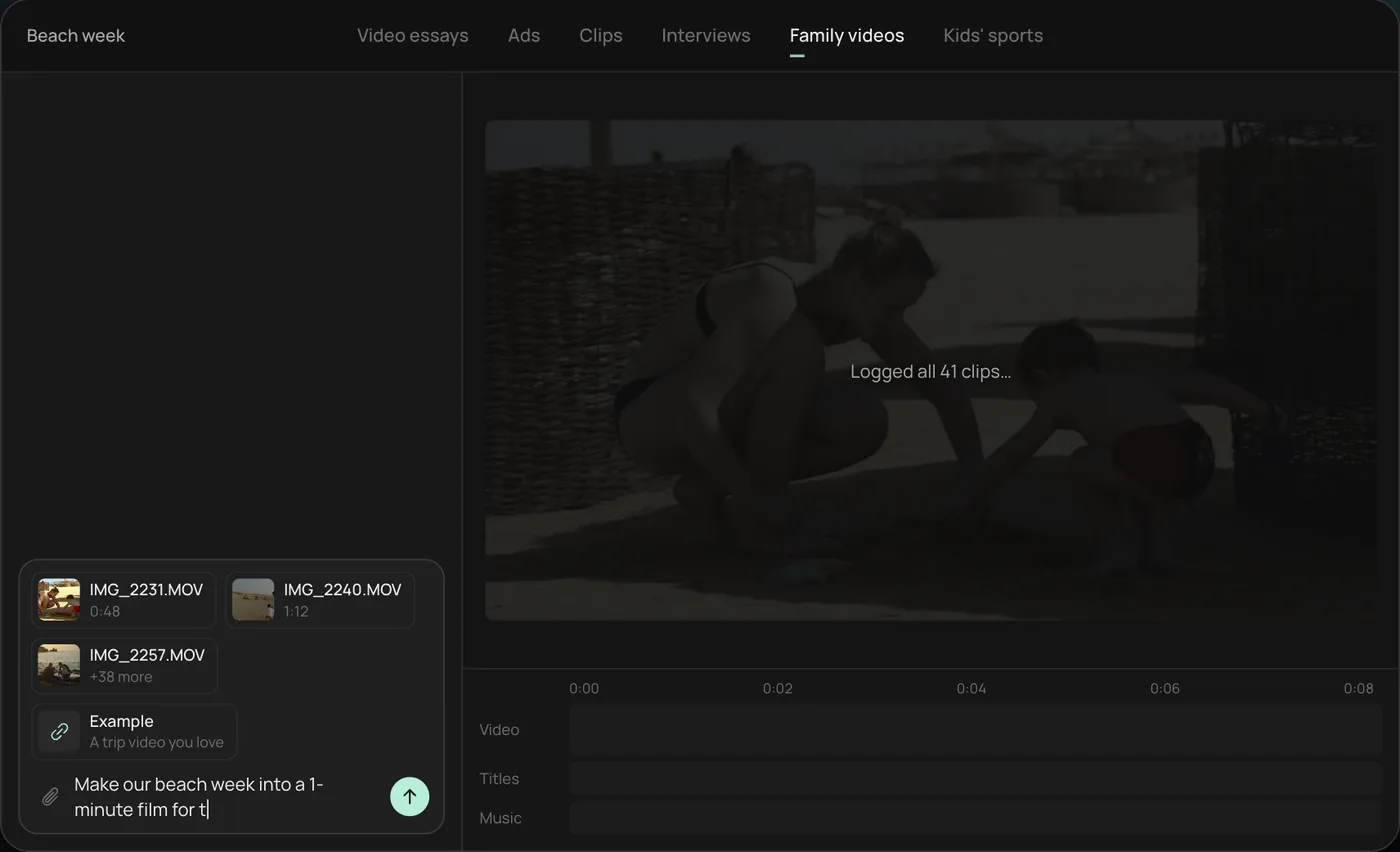
1. Drop in your phone clips. Add the clips straight from your camera roll (here 41 beach week videos) plus an example you like, then ask for the film you want, like "Make this into a 1-minute film for the family chat."
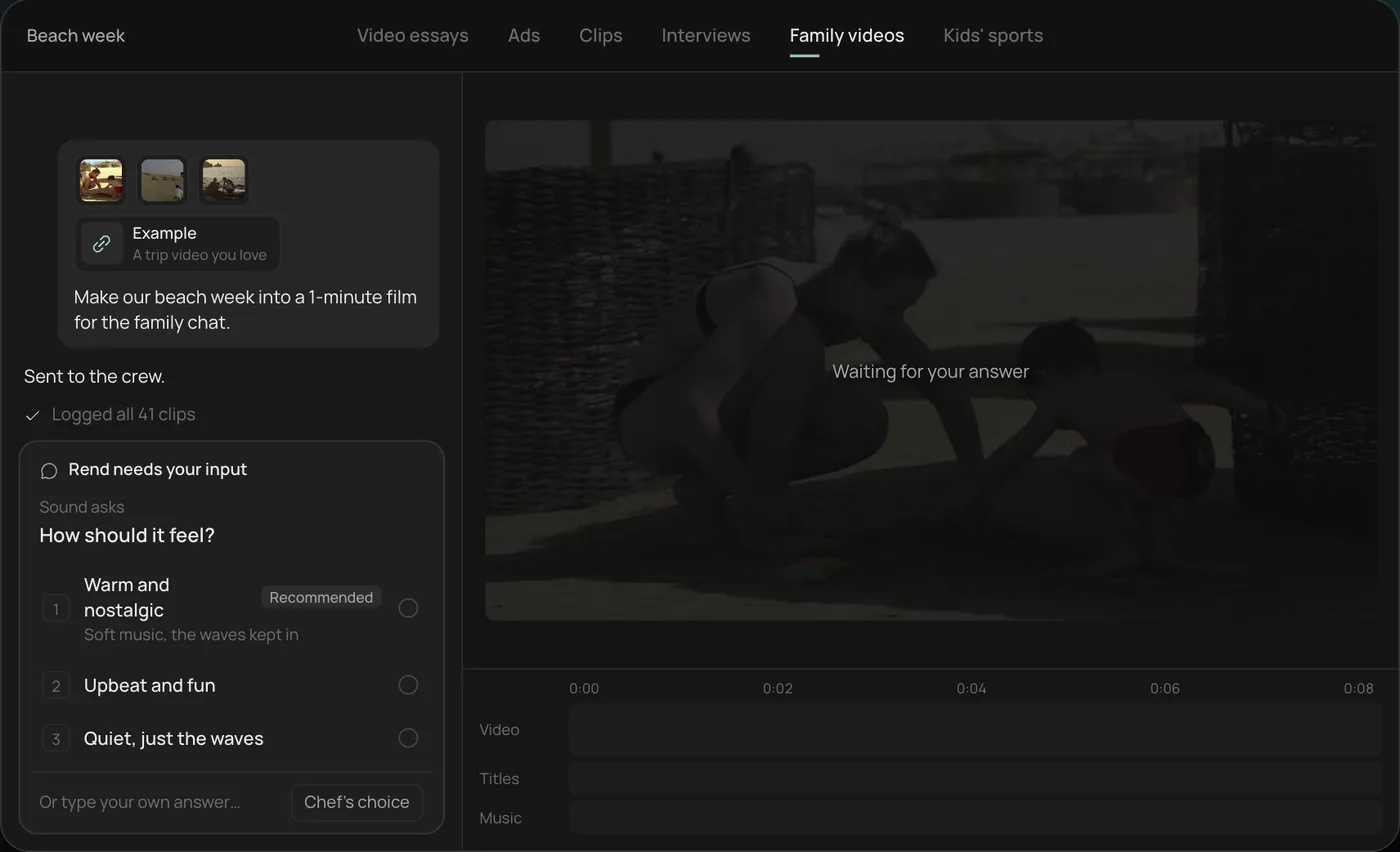
2. Pick the feel. Rend asks how the film should feel and recommends warm and nostalgic. For a conference you might pick energetic instead.
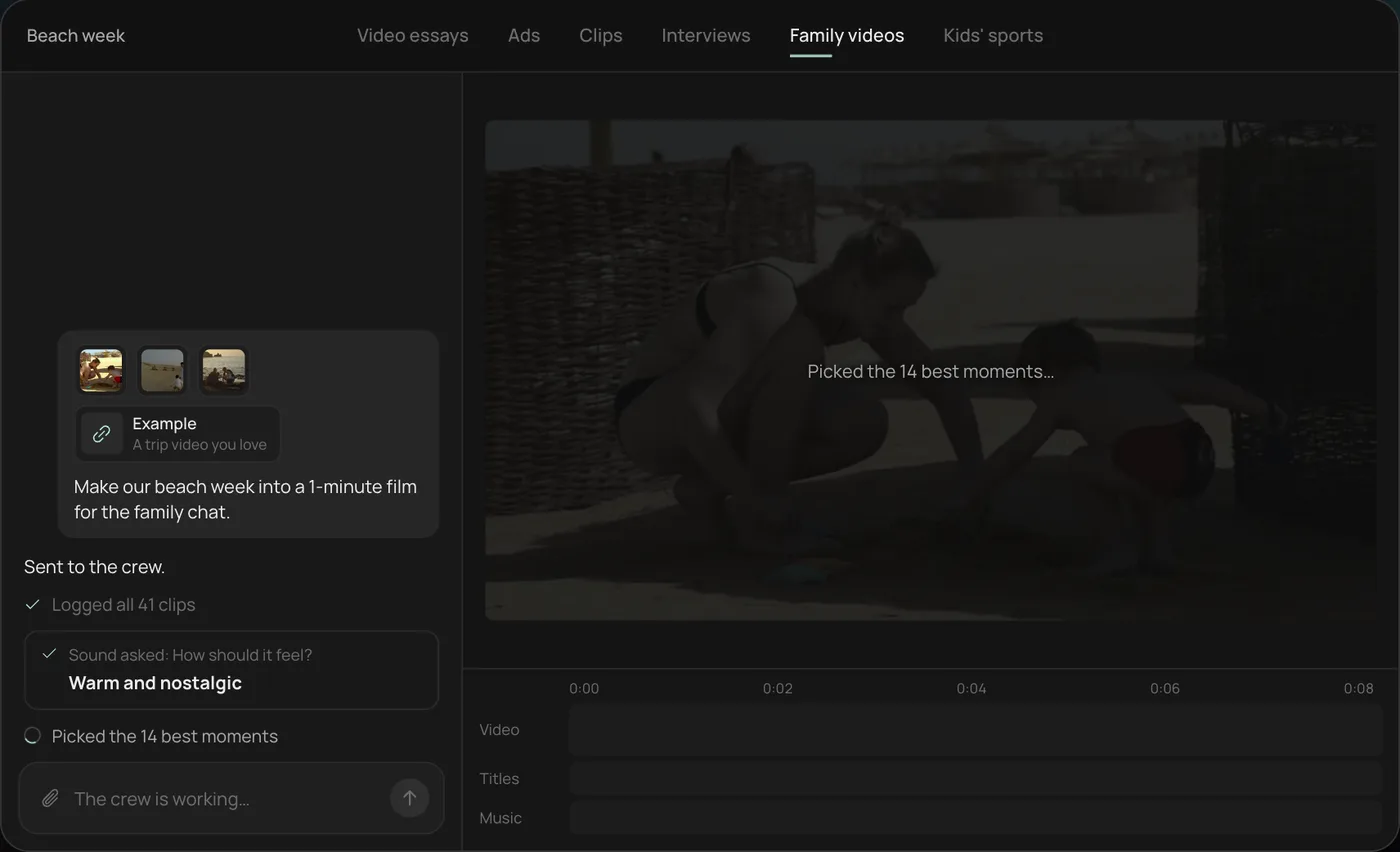
3. Watch the crew work. The crew logs every clip and picks the 14 best moments, each step checked off in the chat.
4. Get the finished film. A 1-minute film cut to warm piano, with a "Summer 2026" title, lands on a real timeline with video, title and music on separate tracks.
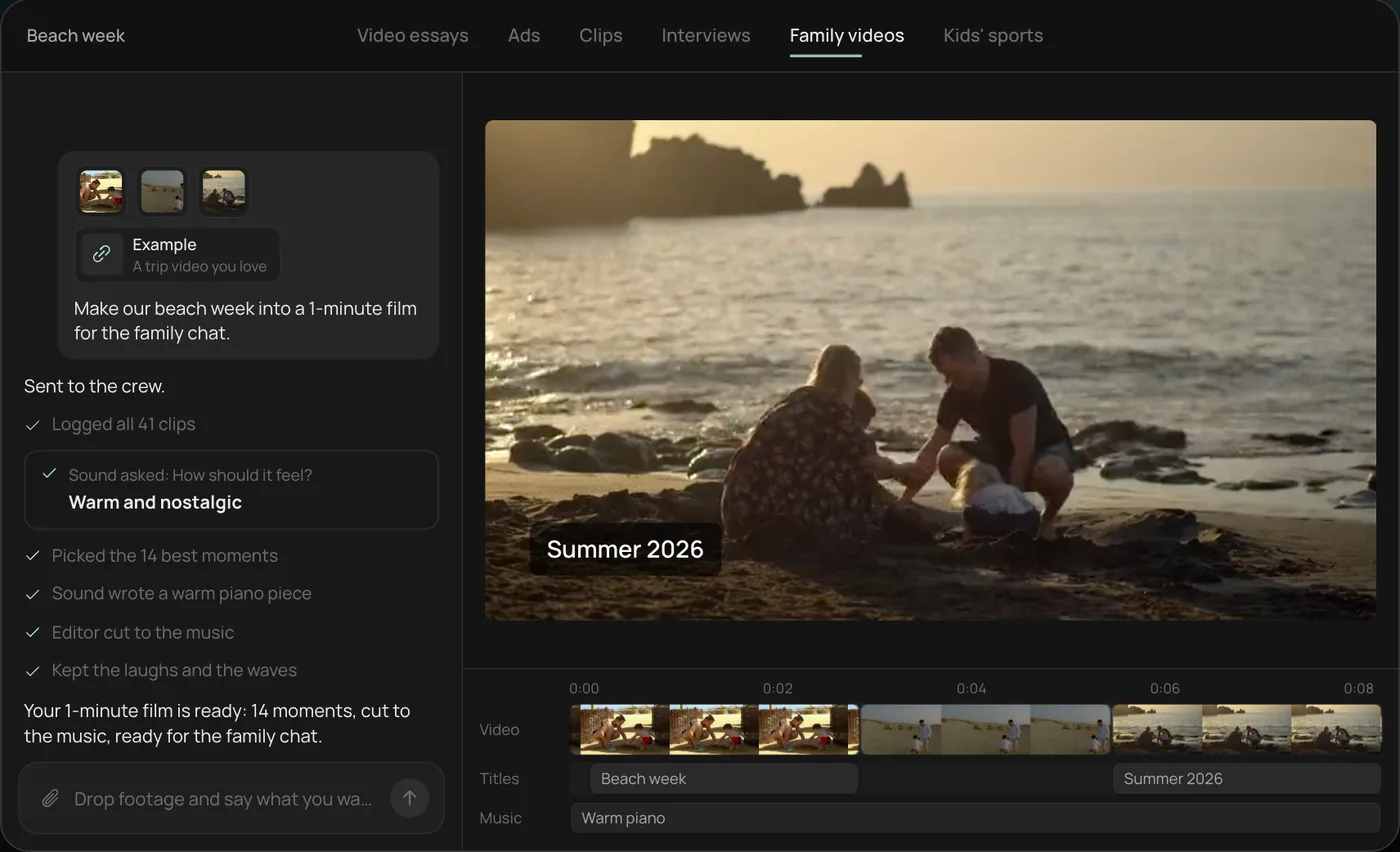
From there you can open the timeline and change anything by hand, share a review link for notes, or export. Start a free Rend project to try it on your own event footage.
60 seconds or 3 minutes
Make both if you can. They do different jobs, and they come from the same footage.
| 60-second cut | 3-minute cut | |
|---|---|---|
| Where it goes | Reels, TikTok, Shorts, LinkedIn feed, attendee email | Website, sponsor report, next year's ticket page, YouTube |
| Frame | 9:16 vertical | 16:9 horizontal |
| Audience | People scrolling, many who weren't there | People deciding to attend, sponsor, or donate |
| Shots | 25 to 35, mostly 1 to 2 s | 50 to 80, 2 to 4 s, plus sound bites |
| Voices | One line, or none | 3 to 5 sound bites from speakers or guests |
| Text | Event name, date, one hook line | Lower thirds for speakers, a few numbers, a call to action |
| Music | One track, fast | One or two tracks with a quieter middle |
A 60-second cut that tries to include every speaker turns into a blur of faces. Pick the energy. Save the names for the long one.
The shot list
Hand this to whoever is filming, including volunteers with phones. Ask for clips of 5 to 10 seconds, held steady, horizontal for the long cut unless you have a second person filming vertical. Ten clips of 8 seconds beat one 5-minute ramble.
Before doors open
- Wide of the empty venue, then the same angle full later (the before and after is a free shot)
- Signage, banners, name badges laid out, the stage being lit
- Details: centerpieces, the coffee station, the swag bag, the auction table
Arrivals
- People walking in, from behind and from the front
- Check-in, hugs, handshakes, the first laugh
- A slow walk through the crowd at chest height
The main event
- Wide of the room during the keynote or the toast, showing the crowd
- Medium and close on each speaker, with a few seconds before they start and after they finish
- Audience reactions: applause, laughing, taking notes, phones up
- The moment: the reveal, the award, the paddle raise, the first dance, the cake
In between
- Small groups talking, sessions with a full room, the expo floor
- Hands: writing, toasting, shaking, holding a drink
- Sponsors' booths and logos (sponsors check for them)
The end
- The last song, the crowd leaving, the venue emptying, the lights going down
- One or two 10-second interviews: "What will you take home from today?"
Sound bites need clean audio. Get close, find a quieter corner, and use a clip-on mic if you have one. Crowd noise is fine under the music; a guest's words lost in it are not.
Structures that work
The 60-second cut
0:00-0:03  The biggest moment (award, reveal, crowd on its feet)
0:03-0:06  Event name and date over a wide of the full room
0:06-0:20  Arrivals and atmosphere: 8 to 10 quick shots on the beat
0:20-0:40  The main event: stage, reactions, the moment again from another angle
0:40-0:52  One line of sound, music ducked under it
0:52-0:60  Exit shot and end card: next date, link, or "Thank you"
Open on the peak, not the empty room. The first three seconds decide whether anyone outside the event keeps watching.
The 3-minute cut
0:00-0:10   Cold open: one sound bite over the best shot
0:10-0:25   Title, venue, date
0:25-1:00   Arrival and atmosphere
1:00-2:00   The program: each speaker or segment, with a lower third
            and one short line each
2:00-2:30   The emotional moment, slower music
2:30-2:50   Numbers, if you have good ones (attendees, money raised)
2:50-3:00   Thanks to sponsors, call to action, end card
Only put numbers on screen if the organizer will stand behind them. "1,200 attendees" from a ticket count is fine. A made-up "record year" is how a recap ends up on someone's correction list.
By event type
Conferences. The recap sells next year's tickets and keeps sponsors happy. Get every keynote speaker on camera, show the expo floor busy, and give sponsors a logo moment. Most attendees remember the hallway more than the slides, so give the in-between shots real time. Ask speakers ahead of time if they're fine being in the recap; some talks are under embargo.
Parties (birthdays, holiday parties, product launches). This is about faces and fun. Shorter is better: 60 to 90 seconds is often the only cut you need. Music carries it. If there's a toast, keep one line of it. For weddings specifically, see wedding highlight reel.
Fundraisers and galas. The recap goes to donors and next year's sponsors. Show the mission, not just the dresses: a short line from someone the organization helped is worth more than a minute of the dance floor. Get the paddle raise or the total being announced. Check consent before you show beneficiaries, especially children, and always before you post publicly.
Turnaround: post while it still matters
Recaps lose most of their value after a few days. A schedule that works:
| When | What |
|---|---|
| Week before | Share the shot list; set up an upload link for the team |
| During | One person collects files at breaks so phones don't fill up |
| Same night | Everyone uploads; a 15 to 30 second teaser goes up |
| Next day | 60-second cut posted; tag speakers and sponsors |
| Within 3 to 5 days | 3-minute cut to the website, sponsors and the attendee email |
For uploads, send one link to everyone filming. In Rend, the project's Add footage dialog has a link and QR code for an upload page; volunteers pick clips on their phone and they arrive at full quality, no app or account needed. Anyone with the link can add files, so share it with your crew only. Details in send videos from your phone.
Sound: the part most recaps get wrong
Most event footage has terrible audio: crowd noise, a PA that echoes, someone talking next to the phone. That's fine for 90 percent of shots, because music replaces it. Plan for the 10 percent where sound matters.
- Keep a few seconds of real room sound under the music at the peak (applause, a cheer). It makes the moment land.
- For sound bites, duck the music fully under the voice and bring it back when they finish.
- Caption every line of speech. Many people watch with the sound off, and conference audio is hard to hear even with it on. Our guide to adding captions to video covers styles; preview looks with the caption style tool.
- If you'll post publicly, use music you have the rights to. Popular songs can get the video muted. AI music for videos covers original tracks.
Editing a recap with an AI video agent
The slow part of a recap is logging: watching 300 phone clips to find the 30 that work. An AI video agent does that part quickly.
In Rend, send everything from the event and write a brief:
60-second vertical recap of our nonprofit gala, plus a 3-minute 16:9 version for donors. Open on the moment the total was announced. Event name "Lights for Literacy 2026" and the date. Keep Maria's line about her son learning to read, captioned. Sponsor logos from the attached folder in the end card. Warm, building music.
Rend's crew logs every clip and transcribes the speech, picks moments, cuts on exact words for the sound bites, adds word-timed captions in your look, titles and lower thirds, makes original music on its own track and mixes it with ducking under the voices. Both cuts land on a real timeline. Your team watches on a review link and leaves notes on the frame ("wrong name on this lower third," "more of the auction"), and the agent makes each fix. A brand kit keeps your caption style, titles and music bed the same for next year's recap.
Editing in Rend is free; you pay only when it renders or generates something. See pricing. To make extra social sizes from the finished cut, the video ad size checker shows the safe zones for each platform, and repurpose a long video into Shorts covers turning keynote recordings into clips.
Common mistakes
- Starting with the venue sign. Start with the best moment and put the sign second.
- Too many speakers in the short cut. One line from one person is enough.
- Shaky walking shots. Hold still for 5 seconds; move only on purpose.
- Only vertical, or only horizontal. Decide which cuts you need before the event so someone films each frame.
- Forgetting the end. People leaving, lights going down, the empty room. Without it, the video just stops.
- Waiting two weeks. A good recap on day two beats a perfect one on day fourteen.
FAQ
How long should an event recap video be?
60 seconds for social media and 2 to 3 minutes for a website, sponsors or donors. Parties often need only the short cut. Conferences benefit from both.
What should be in an event recap video?
The full room, arrivals, the main moments on stage, audience reactions, details like signage and decor, one or two short sound bites, and an ending shot. Sponsors' logos if they paid to be there.
Can I make a recap from phone footage?
Yes. Phones shoot good enough video for any recap. Collect clips from several people, ask for steady 5 to 10 second shots, and record sound bites close to the speaker.
How soon after the event should I post the recap?
A short teaser the same night, the 60-second cut the next day, and the long version within a week.
Do I need permission to show attendees?
Many venues and tickets include a photo and video notice, but check with the organizer. Always ask before featuring children, beneficiaries or anyone in a sensitive setting, and respect anyone who asks not to be filmed.
What music can I use in an event recap?
For public posts, music you have the rights to, such as licensed tracks or original music. Commercial songs often get muted on social platforms.
Collect the clips from your next event the same night, then start a free Rend project and describe both cuts. You'll have something to post while people are still talking about it.