Roofing Video Marketing: Storm Season, Drone Shots and Ads
Roofing video marketing comes down to four videos: a storm-season ad that runs in the days after hail or wind hits your area, before and after footage from drone and ground, an inspection walkthrough where a real estimator shows damage on a real roof, and a plain explainer of how an insurance claim works. Keep ads at 15 to 30 seconds and walkthroughs at 60 to 120. Shoot everything on the job, because homeowners have been burned by storm chasers and they trust footage that looks like the company down the road, not a stock clip of shingles.
The footage piles up fast. Every crew has a phone and most estimators already fly a drone. Turning it into ads is the bottleneck, and the steps below show that part.
How to make a roofing ad in Rend, step by step
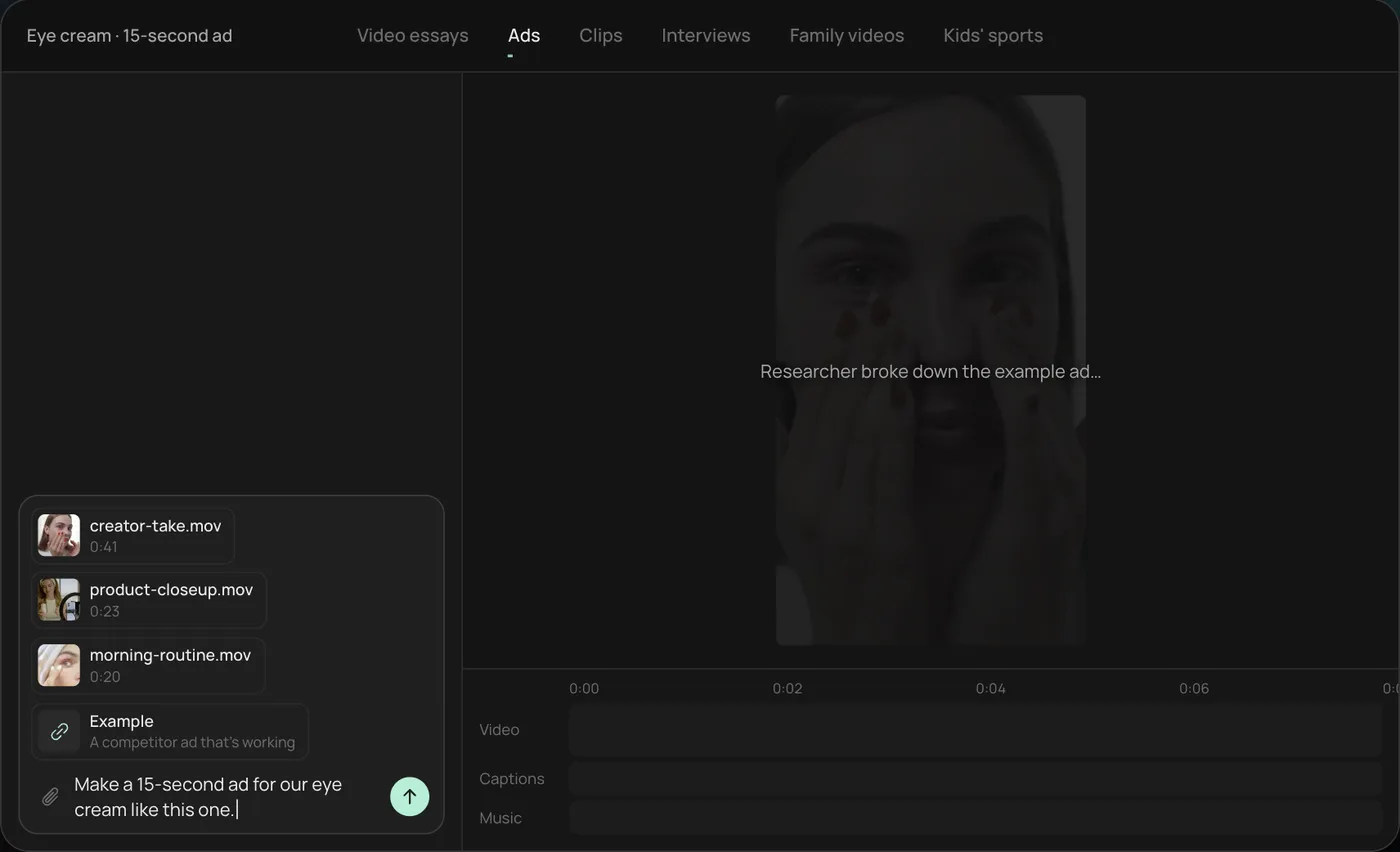
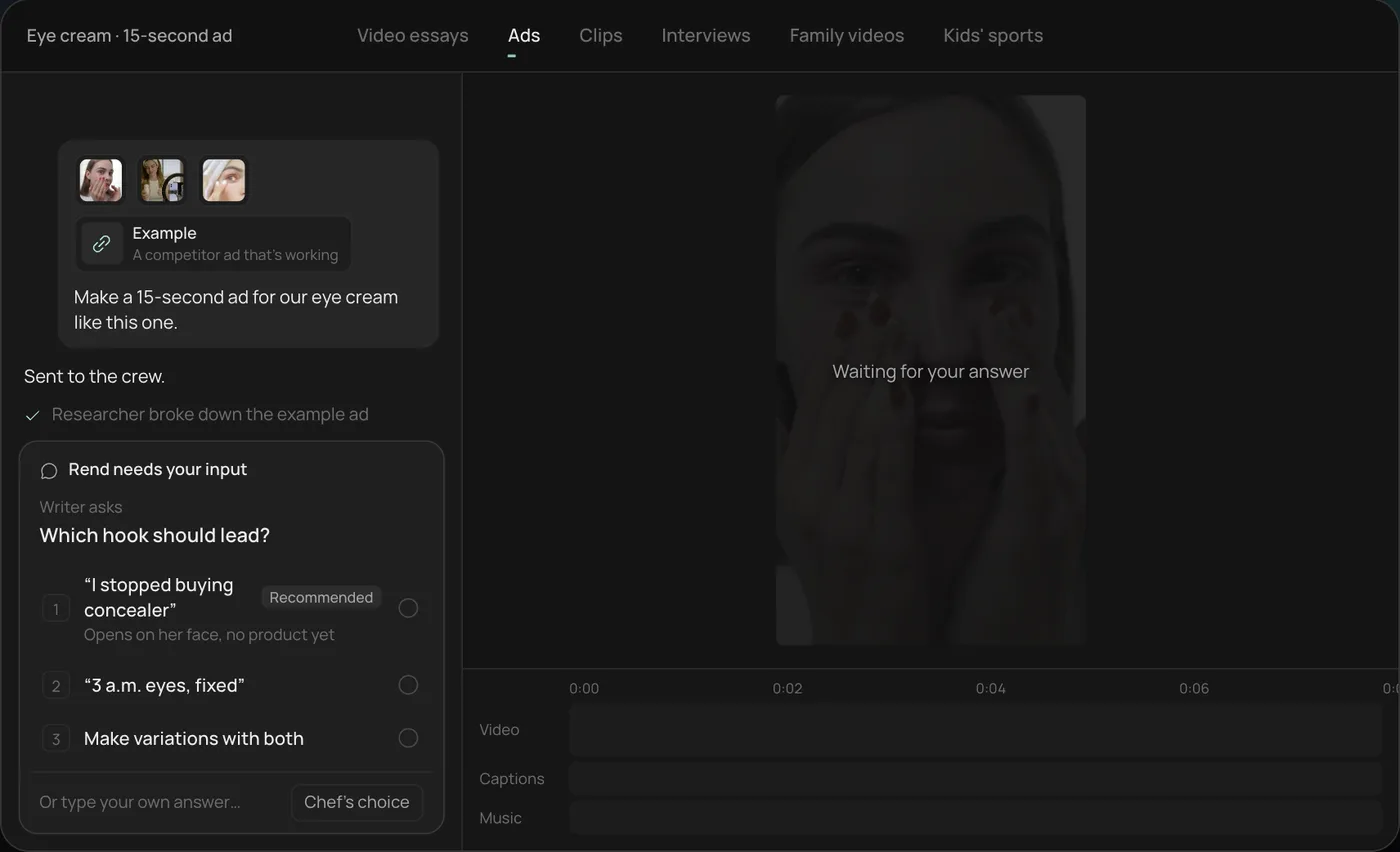
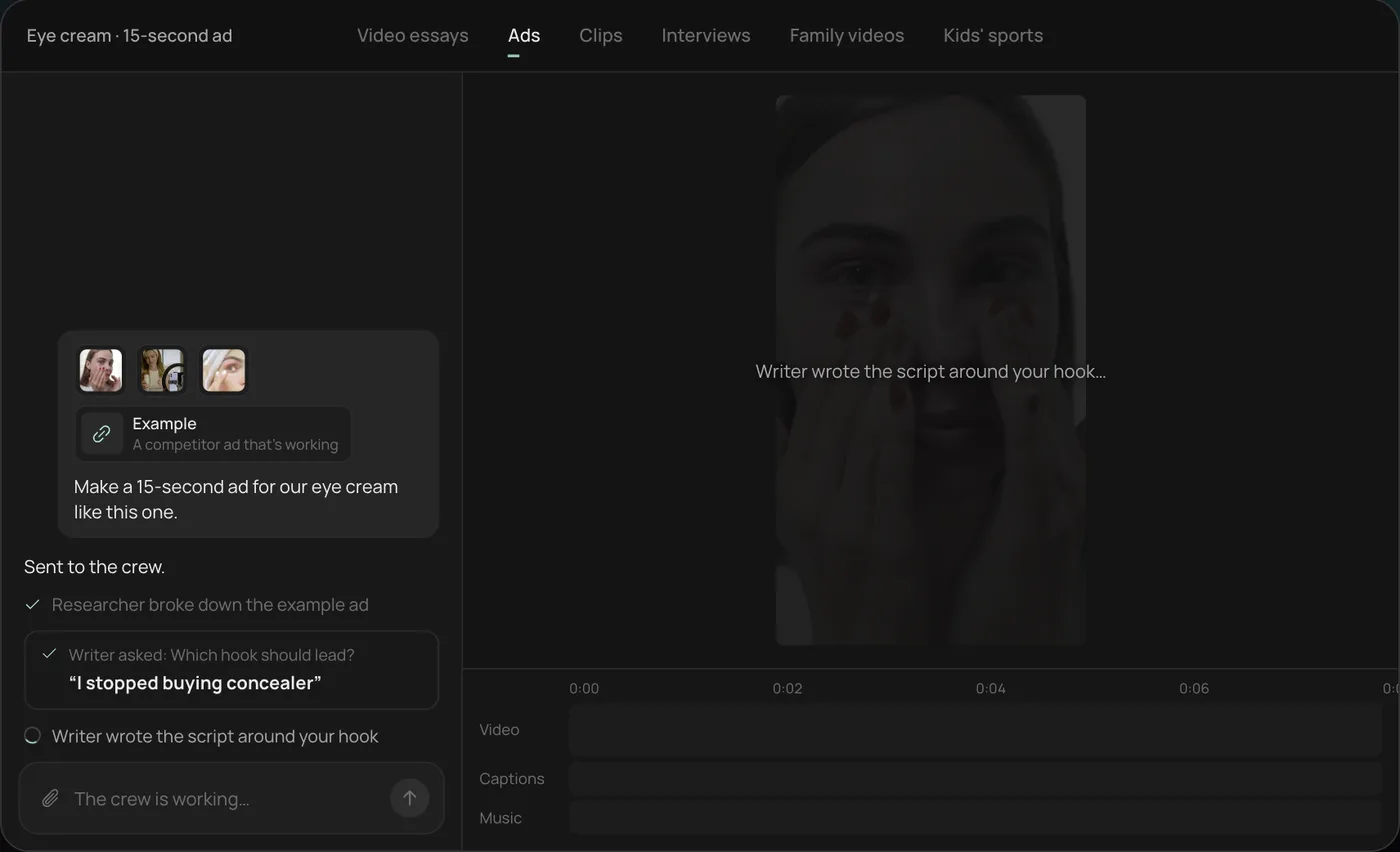
These screenshots come from Rend's demo of a 15-second eye cream ad made from phone clips; a roofing ad works the same way with your drone and job clips.
1. Drop your clips and an example. Add your phone clips (here a creator take, a product close-up and a morning routine) plus a competitor ad you like, then type what you want: "Make a 15-second ad for our eye cream like this one."
2. Answer the one question. Rend asks which hook should lead and marks a recommended answer. You can also ask it to make variations with both.
3. Let the crew work. The researcher breaks down the example ad and the writer builds the script around your hook, checking off each step in chat.
4. Open the finished ad. A 15-second vertical ad lands on a real timeline with captions and music on their own tracks, and Rend offers six more hooks to test.
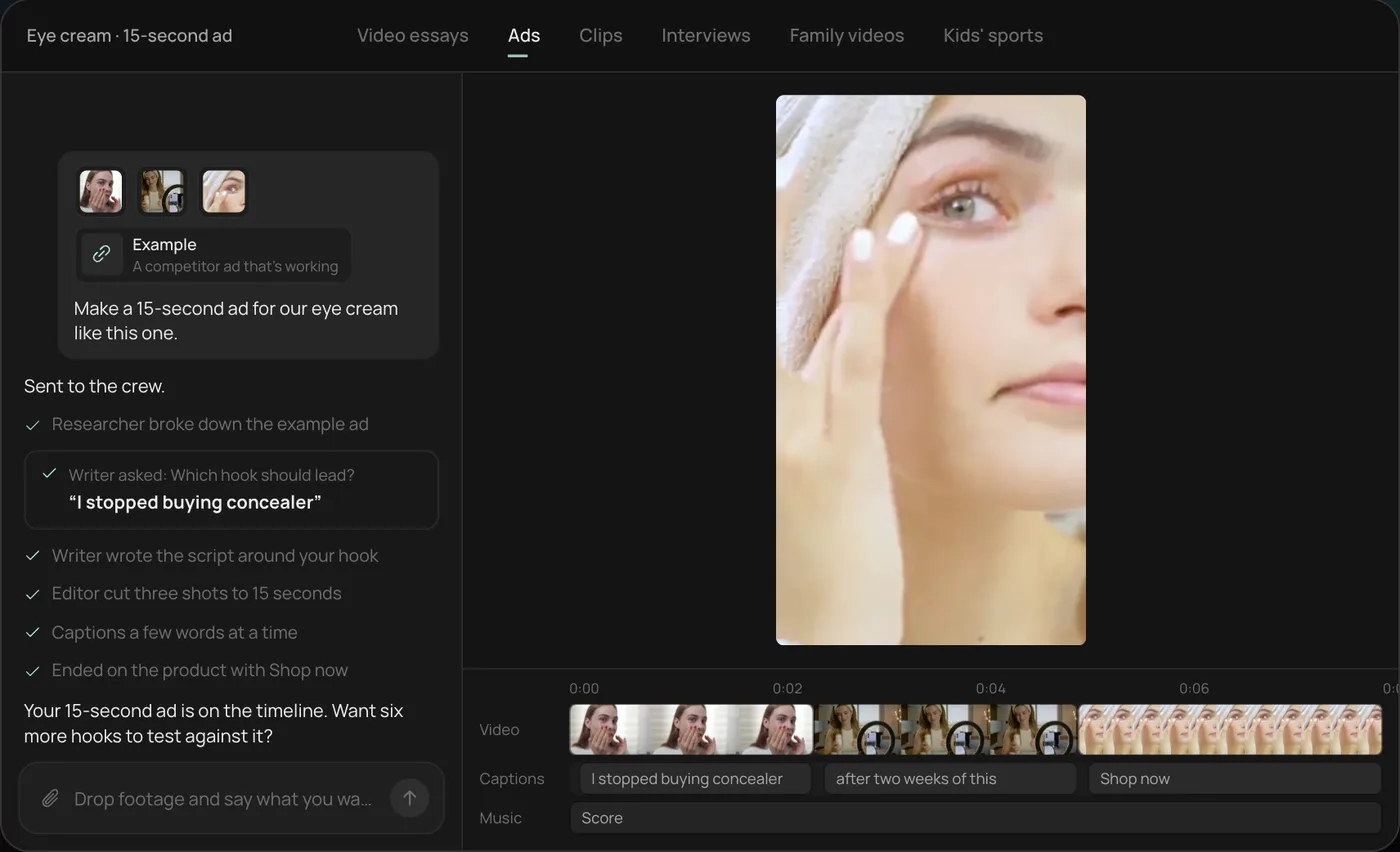
From there you can open the timeline and change anything by hand, share a review link, or export. For a roofer, the request might be "Make a 20-second hail damage ad from these drone clips, free inspection offer, our license number at the end." Start a free Rend project to try it on your own footage.
The four videos every roofer needs
| Video | Length | Main use | When |
|---|---|---|---|
| Storm-season ad | 15 to 30 s | Meta, YouTube, Shorts | Within days of a storm in your area |
| Before and after | 20 to 45 s | Ads, Reels, website, Google profile | Every finished job |
| Inspection walkthrough | 60 to 120 s | Website, YouTube, sent after an inspection request | Shoot once, reuse for months |
| Insurance claim explainer | 90 s to 3 min | Website, YouTube, follow-up emails | Shoot once, update when your process changes |
The ad gets attention. The other three do the convincing, and they are what a homeowner watches when deciding between you and the two other roofers who left a door hanger the same week.
Storm-season ads
The first 72 hours after a hail or wind event matter most. Homeowners walk outside, see shingle granules in the gutter, and start searching. If your ad is ready, it goes live that afternoon. If you still have to shoot and edit, the window is gone.
So build the storm ad before the storm. Keep a folder of ready clips: hail-bruised shingles close up, a lifted tab, a dented gutter, an estimator on a ladder, a crew tearing off and installing. When a storm hits, the only new thing is a line naming the event: "Hail hit north Wichita on Tuesday. Here's what to check."
A 20-second storm ad:
- 0 to 3 s: a close-up of real hail damage on a shingle, with the event and area as a title.
- 3 to 10 s: the estimator pointing to damage on a roof, speaking one line: "Most hail damage can't be seen from the ground."
- 10 to 16 s: drone pass over a finished roof on the same street type.
- 16 to 20 s: the offer ("Free roof inspection, photos included") and your phone number.
Put the license number and company name in the end card. In storm season, homeowners get flooded with out-of-town contractors, and a local name, a license and a familiar street are the reasons to pick you.
Don't fake urgency. "Your insurance deadline is coming" is only true if you know the homeowner's policy, and you don't. Say "Claims often have time limits, check your policy" if you want to say anything at all.
Drone and before and after shots
A drone turns a roofing job into something people want to watch. The before and after reveal, from the same position, is the best-performing roofing content there is.
How to shoot it so the reveal lands:
- Mark the takeoff spot. Stand in the same place, at the same height, pointing the same way for before and after. A small piece of tape on the driveway is enough.
- Fly three moves per roof: a slow rising shot from the street, a top-down pass over the ridge, and an orbit at about 45 degrees. Six to ten seconds each.
- Shoot at the same time of day for before and after if you can. Shadows that flip sides ruin a match cut.
- Get ground shots too: the old roof from the yard, the dumpster arriving, the crew working, the finished ridge line from the street.
Commercial drone flights in the US fall under the FAA's Part 107 rules, and the FAA says you need a Remote Pilot Certificate to fly under Part 107, plus registration for each drone. Using a drone to market or inspect for your business counts. Check your local airspace too, since some neighborhoods sit inside controlled airspace near airports.
Cut the before and after with the after first. Open on the finished roof for one second, snap back to the before, run the tear-off fast, then land on the after again. Starting on the clean result is what stops the scroll. Our guide to contractor before and after videos has more cuts and timings.
Inspection walkthroughs
This is the video that closes deals, and most roofers never make it. An estimator walks a real roof, phone on a chest mount or held by a second person, and narrates what they're checking: shingle condition, flashing around the chimney, pipe boots, soft spots in the decking, gutters and downspouts, the attic from inside.
What makes it work is the plain talk. "This is a hail hit. See the dark spot where the granules are gone? That's the mat showing through. That shingle will start leaking in a few years." Homeowners can't see their own roof. Showing them exactly what an inspector sees takes the mystery out of the visit you're asking them to book.
Practical notes:
- Record audio on a lav mic. Wind on a roof wrecks phone audio.
- Shoot safely. A walkthrough that shows someone without fall protection on a steep pitch is a liability, and it tells viewers you cut corners.
- Keep it to 60 to 120 seconds for the main version, then cut 15-second clips of the single best moments for social.
- Use a roof you have permission to film, and keep the house number out of frame.
Insurance claim explainers
Homeowners are confused about claims, and that confusion is why storm chasers win business. A calm explainer of how the process generally works builds a lot of trust.
Keep it general: what an adjuster does, why photos and dates matter, what a deductible is, how long the process tends to take, what the homeowner decides and what the roofer does. Keep it honest about who does what.
This is also where roofing ads get companies in trouble, so read your state's rules before filming. In Texas, for example, the Texas Department of Insurance says a roofer cannot act as a public adjuster on a claim for a job they're also doing, cannot advertise that they will, and that it is illegal for a contractor to waive a homeowner's deductible or help them avoid paying it. Other states have their own rules. Lines like "We handle your insurance company for you" or "We'll cover your deductible" can break those rules. If you're unsure, ask an attorney or your state's insurance department before the video goes live.
Where to post
| Channel | Format | What to post |
|---|---|---|
| Meta (Facebook, Instagram) | 9:16, 4:5 | Storm ads, before and after, 15 s walkthrough clips |
| YouTube | 16:9 and Shorts | Full walkthroughs, claim explainer, drone reveals |
| Google Business Profile | Up to 30 s | Before and after from local jobs |
| Website | 16:9 | Walkthrough and claim explainer on the service pages |
| Follow-up texts and emails | Any | The walkthrough, sent right after an inspection request |
Google's Business Profile help center allows videos up to 30 seconds and 75 MB at 720p or higher; the Google Business Profile video guide covers the details. For ad sizes and the parts of the frame that platform buttons cover, use the video ad size checker.
Roofers can also run Google Local Services Ads, which charge per lead and show a Google Verified badge after screening. Your video doesn't play in that listing, but it's on the profile and website people check next.
What goes wrong
- Generic stock footage. Homeowners can tell. It also looks exactly like the storm chaser's ad.
- Drone footage with no story. A pretty orbit of a finished roof is a screensaver. Show the before.
- Mismatched angles. Before and after from different spots kills the reveal. Mark the takeoff.
- Overpromising on claims. "Free roof" and "we'll get it approved" invite complaints and, in some states, legal trouble.
- One ad for the whole season. Make several hooks and swap them weekly.
Using Rend for a roofing company
Send Rend your drone and phone clips by chat, email or a web form after each job. It finds the before and after pair, cuts the reveal, adds word-timed captions in your style and makes 9:16, 4:5 and 16:9 versions. For storm season, it can write a set of new hooks and spin image ads and search ad copy from the same footage, so you have a full set ready when the weather turns. Brand kits keep the logo, license line, colors and music the same on every video.
You can share a review link with the owner or sales manager, who draws on the frame ("blur this house number") and the agent fixes it on the timeline. Download the finished set for your own ad accounts, or hand it to Rend Boost (early access), where Rend runs the ads on major networks and you pay per click. Editing is free; you pay when Rend renders or generates something, as listed on the pricing page.
What Rend can't do: fly the drone, get your Part 107 certificate, or tell you what your state allows in a claim ad. Those are on you.
More for local service businesses: video ads for local businesses, video ads for plumbers and HVAC and the ad video review checklist.
FAQ
What videos should a roofing company post?
Before and after reveals from real jobs, a 60 to 120 second inspection walkthrough, a short insurance claim explainer and storm-season ads of 15 to 30 seconds. Post the reveals on Reels, Shorts and your Google Business Profile, and keep the walkthrough on your website.
Do I need a license to fly a drone for my roofing business?
In the US, yes. The FAA requires a Remote Pilot Certificate to fly under Part 107, which covers commercial use, and each drone must be registered.
How fast should I run ads after a hail storm?
Within a day or two. Most searching happens in the first few days, so keep ready-made clips and a template ad, then add a line naming the storm and area.
Can I say "we work with your insurance" in a roofing ad?
Check your state first. Texas, for example, bars roofers from acting as public adjusters on jobs they're doing and from advertising that they will. A general explainer of the claim process is safer than promises about handling the insurer.
How long should a roofing ad be?
Fifteen to 30 seconds for social and YouTube in-stream. Open on damage or a finished roof in the first 2 seconds and keep your phone number on screen at the end.
Send Rend the drone and phone clips from your last few jobs, and it will cut the reveals, the walkthrough and a storm-ready ad set on a timeline you can change. Start free here.