How Do You Make an Unboxing Video? Shot List, Sound and Pacing
To make an unboxing video, film the closed box first, then the opening, the first look at the product, a close look at the details, and the product in use, all from a fixed overhead or 45 degree angle in soft window light. Record clean sound close to the box, because the tape, the tissue and the click of a lid carry half the appeal. Then cut hard: an unboxing that takes six minutes in real life should be 45 to 90 seconds for Shorts, Reels and TikTok, and 4 to 8 minutes for a full YouTube review.
The rest of this guide is the practical version: a shot list, phone settings, the sound pass, pacing for each length, and how to get five Shorts out of one long unboxing.
How to cut a long unboxing into Shorts in Rend, step by step
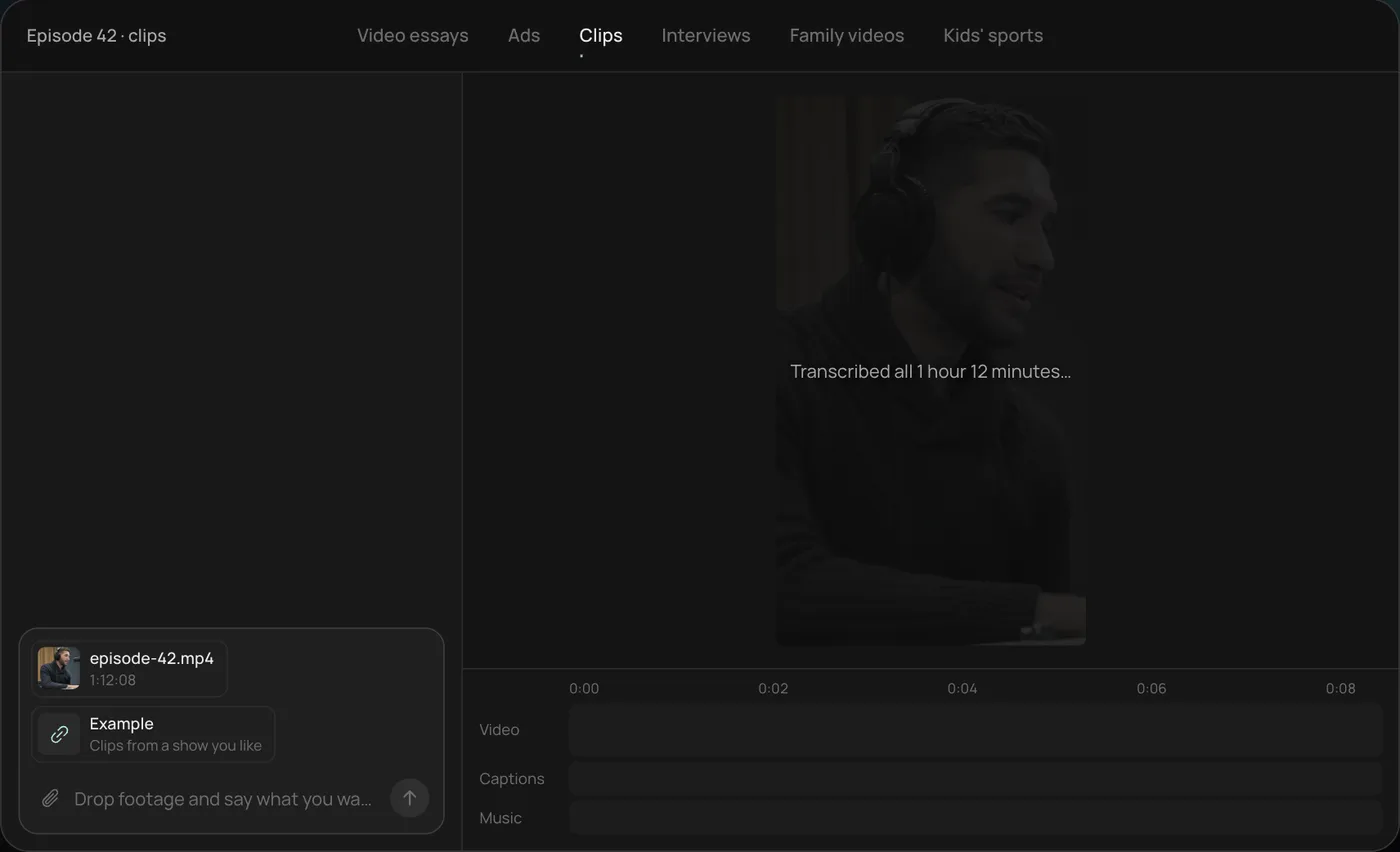
These screenshots come from Rend's demo of clipping a long podcast episode into Shorts; a long unboxing or review video works the same way.
1. Drop in the long video and example clips. Add the full recording (here a 1 hour 12 minute episode) and a few clips you like, then ask Rend to find the best moments and clip them like those.
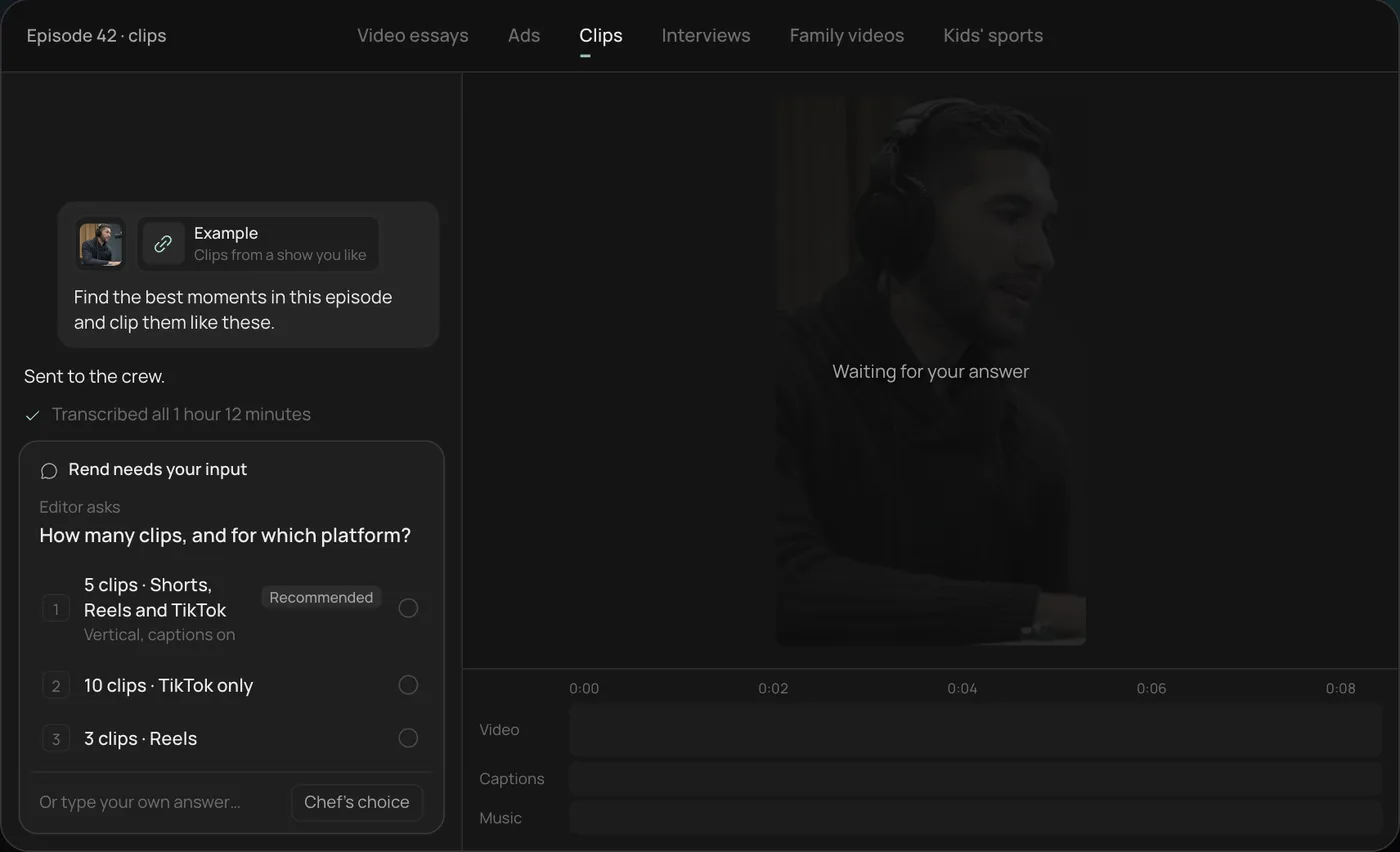
2. Pick how many clips and where. Rend asks how many clips you want and for which platform, and recommends five vertical clips for Shorts, Reels and TikTok.
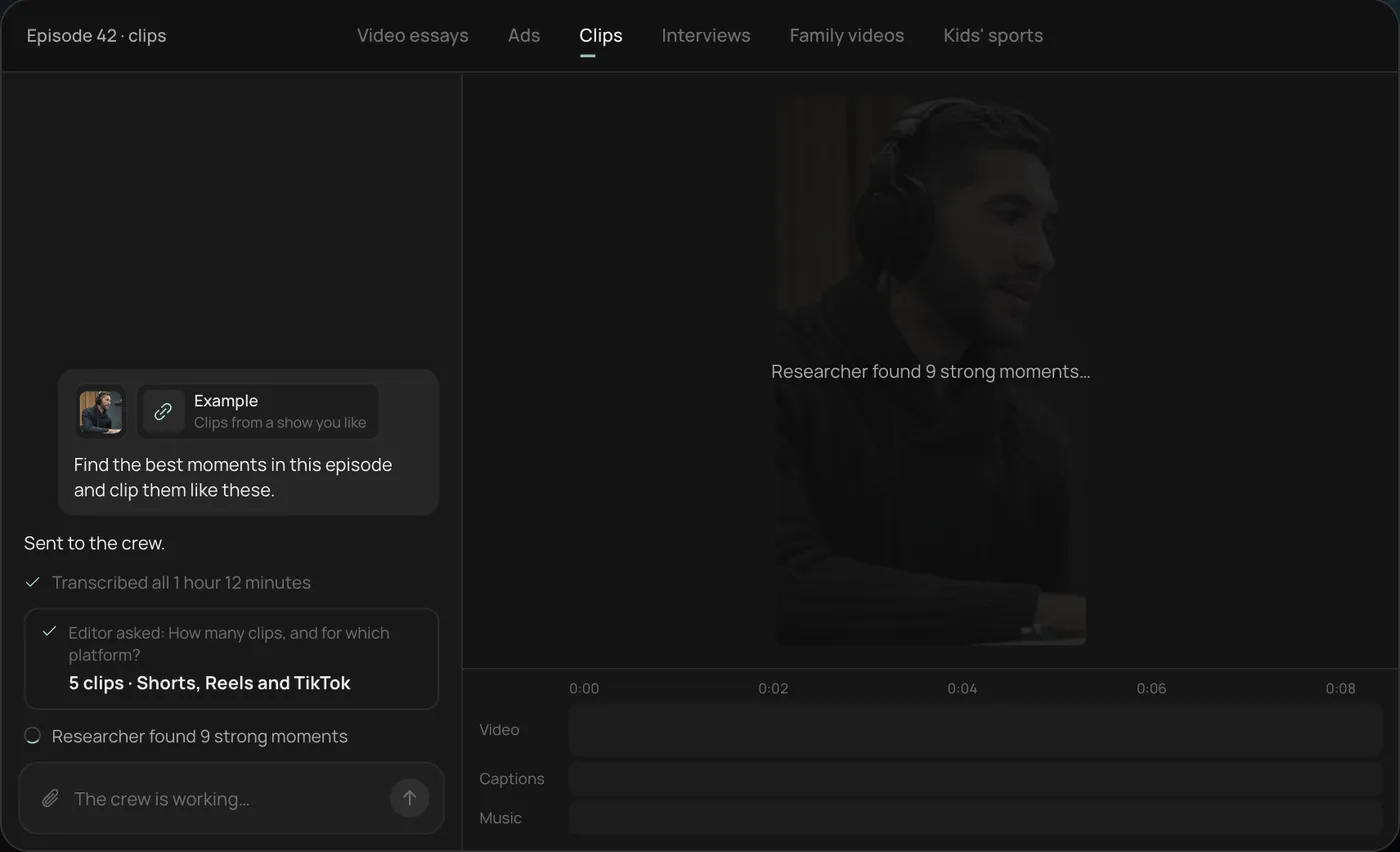
3. Watch the crew work. Rend transcribes the video and a researcher finds the strongest moments, each step checked off in the chat.
4. Get the clips. Five vertical clips of 28 to 55 seconds land on the timeline, with word-by-word captions on their own track that you can still edit.
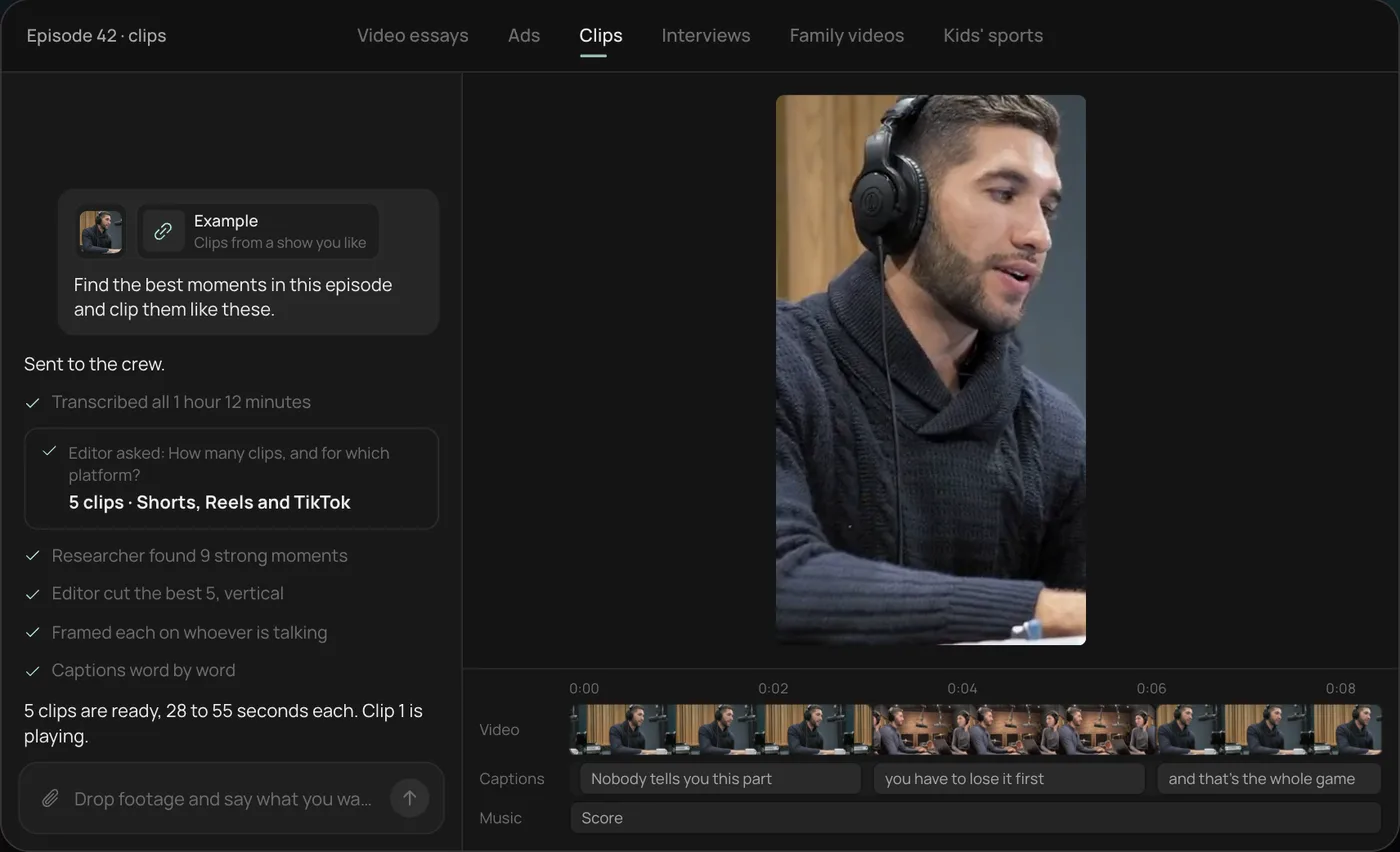
From there you can open the timeline and change anything by hand, share a review link for notes, or export. Start a free Rend project to try it on your own unboxing.
Decide what the unboxing is for
An unboxing for a brand's product page, a creator's review channel and a TikTok Shop listing are three different videos, and the difference shows up in the first five seconds.
| Purpose | Length | Opens on | Voice | Ends on |
|---|---|---|---|---|
| Product page or ad | 15 to 45 s | The product, already half out of the box | Short narration or none | Product in use, then packshot |
| TikTok Shop or Reels | 30 to 60 s | Best item or the reaction | On-camera or voiceover, talking | Price or "tap the cart" |
| YouTube Shorts | 30 to 75 s | The surprise or the problem | Talking, fast | One verdict line |
| Full YouTube review | 4 to 8 min | The box, with a promise of what you'll test | Talking, opinionated | Verdict and who should buy it |
Pick one before you film. You can shoot once and cut all four, but you need to know which shots each one needs. If the video is going on TikTok Shop, read TikTok Shop videos first, because TikTok asks that the product on screen match the listing and that nothing covers the product.
Set up the shot
Most unboxings are filmed from one of two angles:
- Overhead (top-down). Phone on a boom arm or a cheap overhead mount, pointing straight down at a table. Hands come into frame from the bottom. Best for small items, flat lays and anything with lots of parts.
- 45 degrees, from your seat. Phone on a tripod across the table, angled down. Shows your face or chest and hands. Best for reviews where your reaction is part of the video.
Use both if you can: a second phone on the other angle gives you a cutaway every time the main shot gets boring, and makes the edit look far more expensive than it was.
Light from a window to the side, not behind you. Overcast daylight is ideal. If you need a lamp, bounce it off a white wall rather than pointing it at glossy packaging, which will throw hot reflections. Put down a plain surface: a wooden table, a matte gray board, a linen sheet. Clear everything else off it.
Phone settings that save you in the edit:
- Shoot 4K at 30 fps if your phone allows. You'll crop vertical clips out of a wide frame later, and 4K keeps them sharp.
- Lock exposure and focus (long press on most phones). Otherwise the picture pulses every time white packaging enters frame.
- Turn off any beauty or smoothing filter. It smears product textures.
- Film 10 seconds of the empty table before you start. It gives you a clean plate for titles.
The unboxing shot list
Film these in order. Each one is a separate take, so you can redo any shot without restarting the whole thing.
| # | Shot | Length to film | Why |
|---|---|---|---|
| 1 | Sealed box, slow push in or a hand placing it down | 10 s | Establishing shot and thumbnail frame |
| 2 | Branding and label close-up | 5 s | Brand shot, also proof it's the real thing |
| 3 | Cutting the tape or pulling the tab | 10 s | First sound moment |
| 4 | Lid off, first look inside | 10 s | The reveal; react naturally or stay silent |
| 5 | Lifting out the product | 10 s | Weight and size in your hands |
| 6 | Every extra: cables, manuals, samples, cards | 5 s each | Viewers want to know what's in the box |
| 7 | Detail close-ups: texture, stitching, ports, finish | 3 to 5 s each, 4 to 6 shots | This is where quality shows |
| 8 | Size reference: in hand, next to a phone or a mug | 5 s | The most asked question in comments |
| 9 | First use: switch on, pour, wear, apply | 20 to 60 s | The payoff |
| 10 | Everything laid out (flat lay) | 10 s | Closing shot and second thumbnail option |
Shot 8 is the one everyone forgets. "How big is it?" is the top comment on most unboxings, so answer it on camera.
Sound: the part that makes an unboxing
A lot of unboxings are watched for the sound as much as the product. The rip of tape, the squeak of foam, the click of a magnetic lid. Phone microphones pick that up poorly from across a table.
What works:
- Clip-on mic near the table, or a second phone recording audio 30 cm from the box. Clap once at the start of the take so you can line the sound up later.
- Quiet room. Turn off the fridge and the air conditioning for the take. Fans read as hiss on close sound.
- No music while filming. Add it in the edit, low, and duck it under every sound moment and every spoken line.
- Record voice separately if it's a review. Talking while handling packaging gives you rustle all over your words. Many creators film silent, then record a voiceover reading their notes.
In the edit, keep the voice, the product sounds and the music on separate tracks so you can turn the music down under the reveal without losing the tape rip.
Pacing: how long each part should be
The real unboxing takes 5 to 15 minutes. Nobody wants that. Here's how the time splits in a cut that works:
| Section | 60 s Short | 6 min YouTube review |
|---|---|---|
| Hook (the payoff or a strong line) | 0 to 3 s | 0 to 20 s |
| Box and branding | 2 s | 20 s |
| Opening and reveal | 8 s | 45 s |
| What's in the box | 8 s | 45 s |
| Details and size | 12 s | 90 s |
| First use | 22 s | 2 min |
| Verdict | 5 s | 40 s |
Notice the Short barely shows the box. On a phone, a closed box is not a reason to keep watching. Open on the product already working, or the best line ("This is the first $40 speaker that doesn't sound like a tin can"), and then flash back to the box.
Cut on actions. Start a shot as your hand moves, not before. Drop every moment of fumbling with tape or plastic; jump-cut straight from the knife touching the tape to the flap opening. Speed up anything slow (peeling film, unwinding cables) to 2x or 4x rather than cutting it entirely, because the motion still reads as satisfying.
Cutting one long unboxing into Shorts
A good 6 minute review usually gives you four to six Shorts. Here's how one 7 minute espresso grinder review splits:
| Short | Source | Length | Hook |
|---|---|---|---|
| 1 | The reveal plus first look | 32 s | "This grinder came in a box made of coffee grounds" |
| 2 | What's in the box | 28 s | "Everything that comes with a $150 grinder" |
| 3 | Grind test, fine to coarse | 45 s | Open on the coarse grind pouring out, no words |
| 4 | Noise test next to the old grinder | 25 s | "Listen to the difference" |
| 5 | Verdict | 40 s | "Three things I'd change about this grinder" |
The rules are the same as clipping any long video. Each Short has to make sense with no setup, start on the most interesting sentence or shot, and end on the point. Reframe the 16:9 overhead shot to 9:16 around your hands and the product, which is why you filmed in 4K. Add word-timed captions, large, above the bottom fifth of the frame where the app's buttons sit. The caption style previewer helps you pick a look, and our guide to repurposing a long video into Shorts goes deeper.
YouTube counts vertical or square uploads up to 3 minutes as Shorts, per its help center, but an unboxing Short rarely needs more than a minute.
Common unboxing mistakes
- The first 10 seconds are the box sitting there. Open on the payoff.
- Hands covering the product during the reveal. Rehearse lifting it out by the edges.
- Reflections on glossy packaging. Move the light to the side or tilt the box a few degrees.
- Fake reactions. Viewers spot them. Say what you actually think.
Where Rend fits
Rend is an AI video agent, and turning a long unboxing into Shorts is the kind of job it was built for, because it edits from the transcript. Upload the full review in chat, by email or the web form, and ask in plain words: "Five vertical Shorts from this, 25 to 60 seconds, each opening on the product, captions in our brand style." A crew of agents transcribes it, finds candidate moments, cuts on exact words, reframes to vertical and adds word-timed captions you can always edit. Sound stays on separate tracks, with music ducked under speech.
For brands, it can also turn a creator's unboxing into ad variations with new hooks and every size; see ecommerce product video ads and Amazon product videos.
It won't film for you. The shot list above is still your job, and the quality of the sound and light you capture sets the ceiling. Editing is free; you pay only when Rend renders or generates something (pricing).
FAQ
What do I need to make an unboxing video?
A phone that shoots 4K, a tripod or overhead mount, a window for light, a plain table and ideally a clip-on mic or a second phone for sound. That's enough for videos that look professional.
How long should an unboxing video be?
For Shorts, Reels and TikTok, 30 to 75 seconds. For a full YouTube review, 4 to 8 minutes. Product page videos work at 15 to 45 seconds.
Should I talk in an unboxing video?
For reviews, yes, because your opinion is the reason to watch. For satisfying "ASMR style" unboxings, no: let the product sounds carry it. Either way, a voiceover recorded separately is cleaner than talking while you handle packaging.
What's the best angle for an unboxing video?
Overhead for small items and lots of parts; 45 degrees from your seat if your reaction matters. A second phone on the other angle gives you cutaways and makes the edit much easier.
Can I use music in an unboxing video?
Yes, low and ducked under the sound moments. For ads and TikTok Shop, use music you have rights to. Meta's help for boosting Reels, for example, says Reels you promote shouldn't use licensed music.
How do I make Shorts from a long unboxing?
Find moments that make sense alone (the reveal, what's in the box, a test, the verdict), open each on its strongest shot or line, crop to vertical and caption. A 6 minute review usually gives four to six.
If you have an unboxing already filmed, start a free Rend project and ask for five Shorts from it. You can check every cut before you pay to render.