Submagic Pricing 2026: Plans, Credits and Real Cost per Video
Submagic has three self-serve plans, priced per member: Starter ($19 a month, or $12 billed yearly, 45 credits), Pro ($39, or $23 yearly, 120 credits) and Business ($69, or $41 yearly, 300 credits), plus a custom plan and a free tier with 15 credits and a watermark. A captioned upload costs 3 credits, so Starter is about 15 videos a month. But two things decide your plan more than the video count: the longest video you need to caption (2 minutes on Starter, 5 on Pro, 30 on Business), and how many AI extras you switch on per video, which can cut your monthly count by more than half.
We build Rend, a different kind of video tool, so weigh our view accordingly. Prices were read on the Submagic pricing page and its help center on November 22, 2026. Check them before you buy.
Submagic plans at a glance
| Free | Starter | Pro | Business | |
|---|---|---|---|---|
| Price per member, monthly | $0 | $19 | $39 | $69 |
| Billed yearly | $0 | $144 ($12/mo) | $276 ($23/mo) | $492 ($41/mo) |
| Credits | 15 (see note) | 45 a month | 120 a month | 300 a month |
| Captioned videos (captions only) | about 5 | about 15 | about 40 | about 100 |
| Max length per video | Check in app | 2 minutes | 5 minutes | 30 minutes |
| Max file size | Check in app | 2,000MB | 2,000MB | 3,000MB |
| Export | Watermark | 1080p, 30 fps | 2K, 30 fps | 4K, 60 fps |
| Long videos clipped (Magic Clips) | n/a | 5 | 15 | 37 |
| AI edits (Iris) | n/a | 2 | 6 | 15 |
| Custom templates | No | No | 3 | 30 |
| API minutes | No | 10 a month | 10 a month | 100 a month |
Pro adds pro caption templates, bad-take and silence removal, audio cleanup, social publishing and analytics, stock B-roll and audio, and a brand kit. Business adds priority support and rendering, logos and brand assets, a custom words dictionary and posting from up to 3 social accounts per platform. The size and length article gives the per-plan length and file limits and says the length limit applies to both upload and export.
The yearly discount is up to 41%, per the pricing page.
The free plan note
Submagic's help center contradicts itself. The cost article says the 15 free credits are given once at signup, not every month. The free trial article, updated the same day, says they reset each month. Both agree on no credit card and a watermark on exports. Plan on it being one-time and be pleasantly surprised if it isn't.
How Submagic credits work
From the feature cost table:
| Action | Credits |
|---|---|
| Upload a video (AI captions included) | 3 |
| AI Auto Edit (instead of the 3 upload credits) | 6 |
| Export | Free |
| Auto zooms, translate captions, custom emoji | +1 each |
| Remove silences, auto B-roll, hook title, clean audio, remove bad takes, remove background, AI image, AI avatar | +2 each |
| Eye contact correction, voice dubbing, premium B-roll | +3 each |
| Iris edit (covers cuts, captions, zooms, B-roll, music, effects; first 20 chat messages) | 8 |
| Magic Clips | 8 |
Credits are taken when you upload, not when you export, and hand edits in the Captions, Elements, Style and Editing tabs are free. So the cheap way to work is to switch on only the AI extras you need, and fix the rest by hand.
One inconsistency to know: the cost table lists Magic Clips at "8 per clip", but the pricing page counts it per long video (5 long videos on Starter's 45 credits only adds up at 8 per video), and the same table says each run processes a whole long video and generates several clips. Test one long video on your free credits and watch the balance.
Your real videos per month
Submagic's "about 40 videos on Pro" assumes captions only. Here's what the same credits buy with the extras people actually use, using Submagic's own worked examples:
| Per video | Credits | Starter (45) | Pro (120) | Business (300) |
|---|---|---|---|---|
| Captions only | 3 | 15 | 40 | 100 |
| Captions + auto zooms | 4 | 11 | 30 | 75 |
| Captions + remove silences + clean audio | 7 | Pro features | 17 | 42 |
| Captions + auto B-roll + zooms | 6 | 7 | 20 | 50 |
| Full AI suite | 17 | Pro features | 7 | 17 |
And the cost per finished video, by billing:
| Per video | Starter monthly / yearly | Pro monthly / yearly | Business monthly / yearly |
|---|---|---|---|
| 3 credits | $1.27 / $0.80 | $0.98 / $0.58 | $0.69 / $0.41 |
| 6 credits | $2.53 / $1.60 | $1.95 / $1.15 | $1.38 / $0.82 |
| 17 credits | n/a | $5.53 / $3.26 | $3.91 / $2.32 |
Going from 3 to 6 credits doubles the cost of each video, and the full suite nearly sextuples it. Before switching on B-roll and zooms for everything, check whether they actually help your retention.
Pick the plan by your longest video
This is the decision most Submagic pricing pages skip. The length cap applies per video, upload and export, regardless of credits left.
| Your longest video to caption | Minimum plan |
|---|---|
| Up to 2 minutes (TikTok, Reels, Shorts) | Starter |
| 2 to 5 minutes (longer Reels, short YouTube videos) | Pro |
| 5 to 30 minutes (YouTube videos, webinar segments) | Business |
| Over 30 minutes | Use Magic Clips (up to 3 hours, 10,000MB) to cut shorts, or a different tool for the full video |
A creator posting 12 Shorts and one 4-minute YouTube video a month can't use Starter, even though 13 captioned uploads is only 39 credits. That one 4-minute video forces Pro.
Iris, Submagic's AI editor, has its own limit: footage up to 3 minutes on every plan.
Extra credits and the API
You can top up credits from the Usage section of your account without changing plan; the help center doesn't list top-up prices. API minutes come in separate packs after you buy a plan: 250 minutes for $57 a month, 500 for $75, 1,000 for $150, 2,000 for $300, 5,000 for $500 and 10,000 for $1,000, per the pricing page.
Is Submagic worth it?
For short vertical videos that need eye-catching captions fast, yes. Starter at $12 a month billed yearly covers a creator posting three captioned Shorts a week. It's less good value if your videos run longer than the plan cap, if you lean on AI extras for every video, or if you want clips found in long recordings and Magic Clips' picks don't suit your footage. For clipping long videos, compare with Opus Clip vs Submagic, and for the rest of the field, Submagic alternatives.
One more consideration: Submagic's animated caption look is everywhere now. If your clips start to feel templated, change the defaults; we wrote about that in AI video editors that don't look like AI.
Where Rend fits
Submagic styles a clip you already have. Rend is an AI video agent that can do the whole job: send phone clips or a long recording, say what you want ("three 45-second Reels from this, captions in our brand font, no zooms"), and a crew of specialist agents cuts on exact transcript words, writes word-timed captions you can always edit, adds titles and music on separate tracks, and puts it all on a real timeline you can open and change. A brand kit keeps your caption style and music bed the same every time, and there's no per-video length cap tied to a plan tier. Try caption looks first with the free caption style previewer.
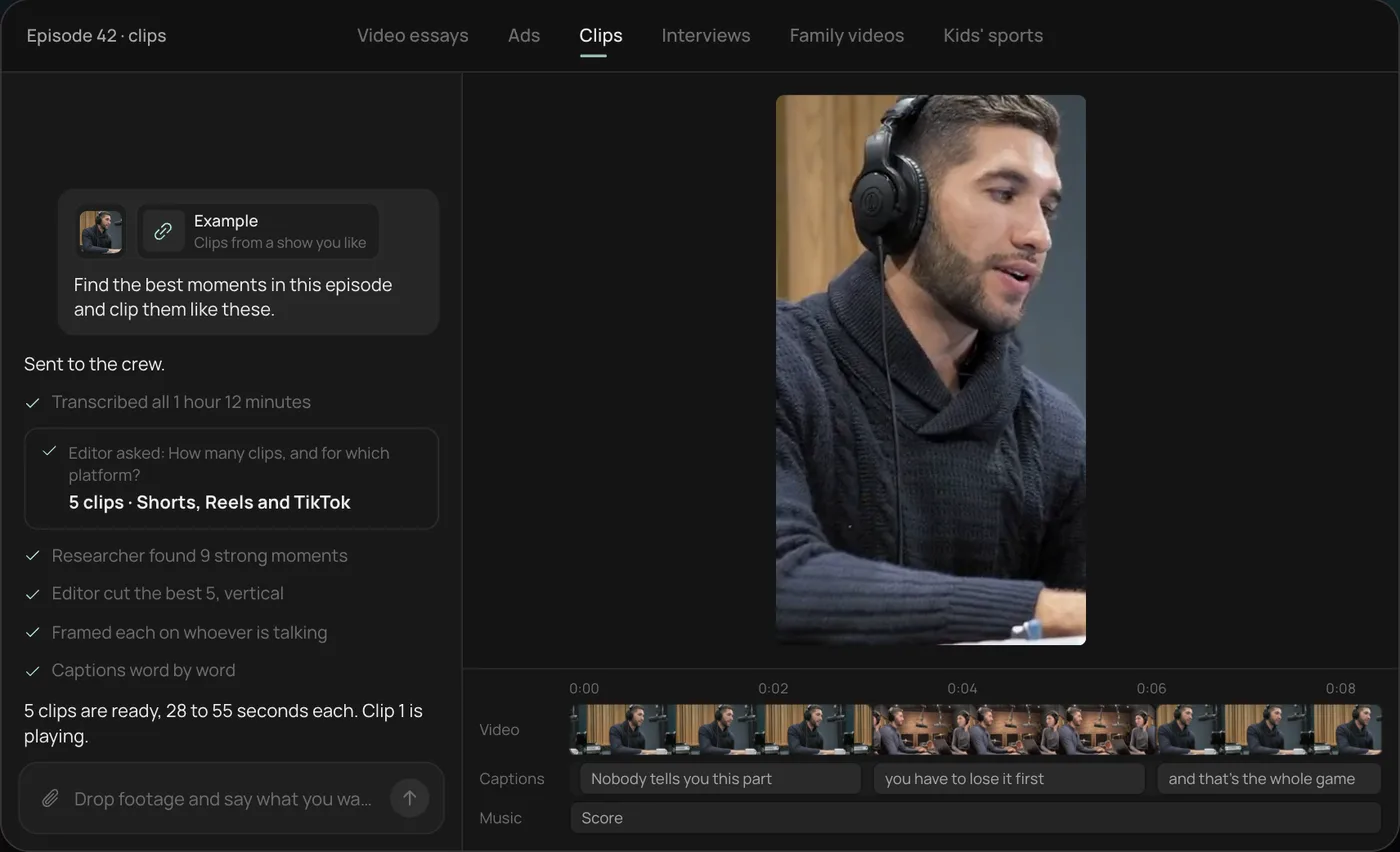
Where Submagic is the better buy: you have a finished short clip and want it captioned with a trending style in a minute, for a low flat monthly price. Rend's editing is free and you pay only when it renders or generates; see pricing.
FAQ
How much does Submagic cost?
Per member: Starter $19 a month ($144 a year), Pro $39 ($276 a year), Business $69 ($492 a year). There's a free tier with 15 credits and a watermark, and a custom plan for larger teams.
Is Submagic free?
There's a free tier with 15 credits (about 5 captioned uploads) and a watermark on exports, no credit card needed. Submagic's help articles disagree on whether those 15 credits renew monthly.
How many videos can I make on Submagic Starter?
About 15 captions-only videos a month, each up to 2 minutes long. With zooms it's 11; with auto B-roll and zooms it's 7.
What is the video length limit on Submagic?
2 minutes on Starter, 5 on Pro and 30 on Business, for both upload and export. Magic Clips accepts long videos up to 3 hours on every plan, and Iris accepts footage up to 3 minutes.
Do Submagic credits roll over?
The free trial article says unused free credits don't roll over. The pricing and cost pages don't promise rollover on paid plans either, so plan to use each month's credits.
Is Submagic cheaper than OpusClip?
For short videos, Submagic is built for the job and OpusClip isn't. For clipping long videos, OpusClip charges 1 credit per minute of source, while Submagic's pricing page counts Magic Clips per long video, so Submagic can be cheaper for very long sources. Test both on one real video.
If you'd like captions, cuts and titles done to your brief on a timeline you can still change, start a free Rend project.