Tattoo Shop Video Marketing: Healed Shots Sell, Fresh Ones Hype
Tattoo shop video marketing works best when it shows healed tattoos, not just fresh ones. A fresh piece is red, shiny and swollen, and the wipe-reveal clip makes it look sharper and bolder than it will once it settles into the skin. Collectors know that, and they judge artists by how their work holds up. So film each piece twice: the fresh reveal for reach, and a healed shot in daylight weeks later for proof. Add short clips of the stencil, the station setup and the booking process, keep Reels at 15 to 30 seconds, and get written consent before you post anyone's skin.
Instagram has been the tattoo portfolio for years, and many shop feeds are a wall of fresh work under ring lights. A feed that pairs fresh and healed versions of the same piece stands out right away, and it answers the question serious clients ask before they pay a deposit: will this look good in five years?
The videos a tattoo shop needs
| Video | Length | Job it does | Where it goes |
|---|---|---|---|
| Fresh and healed pair | 10 to 20 s | Proof the work holds up | Reels, TikTok, artist pages, Google profile |
| Process clip | 15 to 30 s | Shows craft: stencil, lines, shading | Reels, TikTok, Shorts |
| Station setup | 15 to 20 s | Shows clean, single-use, sealed | Website, Google profile, booking page |
| How booking works | 30 to 60 s | Deposit, consult, design, session, aftercare | Website, link in bio, sent with inquiries |
| Artist intro | 20 to 40 s | Who you'll sit with for hours | Website, artist pages, Google profile |
The booking video saves your front desk the most time. Every shop answers the same DMs all day: do you take walk-ins, how much is the deposit, can I see the design first, how long is the wait. Answer them once on camera, in your shop's own words and policies, and link it everywhere.
Fresh versus healed
The fresh wipe is a great hook. A paper towel sweeping across glossy new ink is the classic tattoo hook. Keep making those. But understand what they show: ink sitting on irritated skin under strong light, often with ointment or a film on top. Healed work in daylight is what the client will live with.
How to get healed footage without chasing people:
- Ask at the end of the session: "Can you send me a 10-second video in daylight when it's healed?" Put the request in your aftercare text, with the timing your artists recommend.
- Offer a free touch-up check, and film the healed piece when they come in.
- Shoot healed pieces in natural window light, no filter, no ring light, with the skin dry and unlotioned. Turn the arm or leg slowly so viewers see the lines from more than one angle.
Edit the pair as fresh first (two seconds), then a hard cut to the healed version with the time on screen: "Fresh" and "Healed, 2 months." That honest label is what separates you from the shops posting only day-one shots.
Never edit the healed footage to look crisper than it is. No sharpening the lines, no saturation boost, no smoothing the skin. Collectors look closely, and a portfolio caught retouching loses trust fast.
Six-shot phone list for a tattoo session
| # | Shot | How to film it | Why it's there |
|---|---|---|---|
| 1 | Healed piece in daylight | Window light, slow turn, 4 s | Opens on proof |
| 2 | Stencil placement | Over the artist's shoulder, client checking in the mirror | Shows planning and consent |
| 3 | Station setup | Sealed needles opened, gloves on, surfaces wrapped | Answers the hygiene question |
| 4 | Linework close-up | Phone on a small tripod or held by a coworker, steady, 5 s | The craft moment |
| 5 | The fresh wipe | Short, under 3 s | The hook moment |
| 6 | Artist to camera | One line about the piece, name on screen | Who did it |
Shot 3 matters for first-timers. Many new clients are quietly nervous about hygiene. Ten seconds of sealed, single-use needles opened in front of the camera and a wrapped station does more than a sign on the wall. Keep it accurate to what you actually do, and follow your state and local health rules. Don't show an unwrapped machine or bare hands touching anything near the client.
Film shot 4 with the client's consent and the artist's. Some artists don't want their technique filmed up close, and some clients don't want their session on the internet at all.
Consent, placement and nudity rules
Tattoo footage is someone's body. Get written consent from every client before you post, covering where it will appear (shop account, artist account, ads) and whether their face can show. A line in your consent form with a checkbox for photos and video makes it routine. Respect a no, and take a post down if a client asks later.
Placement causes most ad rejections. Meta's advertising standards say "Ads must not contain adult nudity and sexual activity," which includes "depictions of people in explicit or sexually suggestive positions." Chest, hip, rib, thigh and back pieces can cross that line depending on framing, even when the post is fine on your organic feed. For paid ads, pick arm, leg, hand and shoulder pieces, or crop tight.
The same standards prohibit "shocking, sensational, or excessively violent content." Keep blood out of ad footage, and skip close-ups that dwell on irritated skin.
Never film or post a minor getting tattooed. Minimum age rules vary by state, so follow yours, and keep every client in your footage clearly an adult.
Hooks that work for tattoo shops
- "Fresh vs healed. Same piece, two months apart."
- "What actually happens at a tattoo consult."
- "Every needle we use is opened in front of you. Here's what that looks like."
- "Flash day this Saturday: here are the 20 designs."
- "How long is the wait for [artist]? Here's how booking works."
- "First tattoo? Watch this before your appointment."
Avoid promises like "painless" or "no-pain tattoos," and don't give medical advice in aftercare clips beyond your shop's instructions and "see a doctor if it looks infected." The video ad hooks guide has more openers to adapt.
Ad rules that apply
Google's Local Services Ads category list includes "Tattoo studio" in the US, but only in California and Florida. Elsewhere, use your Google Business Profile and regular search ads. In LSA you pay per valid lead and get screened for the Google Verified badge. Video doesn't play inside the listing, but it plays on your profile and site.
Meta
Tattoo services aren't one of Meta's Special Ad Categories (housing, employment, financial products and services, social issues and politics), so you keep normal targeting. The limits that matter are the nudity and shocking-content standards above. Hiring an artist or apprentice? That's an employment ad, covered in our recruitment video guide.
Where each video goes
| Channel | What to post | Notes |
|---|---|---|
| Instagram (shop and artist accounts) | Fresh and healed pairs, process, flash | 9:16 Reels, healed pieces pinned to the top |
| TikTok | Process, consult explainers, flash day | 9:16 |
| Google Business Profile | Station setup, artist intros, healed pairs | Up to 30 seconds and 75 MB at 720p or higher |
| Website | Booking video, artist pages with healed work | Embed it near the booking form |
| Paid ads | Flash days, guest artists, healed pairs on arms and legs | Crop for placement rules |
Pin three fresh and healed pairs at the top of each artist's profile. That's the first thing a serious client sees, and it says more than any bio.
For uploads that run over Google's 75 MB limit, the video compressor shrinks them in the browser. Our Google Business Profile video guide covers where uploads show up.
Using Rend for a tattoo shop
Send Rend clips from the session and the healed check-in by chat, email or a web form. Ask for what you need: "Make a 15-second fresh and healed Reel from these two clips, label them 'Fresh' and 'Healed, 2 months', artist name at the end, no color changes on the healed shot." Rend cuts it on a real timeline you can open and change, adds word-timed captions in your style and makes vertical and square versions. For the booking explainer, record your manager talking through the process once, and Rend cuts it to the clearest 45 seconds on exact transcript words.
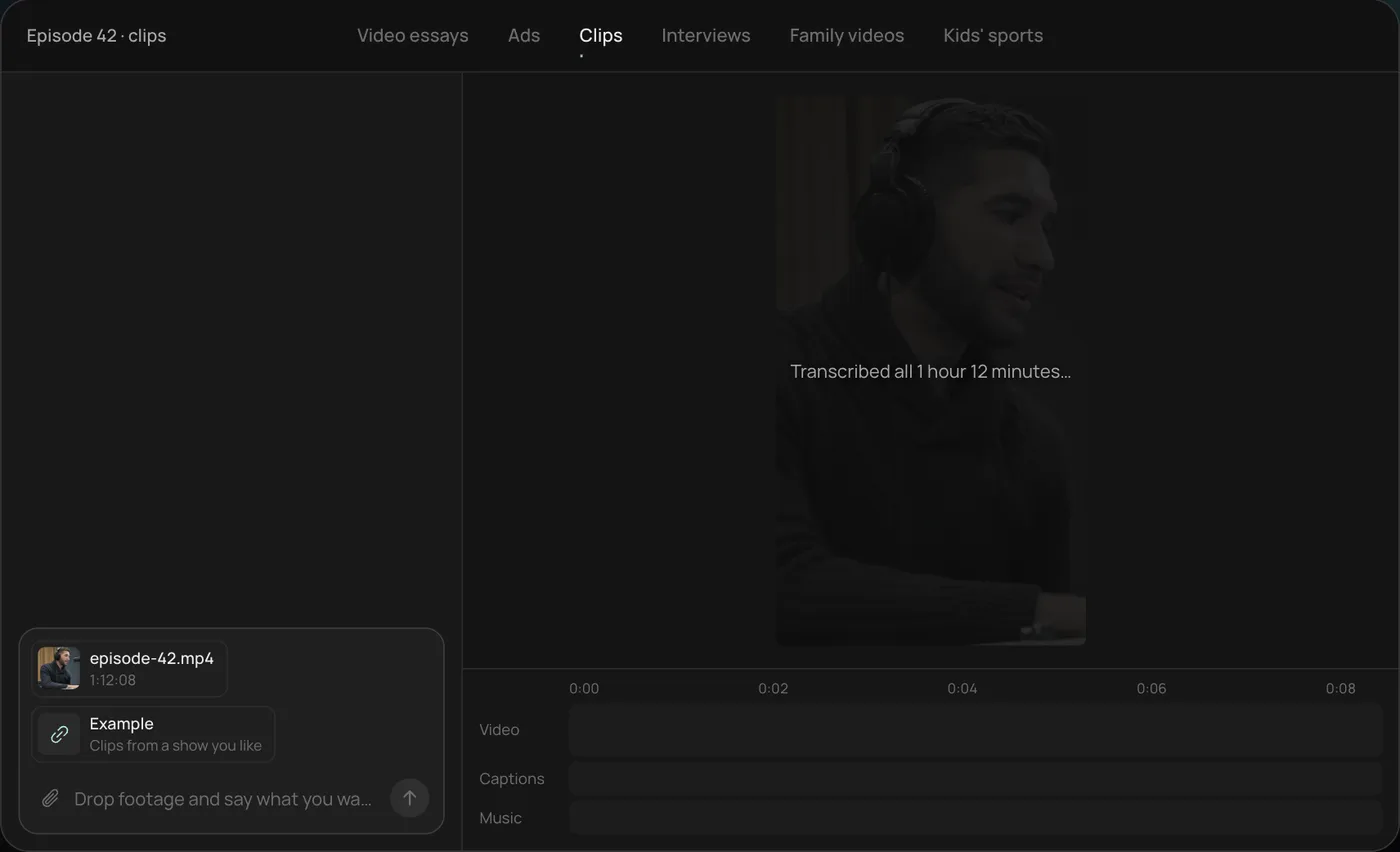
The screenshot is from a podcast clipping demo; a long session video works the same way. Drop in the full recording and a Reel you like, and Rend pulls the stencil, linework and wipe moments into short clips. A brand kit keeps your shop logo, fonts, caption style and music the same across every artist's posts, while each artist keeps their own name card. Share a review link with the artist, who can mark a frame ("crop this tighter for ads") and the agent fixes it.
Download the finished set for your own accounts, or hand ad sets to Rend Boost (early access), where Rend runs ads on major networks and you pay per click. Editing is free; you pay when Rend renders or generates something, as listed on the pricing page. More for appearance businesses: salon and barbershop videos and customer testimonial videos.
FAQ
What videos should a tattoo shop post?
Fresh and healed pairs of the same piece, short process clips (stencil, linework, shading), a station setup clip showing sealed single-use needles, a booking explainer, and short artist intros.
Why post healed tattoos instead of fresh ones?
Fresh tattoos are red, shiny and swollen, and they look bolder than they will once healed. Healed footage in daylight shows how the work actually holds up, and that's what experienced clients judge.
Can I run Facebook or Instagram ads for a tattoo shop?
Yes. Tattoo services aren't a Special Ad Category, but Meta's ad standards ban adult nudity and sexually suggestive images, so use pieces on arms, legs and hands or crop tight, and keep blood out of the frame.
Do I need client permission to post their tattoo?
Yes. Get written consent that says where the video will appear and whether the client's face can show, and remove posts if a client asks.
Can tattoo shops use Google Local Services Ads?
Only in California and Florida, where Google lists "Tattoo studio" as an eligible category. Elsewhere, put your videos on your Google Business Profile and website.
Send Rend the clips from your last few sessions and healed check-ins, and it will cut fresh and healed pairs, process clips and a booking video on a timeline you can change. Start a free Rend project.