AI Trailer Maker: How to Make a Trailer That Feels Real
An AI trailer maker turns a brief, a script or your own footage into a short trailer: it picks the moments, writes the title cards, adds music that builds, and cuts it all to the beat. The fastest way to get one that feels real is to start from a classic three-act trailer structure (setup, escalation, button), give the AI your best footage or a clear description of each beat, and keep the result on an editable timeline so you can fix the two or three moments that always come out wrong.
That last part matters more than the tool. Every trailer I've cut needed someone to say "that title card is half a second too early" at least a dozen times. Pick a tool that lets you say it.
How to make a short film from your clips in Rend, step by step
These screenshots are from Rend's demo of turning a beach week into a short film; your own project works the same way.
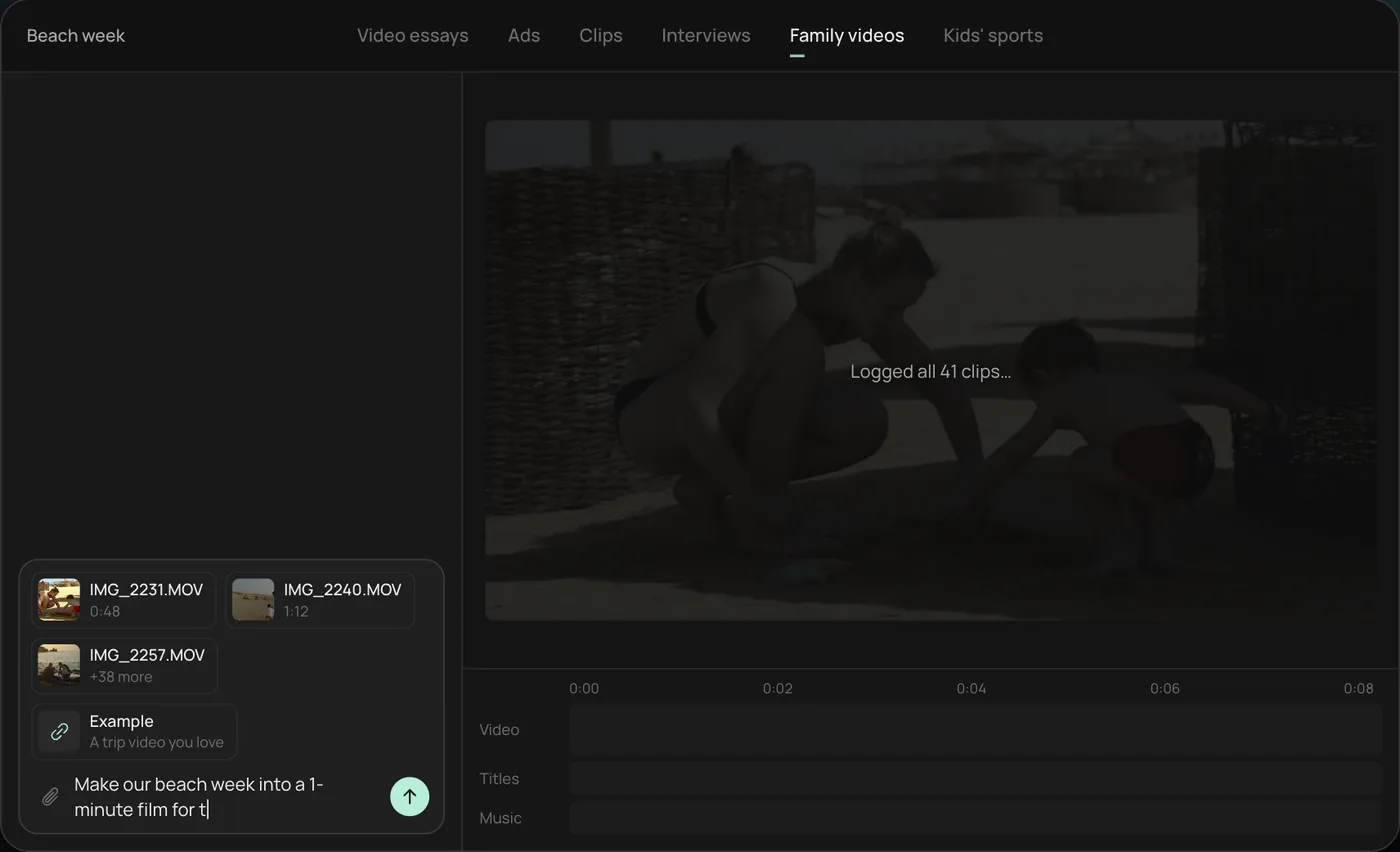
1. Drop your clips. Add everything from your phone (41 clips here) plus an example video you like, then ask: "Make our beach week into a 1-minute film for the family chat."
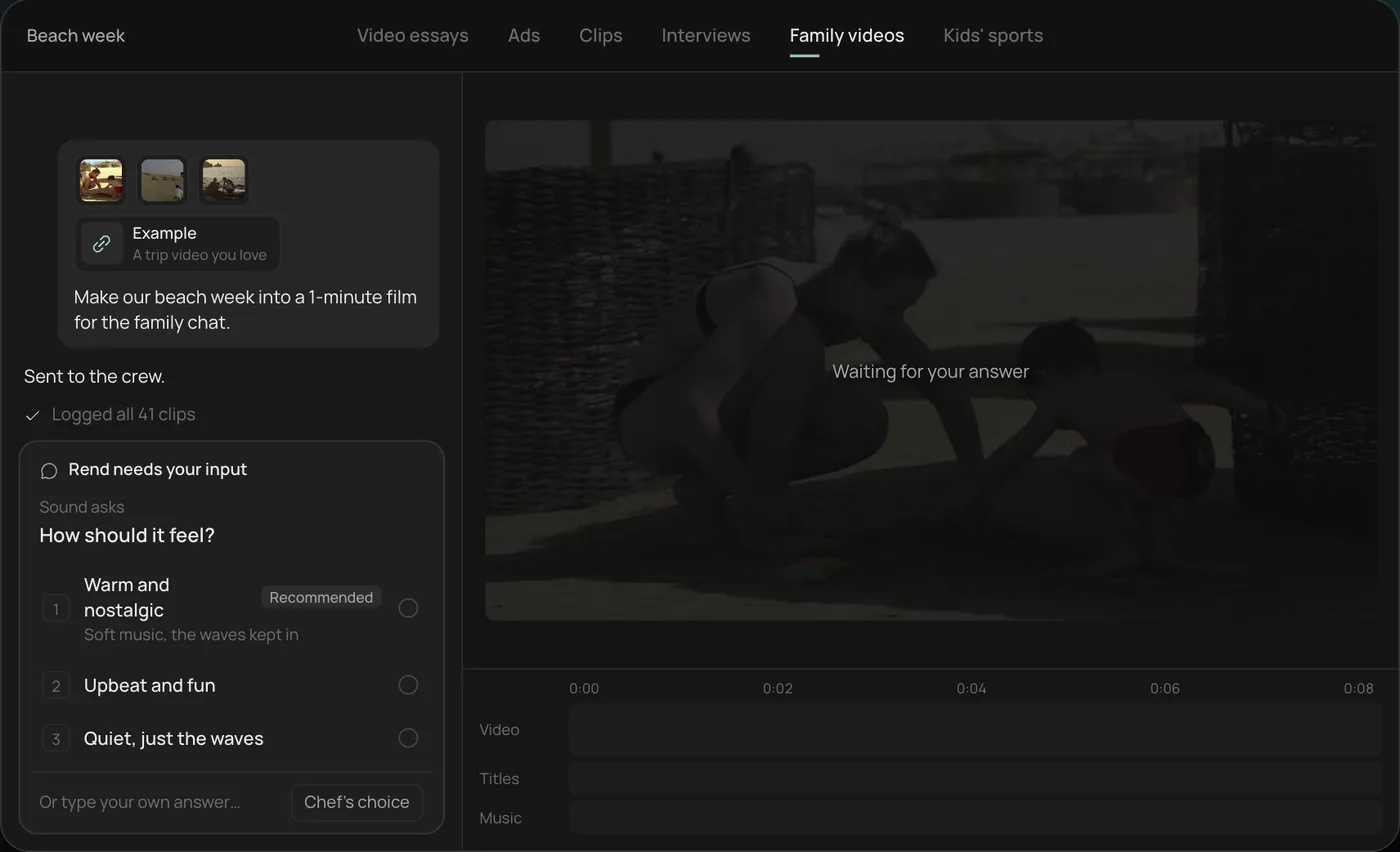
2. Answer the one question. Rend asks how the film should feel and recommends warm and nostalgic.
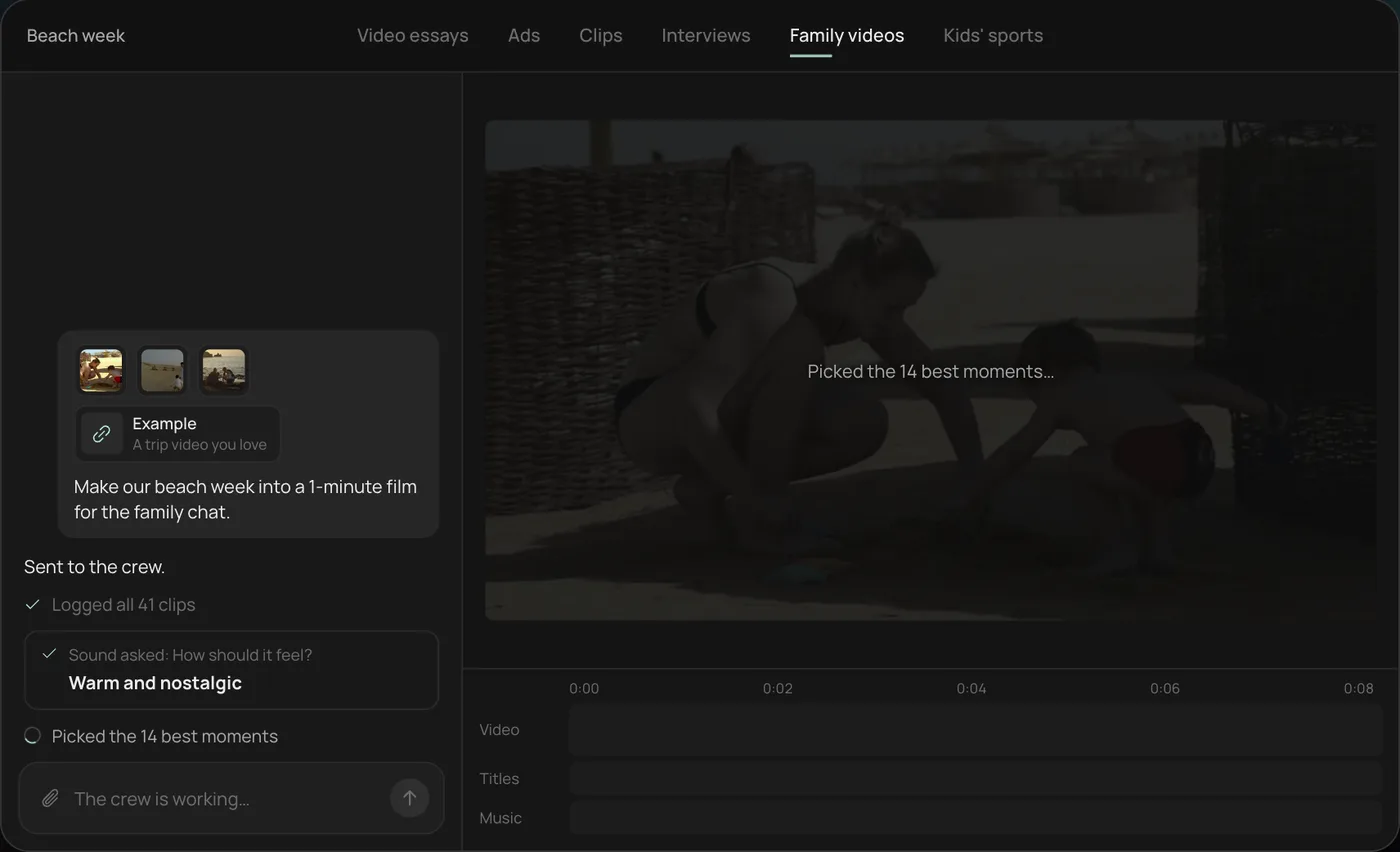
3. Let the crew work. The crew logs every clip and picks the 14 best moments, checking off each step in chat.
4. Open the finished film. A 1-minute film cut to warm piano, with a "Summer 2026" title, lands on a real timeline with video, titles and music on separate tracks.
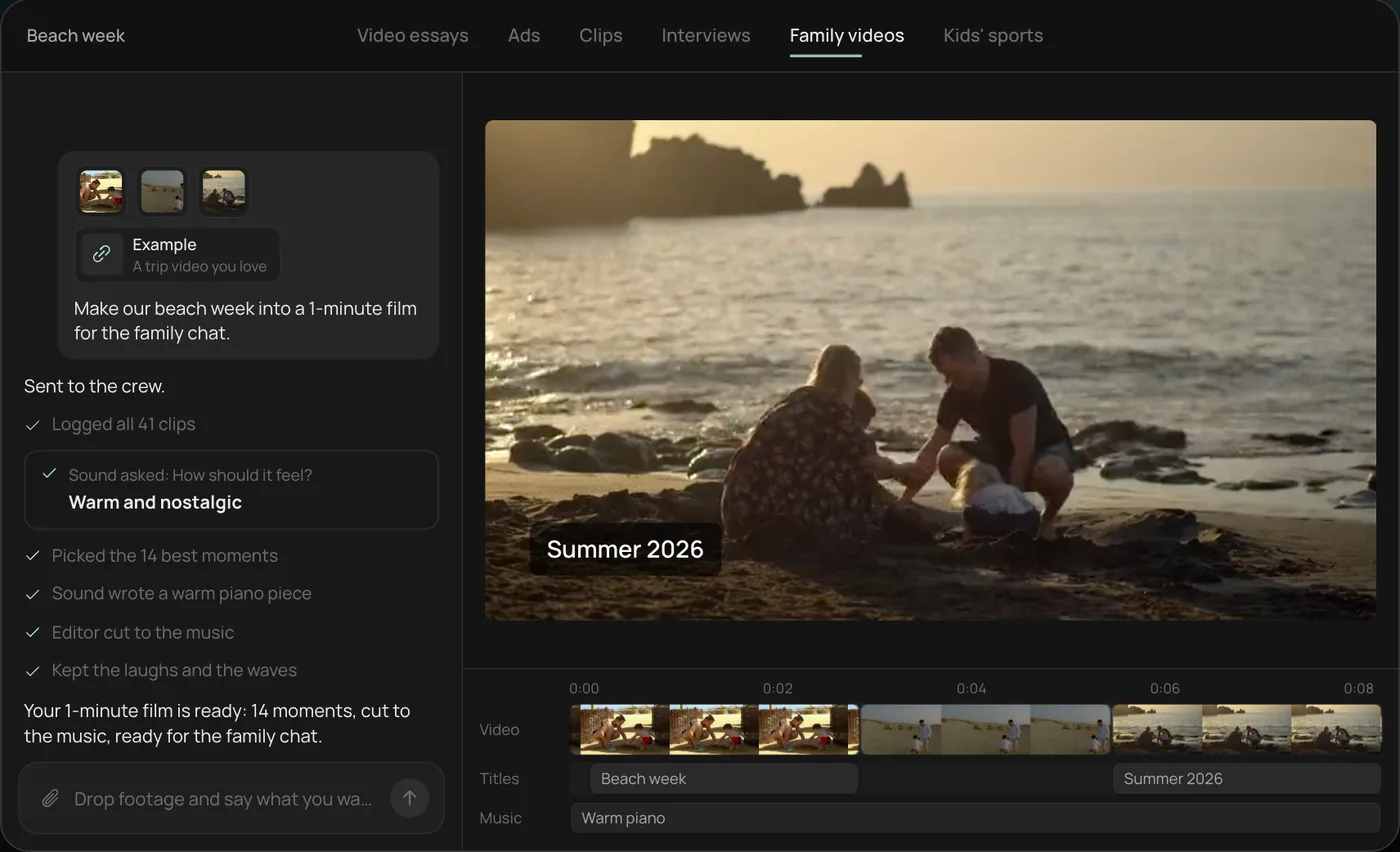
From there you can open the timeline and change anything by hand, share a review link, or export. Start a free Rend project to try it on your own footage.
What people make trailers for
- Films and short films: the obvious one, usually from finished footage.
- YouTube series and documentaries: a channel trailer, or a teaser for a long video essay.
- Books: a teaser for a launch, usually with no footage at all.
- Games and apps: gameplay or screen captures plus title cards.
- Events, courses and products: "coming soon" pieces that borrow trailer grammar.
- Fun: family vacation trailers, fake movie trailers for a birthday.
The structure is the same for all of them. The footage source is what changes.
The 60-second trailer structure
Trailers follow a rhythm that audiences know in their bones. Hit these beats and the piece reads as a trailer even with simple footage.
| Time | Beat | What happens | Sound |
|---|---|---|---|
| 0:00 to 0:05 | Cold open | One striking image or line, no context | Near silence or a single sound |
| 0:05 to 0:15 | World | Who, where, what normal looks like | Music starts, low |
| 0:15 to 0:25 | Inciting moment | The thing that breaks normal | A hit, then the music shifts |
| 0:25 to 0:45 | Escalation | Faster cuts, rising stakes, title cards between | Music builds, shots get shorter |
| 0:45 to 0:50 | Drop | Sudden silence, one held shot or line | Silence |
| 0:50 to 0:56 | Title | Name of the film, book, show or game | Big hit |
| 0:56 to 1:00 | Button | A last joke, scare or line after the title | Small sting |
Two things make it work: shots get shorter as the music builds (about 2 to 3 seconds each in the world section, under a second near the peak), and the silence before the title. Skip the silence and the title has nothing to land on.
For a 30-second teaser, keep the cold open, inciting moment, a short escalation and the title. Drop the world section.
A shot list template
Fill this in before you open any tool. An AI trailer maker does far better with this than with "make a trailer for my book."
TRAILER: [title]
LENGTH: 60 s, 16:9 (plus a 9:16 cut for social)
TONE: [e.g. quiet dread that turns into chase]
REFERENCE: [a real trailer whose rhythm you like]

COLD OPEN: [one image or line]
WORLD (3-4 shots): [shot], [shot], [shot]
INCITING MOMENT: [shot + line]
ESCALATION (8-12 shots, title cards between):
  Card 1: [text, under 6 words]
  Card 2: [text]
  Card 3: [text]
DROP: [held shot or line]
TITLE CARD: [name, font feel]
BUTTON: [last shot or line]
MUSIC: [builds to a hit at the title; silence before]
Keep title cards under six words. Trailer cards are read in about a second, so "THIS SUMMER" works and "In a world where nothing is as it seems" doesn't.
Three ways to make it with AI
1. You have footage
This is the best case. Send the finished film, the gameplay capture, or a pile of vacation clips. The AI's job is selection and rhythm: find the strongest moments, cut them to the beats above, write cards, score it.
In Rend, you'd send the files and a brief like this:
60-second trailer for my short film, attached. Follow a cold open, world, inciting moment, escalation, silence, title structure. Cards in a condensed serif. Score that builds to a hit on the title. Also a 9:16 version for Reels.
A crew of agents watches the footage, picks the moments, cuts on exact words when dialogue is used, writes the cards as editable titles, and makes original music and sound effects on separate tracks. Then you open the timeline. Expect to swap a shot or two, because nobody knows which moment you care about most except you.
2. You have no footage
Books, concepts and pitches usually have nothing to cut. Here AI generates the shots. The risk is the generated look: plastic skin, drifting faces, every shot in slow motion.
What helps:
- Give it reference images for each character. People in generated shots hold up much better with a reference to follow.
- Prefer shots that hide the weak spots: silhouettes, objects, landscapes, backs of heads. Real trailers use these constantly anyway.
- Keep generated shots short. Two seconds is plenty; long holds show the flaws.
- Mix in stills with slow movement for the quiet beats.
We go deeper on this in how to make AI videos not look like AI.
3. You have a mix
Most YouTube and product trailers are a mix: real footage for the human moments, generated or graphic shots for the big ones, screen captures for the product. This is where an editable timeline is the whole game, because the AI will cut a generated shot next to a real one and you'll want to check every seam.
Trailer tools compared
| Tool | Best for | Notes |
|---|---|---|
| iMovie trailers | Family and fun trailers on Apple devices | Fixed templates with their own scores, title and credits fields; fill each slot with a clip. Free, but every iMovie trailer of that template looks alike |
| Template sites (Adobe Express, Canva) | Simple branded teasers | Quick, but template-shaped |
| AI video generators (Runway, Kling and others) | Making individual shots | You still have to edit them into a trailer. See Runway alternatives |
| Rend | Whole trailers from footage, a brief or both | Builds the edit, music and cards on a timeline you can change |
| Premiere Pro, Resolve | Total control | You do everything by hand |
iMovie is honestly a good starting point for a family trailer. Its structure is the same one above, with the slots already laid out.
Common trailer mistakes
- Too long. Most fan and indie trailers would be better at 60% of their length.
- Telling the whole story. A trailer promises a question. If the plot is clear, you've given too much away.
- Music that doesn't build. One flat track under everything kills momentum. The music needs a shape, and a hard stop before the title.
- Cards that are sentences. Six words, max.
- No button. The best trailers end with one more beat after the title. It's what people remember.
- Even pacing. If every shot is three seconds, it's a slideshow. Cut shorter as you build.
FAQ
What is the best AI trailer maker?
For a trailer from your own footage or a brief, with the edit, music and cards done for you, Rend. For a quick fun trailer on an iPhone or Mac, iMovie's templates. For generating individual cinematic shots, a generator like Runway or Kling, then edit them elsewhere.
Can AI make a movie trailer from my footage?
Yes. Send the footage and a brief; Rend picks the moments, cuts them to a trailer structure, writes title cards and scores it, all editable.
How long should a trailer be?
A teaser runs 30 to 60 seconds. Most indie, book and YouTube trailers work best at 60 to 90 seconds. Studio theatrical trailers run around two to two and a half minutes.
Can I make a book trailer with AI?
Yes, and since there's no footage, it's mostly generated shots and graphics. Use reference images for characters and keep generated shots short.
Is music in an AI trailer copyright-safe?
Rend makes original music for the trailer. If you use a template or library track elsewhere, check its license covers how you'll publish.
If you've got footage or just a premise, start free on Rend and send the shot list above. For long-form, see the AI video essay maker, and editing is free until you render; see pricing and our free tools.