Sponsored Brands Video: Specs, Edit Map and Rejection Fixes
A Sponsored Brands video should be a 16:9 file between 6 and 45 seconds that shows the product in the first few seconds and still makes sense with the sound off. Amazon "highly recommends" 20 seconds or less, so in practice you cut your listing video down to 15 to 20 seconds, move the best product shot to the very start, add large on-screen text, and close on a logo end card.
The rest of this post is about why the listing video you already have tends to fail as an ad, and exactly what to cut.
Why your listing video underperforms as an ad
On the listing, the shopper has already clicked. They chose to watch, they may be listening, and they will sit through 60 seconds if it answers their questions. (Our Amazon product video guide covers that listing video. This post is about the ad.)
The ad gets none of that goodwill. Per Amazon's Sponsored Brands video ad specs, the video plays automatically once half of it is on screen, always starts without audio, and puts a mute toggle in the lower right corner. It sits in shopping results next to competing products: a small, silent tile the shopper is scrolling past.
Now put the typical listing video in that tile. Three seconds of logo animation, a fade up from black, someone smiling at a counter, a voiceover about the problem, and the product around second eight. Muted, that reads as nothing. Amazon's guidance says the opposite: show the product or something interesting in the first few seconds and "wait until later in the video to include your brand name and logo."
Shape is the other problem, if your listing video is vertical. Sponsored Brands video is "16:9 (square pixel) only," and Amazon's moderation guide says videos must fill the available space with no black bars. A vertical video padded out to 16:9 will not get through.
Sponsored Brands video specs (from Amazon)
Every number here comes from Amazon's spec page, read November 23, 2026. Specs change, so check it before a big upload.
| Spec | Requirement |
|---|---|
| Length | 6 to 45 seconds (20 seconds or less highly recommended) |
| Aspect ratio | 16:9, square pixel only |
| Dimensions | 1280x720, 1920x1080 or 3840x2160 px |
| File size | 500 MB or less |
| File format | .MP4 or .MOV |
| Video codec | H.264 or H.265, Main or Baseline profile |
| Frame rate | 23.976, 23.98, 24, 25, 29.97, 29.98 or 30 fps |
| Video bit rate | 1 Mbps minimum (4 Mbps or higher recommended) |
| Scan type | Progressive |
| Audio | PCM, AAC or MP3; stereo or mono; 96 kbps and 44.1 kHz minimum |
The page does not say audio is required; it describes how the mute toggle behaves on "a silent video." A clean music bed still helps the shopper who taps to unmute.
Two layout rules matter as much as the table: keep text and anything important out of the lower right corner, where the mute toggle sits, and avoid black, color or blurred bars on any side. The video ad sizes tool lets you check a frame against a safe zone.
The edit map: 60-second listing video to 18-second ad
A worked example. Say your listing video for an insulated water bottle runs 60 seconds and looks like most of them. Here is how it maps onto an 18-second Sponsored Brands cut.
| Listing video (60 s) | What happens to it | SB video (18 s) |
|---|---|---|
| 0 to 3 s: logo animation | Cut. Logo moves to the end card | (gone) |
| 3 to 4 s: fade from black | Cut. Black frames at the start get rejected | (gone) |
| 4 to 10 s: person at a desk | Trim to 2 s if the product is clearly in frame, otherwise cut | 3 to 5 s |
| 10 to 18 s: voiceover explains the problem | Replace with one line of on-screen text | 3 to 5 s, text over shot |
| 18 to 30 s: demo, ice still in the bottle hours later | Take the best 3 s and move it to second 0 | 0 to 3 s |
| 30 to 45 s: feature walkthrough | Keep two features, about 4 s each, one text line each | 5 to 13 s |
| 45 to 55 s: lifestyle montage | Keep one shot only if it shows a new use | (usually gone) |
| 55 to 60 s: logo and "available on Amazon" | Rebuild as an end card: logo, brand name, product. No Amazon references | 13 to 18 s |
Second by second, the result:
- 0 to 3 s, the proof shot. Your most visual moment, with no fade in. Frame one is already the product.
- 3 to 5 s, the problem in five words. One line of large text over a supporting shot: "Still cold at 5 PM."
- 5 to 13 s, two features. Not five. Show it, name it, move on, but hold each shot long enough to read, since Amazon flags "jumpy, jarring, overly fast-paced cuts."
- 13 to 18 s, the end card. Logo and brand name, clear and readable, product in frame, as Amazon's creative guidance asks.
Two rules while you cut. Every claim has to match your detail page, because the moderation guide says "advertising claims have to be the same ones as on your product detail page." And end on purpose: an "abruptly edited ending at the maximum video duration" is on Amazon's rejection list. For what to film in the first place, see Amazon product video ideas.
Text on screen for muted play
Since the ad starts muted, the text carries the message. Amazon's moderation guide recommends text of at least 50pt (100pt preferred) at 720p and 1080p, and at least 100pt (200pt preferred) at 2160p. That is bigger than most editors default to.
Keep one short line on screen at a time, in a color that contrasts with the background (the guide rejects text in "the same or similar color" as what's behind it), and in the primary language of the marketplace where the ad runs. If there is a voiceover, burn captions in too, but keep them editable in your project so a typo doesn't mean a re-cut. The caption styles tool previews a few looks.
Why Sponsored Brands videos get rejected, and the fix
The reasons below come from Amazon's guide to Sponsored Brands and display ads moderation. The fixes are ours.
| Rejection reason (Amazon) | Fix |
|---|---|
| Low image resolution | Export at 1280x720, 1920x1080 or 3840x2160 from your best source |
| Blurry, pixelated or unrecognizable visuals | Replace soft shots; don't punch in hard on 1080p footage |
| Black or blank frames at the start or end | Trim to the first and last real frame; no fades from or to black |
| Illegible text | At least 50pt at 720p/1080p, 100pt at 2160p |
| Text the same or similar color as the background | Add a solid text box or a contrasting color |
| Abrupt ending at the maximum duration | Finish on a held end card, well under 45 seconds |
| Jumpy, jarring, overly fast cuts | Fewer cuts, longer holds, simple transitions |
| Shrill or irritating sounds, sudden volume changes | Level the mix; drop whoosh and impact effects |
| Unsubstantiated claims | Only claims that are on your detail page and that you can prove |
| Customer reviews or star ratings, even from Amazon | Remove review quotes and stars |
| Amazon branding or references to Amazon services | Cut "available on Amazon" cards and Amazon logos |
| Deals, discounts or savings promotions | Remove "20% off" and similar lines |
| Flashing, spinning or pulsating elements | Static text and plain cuts |
| Pressuring or urgent language | Swap "Buy now before it's gone" for a plain product statement |
| Letterbox or pillarbox bars | Reframe to fill 16:9; never pad a vertical video |
The listing-video habits that collide with this list are the "available on Amazon" end card, star ratings pulled from reviews, and a fade from black at the top.
Three hook openings by category (examples)
These illustrate a first three seconds; they are not tested results.
Kitchen (example: a nonstick pan). Open on a fried egg sliding off the pan onto a plate, no spatula, product in frame from frame one. Text: "No oil. No scraping."
Beauty (example: a tinted lip balm). Open on an extreme close-up of one swipe going on, color visible at once. Text: "Sheer color, one swipe." Skip before-and-after claims your detail page can't back.
Pet (example: a lick mat). Open on a dog busy at the mat while the owner trims its nails. Text: "Nail trims, minus the fight."
You won't know which opening wins until you run them. Make three versions that change only the first three seconds and test them against each other. Ad creative testing covers reading the results, and video ad hooks has more opening patterns.
Where a Sponsored Brands video can send shoppers
Amazon's spec page describes two options. A product detail page campaign connects shoppers with your product and shows in shopping results and on detail pages. A Brand Store campaign connects shoppers to your Brand Store through shopping results, and those ads can appear above and below the fold of search results. Either way, what the ad says must match what shoppers see when they land.
Pre-upload checklist
All of it from Amazon's spec and moderation pages.
- 16:9, square pixels, at 1280x720, 1920x1080 or 3840x2160
- 6 to 45 seconds, ideally 20 or under
- MP4 or MOV, H.264 or H.265, Main or Baseline, progressive, under 500 MB
- Frame rate on Amazon's list; video bit rate at least 1 Mbps
- Audio, if any: PCM, AAC or MP3, 96 kbps and 44.1 kHz minimum, no volume jumps
- No black or blank frames at either end, no bars on any side
- Product in the first few seconds; logo and brand name saved for the end card
- Text at least 50pt (720p/1080p), high contrast, out of the lower right corner
- Text and audio in the marketplace's primary language
- No reviews, star ratings, discounts, Amazon branding or urgent language
- Every claim matches the product detail page
How to make the Sponsored Brands cut in Rend
Rend is an AI video agent: you say what you want and a crew of specialist agents builds it on a real, editable timeline. It does not run Amazon ads and has no Amazon integration. It makes the files; you upload them in your own Amazon Ads account.
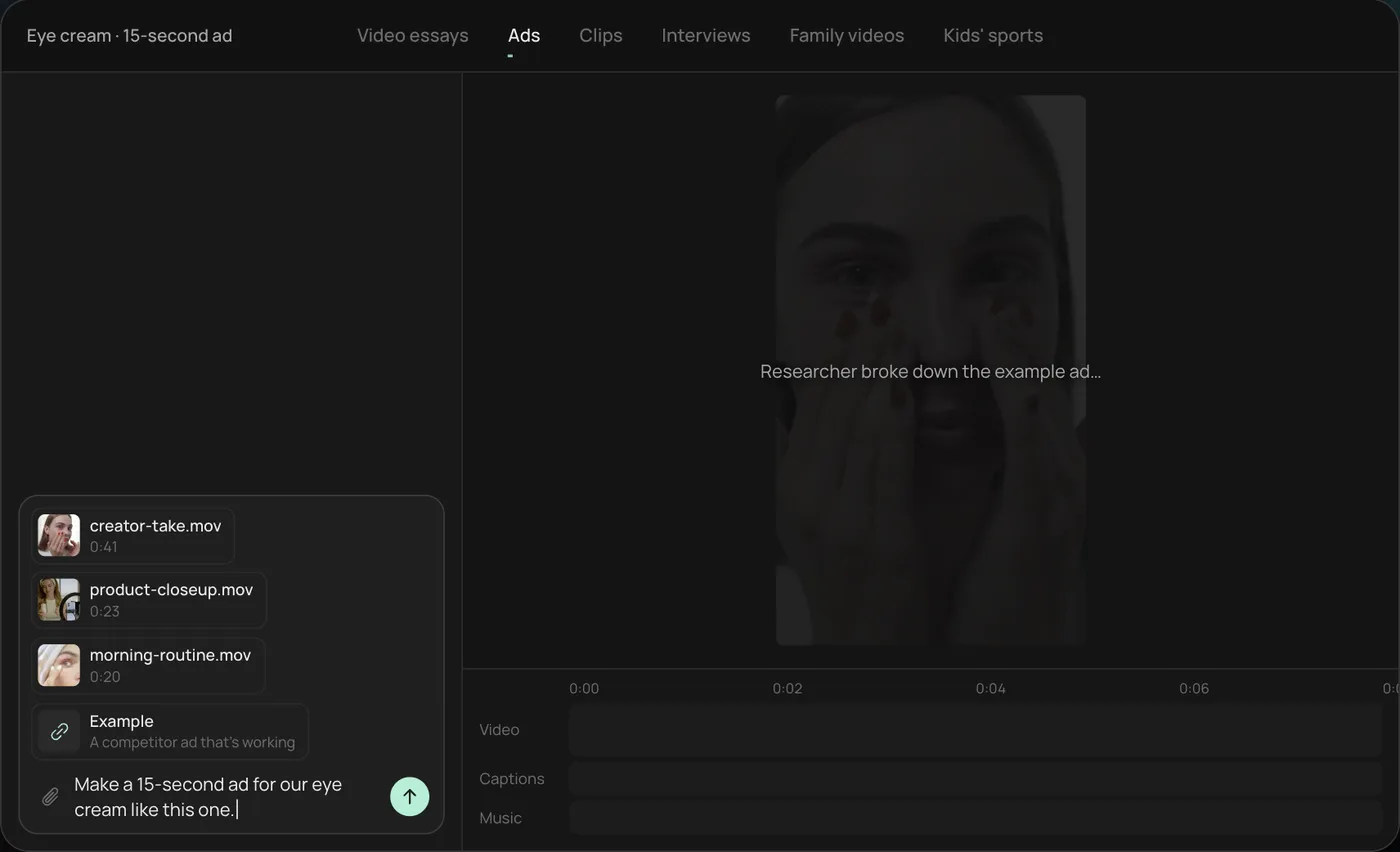
Send your listing video and a link to your product page, in chat or by email. Then ask for the cut, something like: "Make a 16:9 Sponsored Brands video under 20 seconds from this listing video, at 1920x1080, product in the first frame, logo end card, plus three versions with different first three seconds."
Captions come burned in for muted play but stay editable, in your own font. Music and voice sit on their own tracks, so leveling a loud spot is one change. When it looks right, download the files and add them in your Amazon Ads console.
For more than three versions, mass ad creation shows how to make many variations from one video, and ecommerce product video ads covers the same footage for other platforms. Editing is free; you pay only when Rend renders or generates something. See pricing.
FAQ
How long should a Sponsored Brands video be?
Amazon accepts 6 to 45 seconds and highly recommends 20 seconds or less. Fifteen to 20 seconds fits a proof shot, two features and an end card.
What size is a Sponsored Brands video?
16:9 with square pixels, at 1280x720, 1920x1080 or 3840x2160, as an MP4 or MOV of 500 MB or less, in H.264 or H.265.
Why was my Sponsored Brands video rejected?
The common causes on Amazon's moderation list: black frames at the start or end, letterbox or pillarbox bars, small or low-contrast text, star ratings or reviews, discounts, Amazon branding, claims not on your detail page, and abrupt endings at the time limit. Fix the item named in the rejection and resubmit.
Can I use my listing video as a Sponsored Brands video?
Only if it already meets the ad specs, and many don't. A vertical listing video fails the 16:9 rule, and a logo intro or fade from black works against Amazon's guidance to show the product first. A shorter cut from the same footage usually fixes both.
Does a Sponsored Brands video need sound?
Amazon's spec page doesn't list audio as required, and the video always starts muted. Make it work silently with on-screen text, then add clean, level audio for shoppers who unmute.
You can make your first Sponsored Brands cut from the listing video you already have. Start free on Rend, send the video and your product page, and download the files when they look right.