How to Make a Kickstarter Video: Rules, Script and Shot List
To make a Kickstarter video, film your real prototype doing its main job, then cut a 2 to 3 minute video that shows that moment in the first few seconds, says who you are, explains the reward and the timeline, and ends by asking for the pledge. Kickstarter doesn't publish a required length; 2 to 3 minutes is our recommendation. The part most guides skip is the rulebook: product projects must show a working prototype, can't use photorealistic renderings, and any generative AI on the page has to be disclosed.
Most Kickstarter video tips are about storytelling. The rules that actually bite a product campaign are about what you show: nothing on screen can be further along than the prototype on your bench.
What Kickstarter lets you show (and what it doesn't)
Kickstarter's rules live on four pages, each covering a different slice. Quotes are from the pages as they read today.
| Project type | You can show | You can't show | Must disclose | Source |
|---|---|---|---|---|
| Hardware and product design | Working prototypes, how you'll produce the product | Photorealistic renderings | Your production plan | Hardware and product design rules |
| Design & Technology | A prototype demonstration of the product's current state | "CGI or special effects to demonstrate functionality that does not yet exist" | Software and hardware integration that "has not yet been developed" | Our Rules |
| Design & Technology | "A video of a real prototype of the product being made," available to all backers for the whole campaign | "Generative AI video, renderings, or simulations" standing in for the prototype | Any generative AI use | AI content rules |
| Hardware, gadgets and "other physical products" | Authentic photos and video, technical drawings, unrendered CAD, wireframes, sketches | Photorealistic renderings anywhere, unproduced packaging, edited-in color variations, imagery that inflates how many units exist | Every promised feature in the prototype documentation | Honest and clear presentation |
| Every project | Your real face, team and story | Misleading imagery, "Funded in 5 hours!" badges, media logos that misrepresent support | How you used AI; Kickstarter asks you to "be specific about which parts of your campaign page or rewards use AI, and how" | Our Rules, honest presentation, AI content rules |
A few lines from the honest presentation page change how you write and cut the video, so they're worth reading twice:
- It suggests that "a single-shot, unedited video created on your cell phone is a good way to illustrate the full range of your product's features and functionality."
- It asks for "the least amount of editing possible" on product imagery, with dust spotting, cropping and white balance as the allowed examples.
- It bans calling rewards "preorders" or "presales," quoting "% off retail" or MSRP, and superlatives like "world's first" or "the ultimate."
If you make a board game, apparel or a kitchen tool, the honest presentation page's prototype rule covers "hardware, gadgets, and other physical products." We wouldn't bet on your category being exempt. Show the real thing.
The AI rule has a ceiling too. Disclosure doesn't make heavy use acceptable: "Projects must be rooted in original, human-led creative work," and a project where AI output "makes up most of the work" can be declined or, after launch, suspended.
Can you edit a Kickstarter video at all?
Yes. The rules target misrepresenting the product. Our reading, which is a recommendation and not Kickstarter's wording: cuts, captions, music, titles and a voiceover are fine; anything that changes how the product looks or what it does is not. Speeding up a 40-second process without saying so, color-grading the prototype into a finish you haven't made, or compositing a screen that doesn't work yet all cross the line.
The safe pattern is two videos. Your edited campaign video is the pitch. Then, lower on the page, a single-take, uncut phone video of the prototype doing every promised function. That second video is your proof and costs you nothing.
The structure of a 2:30 Kickstarter video
Worked example, fictional: "Pinchpress," a garlic press that crushes and scrapes itself clean in one squeeze. Swap in your own product.
| Time | Beat | Pinchpress example |
|---|---|---|
| 0:00-0:08 | The prototype doing the one thing | Close-up: a clove goes in, one squeeze, garlic out, the plate wipes clean. No music sting, real sound. |
| 0:08-0:25 | Who you are | "I'm Dana. I cook for six people every night and I've broken four garlic presses." Face to camera, at your kitchen counter. |
| 0:25-0:55 | The problem | Old press, garlic stuck in the holes, a toothpick, the sink. |
| 0:55-1:30 | How it works | The prototype again, from three angles. A flat line diagram of the scraper plate. |
| 1:30-1:55 | Where you are now | Prototype version 3 on the bench, earlier versions beside it, the factory sample (if you have one) or the plan for getting it. |
| 1:55-2:15 | Rewards and timeline | Plain on-screen text: what each tier gets, the month you hope to ship, and what could delay it. |
| 2:15-2:30 | The ask | "If you want one, back it now. If we hit the goal, we start tooling." |
If you need to go shorter, cut the problem section first. Never cut the prototype opening.
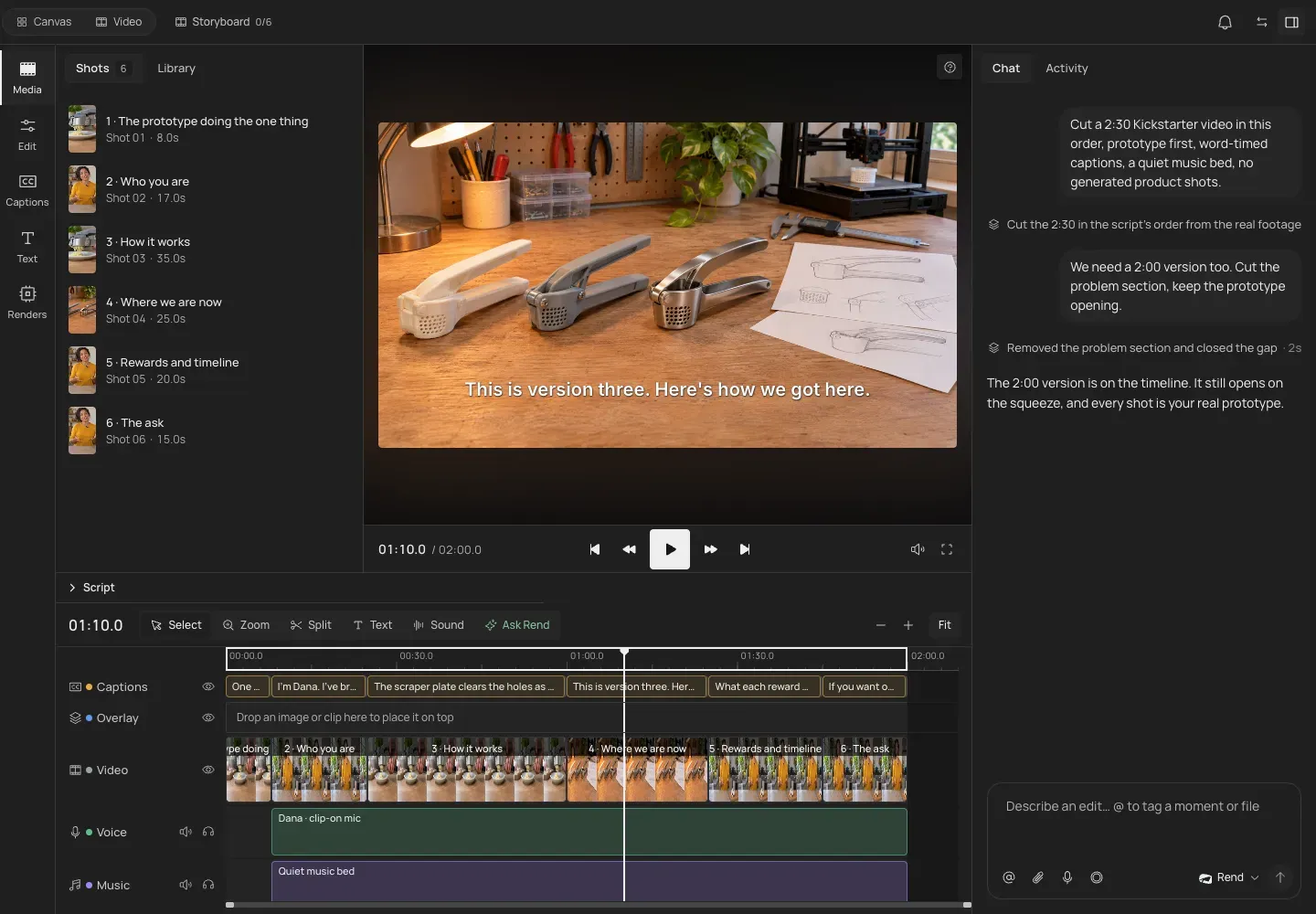
The 2:00 version drops the problem section and keeps the prototype opening.
A one-day phone shot list
You need one decent phone, a window, a tripod and someone to hold a second phone. Shoot in this order so the light stays consistent.
- The hero shot, in window light. The prototype doing its main job, close and steady, 10 to 15 takes, with real material.
- The uncut proof take. Every promised function in one continuous shot, phone on the tripod, no cuts. This is the video the rules are written around.
- Three angles of the mechanism: top, side and hands-only.
- You, to camera. Your intro and the ask, five takes each, with a clip-on mic. Spend your effort on clean sound before a steadier frame.
- The problem. The old way, shot honestly.
- The bench: earlier prototypes, sketches, CAD on a screen, the workshop.
- The team. Anyone helping, named, doing their actual job.
- Room tone: 30 seconds of silence in each location for the edit.
Our guide to making a product video with your phone covers light and stabilization in more detail.
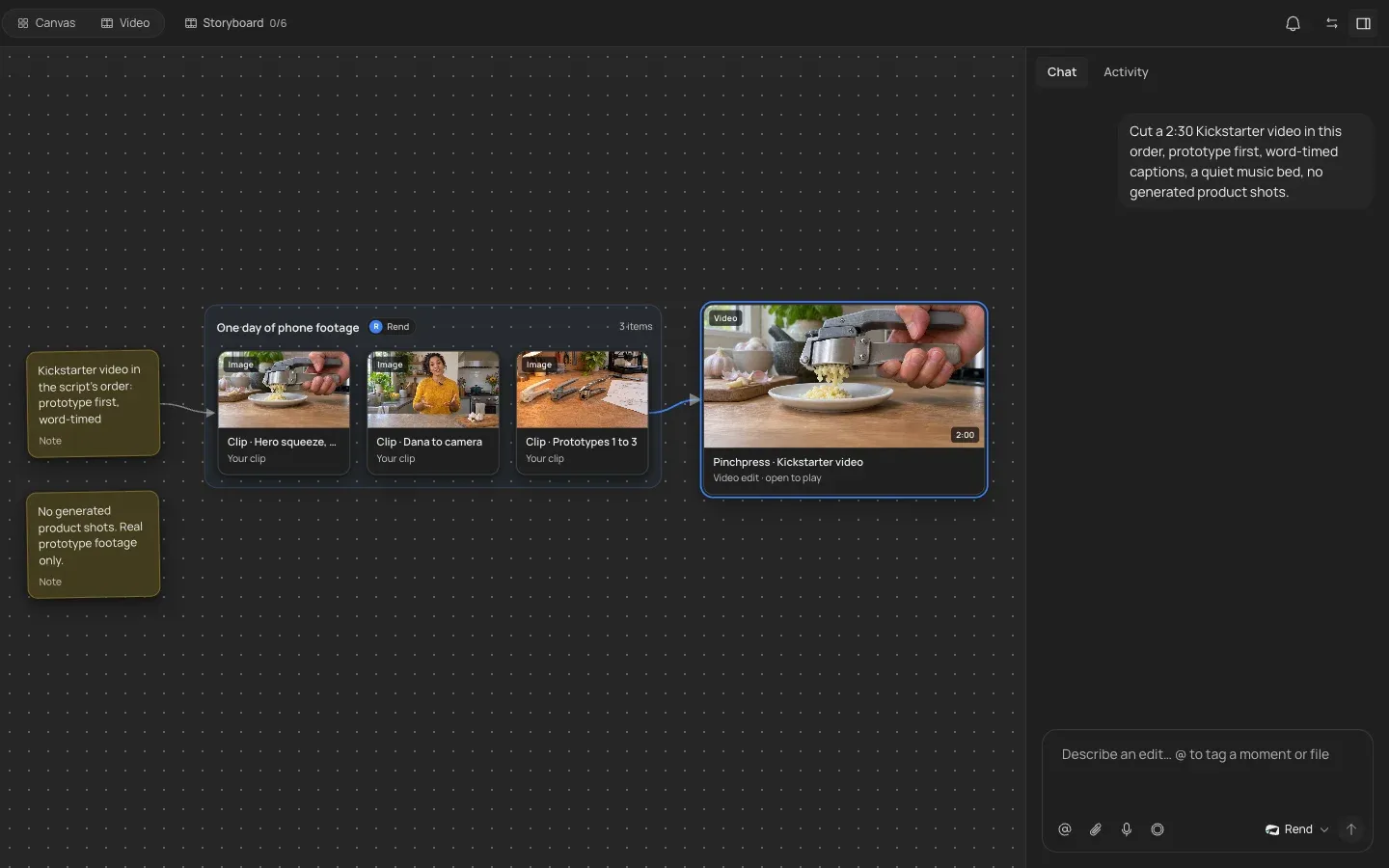
One day of phone footage, with the rule from the brief: real prototype shots only.
Kickstarter video script template
Fill in the brackets. Keep each line short enough to say in one breath.
[0:00] (Prototype doing [main job]. Real sound. No voice for 3 seconds.)
[0:05] VO: "That's [product]. It [does the one thing] in [real time it takes]."
[0:10] ON CAMERA: "I'm [name]. I [your connection to the problem]."
[0:25] VO: "Every [user] knows [the problem in their words]."
[0:55] VO: "Here's how it works. [Mechanism in one sentence.]"
[1:30] ON CAMERA: "This is prototype [number]. Here's what's done and what isn't: [honest status]."
[1:55] VO: "Back at [tier] and you get [reward]. We want to ship in [month], and here's what could push that: [risk]."
[2:15] ON CAMERA: "If you want one, back it today."
Note the wording Kickstarter asks for: "we want to ship," not "it will ship." No "preorder," no "40% off retail," no "world's first."
Where AI helps, and where it's off-limits
Kickstarter's AI page doesn't define generative AI or say whether editing tools count. Disclose anything generated (music, a designed or cloned voice, illustrations) and keep it off the product.
| Use | Our call | Why |
|---|---|---|
| Cutting the footage, picking takes | Fine | Changes nothing about the product |
| Word-timed captions from your own voice | Fine | Helps anyone watching with the sound off |
| Original background music | Fine, disclose it | Generated content on the campaign page |
| Voiceover in a voice you approve | Fine, disclose it | Same; your own recorded voice is safer still |
| Flat line diagrams of internals | Fine if clearly a diagram | The rules allow drawings and unrendered CAD |
| Generated shots of people cooking, playing, wearing it | Avoid | Reads as product footage; risks "misleading imagery" |
| Generated or rendered product shots | Not allowed | Photorealistic renderings and AI video can't stand in for the prototype |
| Composited features that don't work yet | Not allowed | "CGI or special effects" for missing functionality |
The cutdowns you need from the same shoot
A launch needs several files, all from the same footage, so nothing in your ads promises more than the page shows. Kickstarter's rules govern the project page; we'd hold ads to the same standard, since backers click through and compare.
| Cutdown | Length | Shape | Use |
|---|---|---|---|
| Pre-launch teaser | 15-30 s | 9:16 and 1:1 | "Notify me" page, social posts |
| Hook ads | 15 s each, 3-5 hooks | 9:16 | Paid social during launch week |
| Demo ad | 20-30 s | 4:5 | Feed placements |
| Stretch goal or update video | 30-90 s | 16:9 | Project updates for backers |
Every hook ad should open on the prototype working. Different first lines, same honest footage. Our video ad sizes guide lists the exact dimensions per platform, and the free ad size and safe zone checker shows where captions get covered. For making many hook variants from one cut, see mass ad creation.
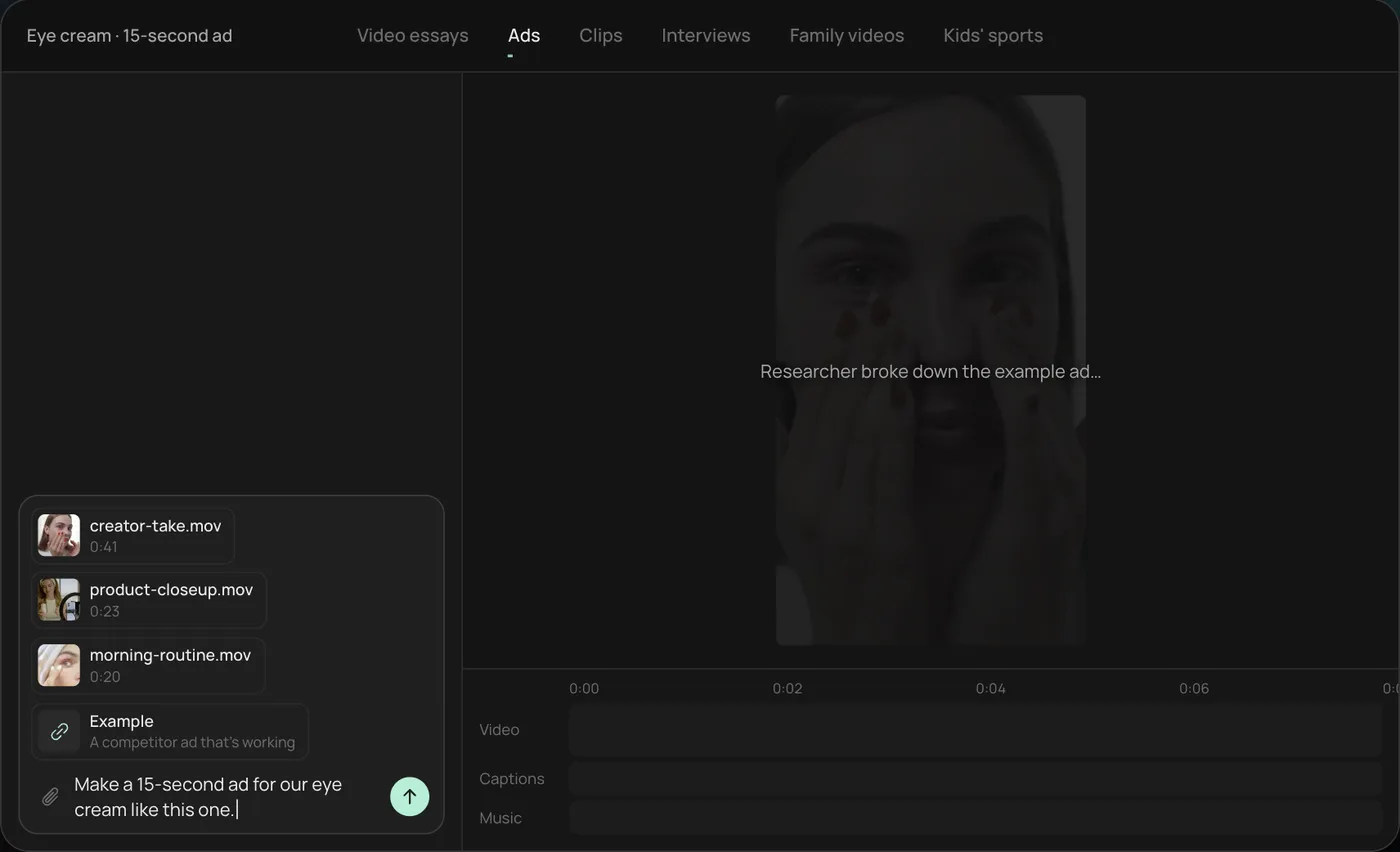
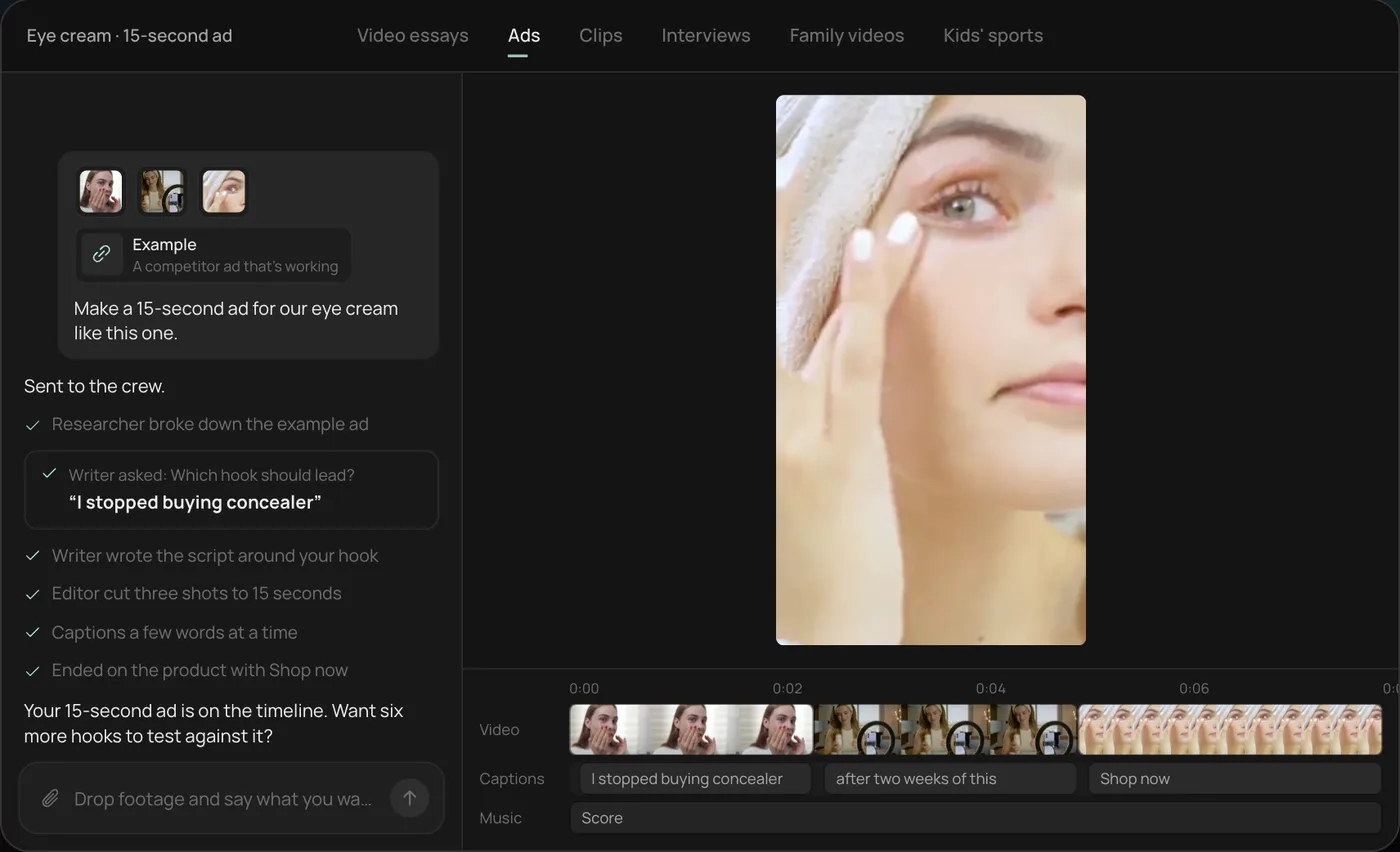
Those screens are from Rend's demo of a 15-second eye cream ad; a Kickstarter cutdown works the same way.
Common mistakes
- Opening on your face instead of the product. Backers decide in the first seconds whether the thing is real.
- A mockup box. Unproduced packaging is on the banned list. Show the bare prototype.
- "Available in 6 colors" when you have one. Edited-in color variants count as manipulated imagery.
- Speeding up the demo without saying so. If it takes 40 seconds, show 40 seconds or put "sped up 2x" on screen.
- Forgetting the uncut proof video. It's the cheapest insurance on the page.
How to do it in Rend
Rend is an AI video agent: you send footage and say what you want, and a crew of specialist agents builds the edit on a real timeline you can open and change.
- Send the clips. Upload the shoot from your phone, by chat, email or web form. Include the uncut proof take.
- Ask for the 2:30 cut. Paste your filled-in script and say: "Cut a 2:30 Kickstarter video in this order, prototype first, word-timed captions, a quiet music bed, no generated product shots." Sound stays on separate tracks, so you can swap the music or fix a line.
- Ask for the cutdowns. "Now make a 30-second teaser and five 15-second vertical hook ads from the same footage."
- Get notes from your co-founder. Share a review link; anyone can draw on the frame and leave a note, and the agent reads every note and makes the fix. Versions stay on one link.
- Export and write your AI disclosure. List exactly what was generated (music, voice, diagrams) for Kickstarter's AI questions.
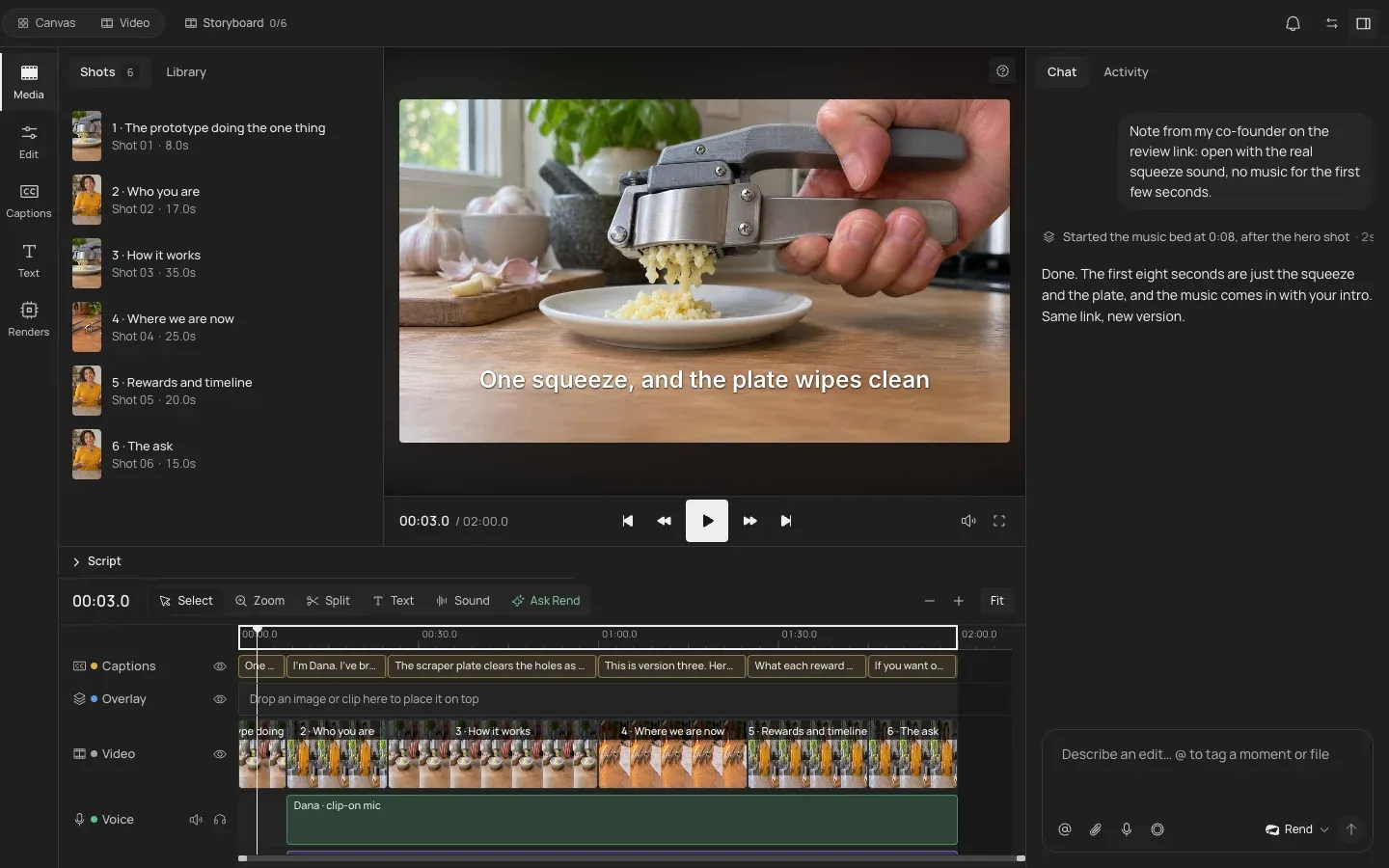
A note from a co-founder becomes one change on the same review link.
Editing is free; you pay only when Rend renders or generates something. See pricing for plans, or browse the free tools. For a deeper look at demo structure, read product demo videos, and if your launch has a long-form sales page too, how to make a video sales letter.
FAQ
How long should a Kickstarter video be?
Kickstarter doesn't set a length on its creator guides. We recommend 2 to 3 minutes for the main campaign video, with the prototype on screen in the first 10 seconds, plus a separate uncut prototype video of whatever length it takes to show every promised feature.
Can I use AI in a Kickstarter video?
Yes, with disclosure. Kickstarter asks two questions (does the campaign page use generative AI, does the final project) and wants specifics on how. AI can't be the main source of the creative work, and for Design & Technology projects, generated video can't stand in for a real prototype.
Can I use 3D renders in my Kickstarter video?
Not photorealistic ones. The hardware and product design rules say "We do not allow photorealistic renderings," and the honest presentation page bans them "anywhere within your project." Technical drawings, unrendered CAD models, wireframes and sketches are allowed.
Do I need a professional to make a Kickstarter video?
No. Kickstarter's own guidance says an unedited phone video is a good way to show your product's functionality. Clear sound, steady footage of the real prototype and an honest script matter more than polish.
What should go in the first 10 seconds of a Kickstarter video?
The prototype doing its main job, with real sound. Then one line saying what it is. Your introduction comes right after, once people know why they should listen to you.
If you've shot the prototype and want the campaign video and the launch cutdowns built from it, start a free Rend project and send the clips.