How Do You Make a Promo Video? Structure, Length, Music, CTA
To make a promo video, decide the one thing you want people to do after watching (buy, book, sign up, show up), then build a short video around it in five parts: a hook in the first two seconds, what it is, why it's worth it, proof, and the call to action with a date or reason to act now. Make it 15 to 30 seconds for social and ads, 60 to 90 seconds for a website or event page. Shoot it on a phone if that's what you have, use music you're licensed to use, put captions on it, and export a vertical 9:16 and a 4:5 or 16:9 version.
The rest is detail, and the detail is where most promo videos go wrong: they open with a logo, spend 20 seconds on background, and end with "check us out." Here is how to avoid that for the three most common jobs, a product, an event and a local business.
How to make a promo video in Rend, step by step
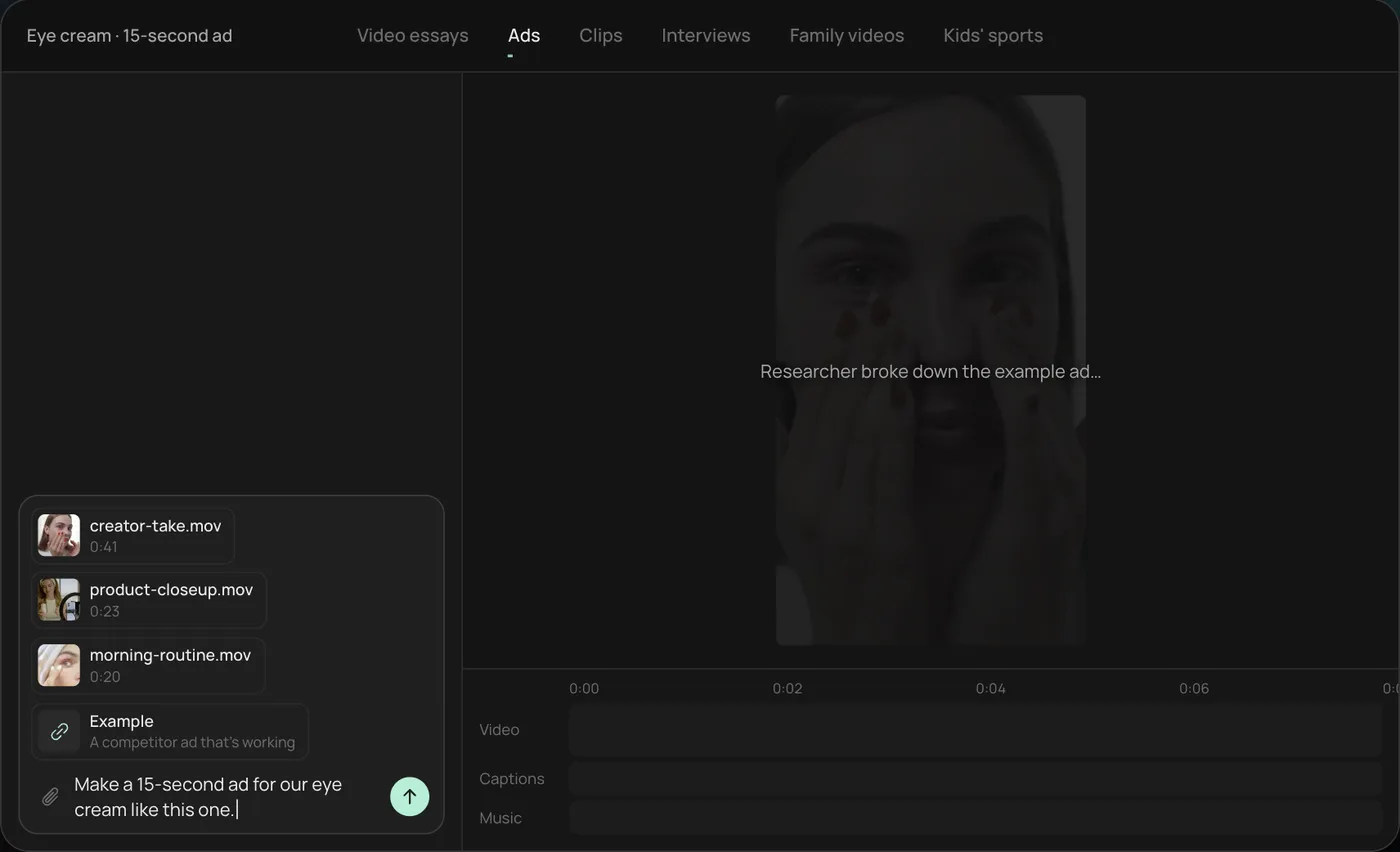
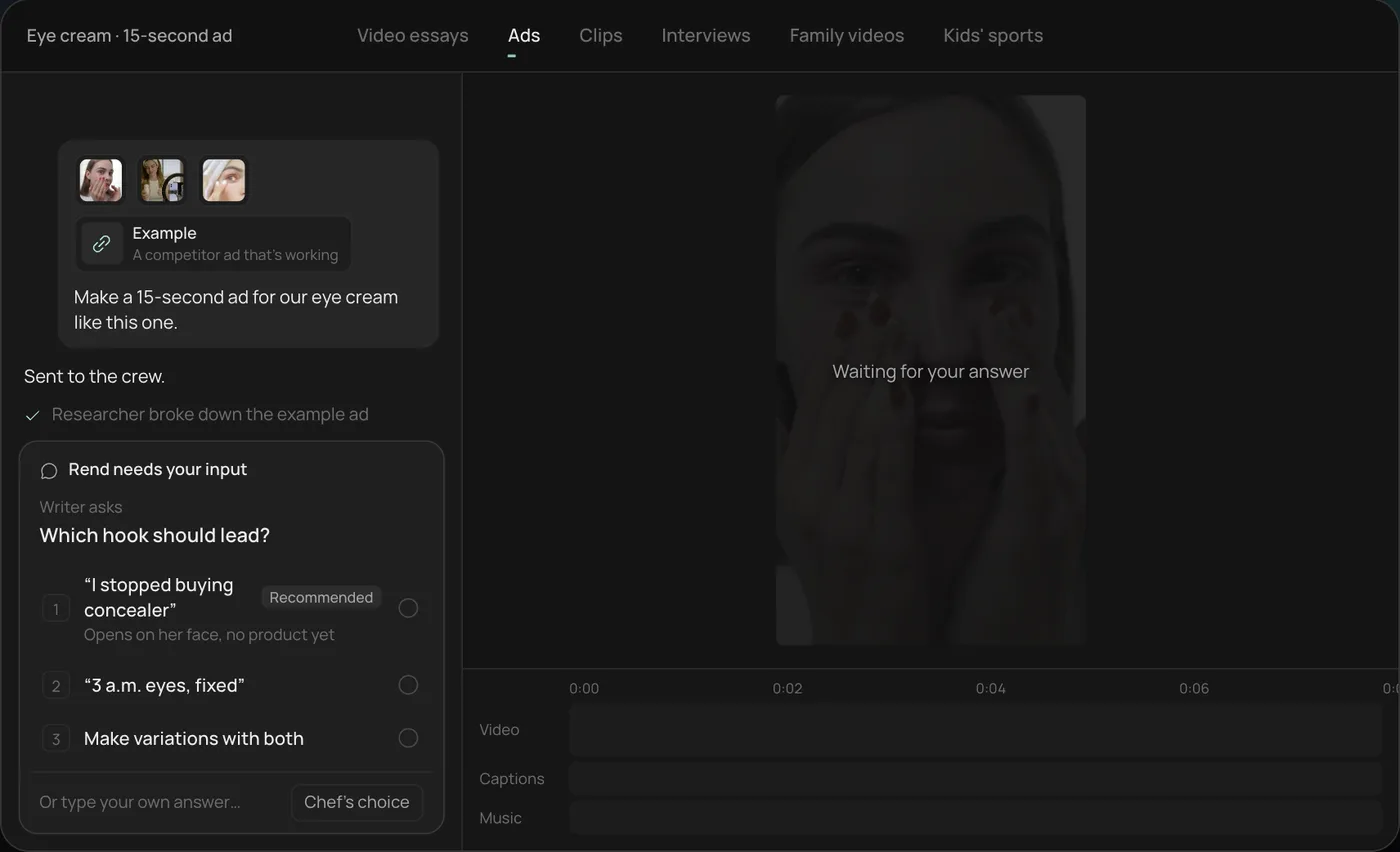
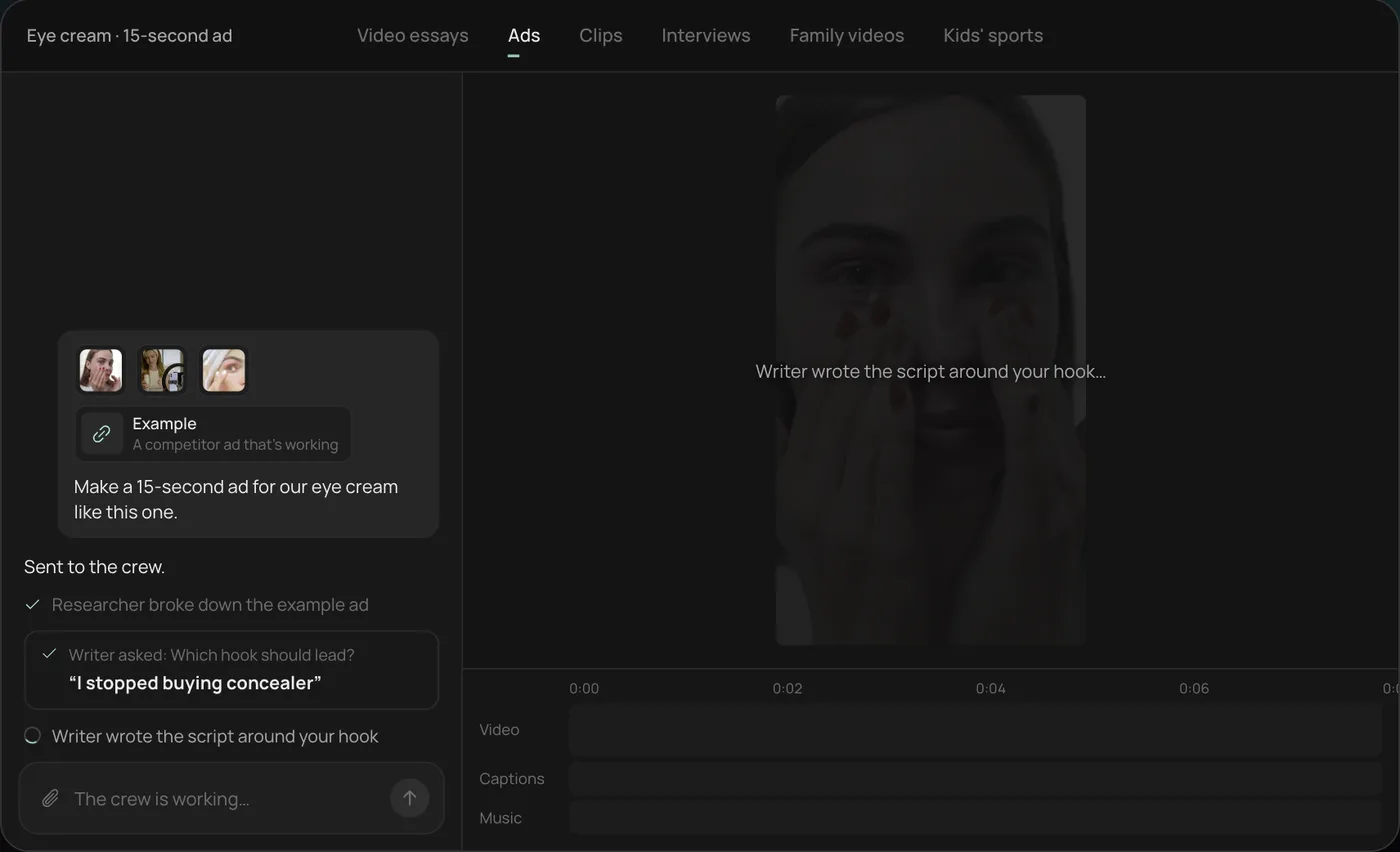
These screenshots come from Rend's demo of a 15-second eye cream promo made from phone clips; a promo for your product, event or business works the same way.
1. Drop your clips and an example. Add your phone clips (here a creator take, a product close-up and a morning routine) plus a promo or ad you like, then type what you want: "Make a 15-second ad for our eye cream like this one."
2. Answer the one question. Rend asks which hook should lead and marks a recommended answer. You can also ask it to make variations with both.
3. Let the crew work. The researcher breaks down the example and the writer builds the script around your hook, checking off each step in chat.
4. Open the finished promo. A 15-second vertical video lands on a real timeline with captions and music on their own tracks, and Rend offers six more hooks to test.
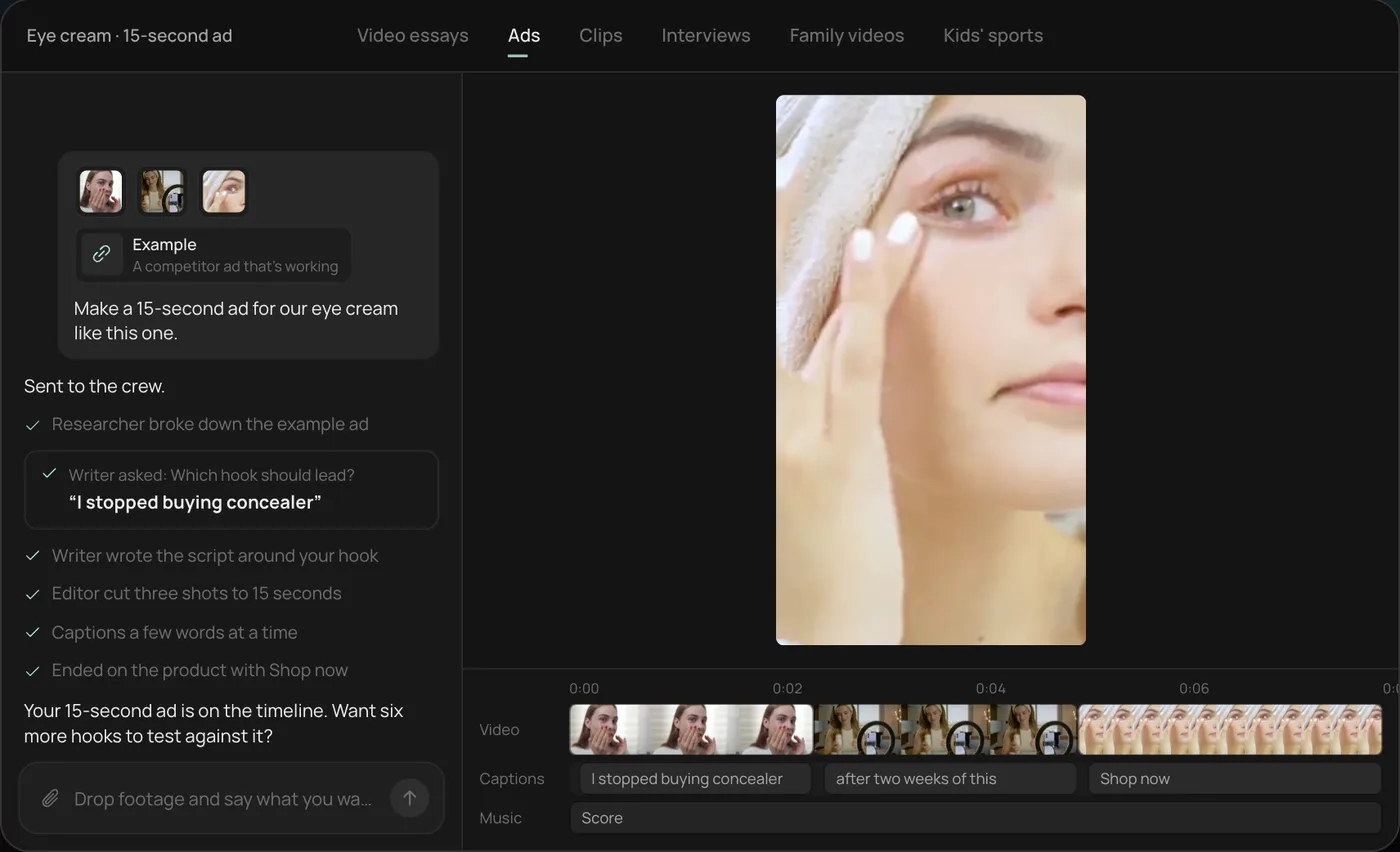
From there you can open the timeline and change anything by hand, share a review link, or export. The guide below works the same whether you edit with Rend, a phone app or a desktop editor.
Step 1: Write the one-sentence brief
Before you film anything, finish this sentence: "After watching, [who] should [do what] by [when], because [reason]."
- Product: "After watching, people who get puffy eyes should buy the eye cream this week, because it's 20% off until Sunday."
- Event: "After watching, local runners should register for the 5K by November 30, because early entry is $10 cheaper."
- Business: "After watching, homeowners within 20 miles should book a free roof inspection, because storm season starts next month."
If you can't finish the sentence, the video won't work no matter how good it looks. For a longer version you can hand to an editor or an agent, use our video ad brief template.
Step 2: Use the five-part structure
Almost every promo that works follows the same shape. The parts stretch or shrink with the length.
| Part | 15-second promo | 30-second promo | 60 to 90 second promo |
|---|---|---|---|
| Hook | 0 to 2 s | 0 to 3 s | 0 to 5 s |
| What it is | 2 to 5 s | 3 to 9 s | 5 to 20 s |
| Why it's worth it | 5 to 9 s | 9 to 18 s | 20 to 45 s |
| Proof | 9 to 12 s | 18 to 24 s | 45 to 70 s |
| Call to action | 12 to 15 s | 24 to 30 s | 70 to 90 s |
Hook. The first frame has motion and the first line says the problem, the result or the news. "Our 5K is back, and this year it finishes on the beach." No logo, no "Hey guys." Our video ad hooks list has 70 first lines by industry.
What it is. Plainly. The product in a hand, the venue, the team at work. One or two shots.
Why it's worth it. One to three reasons, each with its own shot. Specifics beat adjectives: "Ready in 4 minutes" beats "fast."
Proof. A customer line, a number ("2,300 runners last year"), a before and after, a press mention you actually got. One is enough for a short promo.
Call to action. What to do, where, and why now. Say it and show it.
Step 3: Pick the length for where it will run
| Where | Length | Shape |
|---|---|---|
| Instagram Reels, TikTok, YouTube Shorts | 15 to 30 s | 9:16 |
| Instagram and Facebook Feed | 15 to 30 s | 4:5 or 1:1 |
| Stories | 6 to 15 s | 9:16 |
| YouTube in-stream ad | 15 to 30 s | 16:9 |
| Website hero or landing page | 30 to 90 s | 16:9, plus a 9:16 for phones |
| Event page or email | 30 to 60 s | 16:9 or 1:1 |
| Shown on a screen at a venue | 15 to 30 s, looped | 16:9, no sound needed |
Platforms allow far longer than this. These are the lengths that people actually finish. For each platform's exact pixel sizes and safe zones, see our video ad sizes guide; for Instagram specifically, Instagram video ads.
Make the short version first. A 15-second cut forces you to find the best two seconds of everything, and the 30 and 60 second versions are easy to grow from it. Going the other way (cutting a 90-second video down) always leaves you with the wrong shots.
Step 4: Shot lists for the three common promos
Product promo
- The product in use, close, in good light (your hook shot)
- A hand picking it up or opening it
- The key feature, very close
- The result (clean counter, finished drink, smoother skin)
- A person reacting or using it in a real setting
- The product alone on a clean background for the end card
Our ecommerce product video ads guide has a longer product shot list and the formats that sell best.
Event promo
- The best moment from last year (crowd, finish line, first dance, the drop)
- The venue, wide, at the time of day the event happens
- Three or four faces having a good time
- The thing that's new this year
- A sign, banner or screen with the date
- An end card: name, date, place, how to get tickets
If it's a first-time event with no footage, film the venue, the people organising it, and anything you can show early (the medal, the menu, the stage). Don't fake a crowd with stock footage of a different event; people notice.
Local business promo
- The owner or team at work, hands busy
- The finished job, shop floor or dish, close and bright
- A customer moment (with permission)
- The street, sign or van, so people know you're local
- The owner saying one sentence to camera
- An end card with the offer, phone number or booking link
See video ads for local businesses for formats by trade, and restaurant promo videos for a 20-shot list if you run a restaurant.
Film each shot for 5 to 10 seconds, steady, three times. Leave a second of stillness at each end so you have cut points.
Step 5: Music you can actually use
Music sets the pace more than anything else in a promo, and it's where people get videos muted or ads rejected.
- Don't use a commercial song you don't have a licence for. A hit track can get the video muted or blocked, and on Meta, Instagram's help center says Reels ads can't use licensed music at all.
- Use a royalty-free library you have a licence for, a platform's own ad-safe library, or original music made for you.
- Pick the track before you cut. Cut on the beat for energetic promos; for calm ones (a spa, a law firm), cut on the end of a phrase instead.
- Duck the music under any voice by enough that every word is clear on a phone speaker.
- Make sure the video still works on mute. On Feed, a lot of people never turn sound on.
For more on this, our guide to AI music for videos covers original tracks and how to match them to a cut.
Step 6: Captions, text and the end card
- Word-timed captions for anything spoken, placed above the bottom third on vertical video so the platform's buttons don't cover them.
- On-screen text for the hook, any number and the CTA. Six to ten words per card at most.
- An end card that holds for at least 2 seconds: what to do, where, and by when. A URL people can remember beats a long one.
- Brand colours and font, consistently. If you make promos often, set them up once.
Step 7: Write a CTA with a reason to act now
"Check us out" is the most common CTA and the weakest. Good ones are specific and have a reason.
| Weak | Better |
|---|---|
| Check us out | Book your free inspection this week |
| Link in bio | Tap the link for 20% off until Sunday |
| Get your tickets | Early entry is $10 cheaper until November 30 |
| Visit our website | Order by Thursday, it arrives Saturday |
| Follow for more | Come in Friday, first coffee's on us |
Say the CTA, show it in text, and keep it above the ad's own button area.
Step 8: Check it before it goes out
Watch it once on a phone, on mute, start to finish. Then show it to someone who doesn't know the business and ask two questions: what is this for, and what should you do now. If they can't answer both, fix the hook or the CTA. Our ad video review guide has a full checklist for paid promos.
Where Rend fits
Rend is an AI video agent. Send it your clips (from your phone, by email or a web form), your one-sentence brief and a promo you like, and its crew builds the video on a real timeline: the hook and script written with rend-1, Rend's own writing model, word-timed captions in your style, original music on its own track with the mix ducked under voice, titles and an end card, and the vertical and wide versions. It can generate b-roll or images to fill a gap. Share a review link and your team can draw on the frame; the agent reads the notes and makes the fixes.
Where you don't need it: a one-shot promo (the owner talking to camera for 20 seconds) is quick to trim in any phone editor. Rend helps most when you want several lengths and shapes, a few hooks to test, or the same promo every month with your brand kit applied. Editing is free; you pay when Rend renders or generates. See pricing and the free tools.
FAQ
How long should a promo video be?
Fifteen to 30 seconds for social media and ads, 30 to 90 seconds for a website or event page. Make the 15-second version first and grow the others from it.
What makes a good promo video?
A hook in the first two seconds, one clear message, real footage of the thing being promoted, one piece of proof, and a specific CTA with a reason to act now.
Can I make a promo video on my phone?
Yes. A recent phone, good window light and steady shots are enough for social and most websites. Sound quality matters more than the camera, so use a cheap clip-on mic if anyone speaks.
What music can I use in a promo video?
Music you have a licence for: a royalty-free library, a platform's ad-safe library or original music. Avoid commercial songs, and on Meta ads, Instagram says licensed music isn't allowed in Reels ads.
How do I make a promo video for an event with no footage?
Film the venue, the organisers, and anything you can show early (the prize, the stage, the food). Use text and a voiceover to carry the details. After the event, film everything; that's next year's promo.
Should a promo video have a voiceover?
It helps on Reels, TikTok and YouTube, where many people watch with sound. On Feed, text and captions do the work. A clear voice plus captions covers both.
If you have a handful of clips and something to promote, start a free Rend project and send them in with your one-sentence brief.