Solar Installer Video Marketing After the 30% Credit Ended
Solar installer video marketing in 2026 starts with retiring the hook most solar ads used for years. The homeowner's 30% federal tax credit is gone: the IRS says the Residential Clean Energy Credit "is not available for any property placed in service after December 31, 2025." What works now is proof: a real customer's utility bill before and after (with permission), the monitoring app on their phone, close-ups of how you seal roof penetrations, and an honest walkthrough of the timeline. Keep ads at 15 to 30 seconds and put the long explainers on your site.
The trust problem in solar is old. Homeowners have had door knockers promise "free solar" and bills that would vanish. The FTC's consumer guide to solar tells people to walk away from any company that "pressures you for a quick decision," to compare "detailed bids from several companies," and warns that "it's hard to predict future utility rates." Your videos should look like the company that passes that test.
Audit your old ads first
If you have ads, landing pages or Reels from 2024 and 2025, check them before you make anything new. Lines like "Claim 30% back from the IRS," "Federal tax credit ends soon, act now" or "the government pays for a third" are out of date for homeowners who buy with cash or a loan. Leases and power purchase agreements work differently because the provider owns the system, and that is not something to summarize in a six-word caption. Send viewers to a consultation and their own tax advisor.
Then check the savings claims. "Cut your bill to zero" is hard to defend when, as the FTC notes, using less grid power doesn't remove the utility's fixed charges. "Here is Maria's bill in July 2025 and July 2026" is a fact you can show.
The videos a solar installer needs
| Video | Length | Question it answers | Where it goes |
|---|---|---|---|
| Customer bill story | 30 to 60 s | Did it really lower their bill? | Ads, website, follow-up emails |
| Install day | 20 to 45 s | What happens to my roof? | Reels, Shorts, Google profile |
| Roof penetration and flashing close-up | 15 to 30 s | Will it leak? | Website, quote follow-ups |
| Timeline explainer | 60 to 120 s | Why does it take weeks after install? | Website, YouTube, sales emails |
| Monitoring app walkthrough | 20 to 40 s | What do I actually see day to day? | Website, social |
The roof video is underrated. Leaks are one of the most common worries homeowners raise, and few installer videos show how a mount gets flashed. A 20-second close-up of the mount, the flashing and the sealant, narrated by the installer, answers it better than a warranty PDF.
The timeline explainer saves your sales team hours. Homeowners are often surprised that panels can sit on the roof for weeks while they wait for inspection and the utility's permission to turn the system on. Walk through each step plainly, with the real range your customers usually see in your area, and say it can vary.
Six-shot phone list for a solar job
| # | Shot | How to film it | Why it's there |
|---|---|---|---|
| 1 | Finished array from the street | Wide, level, mid-morning light, 3 s | The result |
| 2 | Same roof before, same spot | Mark the spot on the estimate visit | The before |
| 3 | Mount and flashing close-up | Installer's hands, before panels cover it | Answers the leak fear |
| 4 | Panels going up | Crew on the roof in harnesses, filmed from the ground | Real crew, safe crew |
| 5 | Inverter or battery on the wall | Steady, labels readable | The hardware they'll live with |
| 6 | Homeowner's phone showing the monitoring app | Over the shoulder, with their permission | What they see every day |
Film shot 3 on every job, even when you don't plan to post it. That clip is what your sales rep texts when a homeowner says "my neighbor's roof leaked after solar."
Drone shots of arrays look great, and in the US business flights fall under the FAA's Part 107 rules, which require a Remote Pilot Certificate. If no one on your team holds one, ground shots from across the street work fine.
Customer bill stories, done right
This is your best ad, and it's the one that can get you in trouble. Rules for filming it:
- Get written permission to show the bill and the customer.
- Show the same month a year apart, so weather and season match.
- Cover the account number and address.
- Say what changed beyond solar if anything did (a new EV, a pool heater, a baby).
- Keep the claim to what's on screen, in the form "Their July bill went from [before] to [after]." Don't extend it to "you'll save the same."
Add a line on screen: "Results vary with your roof, usage and utility rates." It's honest and it matches what the FTC tells consumers to expect. Our customer testimonial video guide covers how to film the customer part without it feeling staged.
Hooks that work without the tax credit
- "Same house, same July. Here's the bill before and after."
- "The part of solar install nobody films: how we seal the roof."
- "Your panels are up. Why aren't they on yet?"
- "We don't knock on doors. Here's why." (Only if it's true.)
- "What you'll see on your phone every day after solar."
- "Three questions to ask any solar company before you sign."
The last hook works because it does the FTC's job for them. Viewers who feel you're on their side book the consult. More patterns are in the video ad hooks guide.
Ad rules that apply to solar
Meta: financing ads are a Special Ad Category
Solar is the one trade in this series where Meta's Special Ad Categories regularly apply. Meta's financial products and services category replaced the old credit category, and since January 21, 2025, US advertisers running financial products campaigns must select it. Credit offers sit inside that category. Meta's housing ads page also lists "financing options" among its examples.
In practice: an ad that says "$0 down," "low monthly payments," "finance your system" or names a loan or lease rate should run in the financial products category. Meta's guide to choosing a Special Ad Category says that limits age, gender, ZIP code, exclusion and lookalike targeting, and city or pin targets get an expanded radius. An ad about install quality or a bill story with no financing offer usually doesn't need it, but if Meta flags one, move it rather than fight it.
Google lists "Solar energy contractor" as a US category for Local Services Ads, where you pay per valid lead and new advertisers are screened for the Google Verified badge. Video doesn't play inside the listing, but it plays on your profile and site. Google Business Profile accepts videos up to 30 seconds and 75 MB, so trim install clips to fit.
State rules
Many states have their own solar sales and disclosure rules, especially for leases, PPAs and door-to-door sales. Check yours before a campaign that mentions financing, and keep your contractor license number on the end card.
Where each video goes
| Channel | Video | Format |
|---|---|---|
| Facebook and Instagram ads | Bill stories, install day, roof close-up | 9:16 and 4:5, financing ads in the right category |
| Google Business Profile | Install day, finished arrays | Up to 30 s |
| Website | Timeline explainer, roof close-up, monitoring walkthrough | 16:9, on the page with your quote form |
| Sales follow-up emails and texts | Roof close-up, timeline, a bill story from a nearby town | Any |
| YouTube | Full timeline explainer, battery explainers | 16:9 plus Shorts |
Most local service websites still have no playable video. In our local business video study, 17.3% of 3,833 US homepages had one. Solar installers weren't one of the 14 trades we sampled, so read that as the general picture. The homepage video guide has a script for a 60-second version.
Using Rend for a solar company
Send Rend clips from installs and customer visits by chat, email or a web form. Ask for what you need: "Make a 30-second bill story from this interview and these bill photos, blur the account number, add 'Results vary' on screen, end on our license number." Rend cuts on exact transcript words, adds word-timed captions in your style, and builds 9:16, 4:5 and 16:9 versions on a real timeline you can open and change. A narration voice you approve can read the timeline explainer if your installer would rather not be on camera.
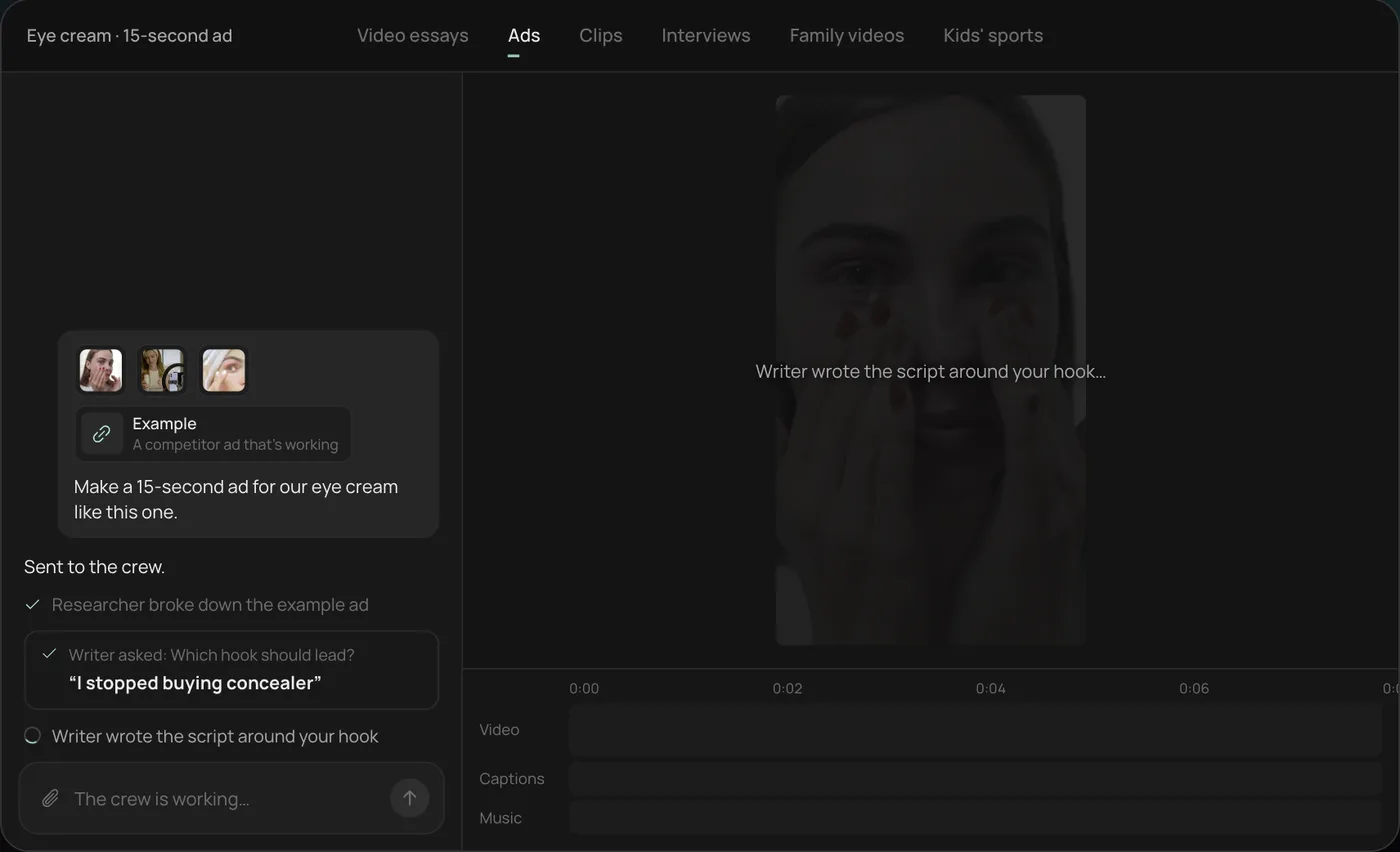
That screenshot comes from a product ad demo; a solar ad goes through the same steps. Rend can research what other installers in your market are running on Meta and write new hooks around your footage, then make image ads and search ad copy from the same set. Before anything goes live, share a review link with whoever signs off on claims; they can mark a frame ("remove '$0 down' from this one") and the agent makes the fix. The ad video review checklist is a good pass to run first.
Download the set for your own ad accounts, or hand it to Rend Boost (early access), where Rend runs the ads on major networks and you pay per click. Editing is free; you pay when Rend renders or generates something, as listed on the pricing page. Rend won't decide which Special Ad Category your campaign needs or what your state allows; that call is yours. More: video ads for local businesses and roofing company videos.
FAQ
Can solar ads still mention the 30% federal tax credit?
Not for homeowners buying a system now. The IRS says the Residential Clean Energy Credit is not available for property placed in service after December 31, 2025. Update any ad, landing page or video that still leads with it.
Do solar ads need a Special Ad Category on Facebook?
Ads that promote financing, loans or payment offers should run in Meta's financial products and services category, which US advertisers must use for those campaigns. Ads about install quality or customer results with no financing offer usually don't.
What videos should a solar installer make?
Customer bill stories with permission, install day clips, a close-up of how you seal roof mounts, a timeline explainer covering inspection and utility approval, and a monitoring app walkthrough.
How long should a solar video ad be?
Fifteen to 30 seconds for social ads, 30 to 60 seconds for bill stories. Keep longer explainers on your website and YouTube.
Can solar companies run Google Local Services Ads?
Yes. "Solar energy contractor" is an eligible US category. You pay per valid lead after passing Google's screening.
Send Rend your install clips and a customer interview, and it will cut a bill story, a roof close-up and an ad set on a timeline you can change. Start a free Rend project.