Opus Clip free alternatives: what you get without paying
The best free Opus Clip alternative that still picks clips for you is Vizard. Its free plan includes the full editor, and a 2026 comparison by Ssemble lists 60 free credits, with a watermark, at 720p. If you're happy to find the moments yourself, CapCut is free for manual editing. If you want finished shorts with your own captions, titles and music on a timeline you can edit, Rend's free plan fits, because editing is free and you pay only when Rend renders or generates something.
This page covers free plans only. For the paid tools too, see our full roundup of OpusClip alternatives.
Why do people look for a free OpusClip alternative?
Most people leave because of the limits on OpusClip's free plan. Vizard's OpusClip comparison says the free plan has no editing, and that clips stop being exportable after 3 days. The Ssemble roundup, with prices checked November 24, 2026, adds that free exports carry a watermark. Competitors wrote both pages, so check these claims on OpusClip's own site before you switch.
The second complaint is how OpusClip counts credits. The Ssemble roundup says it charges one credit per minute of uploaded video, so a long episode uses up credits even when only a few good clips come out of it. Klap's comparison page gives an example: a 3-hour podcast takes 180 of OpusClip Pro's 300 monthly credits. Our OpusClip pricing breakdown goes through every paid tier.
How we compared the free options
Six questions decide whether a free plan will work for clipping:
- Who finds the moments, the AI or you?
- Can you fix captions and cuts before you export?
- Do exports have a watermark, and at what resolution?
- How long do exports stay available?
- What does one credit measure: source minutes, clips or whole videos?
- What does the first paid plan cost, and is that price billed monthly or yearly?
We read every fact below from the linked pages on November 25, 2026. Where we couldn't confirm something today, the table says so. These plans change often, so check each tool's pricing page before you commit.
Free OpusClip alternatives compared (as of November 2026)
| Tool | Type | Free plan | Who picks the moments | Free-plan limits we could confirm | First paid price we could confirm (USD) |
|---|---|---|---|---|---|
| OpusClip | AI clipper | Yes | AI | No editing, exports expire after 3 days, watermark (per Vizard and Ssemble) | Pro $14.50/month billed yearly, 1 credit per source minute |
| Vizard | AI clipper | Yes | AI, or your prompt | 60 credits, watermark, 720p (per Ssemble); full editor and 10 re-prompts (per Vizard) | Creator $14.50/month billed yearly, 600 credits a month |
| CapCut | Manual editor | Yes | You | Free for manual editing, no watermark (per Ssemble) | We could not confirm this today |
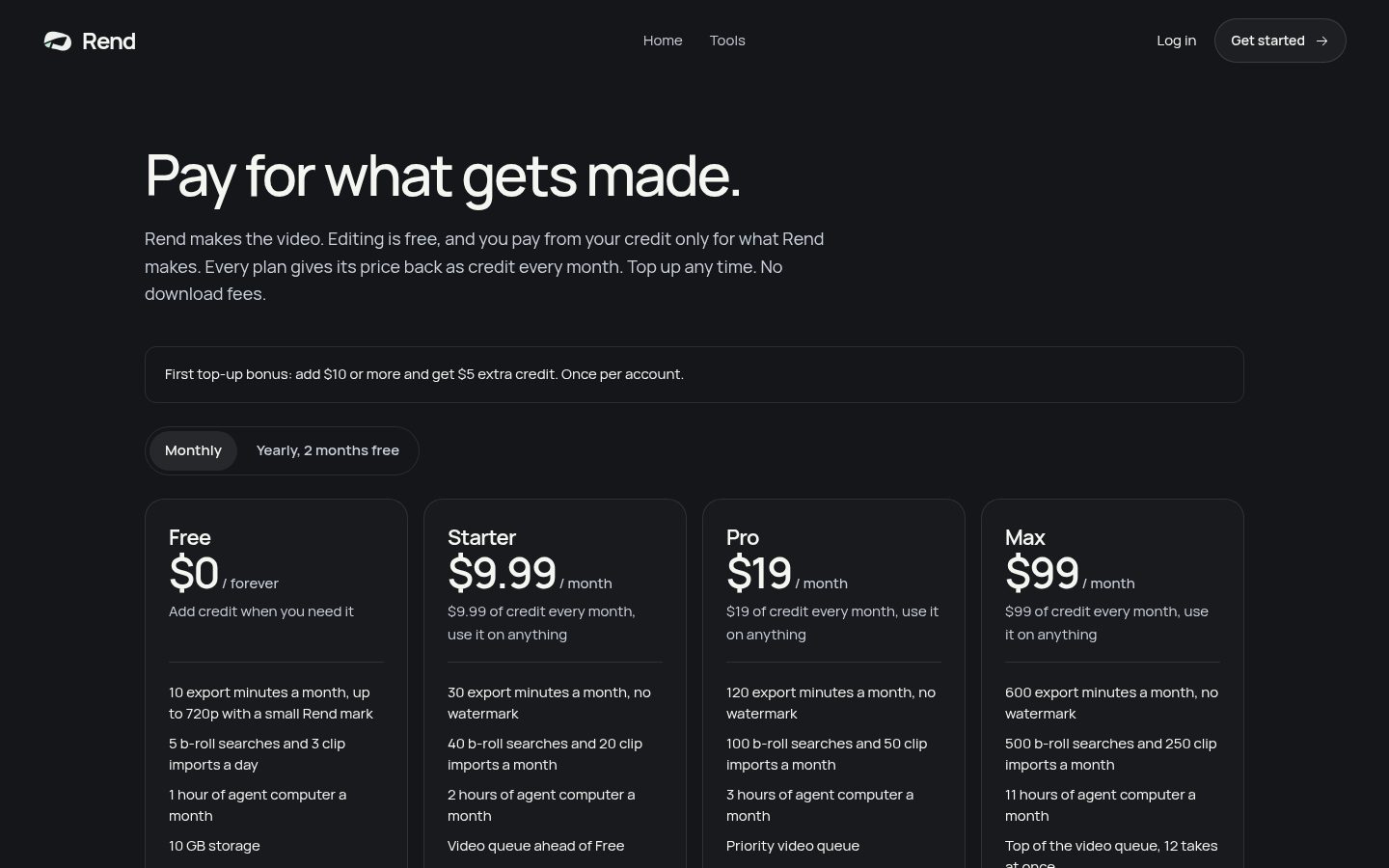
| Rend | AI video agent | Yes | You describe the clip, the agent cuts it | Editing is free; the free plan has a monthly export allowance | Pay only when Rend renders or generates; see Rend pricing |
| Klap | AI clipper | We could not confirm this today | AI, or your prompt | We could not confirm this today | Basic $14.50/month billed yearly, 100 output clips a month (per Ssemble) |
| Ssemble | AI clipper | No (per Ssemble) | AI | No free plan | Pro $6/month billed yearly or $15 monthly, 30 credits, each covering one video up to 20 minutes |
| Submagic | Captions and AI clipping | We could not confirm this today | AI | We could not confirm this today | Starter $12/month billed yearly, 45 credits a month (per Ssemble) |
What does a 60-minute podcast episode cost on each free plan?
One hour-long episode shows the differences better than a feature list does. Here's how that episode goes on the four free options.
OpusClip free
OpusClip finds the clips for you. Based on the Vizard and Ssemble pages, you can't fix a caption or move a cut, every export has a watermark, and you have 3 days to download before the clips expire. This plan works when the AI's picks are good enough to post as they are.
Vizard free
Ssemble's table puts a 60-minute video at about $1.45 on Vizard's $14.50, 600-credit Creator plan. That works out to 60 credits, so the free allowance covers about one episode of that length. You can correct captions and layouts in the editor. Exports still carry a watermark at 720p.
CapCut free
CapCut doesn't charge credits for manual work, so the hour itself costs nothing. The cost is your time. You listen through the episode, mark the moments, then reframe and caption each one by hand.
Rend free
You upload the episode and write a request such as: "cut three 45-second moments where the guest explains pricing, vertical, captions in our font." Rend cuts on the exact words in the transcript and times the captions to each word. Every caption stays editable, and you can change anything on the timeline for free. Only the export counts against your plan.
What should you check in the first hour of any free plan?
Run this test on any free plan before you build a posting schedule around it:
- Upload a real episode, not the sample file.
- Open one clip and change one caption word. If you can't, every transcription mistake goes out with the clip.
- Export one clip and watch it on your phone. Check the resolution and where the watermark sits.
- Find out how long the export stays available, and download your keepers the same day.
- Find out what one credit measures, then divide your monthly hours of video by it.
- Compare the yearly and monthly price of the first paid plan. Ssemble Pro, for example, is $6 a month billed yearly and $15 billed monthly.
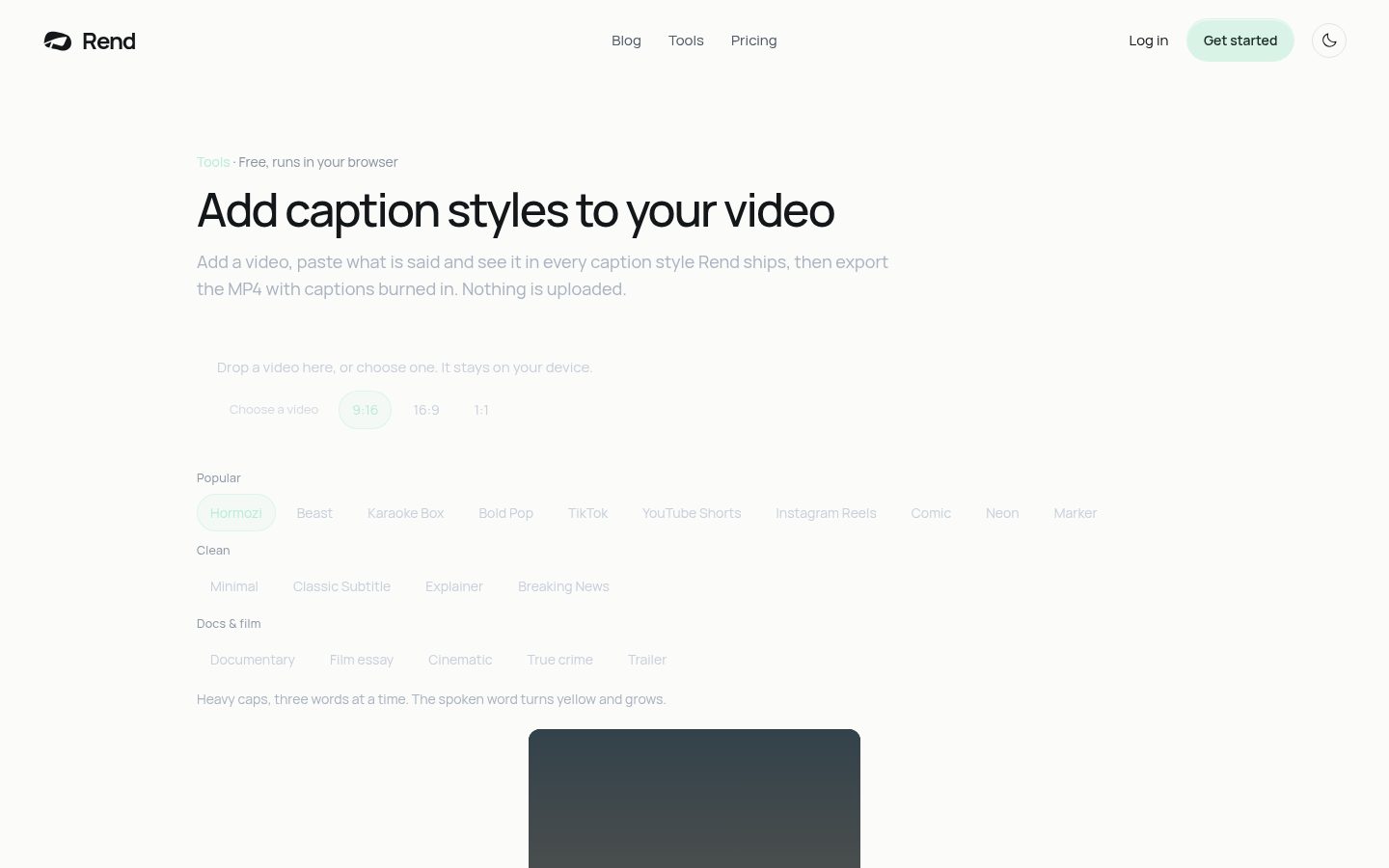
For step 3, our caption style previewer lets you settle on a caption look before you export anything.
The options, one by one
OpusClip
OpusClip is an AI clipper that turns a long video into short clips. It suits creators who want quick clips and don't plan to touch them. The free plan finds clips, but the competitor pages report no editing, a watermark and a 3-day export window. On paid plans you spend one credit per source minute, starting at $14.50 a month billed yearly for Pro, according to the Ssemble roundup. Our OpusClip review covers how good its clip picks are.
Vizard
Vizard is the closest free match to OpusClip, because its AI finds the clips and its free plan includes editing. It suits podcasters who want automatic picks and a chance to fix them. Vizard says free users get 10 re-prompts, where you type something like "every time we talk about pricing" and get a new set of clips. The trade-offs are the watermark, 720p exports and a small credit allowance. Paid plans start with Creator at $14.50 a month billed yearly for 600 credits. Our OpusClip vs Vizard comparison goes deeper.
CapCut
CapCut is a free manual editor. It suits people who'd rather spend their own time than pay, and who already know which moments they want. Ssemble lists it as free with no watermark. The trade-off is that you do the clip-finding yourself, which is slow on long episodes. See OpusClip vs CapCut for a side-by-side.
Rend
Rend is an AI video agent. You say what you want, and a crew of specialist agents takes it from idea to export on a timeline you can open and change. It suits podcasters and brands who want the clip finished: word-timed captions in their own font, titles, an original music bed, and a brand kit that brings back the same look every episode. Editing is free on every plan, and you pay only when Rend renders or generates something. Projects run in a browser editor, with nothing to install and no local GPU needed.
Rend works from what you ask for. If you want software to score every moment in an hour and hand you a ranked list, a dedicated clipper like Vizard or OpusClip gets you started faster. Rend fits better when the clip needs real editing after it's picked, or when a client has to review it. A client can draw on the frame through a review link, and the agent makes the fix. Our guide to turning podcasts into clips shows the workflow.
Klap
Klap is an AI clipper that counts the clips you get, not the minutes you upload. It suits people who upload long sessions and keep only a few clips. Klap says it can clip a YouTube live stream, or a live Twitch or Kick channel, while it's on air, adding new clips every 30 minutes for up to 12 hours. We couldn't confirm a free plan for Klap today. Basic costs $14.50 a month billed yearly for 100 output clips, per the Ssemble roundup.
Ssemble
Ssemble is an AI clipper that charges per source video. One credit covers a video up to 20 minutes, so a 60-minute episode uses 3 credits. It suits people who clip several hours a week. Ssemble itself says it has no free plan and no prompt-based moment search. Pro costs $6 a month billed yearly or $15 monthly. Ssemble wrote the roundup we cite and ranks itself first, so keep that in mind.
Submagic
Submagic is a captions-first tool that also does AI clipping. It suits creators who publish in many languages, since Ssemble lists captions in 118 languages. We couldn't confirm a free plan today. Starter costs $12 a month billed yearly for 45 credits, per the Ssemble roundup. Our OpusClip vs Submagic comparison covers the caption differences.
When is OpusClip the better choice?
OpusClip makes sense to keep when its picks already work for your show and you're willing to pay. Most complaints in this article are about the free plan, and Ssemble's table lists watermark-free exports on OpusClip's paid plans.
OpusClip also covers small teams. Vizard says OpusClip Pro connects 6 social accounts and up to 4 seats. If that's enough for you, switching to gain account slots gets you nothing.
A one-click clipper also beats Rend when speed matters more than polish. OpusClip, Vizard and Klap rank moments for you. Rend is the better choice once you know which moment you want and need it captioned, scored with music and resized.
What does switching from OpusClip involve?
Switching takes about an afternoon if you keep your own source files. We couldn't confirm that any tool here imports OpusClip projects, so plan to upload the original episodes again. Before you cancel, download the clips you want to keep, because free exports expire after 3 days according to the competitor pages.
With Rend, send what you have in chat, by email or through a web form. Set up a video brand kit once, and the same captions, music bed and templates come back every episode. Use the video ad size checker to confirm safe zones before you post vertical clips. If you work in Claude or ChatGPT, you can connect it to Rend in one line.
Next step
Upload one episode to Rend and ask for three clips. Editing costs nothing, and you can compare the free plan and paid options on Rend's pricing page. Start on the free plan.
Frequently asked questions
Is there a free Opus Clip alternative without a watermark?
CapCut is the closest match. Ssemble's comparison lists it as free for manual editing with no watermark. The catch is that you pick and cut every moment yourself. Vizard's free plan finds clips automatically, but Ssemble reports that its exports carry a watermark at 720p.
Does Opus Clip have a free plan?
Yes, but with limits. Vizard's comparison page says the free plan has no editing and that clips stop being exportable after 3 days, and Ssemble's roundup reports a watermark on free exports. Check OpusClip's site for its current terms, since competitors published these claims.
Is Vizard cheaper than OpusClip?
On Vizard's own figures, yes. Vizard says it costs about $0.024 per minute of video on yearly plans, against about $0.048 for OpusClip Pro. Vizard published that comparison, so check both pricing pages before you decide.
Can I make podcast clips with Rend for free?
You can edit for free, and you pay only when Rend renders or generates something. The free plan includes a monthly allowance of export minutes, and the exact amount is on Rend's pricing page. Projects run in the browser, so you don't need to install anything or have a powerful graphics card.
Which Opus Clip alternative can clip a live stream?
Klap says it can. According to its comparison page, you paste the link of a YouTube live stream or a live Twitch or Kick channel, and Klap adds new clips every 30 minutes for up to 12 hours. We couldn't confirm whether this works on a free plan.
What if I have a question about Rend's free plan?
Email support@rend.ai. The team can explain what counts as a render or generation, and how export minutes work on each plan.