Year in Review Video for Business: Script, Shots, Where to Post
A year in review video for a local business or small store should be 45 to 60 seconds long and be about your customers, not your company: open on a real customer moment, show 6 to 8 jobs or orders from the year, add at most 3 numbers you can stand behind, say one thank-you line to camera, and end with one reason to book or buy in January. The raw material is already on your phone. Post it in the last week of December or the first week of January.
Plenty of year in review advice is about the company: milestones, headcount, the offsite, templates for a 12-month montage. For a salon, an HVAC company, a dental office or a candle shop, customers care about one thing: will you do good work for them. This guide gives you what you need to finish one: a 20-minute way to find the shots, three filled scripts, a rule for numbers, and where each version goes, including Google Business Profile and email.
The 45 to 60 second structure
| Part | Time | What goes in it |
|---|---|---|
| Cold open | 0 to 4 s | One customer moment with motion: a reveal in the chair, a furnace roaring back on, a box being opened. No logo. |
| The line | 4 to 8 s | One sentence on screen: "2026, thanks to you." Your name can sit small in the corner. |
| Numbers | 8 to 16 s | At most 3 real numbers, one per shot, over footage. |
| Moments | 16 to 42 s | 6 to 8 customer or job moments, 3 to 4 seconds each. |
| Thank-you | 42 to 50 s | You, on camera, one or two sentences. Phone at eye level, window light. |
| January reason | 50 to 58 s | One reason to book or buy now, with how to do it. |
Open on a person. A logo animation is easy to scroll past; a customer laughing at their new haircut is not.
Use three numbers at most, and make all of them true. "412 haircuts" beats "hundreds of happy clients", but only if you counted. Pull it from your booking system, invoices or store orders. One number that means something ("38 no-heat calls answered the same day") beats three that are just big.
Eight shots that each show a finished job read as proof. Forty shots at half a second each read as a screensaver.
The thank-you is eight seconds of you, in your shop, saying something you mean. Write it down first: "Thank you for trusting us with your homes this year. We don't take it lightly."
Then end with January. A recap that just ends leaves the viewer feeling nice and doing nothing. Give one reason: the January calendar is open, a new service starts, the winter collection drops on the 6th. Say where to book.
The 20-minute camera roll triage
The hard part is finding the 25 good shots among 4,000 photos of receipts, parts and your dog. Set a 20-minute timer.
Minutes 0 to 5: search, don't scroll
On an iPhone, Apple's Photos guide covers finding photos by date, by people and pets, by location, and by media type. In Google Photos, the search help page covers searching by people, things and places. Search your shop's location, then the job or product ("haircut", "furnace", "candle"), and on iPhone narrow to videos and work by date.
Minutes 5 to 15: favorite 25
Go month by month and heart anything that shows a customer, a finished job, or a moment with energy. Aim for 2 per month. Don't judge too hard yet.
Minutes 15 to 20: cut it down
- Near-duplicates: keep the best of any burst. You do not need three angles of the same balayage.
- Prefer clips with motion. A 4-second clip of a customer turning to see the back of their hair beats a perfect still of the same thing (if you do want an all-stills cut, our guide on how to make a slideshow video covers pacing).
- Drop any face, house number or license plate you haven't cleared (more on consent below).
- Drop shots where another brand's logo is the main thing in frame.
Land on 15 to 25 keepers. That's a 50-second cut with spares.
A camera roll that's mostly photos still works: slow push-ins on stills, mixed with the few clips you have. Our post on making video from photos with AI goes into what holds up and what looks fake.
Three filled scripts
These are made-up businesses, written as examples. Swap in your own moments and numbers.
Example 1: a hair salon
| Time | On screen | Text / voice |
|---|---|---|
| 0 to 4 s | Client spins in the chair, sees her new color, laughs | (no text) |
| 4 to 8 s | Slow shot of the empty salon at opening | "Our 2026, thanks to you" |
| 8 to 16 s | Three quick shots: a foil, a blowout, a bride's updo | "1,140 appointments. 86 first visits in December. 22 brides." |
| 16 to 42 s | 7 before/after reveals, 3 to 4 s each | Clients' first names only, if they said yes |
| 42 to 50 s | Owner at her station | "Every one of you sat in that chair and trusted us. Thank you." |
| 50 to 58 s | January calendar on the booking page | "January books open now. Gloss treatments all month. Link in bio." |
Example 2: an HVAC company
| Time | On screen | Text / voice |
|---|---|---|
| 0 to 4 s | Tech lights a furnace, the burners catch, the homeowner's dog wanders in | (no text) |
| 4 to 8 s | Van pulling out of the shop at dawn | "2026: thank you for letting us in" |
| 8 to 16 s | Three shots: a new condenser, a thermostat, a crawl space | "1,960 service calls. 214 new systems. Same-day on most no-heat calls." |
| 16 to 42 s | 8 job shots: old unit out, new unit in, clean install, techs | Review quotes on screen instead of customer faces |
| 42 to 50 s | Owner in the shop, hands in pockets | "You trusted us with your homes in the worst weeks of the year. Thank you." |
| 50 to 58 s | Tech checking a furnace filter | "January tune-ups are open. Book before the next cold snap. Call or book online." |
Note the "most". If you didn't answer every no-heat call the same day, don't say you did.
Example 3: a Shopify candle store
| Time | On screen | Text / voice |
|---|---|---|
| 0 to 4 s | Hands peeling the tape on a box, tissue paper, a candle lifted out | (no text) |
| 4 to 8 s | Wick being lit in the dark | "Year one. Thank you." |
| 8 to 16 s | Pouring wax, labeling, a stack of shipping boxes | "3,200 orders. 41 states. 6 new scents." |
| 16 to 42 s | 7 moments: customer unboxing clips they sent you, the market booth, a restock day, a review screenshot | Customer handles only if they gave permission |
| 42 to 50 s | Owner at the pouring table | "You turned a kitchen project into a real shop. Thank you." |
| 50 to 58 s | The new winter scent, lit | "The winter scent drops January 6. Early access for everyone on the list." |
The candle store's best shots are often ones customers sent you. Ask before using them. Our guide to the customer testimonial video covers what a customer release should include.
Consent: ask, or use their words
Before a customer's face, voice, home, street or car goes into a public video, ask. A text is enough: "We're making a thank-you video for the year. Can we include the photo from your appointment in March?" If they say no, that is the end of it.
When you can't ask, use their review text instead. A five-star review set in big type over a shot of the finished job (no face, no house number) is proof without exposure. For HVAC, plumbing, roofing and anyone working inside homes, make this the default.
Where it goes and in what shape
Make one main cut, then export it in the shapes each place needs. Exact sizes and safe zones change; check them in our free video ad sizes tool before you export.
| Where | Shape | Length | When to post |
|---|---|---|---|
| Instagram and Facebook Reels | Vertical 9:16 | 45 to 60 s | Dec 28 to 31, pin it to your profile |
| Google Business Profile | Trimmed from the main cut | Up to 30 s, 75 MB, 720p or higher, per Google's help center | First week of January |
| Email to past customers | A thumbnail that links to the video | Full cut | Jan 2 to 5, subject line with the January reason |
| Website | Horizontal 16:9 | Full cut, can run longer | Early January, on the home or reviews page |
Post the thank-you before New Year's and let the email carry the January reason a few days later. If you're also running holiday ads, keep them separate; our Christmas video ads guide covers the selling side. For the 30-second Google Business Profile cut, keep the cold open, 3 or 4 moments, the thank-you and the January line; our guide to Google Business Profile video covers uploading.
Music and captions
Use music you're allowed to use for a business, from a licensed library or an original track. Duck it under the owner's thank-you so the words land.
Caption everything, so the numbers and the January reason read with the sound off. Big type, high contrast, clear of the bottom strip where app buttons sit.
How to make it in Rend
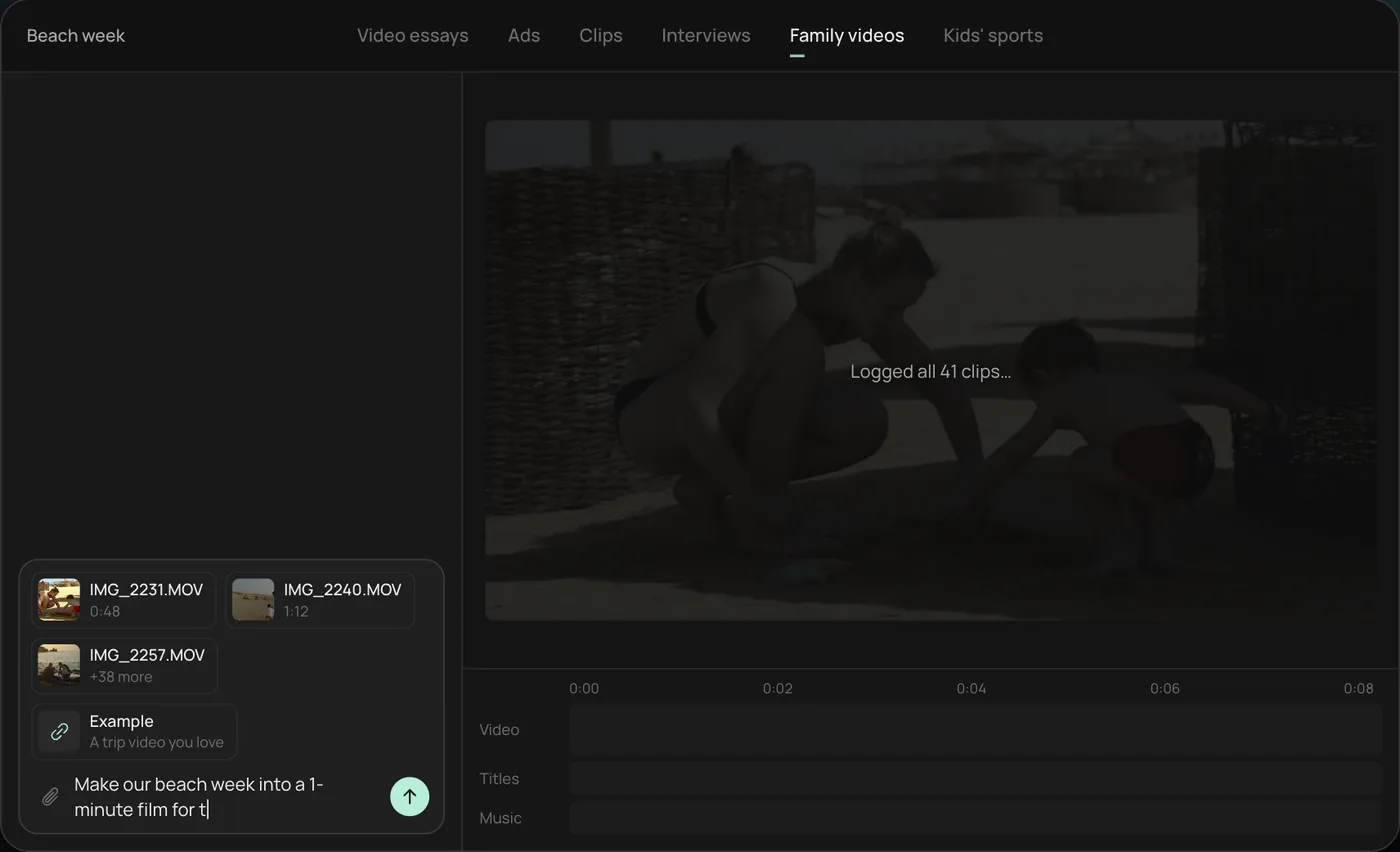
Rend is an AI video agent: you say what you want, and a crew of specialist agents builds it on a real, editable timeline.
- Send the camera roll. Send your 15 to 25 favorites from your phone, in chat, by email or through a web form. Our guide on how to send videos from your phone walks through each way.
- Ask for the cut. "Make a 50-second year in review for my salon. Open on a client reveal, these three numbers, my thank-you clip last, end with January bookings open. Use my brand kit." Paste your real numbers so nothing gets made up.
- Let the crew build it. Rend picks the moments, adds word-timed captions in your caption style, and lays an original music bed under it with your voice ducked on top. Everything lands on separate tracks you can change.
- Approve on a review link. Your partner or manager draws on a frame and leaves a note ("swap this shot, she said no"), and the agent reads every note and makes the fix.
- Get the sizes. Ask for vertical, square and horizontal versions from the same timeline.
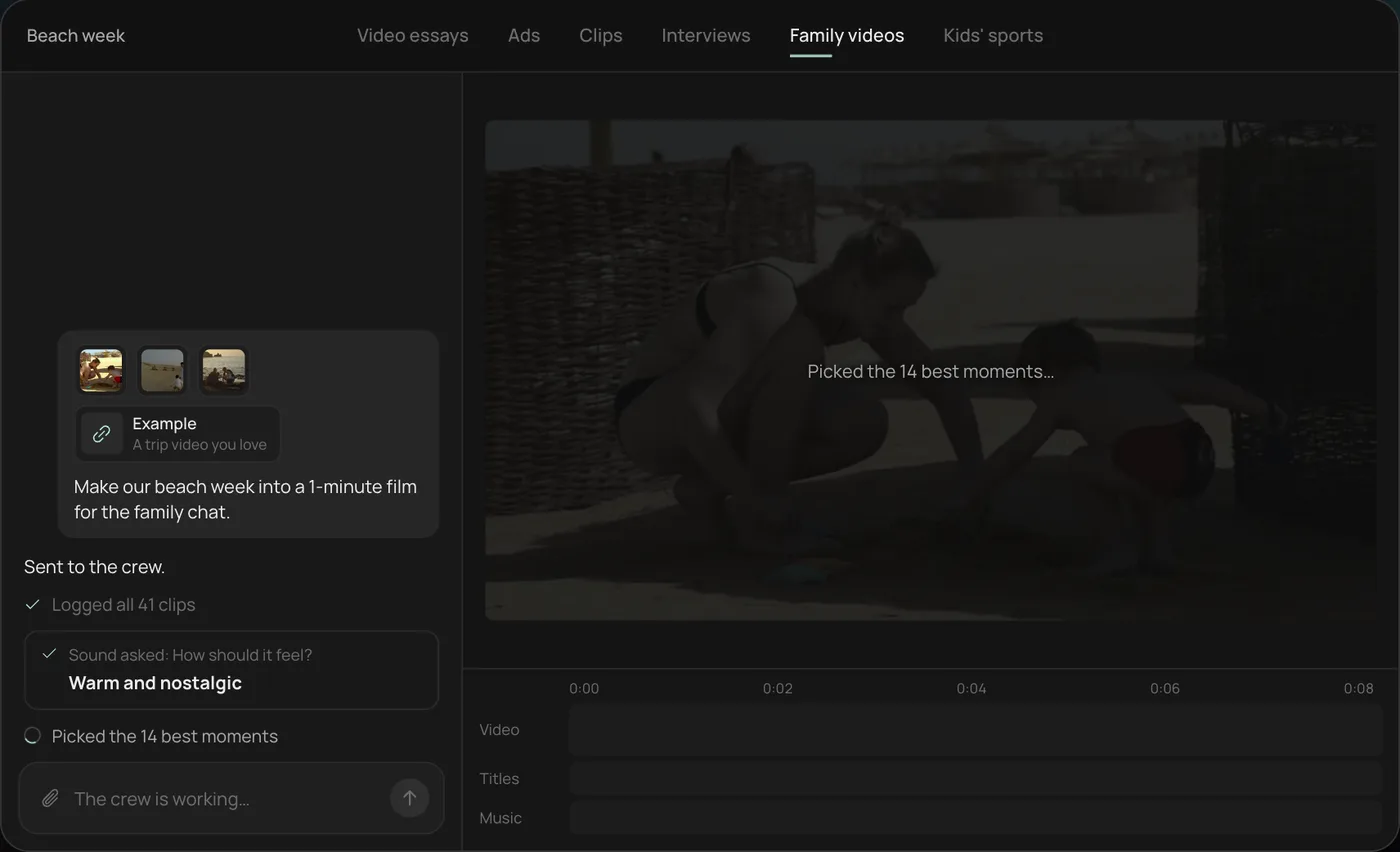
The screenshots above are from Rend's demo of a family film built from 41 phone clips; a business recap from your camera roll works the same way. If you're also recapping a specific night, like a holiday party or a grand opening, our event recap video guide has the shot list.
Editing in Rend is free. You pay only when Rend renders or generates something. See pricing for plans and pay-as-you-go.
FAQ
How long should a year in review video be?
For a local business or small store, 45 to 60 seconds for social, a 30-second cut for Google Business Profile, and up to 2 minutes for a website version. Keep the social cut short enough that the thank-you and the January reason, the parts that matter most, come before people move on.
What should I put in a business year in review video?
Customers and finished work, a few true numbers, a short thank-you from the owner, and one reason to book or buy in January. Skip office moves, team offsites and awards unless your customers would genuinely care.
When should I post a year in review video?
Post the social version between December 28 and 31 and pin it. Send the email to past customers in the first week of January, with the January reason in the subject line. The website version can go up any time in early January.
Can I make a year in review video from photos only?
Yes. Use 15 to 20 strong photos, give each one 2 to 3 seconds with a slow push-in, and add the owner's thank-you as the one live clip if you can. Even one or two short clips of motion make the whole thing feel more alive.
Do I need music rights for a year in review video?
Yes, if it's for your business. A song you like is not automatically licensed for a business account or a website. Use a library you're allowed to use for commercial posts, or an original track made for the video.
If you want the year in review built for you from your camera roll, you can start free on Rend, send your favorites and ask for a 50-second cut. Editing is free; you pay only when Rend renders or generates something.